

Forum Replies Created
-
AuthorPosts
-
Hunter
ModeratorHi Thomas,
Welcome to our Pre-Sales Questions Channel and thank you for considering our plugins for your project.
events should be created by members of the page and with creating an event it should be able for the creator to invite other members.
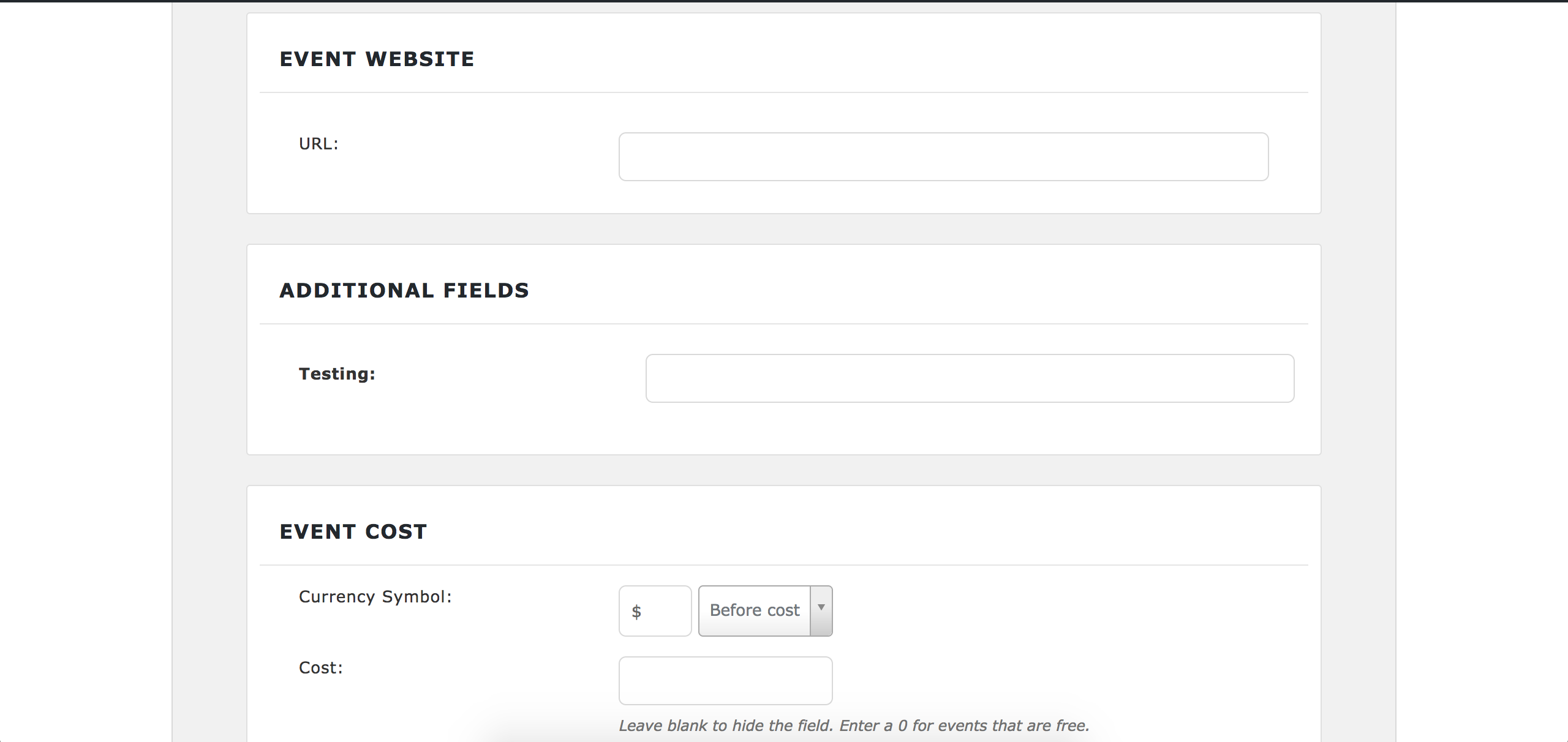
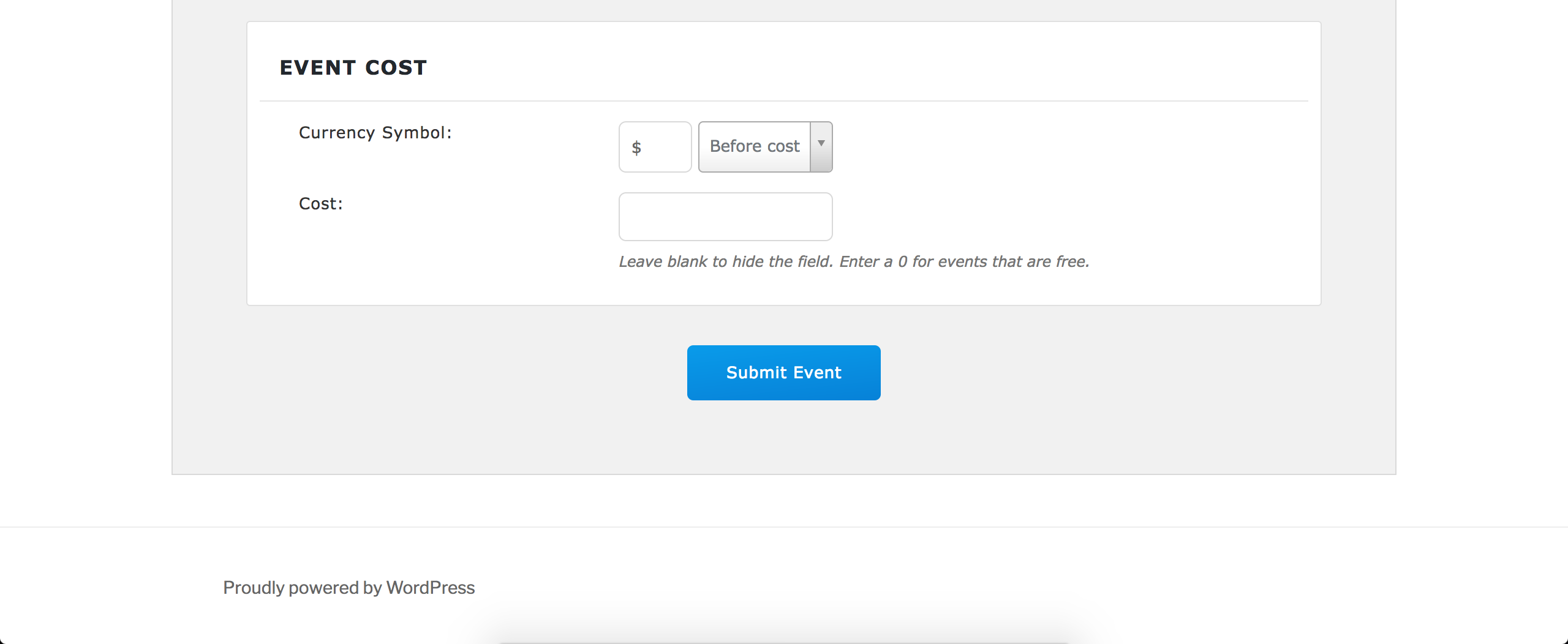
Our Community Events allows for users to add events from the front-end of your site. I’ve taken screenshots of the Add Event page on my test site. Please note: some features seen in the screenshots are only available with the purchase of additional plugins. For example, the “Scheduled multiple events” option (allows for events with unique time/date requirements) is part of our PRO Recurring Events feature available with an Events Calendar PRO license.
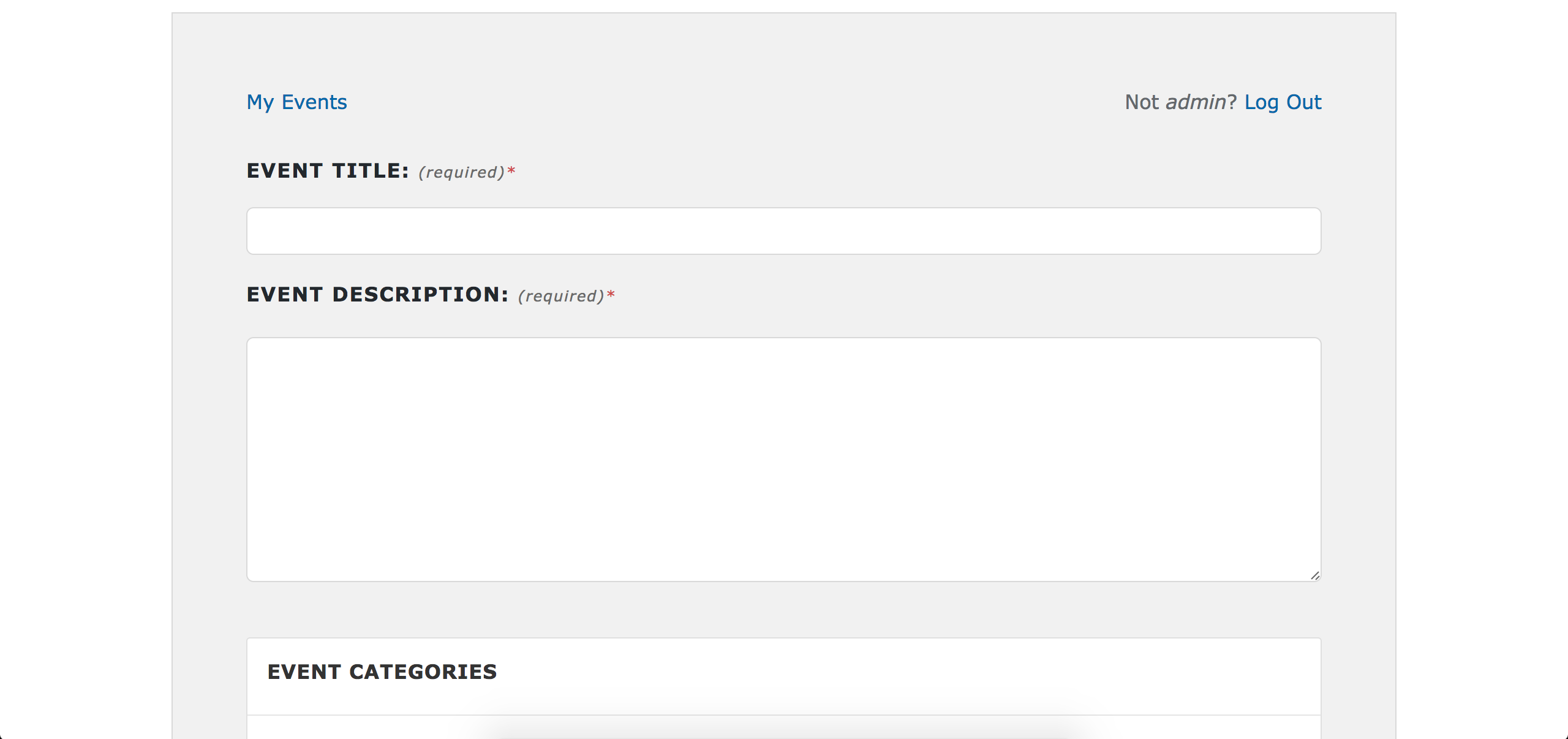
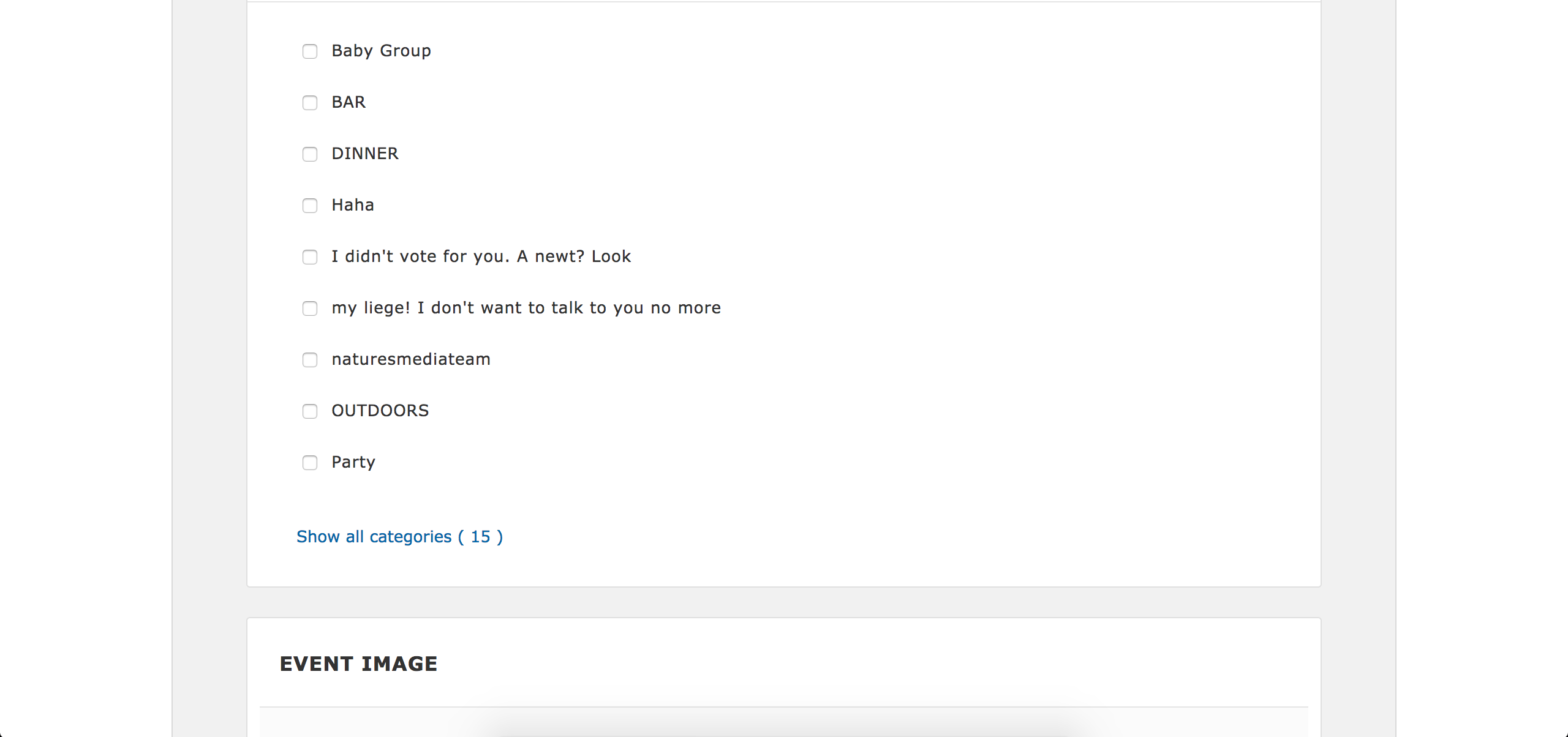
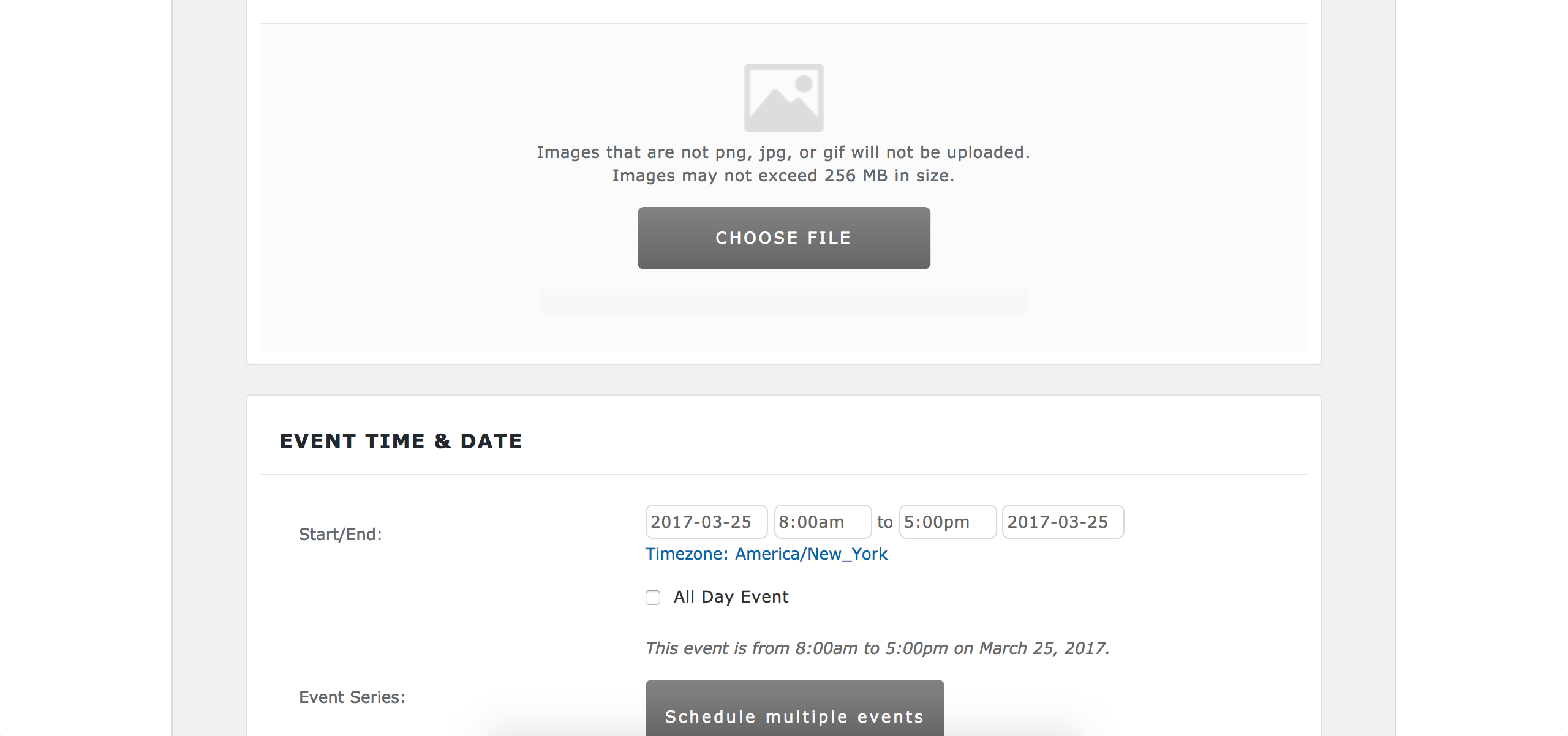
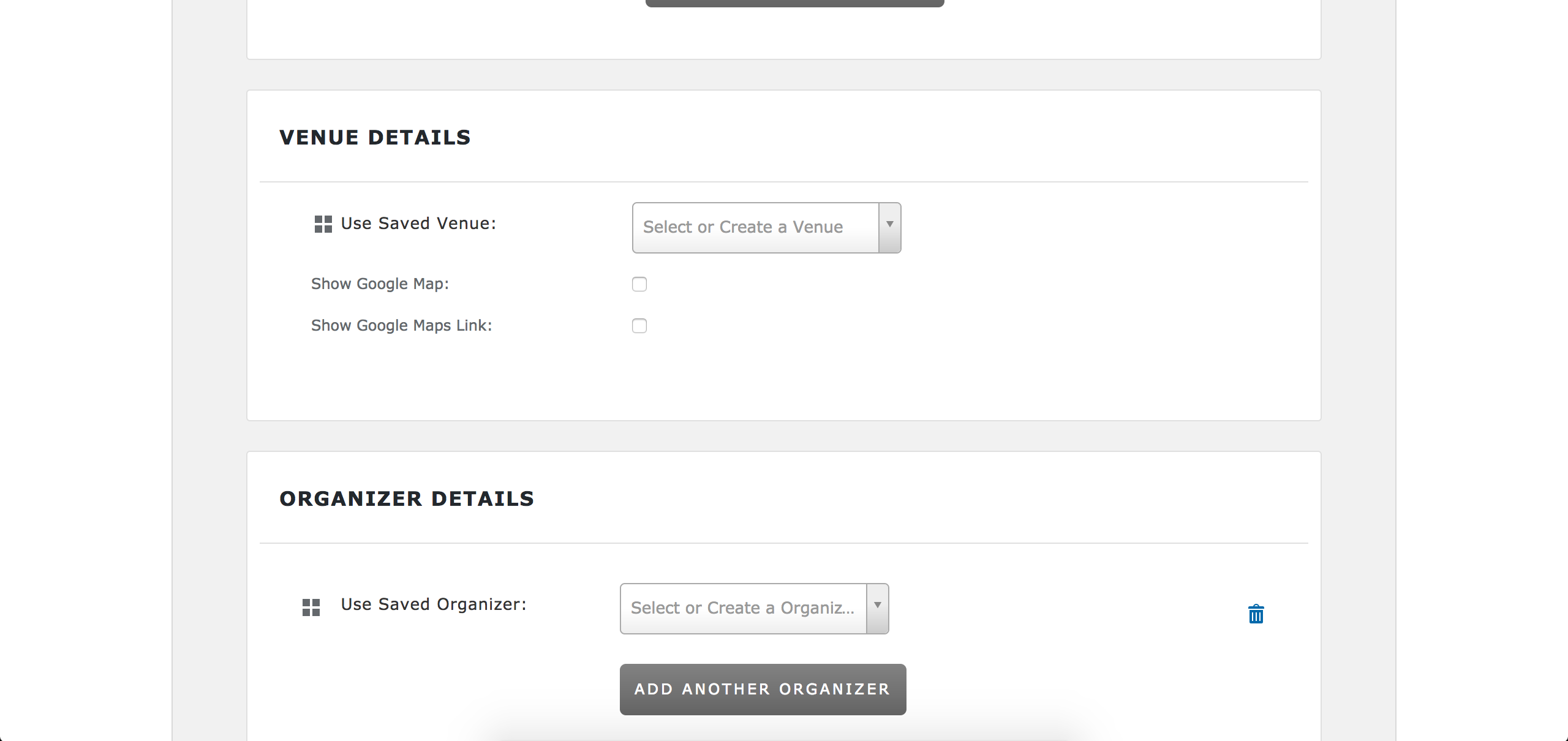
Notice the “Additional Fields” section – this is only available via our PRO Additional Fields feature which again is only available with a PRO license.
the events should be public (seen for all) or private – only seen for member and his friends.
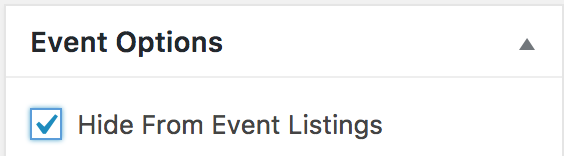
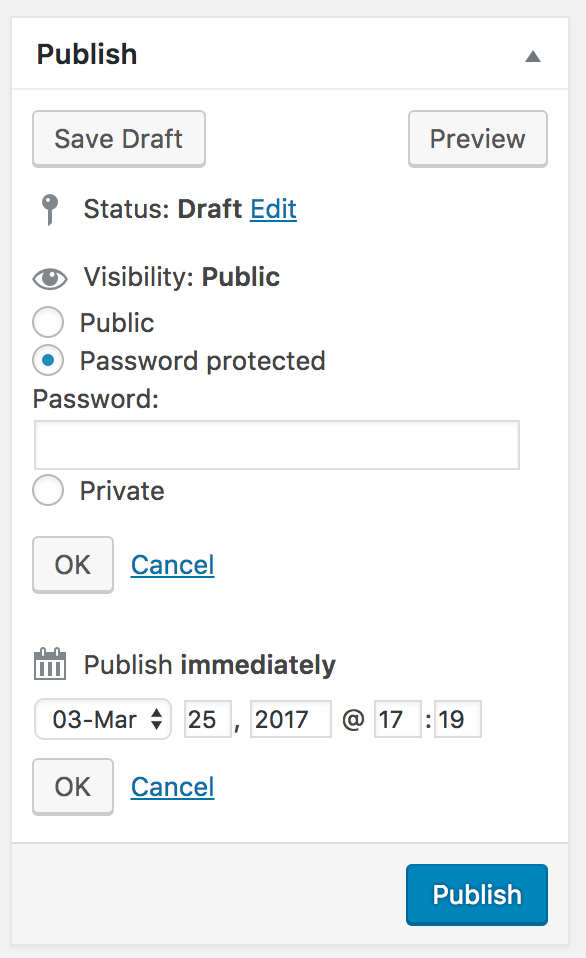
Once an event has been submitted, it will display in all views you have enabled under Events > Settings > Display > Enable event views. A workaround would be to check the Hide From Event Listings option (screenshot below) on the add/edit event screen and mark events as “Password Protected” (screenshot below) and members can share links and/or passwords to events they to allow access for:
You might also be able to work something out with the use of additional plugins and/or custom code which we’re unable to provide. Check out our Admin roles and permissions tutorial as a starting point.
you can joyn events, tentative or decline. you should see wo already accepted the event.
We don’t currently have a “decline” feature, though users can always RSVP to events they plan on attending. We’ve included an option to enable/disable the list of users who have RSVPd/purchased ticket(s) for events from appearing on the front-end of the event:

For any requests you might have for our dev team, please take a moment and add any you might have to our UserVoice Feature Ideas.
We offer a 30-day back money back Refund policy which we’ve found to be ample to for users to test things out and ensure they fit their needs. Let me know if you’ve got any additional questions and have a pleasant rest of your weekend. Cheers!
March 25, 2017 at 1:46 pm in reply to: custom form data to be collected and captured during event purchase #1260112ModeratorHey Kirk,
Thanks for considering our plugins for your project. I believe I understand the needs you’ve voiced, but I’ll walk you through some potential options which might fit your criteria:
• Event Tickets/Event Tickets Plus | Event Tickets (free) allows for users to RSVP to upcoming events and collect the user’s name and email address and contact/payment information. Event Tickets Plus enables the feature of paid tickets which also allow for collecting additional attendee information, such as who, vehicle info, Club Affiliation, etc).
What we need to accomplish is to charge presenters and understand who and what they are presenting
If you wanted to allow presenters the ability add their own events and tickets, you would need to purchase Community Events and Community Tickets. More info can be found on the aforementioned linked product pages.
Lastly, should you need the use for multiple plugins, be sure and check out the Bundles page to ensure you don’t miss out on the opportunity to save money. We also offer a 30-day money back Refund policy which allows ample time to test-drive things and make sure they meet your criteria.
Let me know if I’ve helped answer your questions and feel free to reply with any more you might have. Enjoy the upcoming weekend! Cheers 🙂
ModeratorHello,
If you visit WooCommerce > Settings > Checkout > Cash on Delivery, simply uncheck the Enable cash on delivery option. See screenshot below for example:

For future inquiries related to WooCommerce, please ensure you’ve reviewed their documentation. Let me know if my answer helps and have a pleasant weekend ahead. Cheers!
ModeratorOur Upgrading a license tutorial should answer your concerns, so please take a moment and review it. Should you have any additional questions, let me know and I’d be happy to further assist. Have a great upcoming weekend 🙂
March 25, 2017 at 1:22 pm in reply to: Remove the included calendar search and use only filter bar #1260108ModeratorTry adding the following line to the bottom of your theme’s functions.php file:
add_filter( 'tribe-events-bar-should-show', '__return_false', 9999 );Source: Understanding and customizing the Tribe Events Bar
ModeratorHi and welcome,
Rather than rewrite history, please review our Working with timezones and Settings Overview: The Events Calendar and Events Calendar PRO tutorials and let me know if it helps address your questions. Should you still have any questions, let me know and I’d be happy to help further assist.
Thank you for your purchase and welcome to the premium plugin support forums! Have a great weekend ahead. Cheers 🙂
ModeratorHello,
Welcome back and happy Saturday! The customizations you seek border on the line of custom code which we’re fairly limited in providing. I would be happy to point you towards any documentation and relative threads which might help bridge the gap. Sorry I can’t do more in this instance – please review our What support is provided for license holders? Knowledgebase article for more info. Our UserVoice Feature Ideas is also the best venue to submit feature request
I have a custom input form for new events.
Can you provide a link to the custom input form you’re using for new events? Does it differ from the default form included in Community Events (your-site.com/events/community/add)?
We only want to have and show start and end date.
You could either use CSS (though it might not accomplish 100% of what you want/need) and/or create a custom template as explained in our Themer’s Guide which would remove/comment out code related to start/end time.
You also might want to check over the Release Notes, plugin changelogs, and review Events > Help > Recent Template Changes to see if any existing overrides you have are using old/outdated code.
• Required Fields for Events Submission Form
• https://theeventscalendar.com/support/forums/topic/remove-required-fields-changing-error-message/
• Change the default start/end time for new eventsYou could also try downgrade to the see if there were changes made recently which affect the date/time requirements.
Keep me posted with what you learn after reviewing my response and further testing on your end and have a great weekend ahead. Cheers!
ModeratorHi and welcome,
Sorry to see you’re running into troubles with the Global Stock feature. I first like to share our Making tickets tutorial, which I’ve linked directly to the Global Stock section. If you have not, please review the tutorial to ensure you’re not missing a setting/option which might have the effect you’re looking for.
Moving on to investigating the issue:
• Are you using RSVP or WooCommerce Tickets?
• Can you send a screenshot of each ticket details? See screenshot for example: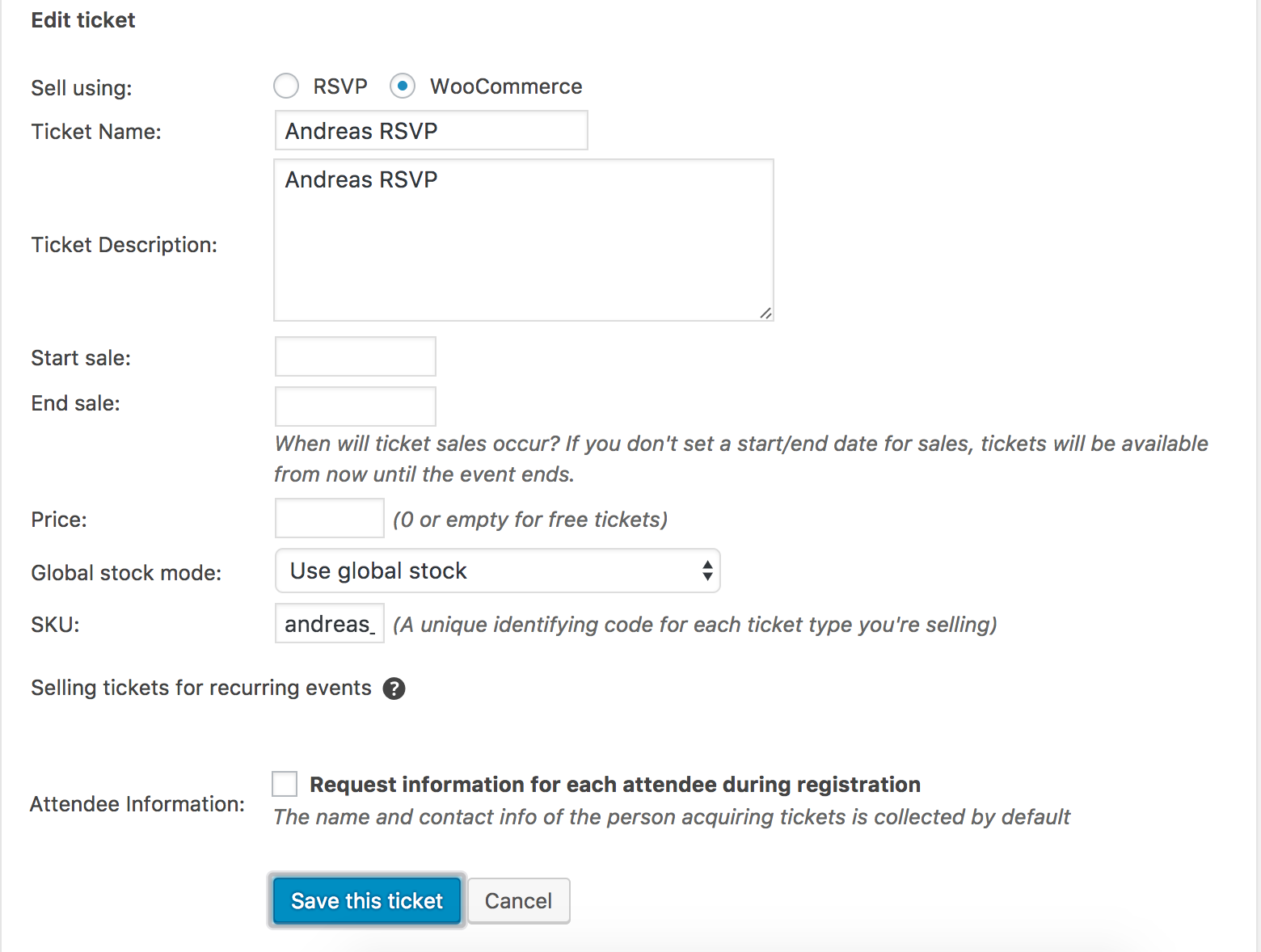
Have you reviewed your Events > Settings > Tickets > WooCommerce Support options to ensure things are set to your liking? Review our WooCommerce-Specific Ticket Settings tutorial for complete details.
Does the stock change as it should when you visit WooCommerce > Orders > and change the order status from “Processing” to “Complete”? You also might want to look into adding the following snippet to the bottom of your theme’s functions.php file which will mark all orders automatically to “Complete”:
/**

 * Auto Complete all WooCommerce orders.

 */

add_action( 'woocommerce_thankyou', 'custom_woocommerce_auto_complete_order' );

function custom_woocommerce_auto_complete_order( $order_id ) {

    if ( ! $order_id ) {

        return;

    }
$order = wc_get_order( $order_id );
$order->update_status( 'completed' );
}Code source
Lastly, it’s always best to review the Testing for conflicts guide to make sure you’re not “barking up the wrong tree” in terms of assuming/believing/etc/ our plugin(s) are the source of conflict. Let me know if any of this helps get you on the right track and have a pleasant rest of your weekend. Cheers!
ModeratorHi and welcome,
Thank you for posting and sorry see you’re having troubles. The files you’re referring to are not included in the list of templates our Themer’s Guide applies to.
And you provided a snippet for that:
Can you provide the link where a snippet was provided?
You said you would include the snippet in the updated plugins.
Again, it would be appreciated if you could provide a link where a support team member states this snippet/feature will be incorporated into an upcoming release. Once I can locate a bug/feature report related to this subject, I can check the status and would be happy to update you with that information.
Thanks and have a pleasant rest of your weekend. Cheers!
ModeratorThank you for the update and your patience while I further consulted with some fellow support team members. Before I’m able to provide any more support, can you please review the Testing for conflicts guide in it’s entirety and reply back with what you learn?
Thank you for understanding and I look forward to getting things squared away once and for all. Have a great rest of your weekend!
ModeratorHello again,
We have an open bug pertaining to Yoast SEO Premium, but it relates to Yoast creating a bunch of unnecessary redirects when a recurring event is updated. Are you using recurring events? Have you noticed this behavior when updating a recurring event?
I’m not seeing any other bugs relating to Yoast SEO Premium, particularly the issue you’re experiencing. My hunch is it relates to a plugin conflict (whether it be soley Yoast SEO premium or if their is the possibility another plugin is contributing to the conflict).
If you haven’t already, review the Testing for conflicts guide as it’ll provide the exact source(s) of conflict. Once you have that information, you’ll have a better idea on how to proceed.
You also might want to try searching our forums for “beaver builder” in addition to general web searches on the topic. Let me know what you learn and have an enjoyable rest of your weekend!
ModeratorWelcome back,
Hi
I’ve edited the bar.php but the result is like the image attached. Why?
Best regardsDid you create and save customizations for that particular file as explained in the Testing for conflicts guide? I’m not 100% certain as to why the display issue you’re experiencing is occurring. Unfortunately, these types of requests (conflicts/customizations) are a little outside the scope we’re able to cover. Your best bet is to re-review the Themer’s Guide to ensure you haven’t missed a step in the process. CSS might also come in handy, so refer to our Using Chrome Developer Tools tutorial and you might also want to check out this Customizing WordPress #2 – Using Chrome Developers Tools.
Other worth reads include our Stylesheets and Page Templates and Settings Overview: The Events Calendar & Events Calendar PRO tutorials.
Hi
another question; i’ve tried to change the title with this snippet in function.php
https://theeventscalendar.com/knowledgebase/altering-or-removing-titles-on-calendar-views/
But when i insert the snippet, the site no load again and show me a white page. Why?
Best regardsYou most likely need to remove the opening <?php bracket on line one from that snippet. Try adding the following code the the bottom of your theme’s functions.php file:
*

 * Alters event's archive titles

 */

function tribe_alter_event_archive_titles ( $original_recipe_title, $depth ) {

	// Modify the titles here

	// Some of these include %1$s and %2$s, these will be replaced with relevant dates

	$title_upcoming =   'Upcoming Events'; // List View: Upcoming events

	$title_past =       'Past Events'; // List view: Past events

	$title_range =      'Events for %1$s - %2$s'; // List view: range of dates being viewed

	$title_month =      'Events for %1$s'; // Month View, %1$s = the name of the month

	$title_day =        'Events for %1$s'; // Day View, %1$s = the day

	$title_all =        'All events for %s'; // showing all recurrences of an event, %s = event title

	$title_week =       'Events for week of %s'; // Week view

	// Don't modify anything below this unless you know what it does

	global $wp_query;

	$tribe_ecp = Tribe__Events__Main::instance();

	$date_format = apply_filters( 'tribe_events_pro_page_title_date_format', tribe_get_date_format( true ) );

	// Default Title

	$title = $title_upcoming;

	// If there's a date selected in the tribe bar, show the date range of the currently showing events

	if ( isset( $_REQUEST['tribe-bar-date'] ) && $wp_query->have_posts() ) {

		if ( $wp_query->get( 'paged' ) > 1 ) {

			// if we're on page 1, show the selected tribe-bar-date as the first date in the range

			$first_event_date = tribe_get_start_date( $wp_query->posts[0], false );

		} else {

			//otherwise show the start date of the first event in the results

			$first_event_date = tribe_event_format_date( $_REQUEST['tribe-bar-date'], false );

		}

		$last_event_date = tribe_get_end_date( $wp_query->posts[ count( $wp_query->posts ) - 1 ], false );

		$title = sprintf( $title_range, $first_event_date, $last_event_date );

	} elseif ( tribe_is_past() ) {

		$title = $title_past;

	}

	// Month view title

	if ( tribe_is_month() ) {

		$title = sprintf(

			$title_month,

			date_i18n( tribe_get_option( 'monthAndYearFormat', 'F Y' ), strtotime( tribe_get_month_view_date() ) )

		);

	}

	// Day view title

	if ( tribe_is_day() ) {

		$title = sprintf(

			$title_day,

			date_i18n( tribe_get_date_format( true ), strtotime( $wp_query->get( 'start_date' ) ) )

		);

	}

	// All recurrences of an event

	if ( function_exists('tribe_is_showing_all') && tribe_is_showing_all() ) {

		$title = sprintf( $title_all, get_the_title() );

	}

	// Week view title

	if ( function_exists('tribe_is_week') && tribe_is_week() ) {

		$title = sprintf(

			$title_week,

			date_i18n( $date_format, strtotime( tribe_get_first_week_day( $wp_query->get( 'start_date' ) ) ) )

		);

	}

	if ( is_tax( $tribe_ecp->get_event_taxonomy() ) && $depth ) {

		$cat = get_queried_object();

		$title = '' . $title . '';

		$title .= ' › ' . $cat->name;

	}

	return $title;

}

add_filter( 'tribe_get_events_title', 'tribe_alter_event_archive_titles', 11, 2 );
Edit
Now the page is without title, but it looks like the picture in image attached
Thank you!I’m not 100% certain I understand your issue – but it appears to relate to a conflict with your custom theme, which as I’ve previously stated on numerous occasions we’re unable to provide assistance with. Refer to the documentation above to help a) identify the source of conflict and b) address those sources of conflict.
A few helpful resources:
• https://theeventscalendar.com/favorite-developer-plugins/
• https://theeventscalendar.com/wordpress-web-developer-extensions/Additionally, please make sure WP_DEBUG and WP_DEBUG_LOG are enabled on your site’s wp-config.php file. Any errors will display at the top of your page as you try to reproduce the conflict. I also recommend right-clicking your mouse and opening the ‘Inspect’ tool to see if any errors display in the console. Note what you find and please include it in your reply.
Keep me updated on the status of your issues and have a wonderful weekend ahead 🙂
ModeratorHey Lisa,
I installed and set up the Mollie extension but ran into the same issues you’re experiencing. I’m also strangely experiencing the same behavior using PayPal, so I’ve brought this thread to the attention of a few support team members to find out a) if a bug is present or b) if there is a simple change of settings/options which will accommodate marking orders through Mollie/PayPal as “Complete”.
Similar to the last time, if you don’t hear back from me within 24-48 hours (realistically Monday due to the weekends being a bit slow), ping me for an update. Have a pleasant rest of your weekend!
ModeratorDo you currently have any ecommerce provider installed on your site? If not, you will need to get one installed/activated. Please review the Event Tickets Plus: which ecommerce solution is right for you? turorial to ensure you have all requirements met for ET/ET+ to work properly.
March 25, 2017 at 11:12 am in reply to: RSVP event – removing "Cost" in secondary details box #1260066ModeratorKeep me posted on your progress and enjoy the remainder of your weekend 🙂
-
AuthorPosts