

Forum Replies Created
-
AuthorPosts
-
April 4, 2017 at 9:31 pm in reply to: Changing the text in event description does not change the list view text? #1264643
Hunter
ModeratorHello,
We are unfortunately unable to provide support through our Pre-Sales forum channel, but you can head over to The Events Calendar WordPress.org support forums for assistance and answers. You may want to look at the excerpt, too.
If you have a PRO license, you can log into your account and get assistance through the PRO forums.
Thanks for understanding and good luck resolving your issue. Have a good day!
April 4, 2017 at 9:29 pm in reply to: Ticket types created for page post incorrectly displayed on My Tickets page #1264640ModeratorHello 🙂
Before I try reproducing the behavior on my test site, can you please review our Testing for conflicts guide and reply back with your findings? Please include your System Information as a private reply.
Once I have that information I’ll have a better idea on how to proceed. Thanks and have a good evening!
ModeratorHello,
Any features not currently included in the plugin will require you to either develop them yourself or visit our UserVoice Feature Ideas and add your suggestions there.
If you believe you are experiencing a bug, please review the Testing for conflicts guide and let me know what you find out. Please include your System Information as a private reply.
Thanks and have a wonderful evening!
ModeratorLol! I know how that goes. Best of luck with your other tasks and thanks again for the patience 🙂
April 4, 2017 at 9:23 pm in reply to: Events Calendar problem after updating to Visual Composer 5.1 #1264634ModeratorMy pleasure and I’m happy to hear things are working again. I’ll close this thread out but feel free to create a new one if you have any more questions or concerns. Enjoy the rest of your day!
ModeratorHello,
I attempted to import the event from Facebook and was able to do so with no problems. Please see screenshots below:
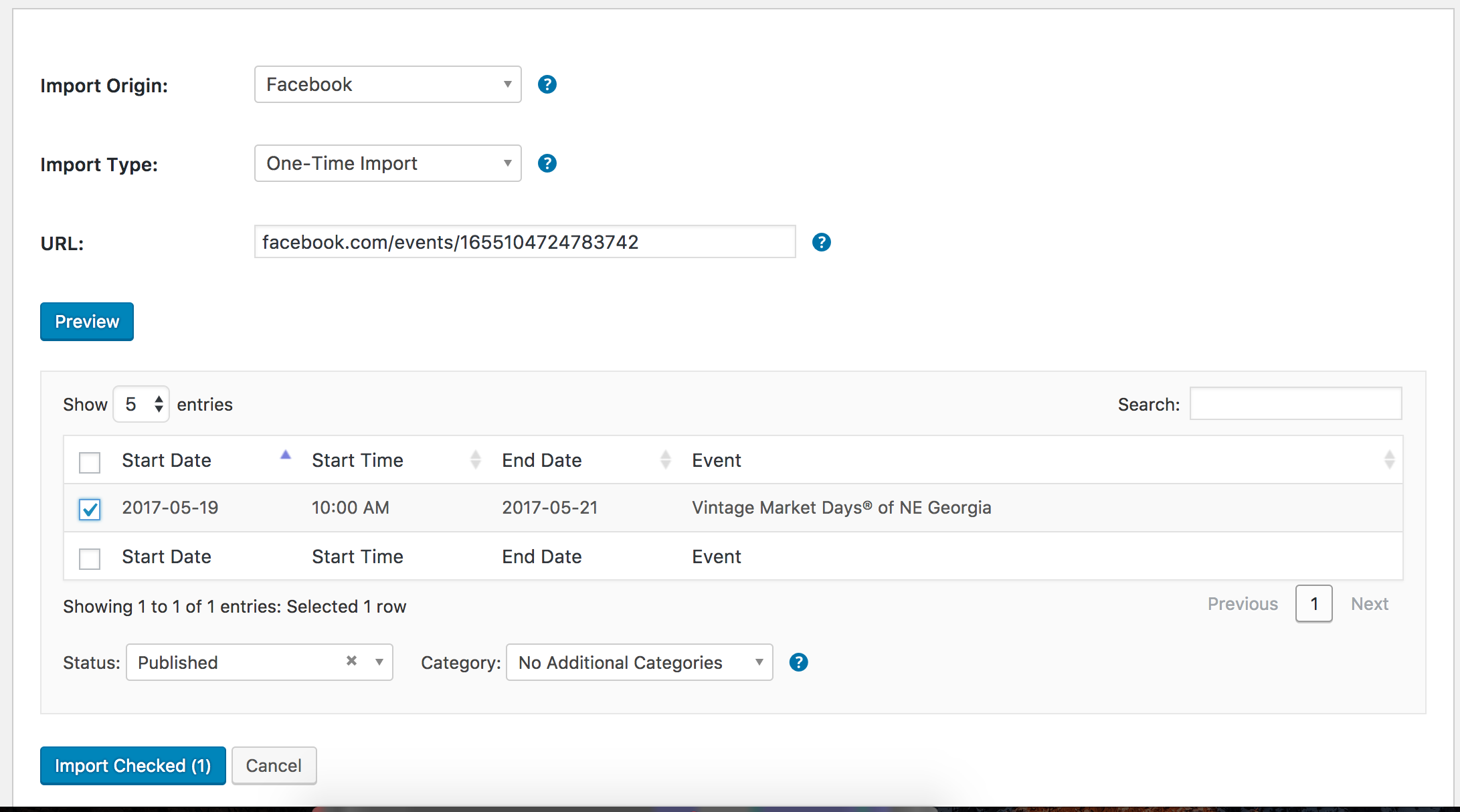
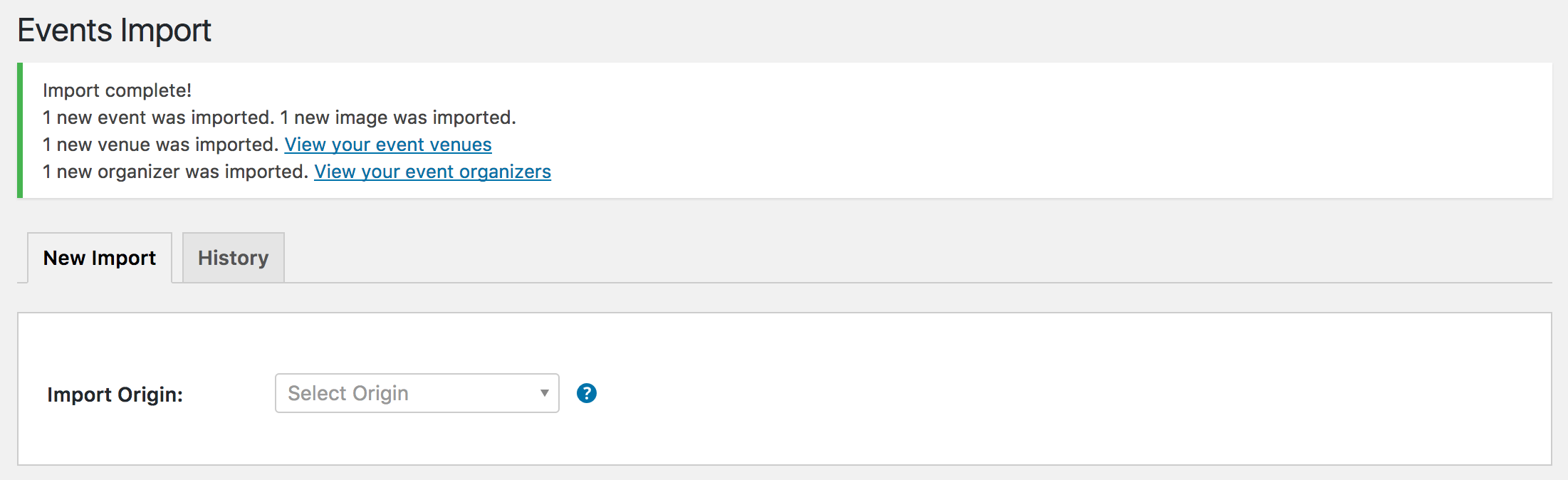
I’d start by ensuring your plugins are up-to-date and re-reviewing the Testing for conflicts guide (with WP_DEBUG/WP_DEBUG_LOG set to “true” on your wp-config.php file) to see if you can identify the source of conflict.
Let me know what you find out and best of luck. Cheers!
ModeratorThank you for further clarifying the issue. I’m not 100% certain why the map is displaying at the top of your homepage. Can you please review our Testing for conflicts guide and reply back with your findings? Running through this test will identify the specific source of conflict so you can start looking for solutions.
Let me know and we’ll continue investigating. Thanks!
ModeratorIf you review our System Information as a private reply, it walks you through the process. Let me know if it helps! And what is your native language or another language you are more comfortable speaking than English? Maybe I can locate a support team member who is fluent in the language so we can lower the barrier. Thanks!
ModeratorGreat – and thanks for the feedback. Unless you’ve got any more questions on the matter I’ll go ahead and close the thread out. Thanks again!
April 4, 2017 at 9:11 pm in reply to: Reduced recurring events pregeneration, events past this date not deleted #1264622ModeratorHello,
Thank you for the update and I’m happy to hear you’re on the right track. I checked our bug reports once more to ensure I’m not missing anything in addition to double-check the performance on my test site when opening a recurring series including ~100 events and didn’t have any troubles whatsoever.
I wish I had more information for you but without an influx of users experiencing the issue and the inability to reproduce it limits how much more support I can provide. Sorry to be the bearer of bad news and let me know if you’ve got any additional questions or comments.
ModeratorHi and welcome back,
Sorry to hear the solution didn’t work out. I’ve provided all the available resources I have on adjusting your calendar to fit your needs, so you’ll unfortunately have to handle things from here on out. As stated in our What support is provided for license holders? Knowledgebase article, we’re limited in providing support for customizations.
If things get beyond your level of expertise, you might want to look into hiring someone to help further assist. Sorry to be the bearer of bad news and have a pleasant rest of your week 🙂
ModeratorSorry to hear you’re still having troubles. Review our Themer’s Guide for instructions on creating and saving customizations.
If you need assistance locating the correct files, let me know and I’d be happy to further assist. Take care!
ModeratorHey Lisa 🙂
We are in the process of retiring the Facebook Events plugin and replacing it with our newest plugin, Event Aggregator. It is “baked into” The Events Calendar and doesn’t require installing/activating any additional plugins. It’s activated by inputting your EA license key under Events > Settings > Licenses on your WP site.
You have been granted a license for Event Aggregator and it is set to expire on the same date your Facebook Events license expires. For information, please review our Moving to Event Aggregator Knowledgebase article and if you run into any issues along the way, please create a separate thread.
I hope this clears up any confusion and let me know if you have any additional questions on the matter. Cheers!
ModeratorHey Rob 🙂
We aren’t able to provide support through our Pre-Sales forum channel, but you can head over to The Events Calendar WordPress.org and we’d be happy to help further assist.
If you have a PRO license, you can log into your account and get assistance through the PRO forums.
Sorry I can’t do more at this time and best of luck resolving your issue. Have a great week ahead!
ModeratorHello,
Sorry to see you here under the circumstances. We are unfortunately unable to provide support through our Pre-Sales forum channel, but you can head over to The Events Calendar WordPress.org support forums for assistance and answers.
If you own any active premium plugin licenses, you can log into your account and get assistance through the PRO forums.
Thanks for understanding and good luck resolving your issue. Have a good evening!
-
AuthorPosts