

Forum Replies Created
-
AuthorPosts
-
Hunter
ModeratorHey Eric,
Thank you for the update. We are unfortunately unable to log into customer sites, so I’ve gone ahead and removed the credentials you sent over in your last response. You’ll need to both revert back to the default WP theme and deactivate all plugins other than ours before I’m able to provide any more support.
When testing, please make sure WP_DEBUG and WP_DEBUG_LOG are enabled on your site’s wp-config.php file. Any errors will display at the top of your page as you try to reproduce the conflict. I also recommend right-clicking your mouse and opening the ‘Inspect’ tool to see if any errors display in the console. Note what you find and please include it in your reply. I’ve got a feeling there might be some mixed content warnings going on. I took a quick look and Autoptimize seems to be causing some kind of warnings/errors.
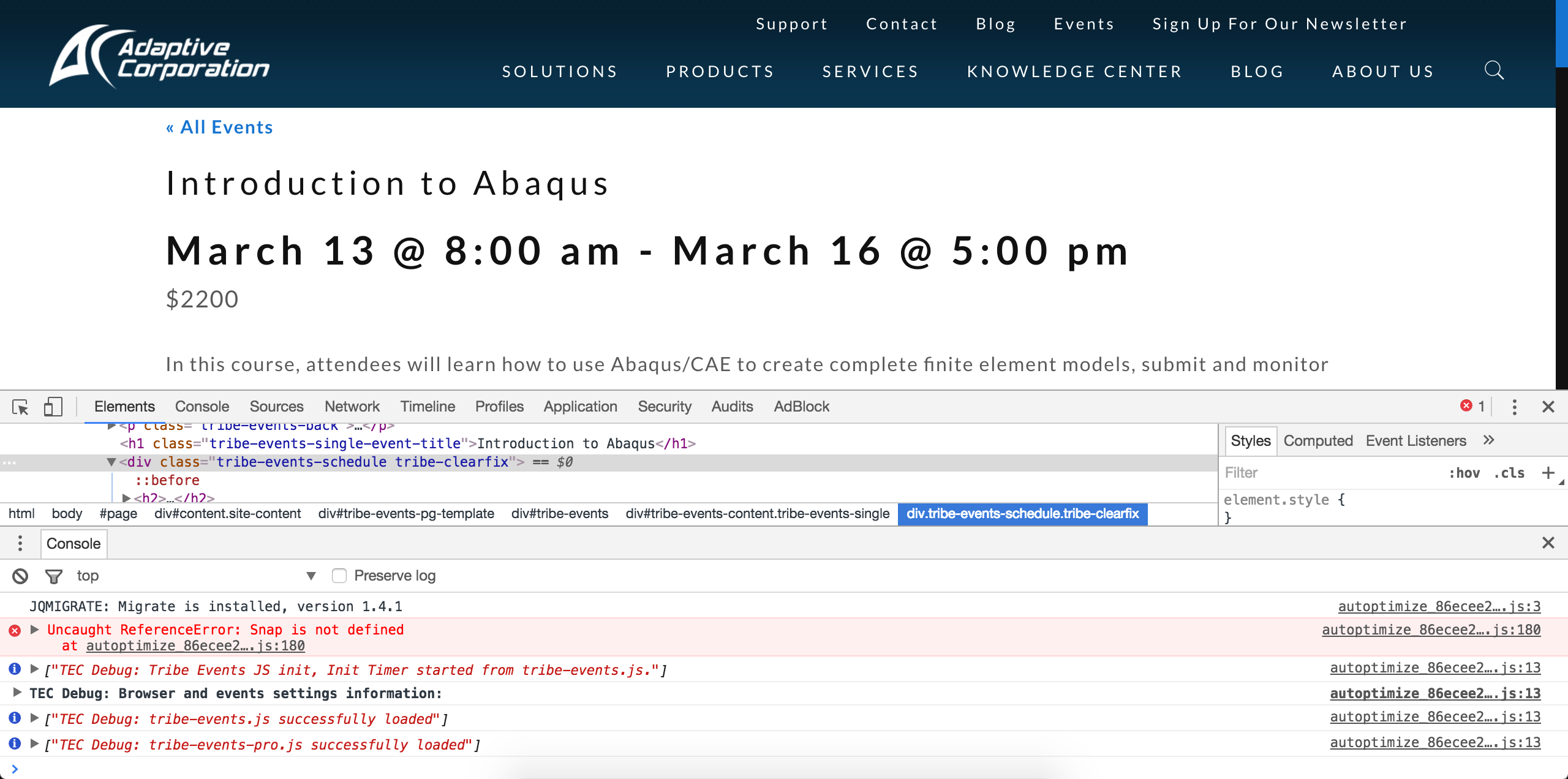
Please let me know what you find after reviewing the Testing for conflicts guide in it’s entirety and have a good afternoon.
February 26, 2017 at 8:11 pm in reply to: Recurring Events, First Friday, Second Saturday etc. #1246097ModeratorHello and welcome 🙂
In order to gain the PRO Recurring Events feature, you’ll need a license for Events Calendar PRO. If you already have a valid license and need support, please create a thread in the appropriate forum and we’d be happy to help further assist.
Please let me know if this helps answer your question and have a pleasant rest of your day. Cheers!
ModeratorHi Cassy,
Welcome back and sorry to see you here under the circumstances. We do have a few bugs relative to what you’ve mentioned, but in order to confirm the behavior you’re experiencing is being caused by faulty code, can you please review our Testing for conflicts guide and reply back with your findings?
Please make sure WP_DEBUG and WP_DEBUG_LOG are enabled on your site’s wp-config.php file. Any errors will display at the top of your page as you try to reproduce the conflict. I also recommend right-clicking your mouse and opening the ‘Inspect’ tool to see if any errors display in the console. Note what you find and please include it in your reply.
Once I have that information, I’ll have a better idea on how to proceed. Rest assured our devs are hard at work resolving bugs in an extraordinary fashion! Thanks and take care 🙂
ModeratorHello 🙂
Sorry to see you here under the circumstances. Can you please provide exact step-by-step instructions on how to reproduce the behavior? Please include screenshots and/or a screencast if possible.
I’ll also need you to confirm the behavior persists after reviewing our Testing for conflicts guide. This is a required step to continue receiving troubleshooting support.
One last question: are you on GoDaddy Managed Hosting? We have a known bug related to missing attendee info affecting users on GoDaddy which we’re currently investigating.
Thanks and once I have a response I’ll have a better idea on how to proceed. Cheers!
February 26, 2017 at 7:56 pm in reply to: Is there a way to show View Your Tickets to show all tickets purchased? #1246092ModeratorHi and welcome back 🙂
We have an Extension which does exactly what you need. Quoted directly from the Extension description:
This extension does one other thing, which is add a similar “View Ticket” link to the screen on the front-end of the website where attendees can view a summary of the tickets they have purchased. This allows an attendee to locate and print their ticket without having to contact you to resend the email that contains the ticket.
Please review our Add “View Ticket” Link to the My Tickets Screen Extension to see if it will accomplish what you’re after. Thanks and have a pleasant remainder of your day.
ModeratorHello,
Thank you for posting to our Pre-Sales Questions Channel and thank you for considering our plugins for your project! The functionality you’re in search of is not currently available in our plugins, but there are plugins available in the WordPress repository which can help achieve the user experience you need, such as User Specific Content. This plugin will allow you to hide/display specific content based on the user’s role.
Please let me know if this helps answer your question and have a great rest of your week. Cheers!
ModeratorHi Colleen,
I too have noticed my scheduled imports not running as they should be, so I’ve logged a bug report and added this forum thread to the ticket which helps expedite the process of getting a fix included in an upcoming release. I don’t have a precise date when it will be available, but please stay tuned to our Release Notes and the plugin changelogs for more information.
I’d also be happy to update this thread once I have more information from the developers, including a possible workaround until we can get the bug patched. Thanks again and let me know if you’ve got any additional questions or comments. Cheers!
February 24, 2017 at 4:43 pm in reply to: Categories and Event Options get reset when import runs #1245606ModeratorHey Colin,
As you’re most likely aware, we have a bug logged resembling what you’ve described, so I’ve added this forum thread to the ticket which helps expedite the process of getting a fix included in an upcoming release. I don’t have a precise date when it will be available, but please stay tuned to our Release Notes and the plugin changelogs for more information. The good news is it’s at Priority Level 1 which is an indication it’s on the fast-track. Thanks again and let me know if you’ve got any additional questions or comments. Cheers!
ModeratorHello 🙂
Welcome and thank you for considering our plugins for your project! I’d be happy to help answer your questions.
Have it look great and function well in mobile view
Our plugins are built with mobile users in mind, so barring any unforeseen conflicts, your site should look great on any device, whether it be a big screen TV or your average user’s smartphone.
And have it hosted on our own site. Since the current calendar is hosted off our site, any major design edits made to the architecture or navigation of the site must also be replicated by the calendar host.
Absolutely! Our plugin is built to the WordPress plugin codex standards, so as long as you’re running a WordPress site you should be able to install and manage the plugin from within your WordPress site.
Be able to filter events by Calendar Type, by Facility or by Athletics Team
You could either use the shortcodes included in PRO or if you wanted to accomplish this on a much greater level of detail, you could purchase the Filter Bar.
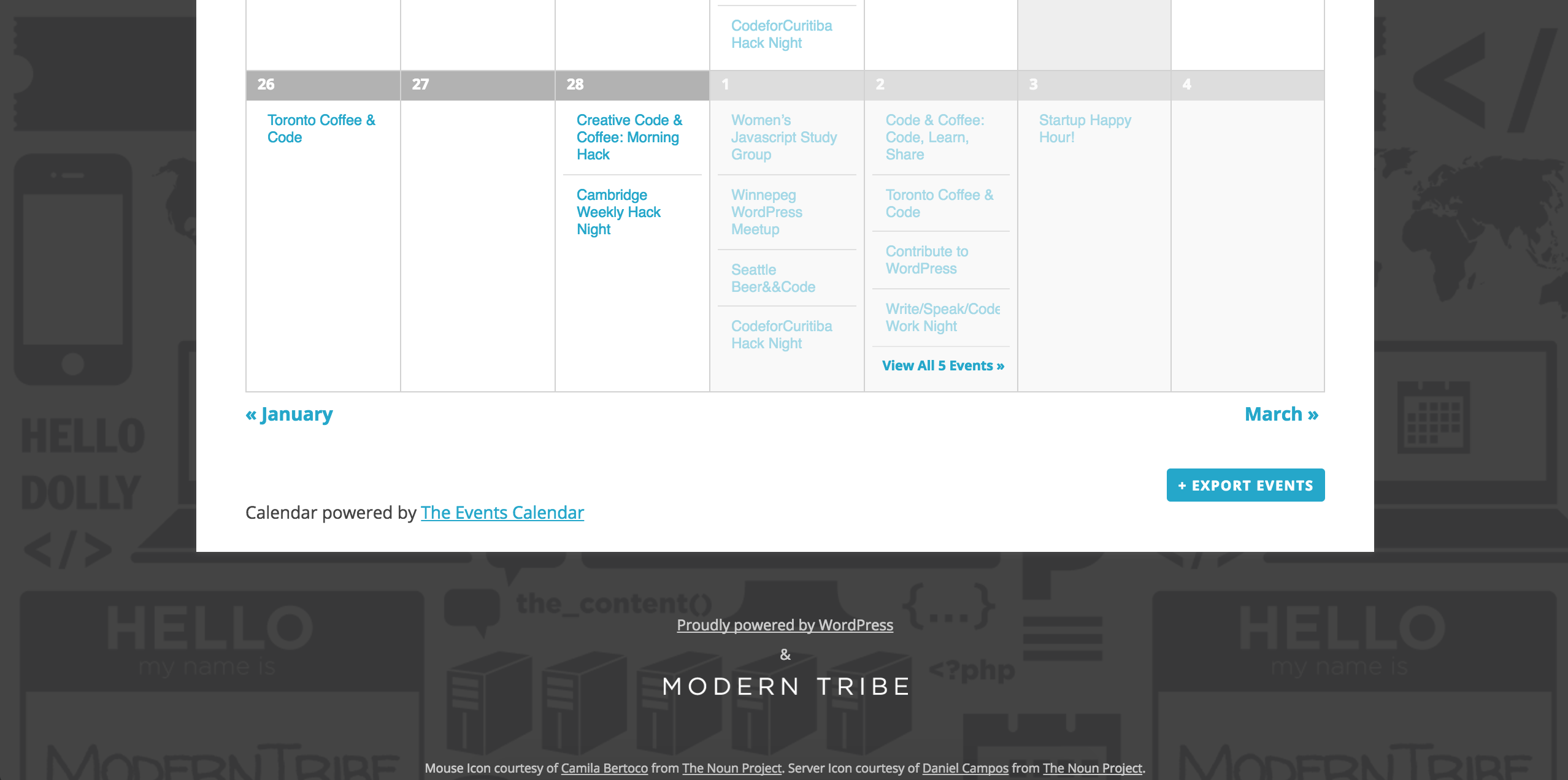
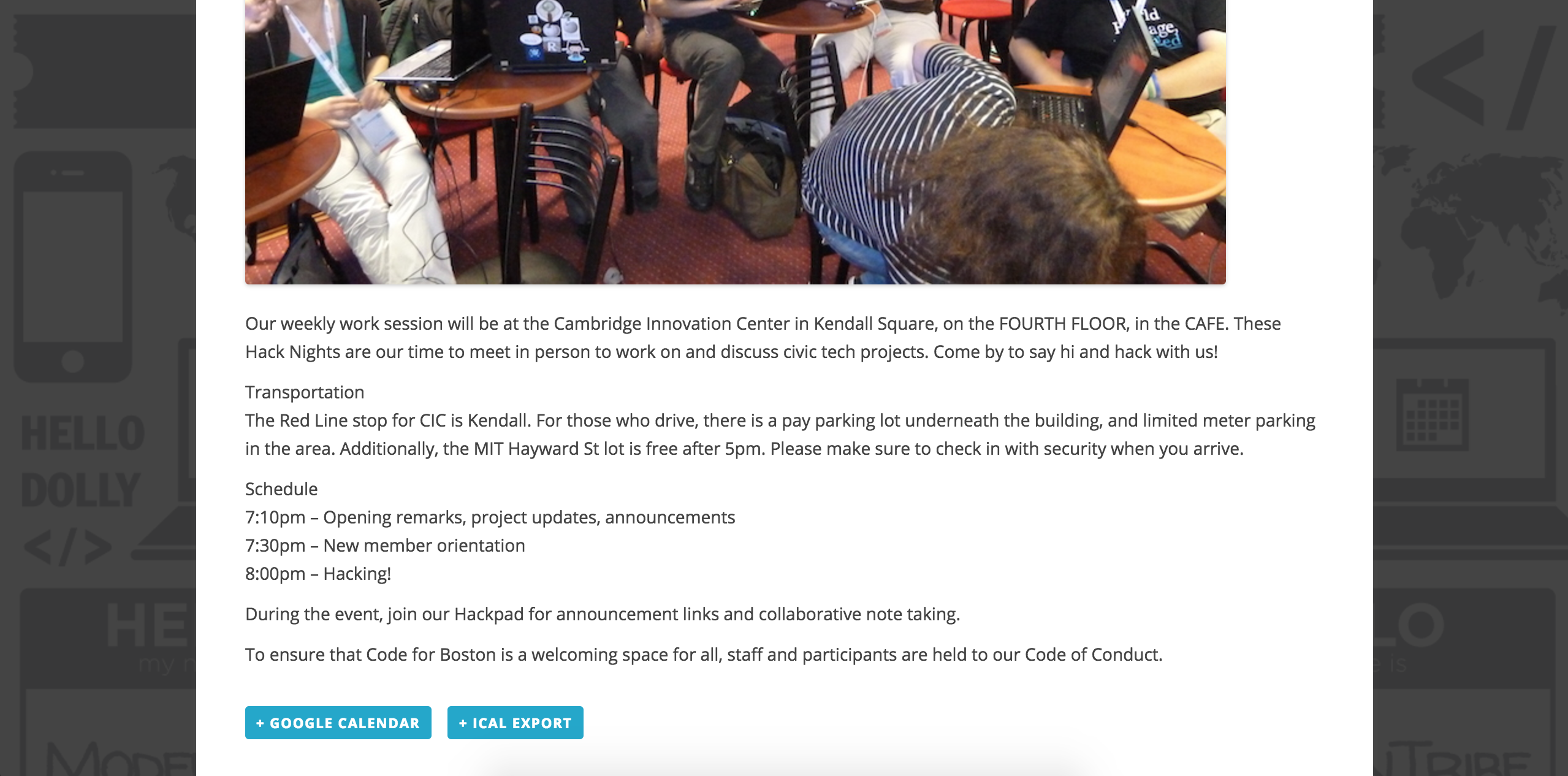
Ability to sync calendar with a user’s personal Google calendar, or export an ICS file
Users can export multiple events or individual events into their calendars by visiting your list/calendar of upcoming events and we’ve included the option on each single event page. See screenshots from our demo site below:
View by Month, Week and Day
Have calendar view and List viewIn order to gain all the views you’ve mentioned, you’ll need to purchase Events Calendar PRO. You can view all the views included on the PRO product page.
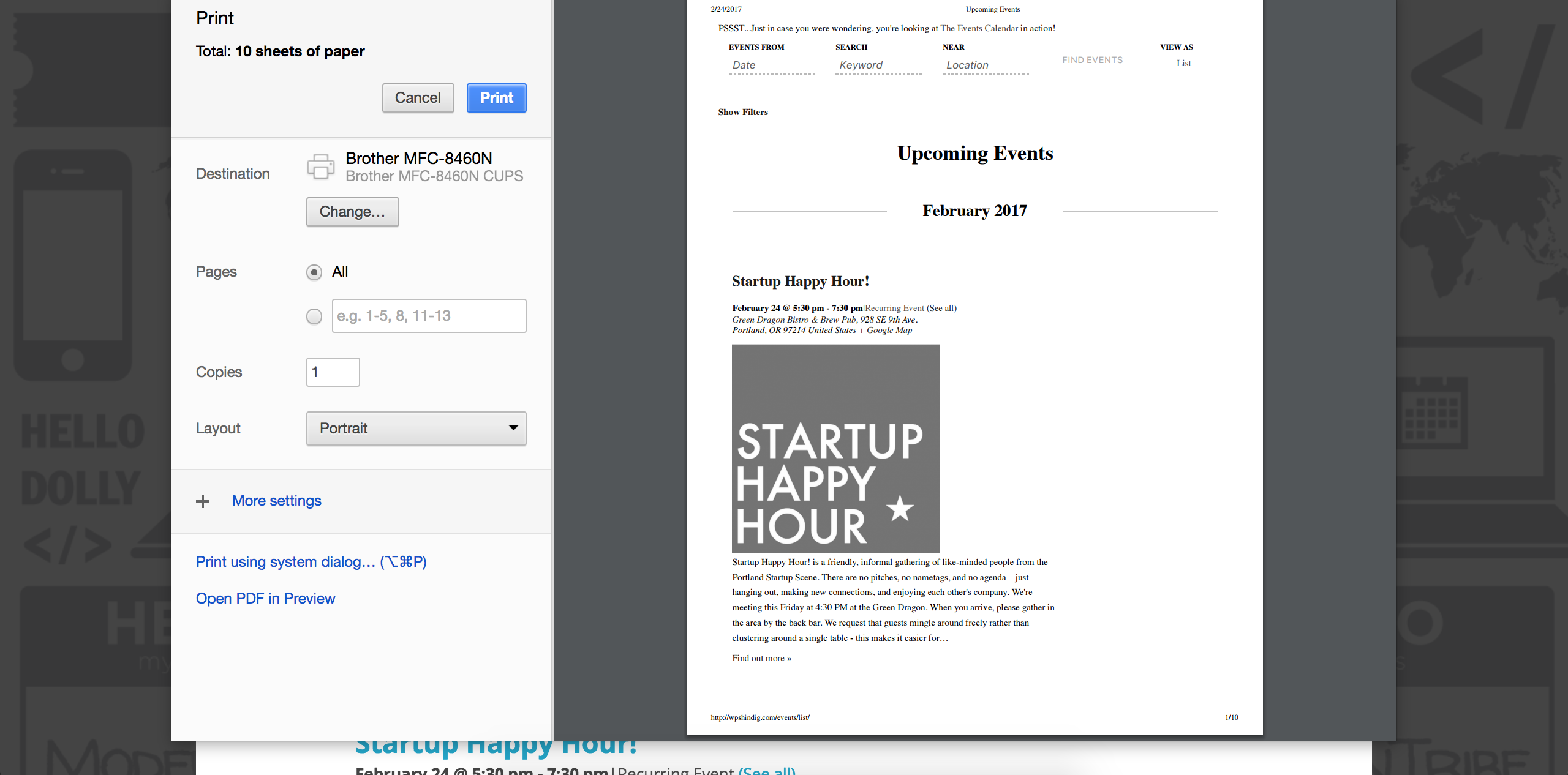
Allow for a printable list view
Yes! Please see this screenshot of the print preview for our demo site’s List view:
Calendar events should be clickable to bring up a shadowbox that lists complete event information.
Yes! Please view our demo site for an example of the event’s hover tooltip feature. If you wanted/need different functionality, you could either submit the request to our UserVoice Feature Ideas or would need to build the customizations yourself.
Any events that are marked as the calendar Type “Facility Rental” should be highlighted in a different way (different color background) to indicate when the facility has been rented by someone outside the school community.
Please review our Featured Events Knowledgebase article for more information on the feature we have that best fits your needs.
Ability to search by keyword which brings up results in List form
Ability to search by date which brings up results in list formYes! Again, please see our demo site and you can view the Tribe Events bar in action.
Model event request form after existing request form
Yes! With the help of our Themer’s Guide, any customization you seek is manageable. Please note we’re limited when it comes to these types of requests, so please plan accordingly.
Allow for facility booking by letting user select a “Location” with their event request.
With Community Events, users can essentially add events just as you would on the back end of your site, but we’ve provided a form on the front-end. Please review the Community Events product page in addition to the New User Primer: Community Events tutorial for complete details.
Approval process before event/booking goes on the calendar
Yes! Please review the Community Events Settings tutorial for more information.
The Location selected determines which calendar admin approves the request.
This feature is not available and would require additional plugins and/or customizations we’re unable to assist with, but doesn’t sound too difficult to manage depending on your level of expertise.
It is allowed to not pick a location. All requests with no location chosen also go to a specific admin for approval.
Yes! We have included a section where you can set the defaults for this kind of information:
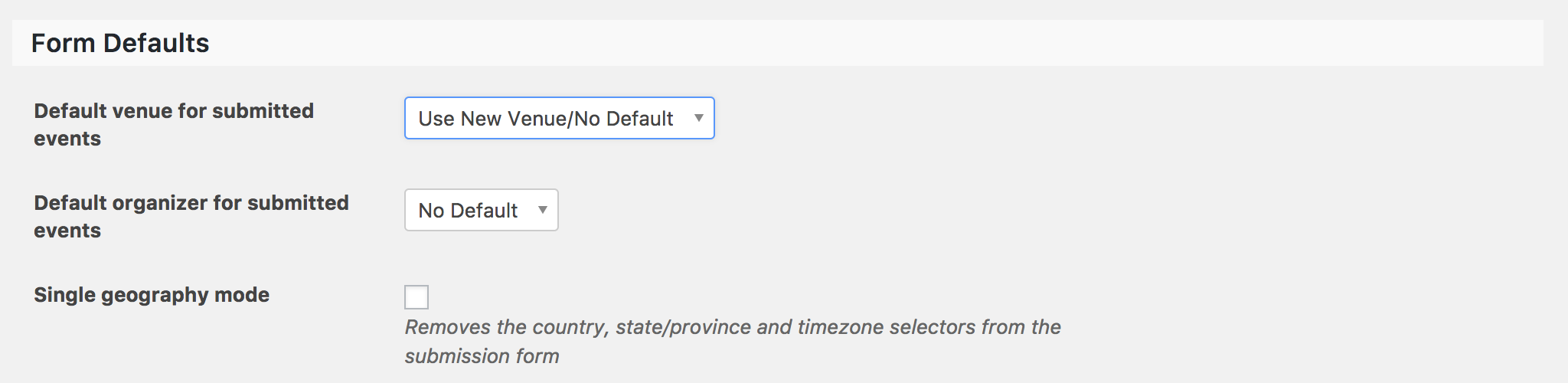
If Transportation Required is selected, submitting the form leads into a second page form where the user can input transportation needs. Then that information is forwarded to our Director of Transportation.
If Security and parking is selected, a copy of the request should be emailed to our Director of Security. (Not for approval, just for a heads up.
Both of these are features which would require additional plugins and/or customizations we’re unable to assist with, but again I don’t think it would be too difficult to accomplish.
We offer a 30-day money back guarantee which allows ample time to test things out and see if they’ll work for what you need. For more info, please visit our Refunds page.
Lastly, I recommend checking our Bundles page in the case you decide you need multiple plugins. Doing so before purchasing can save money!
Please let me know if I’ve sufficiently addressed your questions and feel free to include any more you might have in a reply. Have a great weekend and thanks again for checking us out!
Cheers 🙂
February 24, 2017 at 4:05 pm in reply to: Not All Venues Show in Drop Down – Communmity Events/Filters Bar #1245587ModeratorHey Todd,
If you have a published venue but that venue doesn’t have any events, either past, present, or future taking place at that venue, then it will not display in the Filter Bar Venues results. Can you try creating a test event and under the “Location” section, select a venue which is not currently appearing in the Filter Bar Venues dropdown?
Have you tried different options (Checkboxes, Autocomplete) in the Events > Settings > Filters > Venues tab?
Can you also check to see if all the venues are displaying under the Location field when adding/editing a new event? When doing so, please make sure your site is in the state outlined in the Testing for conflicts guide.
Please make sure WP_DEBUG and WP_DEBUG_LOG are enabled on your site’s wp-config.php file. Any errors will display at the top of your page as you try to reproduce the conflict. I also recommend right-clicking your mouse and opening the ‘Inspect’ tool to see if any errors display in the console. Note what you find and please include it in your reply.
I tested the behavior on my test site but I’m not experiencing any conflicts. Please keep me updated and have a great weekend ahead. Cheers!
ModeratorHey mindshare,
Thank you for jumping in here with more information on the matter. As required by the forum rules, please create a separate topic for your issue. Doing so helps expedite the process all around. Thanks for understanding and I’ll keep an eye out for your thread.
Cheers 🙂
ModeratorHi Dan,
Thank you for the update. I noticed a warning in one of your screenshots, so I used Google Translate and it appears that your site is reaching it’s limits for the Google Maps API:
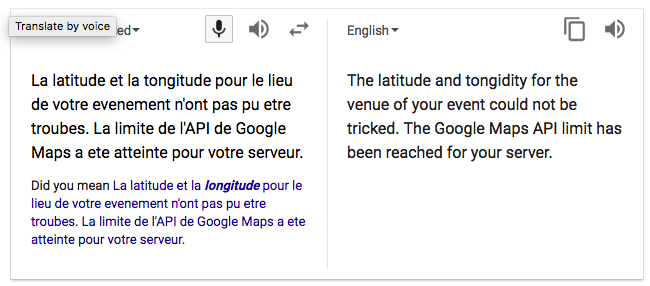
Do you see any notice in your WordPress admin dashboard along the lines of, “You have 2 venues for which we don’t have geolocation data….”? If so, can you please select the “Fix Venues Data” button and see if that has an effect on the behavior?
I’d also like to address a few points you brought up in your last response:
NOW seeing these issues, it is not a bug within our theme or other plugins, version 4.4.3 is just full of bugs and as we speak about a premium product you should not have released it as it is lower than a Beta Release.
I completely agree, there shouldn’t be any excuses for large amount of bugs being included in an official “working” version, so in the rare instance this is the case, we truly apologize. You can always downgrade to the previous version(s) that work for you until we are able to get a hotfix release out.
when you sell a premium plugin is it not you the vendor who should and has all interest in the worl to be compatble with “at least” state of the art themes and other plugins?
There are literally tens of thousands of themes available, so while we try our hardest to ensure compatibility with the most popular themes, there are so many themes considered “popular” that it’s not possible to guarantee anything of that nature.
we can provide you access to our development environment and wordpress site, it should not be a big issue for you to rapidly see what the issue is and to fix it right ?
We are unable to log into customer sites barring extreme circumstances to be determined by us. If things get beyond your level of expertise, we have a list of non-affiliated customizers that can help further assist.
Please keep me updated with the status of your issue and have a great weekend ahead 🙂
ModeratorWe appreciate the input! Have a great weekend ahead and feel free to create a new thread should you have any additional questions. Cheers 🙂
ModeratorMy apologies, I had to get further clarification from the developers. With that said, I’ll go ahead and assist you here. Now that I’ve had a chance to test things out, I’m not able to reproduce the behavior. I went ahead and followed your instructions and created a short screencast of my findings, so please take a moment and let me know if I’ve missed a step to reproducing the issue.
Thanks again for dealing with the runaround and have a great weekend ahead. Cheers!
ModeratorThank you for further clarifying. You would need to do a template override and remove the links wrapped around the event title in that particular view (Month). If you need any assistance with that, let me know and I can provide more information – though it’ll essentially be the same info you can get from the Themer’s Guide.
Have a great weekend ahead! Cheers 🙂
-
AuthorPosts