

Forum Replies Created
-
AuthorPosts
-
Hunter
ModeratorThank you for your patience,
While this type of request is typically outside the scope we’re able to support (see What support is provided for license holders?), please try adding the following code to the bottom of your theme’s functions.php file and let me know how it goes.
/* Tribe, add text to All Day events date */

function tribe_modify_all_day_date ( $inner, $event_id ) {
// bail if it's not an all day event
if ( !tribe_event_is_all_day( $event_id ) || !is_singular(Tribe__Events__Main::POSTTYPE) ) return $inner;// add custom text to date string
return $inner .= '- All day event';
}add_filter ( 'tribe_events_event_schedule_details_inner', 'tribe_modify_all_day_date', 10, 2 );
Thanks again and have a great Friday. Cheers 🙂
ModeratorCharles,
That should work for now 🙂
Our apologies you’re having to deal with this inconvenient bug and thanks for working with me on the matter. I’ll mark this thread as ‘Pending Fix’ until we can come up with a solution. Thanks again and have a great weekend. Cheers!
ModeratorLee,
Thank you for your patience. Oddly enough, our team just discussed the potential/possibilities of incorporating the images from Google Calendars as featured images on WordPress. So my apologies if it came off as dismissing the idea, I was under the impression it wasn’t possible at this time.
I can confirm issue #1. We have a logged bug for start/end time import issues as you’ve described, so I linked this forum thread to the bug report for developers to reference while making improvements.
I was unable to reproduce issue #2. (see screenshot below)
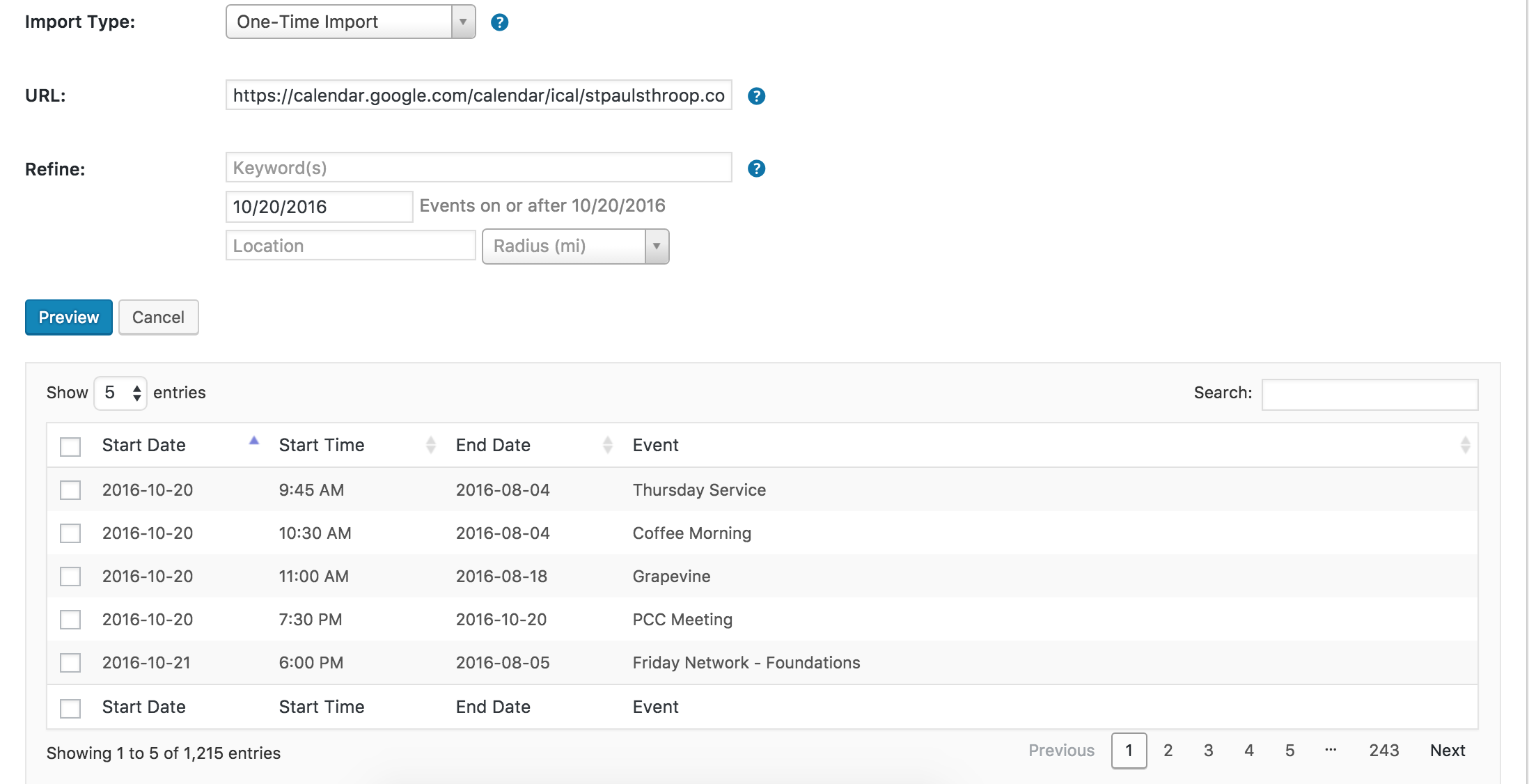
I can confirm the ‘Show Google Map’ issue is indeed a bug, which has been filed and should be released in the next maintenance release. I don’t have a date for you but keep an eye on your wp-admin and our Release Notes for info.
Sorry you’re having to deal with these inconveniences and thank you for working with me on troubleshooting the issues. Rest assured we are hard at work on solutions! Let me know if you have any questions and have a great Friday. Cheers!
ModeratorHeather, oh Heather!
I too had to clarify the process when running the gauntlet from Facebook Importer to Events Aggregator, so we’re two peas in a pod. Alas, I am overflowing with joy knowing you shall rest well this even knowing everything ’tis as it should be.
I shall now raise the drawbridge of this interaction, but my eyes will be on the queue for your threads on the morrow and every day thereafter. Adieu, My Good Lady!
ModeratorHello,
As soon as I remembered the article, I knew it would probably be beneficial. We have SO many Knowledgebase articles, I’m often finding new ones myself every day! I truly appreciate your patience while we figured everything out and please open a new thread if you have any more questions or concerns. Cheers!
ModeratorHello,
I’ve done similar things to what you’re attempting to achieve, but it’s definitely something outside the scope of support we’re able to provide. I wish I had a better answer for you, but at this time it’s not something we’d be able to support. (see What support is provided for license holders?)
You will probably need to look into dynamic pricing extensions for WooCommerce or something of that nature. I hope this helps and I’m truly sorry we can’t do more here. Thank you for taking the time to write out the explanation of what you need and I wish you the best of luck.
Cheers!
ModeratorBryon,
Thank you so much for elaborating on the issue! It makes perfect sense and I can confirm that’s the behavior I experienced on my local test environment. Try out this plugin and let me know if you’re able to get the links working as desired.
Thanks again and take care. Cheers 🙂
ModeratorHello,
Thank you for the follow up. It shouldn’t be too difficult depending on your technical capabilities and there might even be examples in our forums, I just haven’t specifically handled that particular feature request. We are always pulling the most popular ideas from our UserVoice Feature Ideas page, so that’s a great option though it might take some time to come to fruition.
Due diligence is important in these cases, so please let me know if you have any more questions and I’d be happy to help. Thanks again and enjoy the rest of your day 🙂
ModeratorHello,
I took a quick look at your site and everything looks great on my screen (see screenshot below). The ‘Fri’ text adjusts according to the browser width. To makes changes to the day text using CSS, try right-clicking your mouse and open the ‘Inspect’ tool (check out this YouTube Video for more info). From there, you can identify classes/IDs and make changes via your theme option’s CSS panel or directly into your theme’s style.css file.
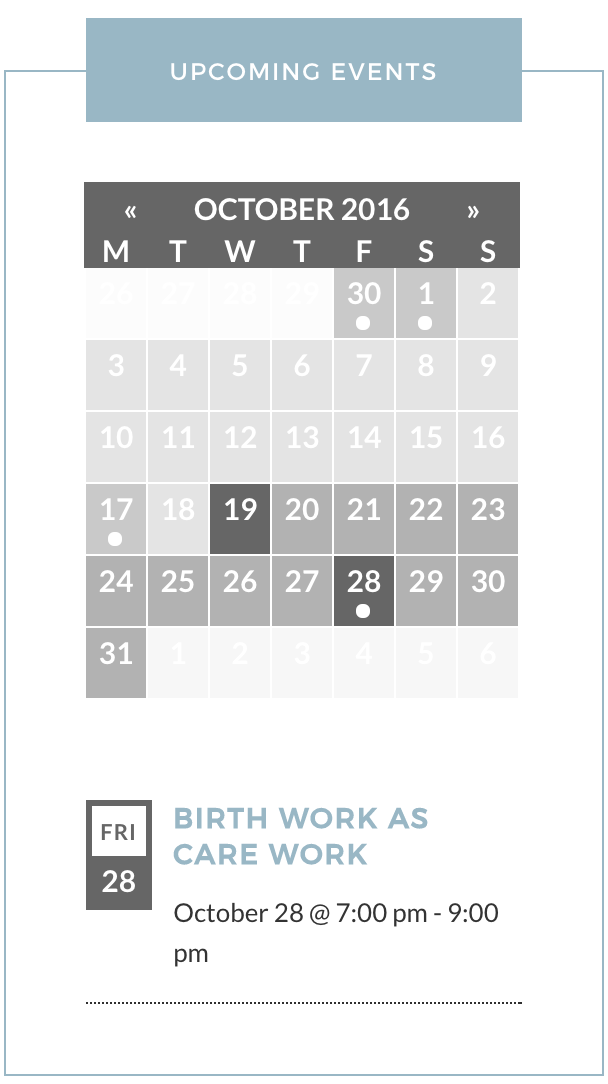
I hope this helps and please let me know if you need any further instruction. Cheers!
ModeratorThank you for the response,
Does the map issue occur when you add events manually, import events using Events Aggregator, or both? When I add a new event by visiting Events > Add New, by default both boxes are checked (see screenshot below). Is this also the case for you?
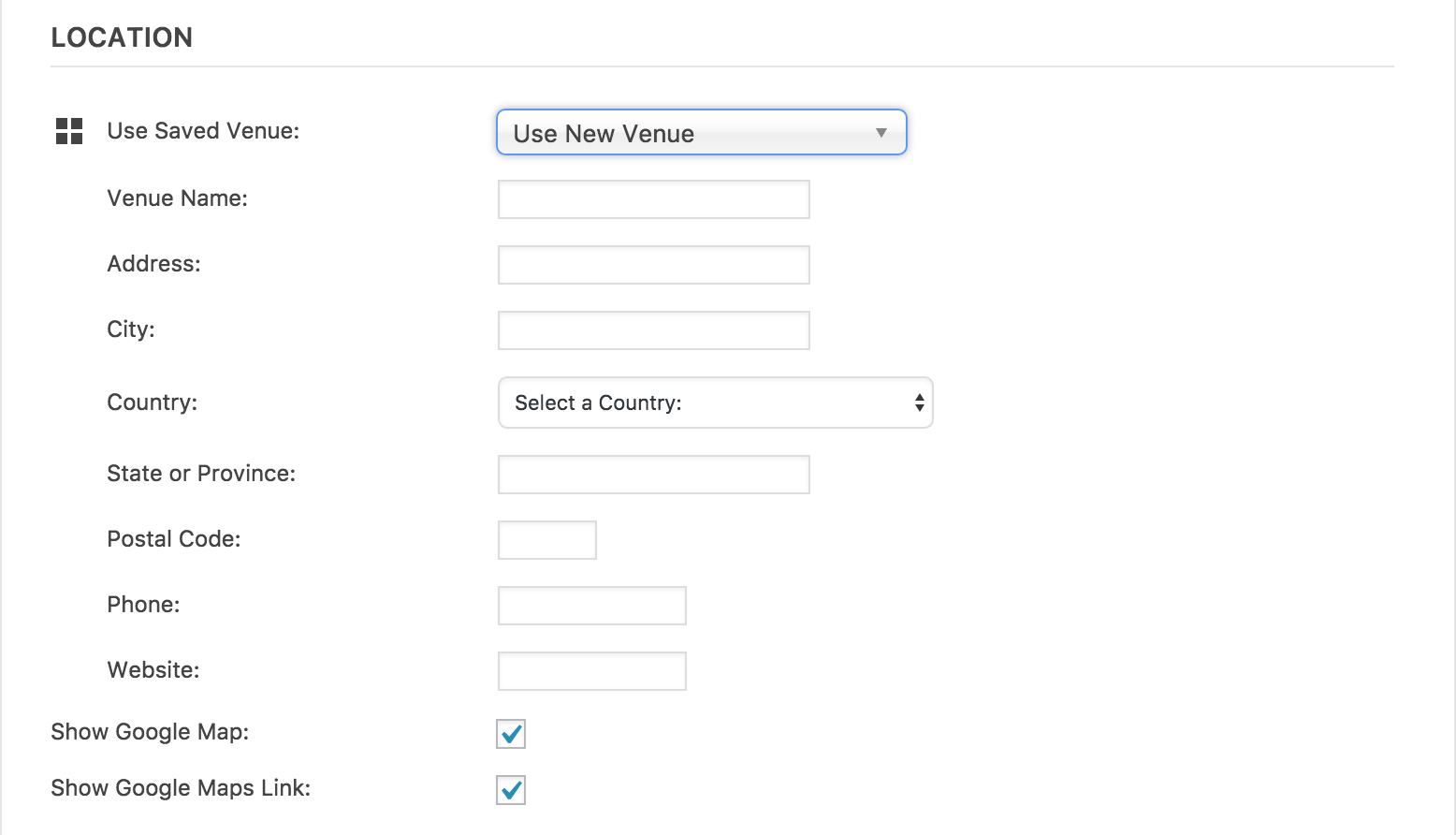
Thanks again and I look forward to hearing back on the matter. Cheers 🙂
ModeratorCynthia,
Thank you for the in-depth response and for following the Testing for conflicts guide. The best way I can think to go about this is to set ‘WP_DEBUG‘ to ‘true‘ on your wp-config.php file. You might also want to right-click your mouse and open the ‘Inspect‘ tool while your child theme is active and follow the steps to reproduce the issues you’re having.
Helpful information should display at the top of your page from setting ‘WP_DEBUG‘ to ‘true‘ and an icon for any errors/warnings will display at the top-right hand side of the ‘Inspect‘ box that pops up when right-clicking your mouse and opening ‘Inspect’. Click the errors to view more information. (see screenshot below)
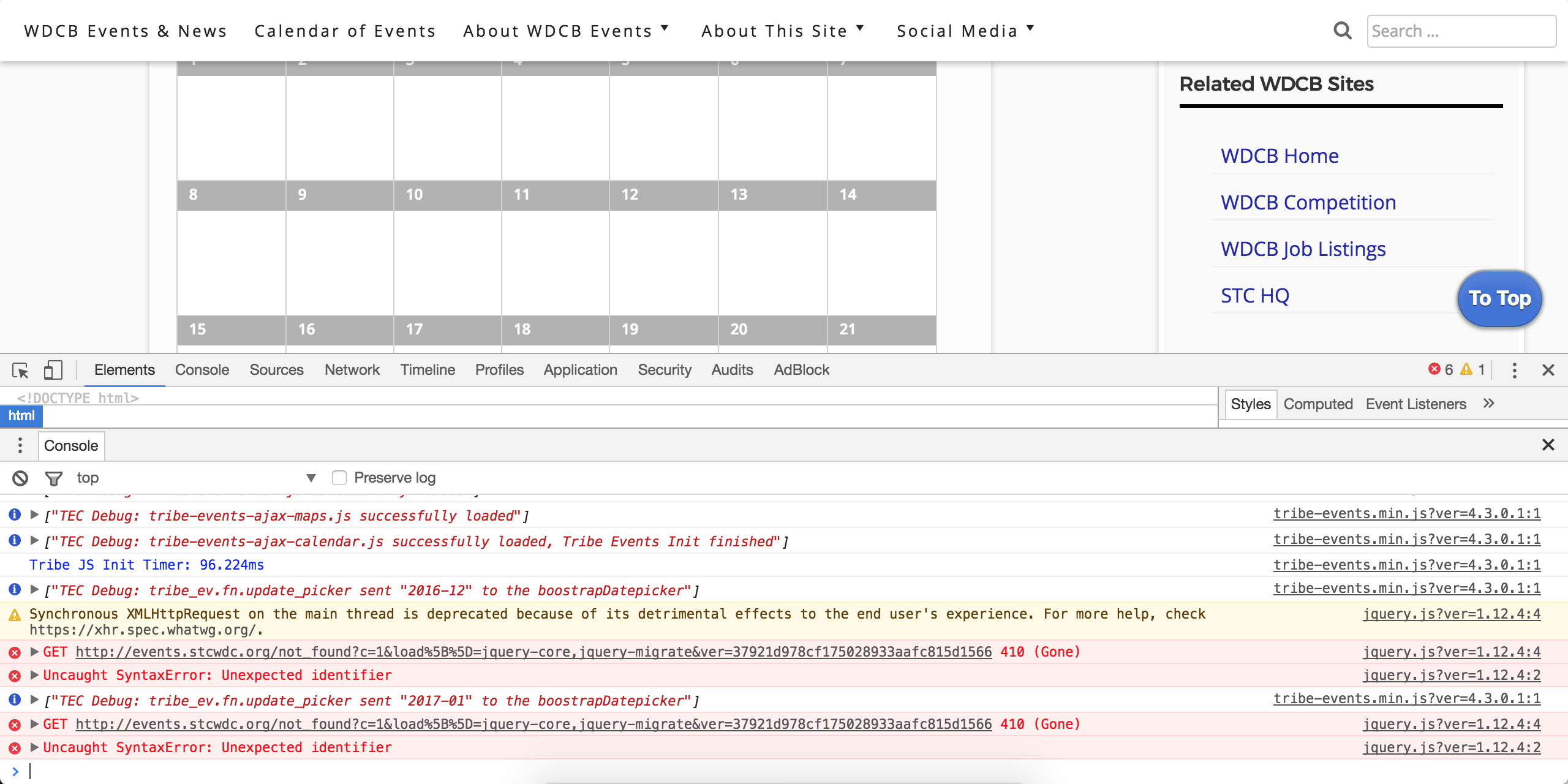
I wish I was able to do more here but the best I can do is point you in the right direction. I hope this information helps and if things exceed your level of expertise, we have a list of customizers that can help.
Thanks again and have a good afternoon.
ModeratorThank you for the response 🙂
No worries! According to the Avada changelog, it looks like they may have updated their codes with the recent changes we made.
– NEW: Events Calendar 4.3 support
I’ll close this thread out but feel free to open a new thread if the problem persists or you come across anything new. Take care and thanks again. Cheers!
October 18, 2016 at 6:59 pm in reply to: Removing Event filter from top of Event Calendar Pro /events/ page #1178834ModeratorJean,
Welcome and thank you for reaching out!
You typically add these types of snippets to your active theme’s functions.php file. If you have the Avada Child theme active, try pasting it in the functions.php file inside your Avada Child folder and save your changes.
home/websitenamewww/wp-content/themes/Avada-Child-Theme/functions.php
It’s best if you can do this using a text editor connected via FTP so if something goes wrong, you can simply undo the changes you made.
Please let me know if this helps and have a great evening. Cheers!
October 18, 2016 at 6:45 pm in reply to: Interfaces problems since update 4.3, particularly with page builder #1178829ModeratorHi Gilbert,
I’d be happy to investigate the issue, but it sounds like you’re dealing with a potential theme and/or plugin conflict which we’re unable to support (see What support is provided for license holders?)
With that said, can you confirm where the conflict is coming from? Please review our Testing for conflicts guide and reply back with what you learn. While your site is in the Testing for conflicts mode, please try and access the System Information and send it over as a private reply.
Thank you for your patience and have a great evening. Cheers!
ModeratorHello,
Oh no! Let’s try and get your site back up if you haven’t already. First off, do you have FTP access or are you able to edit your theme’s functions.php file? If so, you’ll need to remove the lines of code you added, then save your changes. Once that’s done, your site should come back up.
We’ll start there and if you need any additional assistance, please let me know. If you get your site back up and running, please paste the contents of your theme’s functions.php file into Pastebin and share a link with me.
Thank you for your patience and have a great evening. Cheers!
-
AuthorPosts