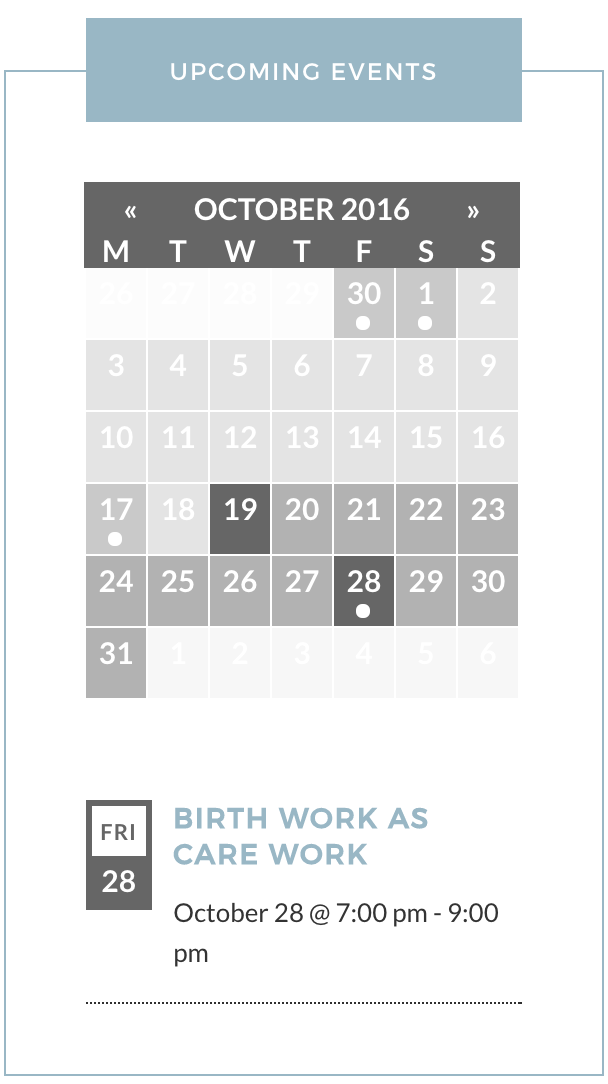
I have a problem were the day displayed in the sidebar widget wraps weirdly, can anyone suggest the best way to overcome this? I’d like to avoid altering the width of the sidebar (and thus structure of the page) so is there a way this can be achieved purely within the confines of the widget? Thanks.
Thank you for choosing PRO! You could use your ‘Inspect’ tool (watch this YouTube Video for more info) to adjust the width of the box. If you need any help, send a link to the page displaying your widget and I’ll do my best to accommodate.
Thanks again and have a great remainder of your day. Cheers!
I took a quick look at your site and everything looks great on my screen (see screenshot below). The ‘Fri’ text adjusts according to the browser width. To makes changes to the day text using CSS, try right-clicking your mouse and open the ‘Inspect’ tool (check out this YouTube Video for more info). From there, you can identify classes/IDs and make changes via your theme option’s CSS panel or directly into your theme’s style.css file.
I hope this helps and please let me know if you need any further instruction. Cheers!
Hey there! This thread has been pretty quiet for the last three weeks, so we’re going to go ahead and close it to avoid confusion with other topics. If you’re still looking for help with this, please do open a new thread, reference this one and we’d be more than happy to continue the conversation over there.
Thanks so much!
The Events Calendar Support Team
Author
Posts
Viewing 5 posts - 1 through 5 (of 5 total)
The topic ‘Date wrapping in sidebar’ is closed to new replies.
.