
Home › Forums › Calendar Products › Events Calendar PRO › Rezise preview picture, Google maps
- This topic has 7 replies, 4 voices, and was last updated 9 years, 11 months ago by
Danny.
-
AuthorPosts
-
October 16, 2016 at 3:10 am #1177404
Danny
ParticipantI’ve seen a similar thread on a closed topic discussion but I didn’t see (or understand) how to solve this problem.
1) How can i manage that all the preview pics have the same size (http://bit.ly/2dkkChg) and it would be better if they have a width from 625px like here http://bit.ly/2dFW5E1. I think it looks better with this size.
2) How can i delete the words/line “Upcoming Events” (http://bit.ly/2dkkChg)?
3) I enabled the google maps, but it shows not automaticly the maps on the single events and i have to edit every single event.
Any chance to help me? Sorry for my english.
October 17, 2016 at 12:12 pm #1177852Hunter
ModeratorHey Danny,
Your English was excellent, no apologies necessary!
1) You can create custom templates as explained in our Themer’s Guide to overwrite any template (list view, calendar view, single event) however you’d like. This Featured Images resource might also be helpful. Please review both articles and let me know if you have any questions.
2) You can hide/remove the ‘Upcoming Events‘ text using a template override as explained above or using CSS. (code to add to your theme option’s CSS panel or style.css file below)
.tribe-events-list h2.tribe-events-page-title {

    display: none;

}
3) Maps should display by default when you have the ‘Enable Google Maps‘ box checked under Events > Settings > General and ‘Show Google Maps‘ set to ‘Yes‘ in Events > Settings > Imports. (see screenshot below)

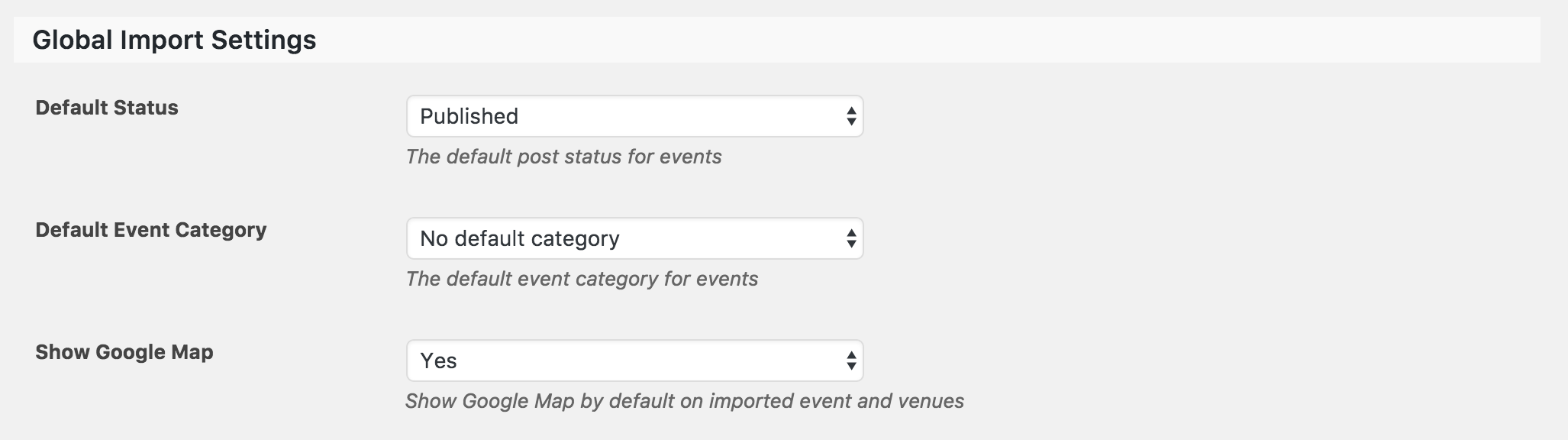
If you’re ever running into a conflict or what you believe to be a bug, please refer to our Testing for conflicts guide and reply back with any findings you have.
Thank you for reaching out and please let me know if you have any more questions. Cheers!
October 18, 2016 at 12:40 am #1178175Participanthey Hunter,
1) strange, i can’t find this picture (https://theeventscalendar.com/content/uploads/2014/10/kb-featuredimages-admin.png
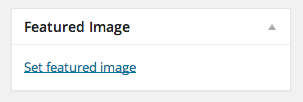 ). I think it will be copied from facebook. I found all the images in the media libary and i don’t want to change them. I only wanted to change the size here http://bit.ly/2dkkChg in ca. 550px × 203px – it’s not possible with a code?
 2) fine, it works. But i removed the info text before and now it shows again the text. Where is the issue?
.tribe-events-list h2.tribe-events-page-title {
display: none;
}
.tribe-events-photo .fusion-post-content-container {
display: none;
}
.fusion-meta-info {
display: none;
}3) i already checked the GM box, but it doesn’t work. I attached a picture.
October 18, 2016 at 1:24 pm #1178623ModeratorHello,
If you review the Themer’s Guide, it will guide you through the process of creating overwrites to display images according to your preferences. More info can also be found by reviewing how the WordPress featured images work. You’ll essentially need to replace the default size called in and replace it with a larger image, whether it be one of the sizes automatically created by WordPress or a custom thumbnail size created in your theme code.
The ‘Set Featured Image‘ option should display when you’re adding/editing a post/event. If you’re not seeing that, refer to our Testing for conflicts guide. Please note: featured images are a functionality of WordPress.
2) I’m sorry, but I’m not really sure I understand the question. I took another look at your site and the ‘Upcoming Events’ text no longer displays at the top of the events list. Please let me know if you need further assistance and provide screenshots if possible.
3) Have you reviewed the Testing for conflicts guide to see if there is a potential theme and/or plugin conflict? We don’t have any logged bugs related to this issue and I’m unable to reproduce it on my test install.
Thanks for the update and have a great afternoon. Cheers 🙂
October 19, 2016 at 1:00 am #1178922ParticipantThis reply is private.
October 19, 2016 at 11:11 am #1179285ModeratorThank you for the response,
Does the map issue occur when you add events manually, import events using Events Aggregator, or both? When I add a new event by visiting Events > Add New, by default both boxes are checked (see screenshot below). Is this also the case for you?
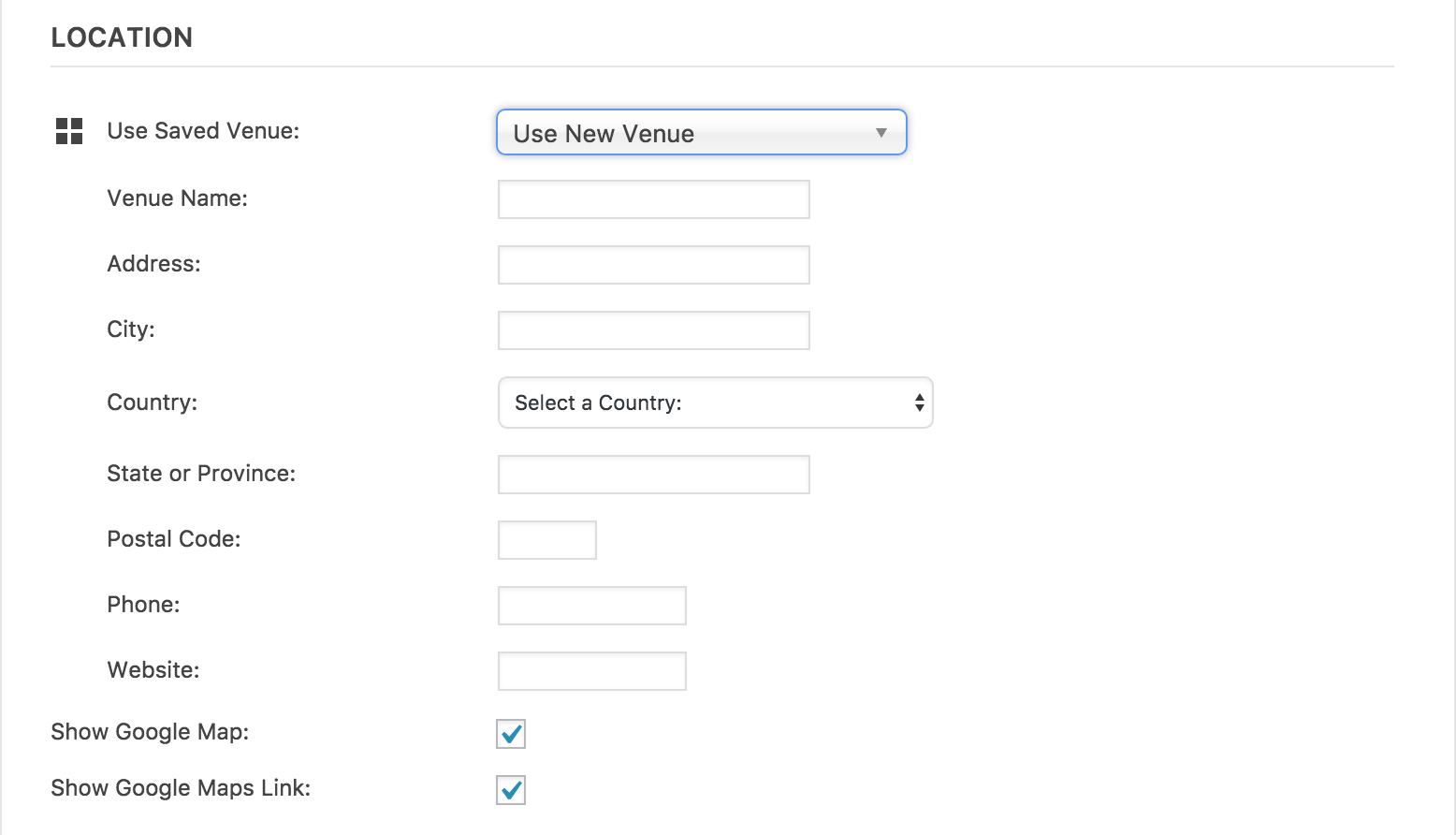
Thanks again and I look forward to hearing back on the matter. Cheers 🙂
November 10, 2016 at 8:35 am #1190356Support Droid
KeymasterHey there! This thread has been pretty quiet for the last three weeks, so we’re going to go ahead and close it to avoid confusion with other topics. If you’re still looking for help with this, please do open a new thread, reference this one and we’d be more than happy to continue the conversation over there.
Thanks so much!
The Events Calendar Support Team -
AuthorPosts
- The topic ‘Rezise preview picture, Google maps’ is closed to new replies.