

Forum Replies Created
-
AuthorPosts
-
January 26, 2017 at 9:05 pm in reply to: Recurrence Description not working in Events Calendar Pro 4.4 #1224890
Hunter
ModeratorWelcome back, Carolin!
I would be happy to see if I experience the same behavior on my test site, but before doing so I’ll need you to review our Testing for conflicts guide and let me know what you learn.
Thanks and have a pleasant rest of your day!
ModeratorHello,
Sorry to see you’re experiencing issues with Event Aggregator. I don’t have a concrete date when a fix will be included in a maintenance release, but I’ve gone ahead and backdated your license so you can access previous versions of Event Aggregator to see if any work for you. Visit your Downloads page and select the dropdown to download earlier versions.
Did you review our Testing for conflicts guide? If not, it is highly recommended and will eliminate the potential of a theme and/or plugin conflict. Please make sure WP_DEBUG and WP_DEBUG_LOG are enabled on your site’s wp-config.php file. Any errors will display at the top of your page as you try to reproduce the conflict. I also recommend right-clicking your mouse and opening the ‘Inspect’ tool to see if any errors display in the console. Note what you find and please include it in your reply.
Please let me know if you’re able to get it working properly. If not, unfortunately the only other option is to visit our Refunds page so we can process that for you.
ModeratorTry 162.243.159.176 as the IP address and let me know if it works. Thanks and have a great afternoon!
ModeratorMy pleasure! Thanks again for your continued patience while we work on a solution. Have a great rest of your day 🙂
January 26, 2017 at 2:21 pm in reply to: Specific Question on Events Calendar and Events Tickets #1224728ModeratorHey Chelsea!
Welcome and thank you for considering our plugins for your project! I would be more than happy to help answer your questions. To accomplish what you have described, you would need The Events Calendar (free), Event Tickets (free), Event Tickets Plus (premium), and WooCommerce (free).
The flow is: a user visits your list/calendar of events, clicks through to an event and is presented the opportunity to RSVP and/or purchase a ticket to the event. The user then chooses the amount of tickets they want/need, fill in any additional information requested by the event creator, and go through the normal WooCommerce checkout process. I went ahead and created a short screencast of the entire process for you.
Please let me know if this helps clear up any confusion you might have had and let me know if you have any additional questions for me. Thanks again and take care!
ModeratorWelcome back, Aaron 🙂
Your best bet is to check out a plugin like Theme My Login to help enable greater control on the login/registration forms, redirects, etc.
How can I check login for add events page?
I’m afraid I don’t understand what you mean. If you can you elaborate with more detail, I’d be happy to help further assist. Thanks and have a pleasant rest of your day!
ModeratorHi Ronald,
Sorry to see you’re not able to get the Eventbrite ticket section displaying on your events. I checked on a test event I created recently but I’m not experiencing the same behavior as you. Please see the screenshot below of my test event:
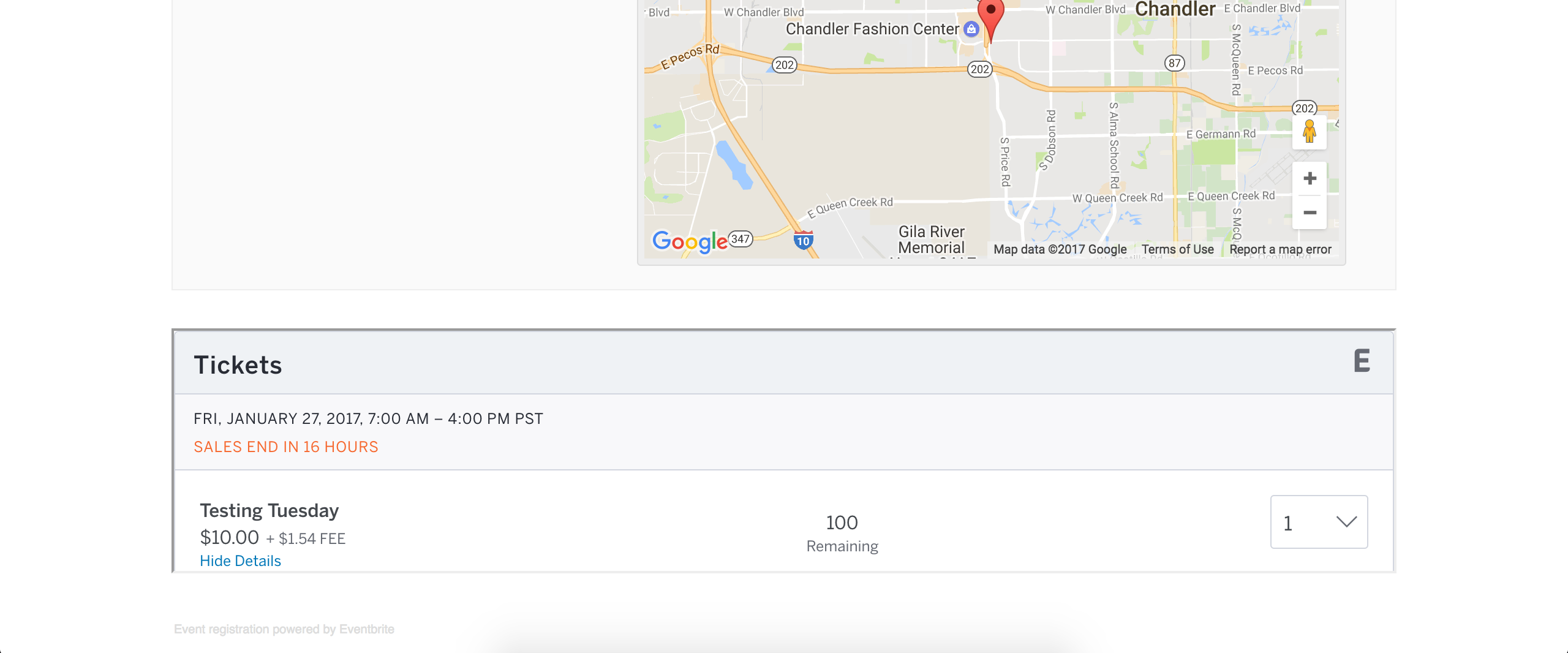
I see you checked ‘Yes’ to reverting back to the default WordPress theme and deactivating all plugins other than ours as instructed in the Testing for conflicts guide, but can you please confirm this?
If so, it might be best you set up a fresh WordPress installation where you can fully troubleshoot the issue. Make sure you have only the default WordPress theme and The Events Calendar installed and activated on the test site. Please review our Using One License for Live and Dev Sites and Moving Your License Keys tutorials for more information.
Please keep me updated and have a pleasant rest of your day. Cheers!
January 26, 2017 at 1:40 pm in reply to: Add events from front-end error while select organizer #1224679ModeratorHey Aaron,
Thank you for posting to our Premium Plugin forums and sorry to see you’re experiencing troubles. The image doesn’t appear to have come through, so please try resending it. And before we proceed, can you please review our Testing for conflicts guide and reply back with your findings? Please include your System Information as a private reply.
Thanks again and have a great rest of your day. Cheers 🙂
ModeratorHey Mike,
Thank you for considering our plugins for your project! I’ll gladly answer your questions below 🙂
1. show the events only from Sunday until Thursday (and comprimize saturday and friday in one cell/row) and to resize the cells in general?
This would require some modification, but our Themer’s Guide is the best resource to learn how you’d go about accomplishing your request.
2. show first the week schedule, and optionally the daily, monthly and yearly schedule?
I’m not 100% certain I understand what you’re describing, but we have included a useful dropdown with relative icons in each view where users can select alternative views, such as Map (screenshot below) or Photo view.
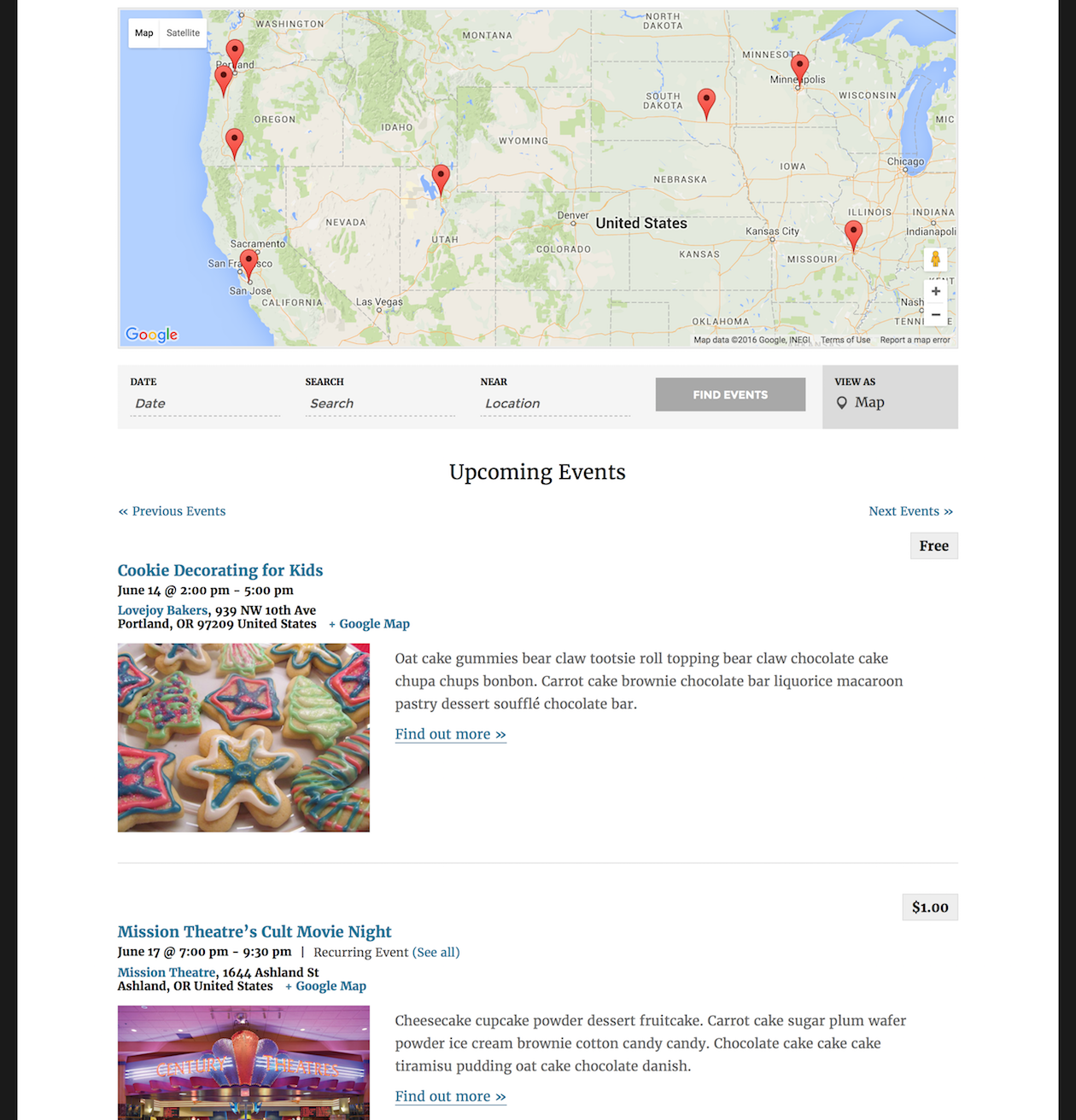
If I’ve misunderstood what you mean, please provide more details and an example if you’ve got one. If the request involves a feature/functionality not currently provided, it will require custom development on your end.
3. add into the description of each event a link?
This is doable right “out of the box”! Exactly as WordPress posts and pages work, each event, venue, and organizer has a section where you can input event details, including links, images, etc.
4. adapt the size (width & height) of the calendar?
The calendar can be tweaked to your exact liking! I’ll include some of the most useful resources on the matter below.
- PRO Color Customizer
- Themer’s Guide
- Stylesheets and Page Templates
- Settings Overview: The Events Calendar and Events Calendar PRO
- Basic font and color changes with CSS
- Methods for Overriding Styles in WordPress
5. categorize the events with colors? e.g. i have an event its about music (color red) and an other one about culture (color blue)?
You could use a plugin like The Events Calendar Category Colors to help accomplish this request. Please note this plugin is developed by another author, so if you run into issues or have any questions, you’ll need to contact them rather than us.
6. add the calendar to any site of my website?
If you mean add the calendar to any page/post of your website, then yes! Our shortcodes allow you to place event-related material anywhere you want! Please take a moment and review the following resources related to shortcodes.
- PRO Widget Shortcodes
- Embedding Calendar Views with the [tribe_events] Shortcode
- Inserting Calendar Content into Posts or Pages
- Embedding Single Events with the [tribe_event_inline] Shortcode
7. show on the calendar the starting time of the event (before clicking to the event)?
If you visit our demo site (screenshot below), you’ll notice a tooltip appears when hovering over an event title. We have included in the tooltip the event title, date/time info, and an excerpt, but you can tailor the plugin to do whatever you need with the help of the Themer’s Guide.
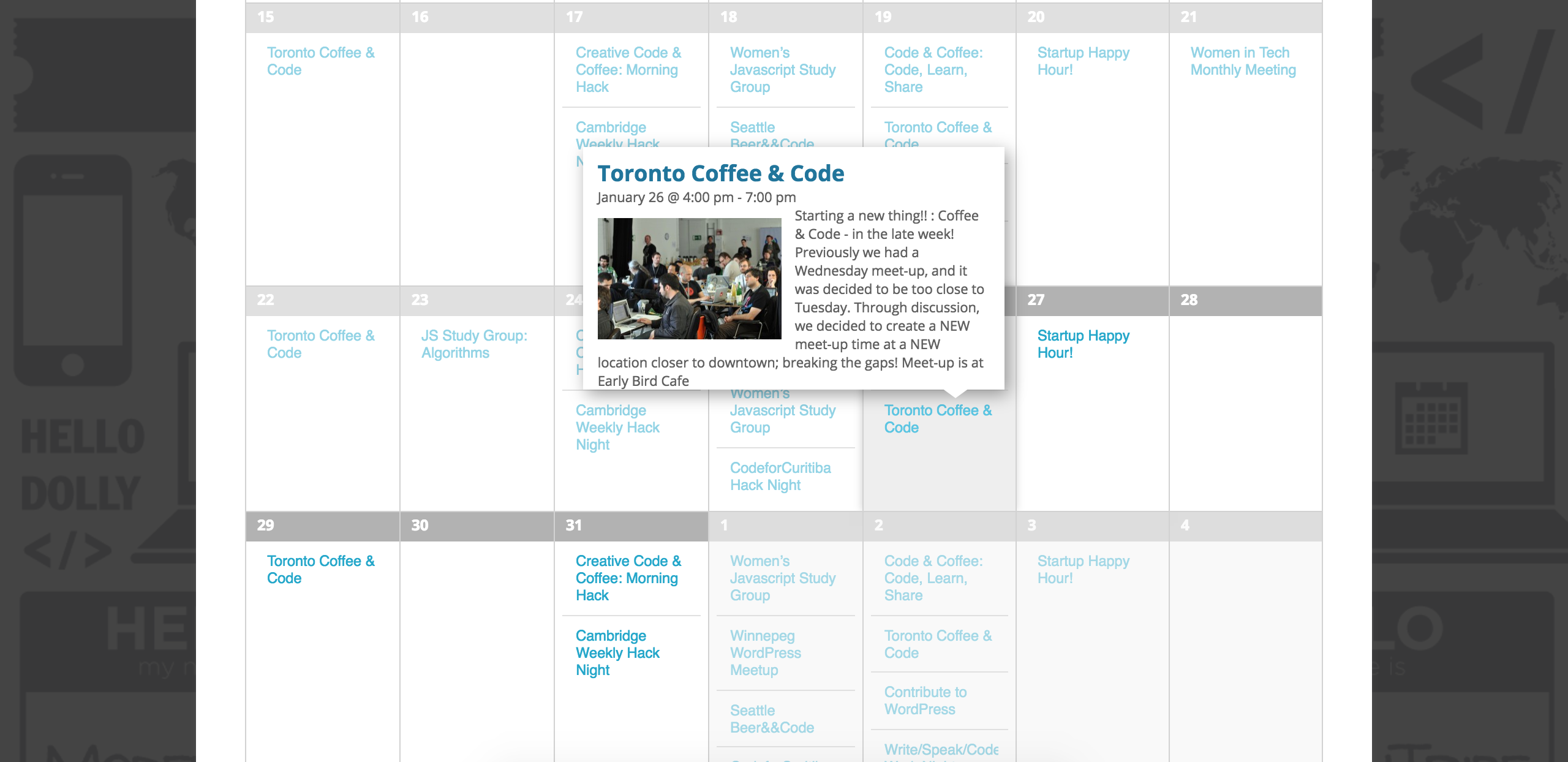
I’d also like to bring our UserVoice Feature Ideas page to your attention. If you have any feature requests you’d like to share with us, we’d love to hear them!
I hope I’ve my responses have helped and please let me know if you’ve got any additional questions. Thanks again and have a pleasant rest of your day. Cheers!
ModeratorHi Peter!
Welcome back and sorry to see you here under the circumstances. I notice in your System Information that you are running outdated versions of our plugins. Can you please update them to the most recent versions and review the Testing for conflicts guide to see if the error persists?
It might be best you set up a fresh WordPress installation where you can fully troubleshoot the issue. Make sure you have only the default WordPress theme and The Events Calendar installed and activated on the test site. Please review our Using One License for Live and Dev Sites and Moving Your License Keys tutorials for more information.
Thanks and have a pleasant rest of your afternoon!
January 26, 2017 at 1:03 pm in reply to: Fatal error: Class ‘Tribe__Events__Aggregator’ not found in /home/petercar/publi #1224647ModeratorHi and welcome back,
I checked the status of the bug related to the link you shared with me and it’s marked as “Pending Code Review” which means a fix should be available in an upcoming release. Please stay tuned to our Release Notes and the plugin changelogs for more information.
I went ahead and reverted back to Event Tickets version 4.3.3 and navigated to the Events > Add-Ons screen and experienced the fatal error. I then updated Event Tickets to version 4.4.1 (latest release) and was able to access the Add-Ons screen successfully. Thanks again and let me know if you’ve got any additional questions or comments. Cheers!
January 26, 2017 at 11:35 am in reply to: Recurring Series Listing Last Instance, Link on Single Event Page Not Working #1224579ModeratorHello,
The only issue I see with that is you’ll need to deactivate all plugins other than ours, so it might be best you set up a test site where you can fully troubleshoot the issue. Check out our Using One License for Live and Dev Sites and Moving Your License Keys tutorials for more information.
Let me know the results and have a pleasant rest of your day 🙂
January 26, 2017 at 11:26 am in reply to: Can't Submit Event Error: Start / End Time is required #1224574ModeratorExcellent! Thank you so much and I’ll standby for the results. Have a pleasant rest of your day!
ModeratorAs far as I know, I had my settings exact the same as you. When testing, I set up the import based on the information provided by you.
Do we need to turn off plugins on all of our sites in multisite or can we just deactivate them on the particular subsite?
This shouldn’t be the case since the plugins are on separate WordPress installations. We are unfortunately unable to log into customer sites, so please refrain from sending credentials over.
A maintenance released was just made available, so please update all of our plugins to the latest versions and retest the issue to see if it’s still occurring. Again, refer to the Testing for conflicts guide prior to testing. Ensure WP_DEBUG and WP_DEBUG_LOG are enabled on your site’s wp-config.php file. Any errors will display at the top of your page as you try to reproduce the conflict. I’d also right-click your mouse and open the ‘Inspect’ tool to see if any errors display in the console.
Let me know the results and have a good afternoon!
ModeratorGlad to hear you’re loving Event Aggregator so far! Please open a new thread if you have any more questions. Cheers!
-
AuthorPosts