

Forum Replies Created
-
AuthorPosts
-
Hunter
ModeratorHi Steve 🙂
I set up a test event with a WooCommerce ticket and the global stock appears to be working correctly for me. Can you please provide exact step-by-step instructions needed to reproduce the issue? Any screenshots or screencasts you can provide on the matter would be appreciated.
Can you test again, but this time please make sure WP_DEBUG and WP_DEBUG_LOG are enabled on your site’s wp-config.php file. Any errors will display at the top of your page as you try to reproduce the conflict. I also recommend right-clicking your mouse and opening the ‘Inspect’ tool to see if any errors display in the console. Note what you find and please include it in your reply.
Please keep me updated and have a great rest of your weekend. Cheers!
January 28, 2017 at 12:34 pm in reply to: Event Sub-Nav ‘Next Events’ link getting smashed by Googlebot #1225690ModeratorHi and welcome back!
I would be happy to help answer your questions.
Should this “Next Event” sub-nav link be disabled on venue pages if no additional events beyond page 1 or indeed no events at all?
No, there should not be a Next Event link, but I have the same behavior on my test site, so I created a bug report added this forum thread to the ticket which helps expedite the process of getting a fix included in an upcoming release. I don’t have a precise date when it will be available, but please stay tuned to our Release Notes and the plugin changelogs for more information. Thanks again and let me know if you’ve got any additional questions or comments. Cheers!
January 27, 2017 at 9:35 pm in reply to: Recurring Event Have Wrong Year in Dashboard and .ics export #1225548ModeratorHi and welcome back 🙂
I’d be happy to further investigate, but before doing so I’ll need you to review our Testing for conflicts guide and let me know what you find out.
Thanks and have a great weekend!
January 27, 2017 at 6:11 pm in reply to: Setting an Event as Featured Causes some unwanted changes #1225520ModeratorThank you for providing further clarification. Unfortunately, you’ll need to essentially override the Featured Events styles to your liking using the tips I provided above. If you’d prefer we include some kind of WordPress admin options to enable greater control over Featured Events, we welcome feature requests with open arms. Please visit our UserVoice Feature Ideas for more info.
Sorry I don’t have a better answer for you and best of luck with the customizations. Cheers!
January 27, 2017 at 6:08 pm in reply to: Events calendar is conflicting with my disqus plug in #1225518ModeratorHello 🙂
@Chris, can you please create a separate thread for your issue? Doing so is required and helps expedite the process all around. Thank you and I’ll keep an eye on the incoming thread queue.
@Dan, thank you for the response. As previously mentioned, we aren’t able to provide support for conflicts with other plugins, including Disqus. I’ve updated Community Events to the latest version (4.4.1) and am not experiencing the missing WordPress comments section like I was on version 4.4. I unfortunately don’t have permission to test for conflicts between our plugin(s) and Discus.
If you’re dedicated to using Discus as a replacement for your default WordPress comments, you’ll need to handle any conflict resolution. Thank you for understanding our position on the matter and if things get beyond your level of expertise, it might be best you look into hiring a professional to help further assist. We have a list of non-affiliated customizers available.
Have a great weekend ahead and please let me know if you have any final questions or comments on the matter. Cheers!
ModeratorAwesome! I appreciate the update and glad to hear the issue has been resolved. Please open a new thread if you have any more questions. Cheers!
January 27, 2017 at 3:19 pm in reply to: No matching records found | Your preview doesn’t have any records to import #1225481ModeratorHi and thank you for the response.
At this time, you will need to manually delete events from you WordPress site. We have a feature report logged aimed to improve how Event Aggregator handles events deleted from the original source after initial the import, so I’ve added this forum thread to the ticket which helps expedite the process of getting it included in an upcoming release.
I don’t have a precise date when it will be available, but please stay tuned to our Release Notes and the plugin changelogs for more information. Thanks again and let me know if you’ve got any additional questions or comments. Cheers!
ModeratorHello,
Thank you for the update. Can you confirm you have reviewed the Testing for conflicts guide to see if a theme and/or plugin is causing the issue?
I was looking at Facebook events description and found that to use it we need to create Facebook developer account and to connect it… Should we do the same with the aggregator?
Yes, ensure you have everything set up properly under the Events > Settings > APIs tab. If you have not already reviewed the following resources, please do so and let me know if you’re able to successfully import events:
If you are still experiencing issues, it might be best you set up a fresh WordPress installation where you can fully troubleshoot the issue. Make sure you have only the default WordPress theme and The Events Calendar installed and activated on the test site. Please review our Using One License for Live and Dev Sites and Moving Your License Keys tutorials for more information.
Please keep me updated with the progress of your issue and have a wonderful weekend ahead. Cheers!
January 27, 2017 at 2:59 pm in reply to: Recurrence Description not working in Events Calendar Pro 4.4 #1225465ModeratorWelcome back, Carolin 🙂
Thank you for the response. I created a test series of recurring events and entered “For Carolin” into the Recurrence Description field. On the front end when viewing an event, the “For Carolin” text displays correctly when I hover over the “See All” text. Please see screenshots below:
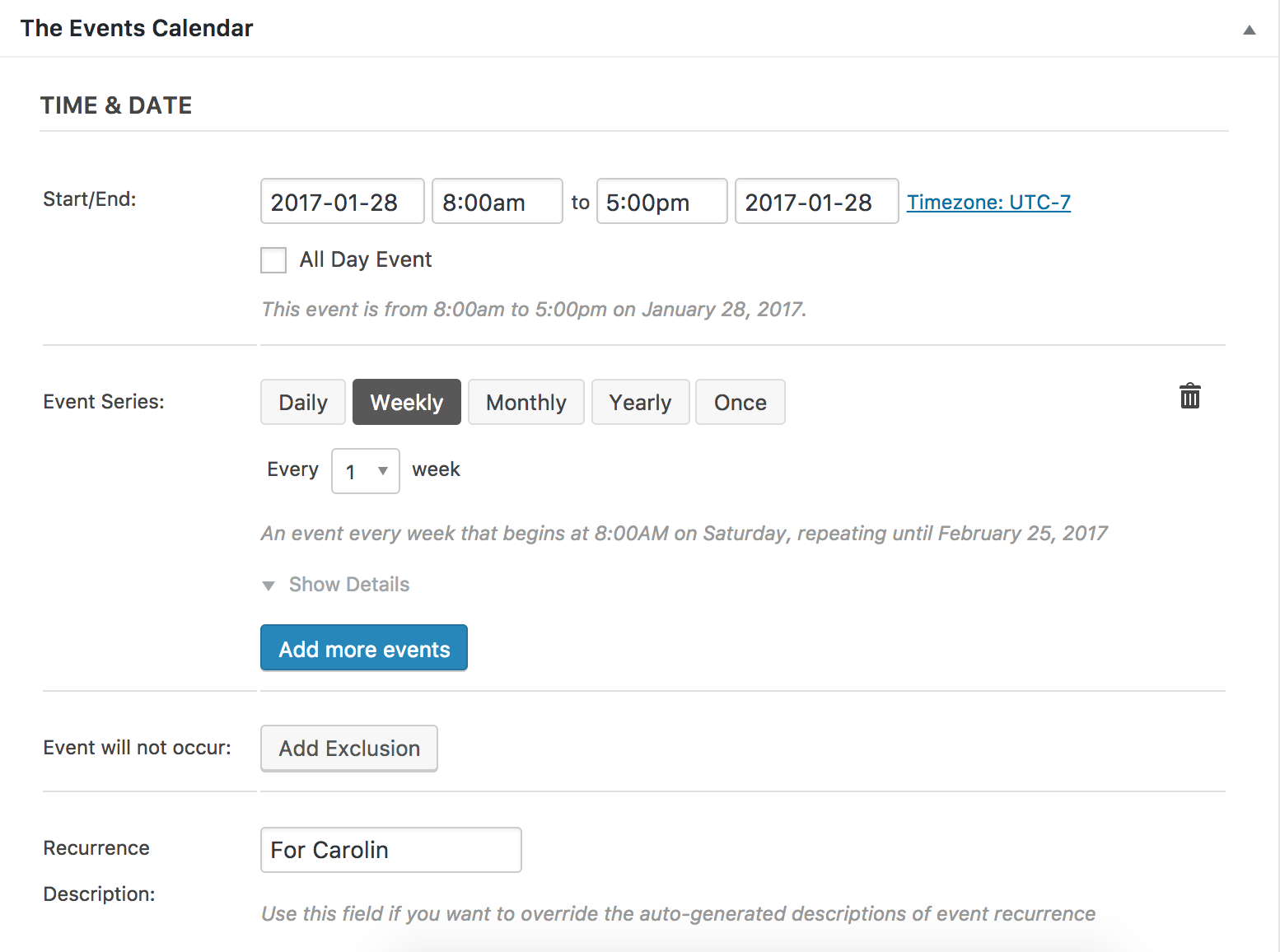
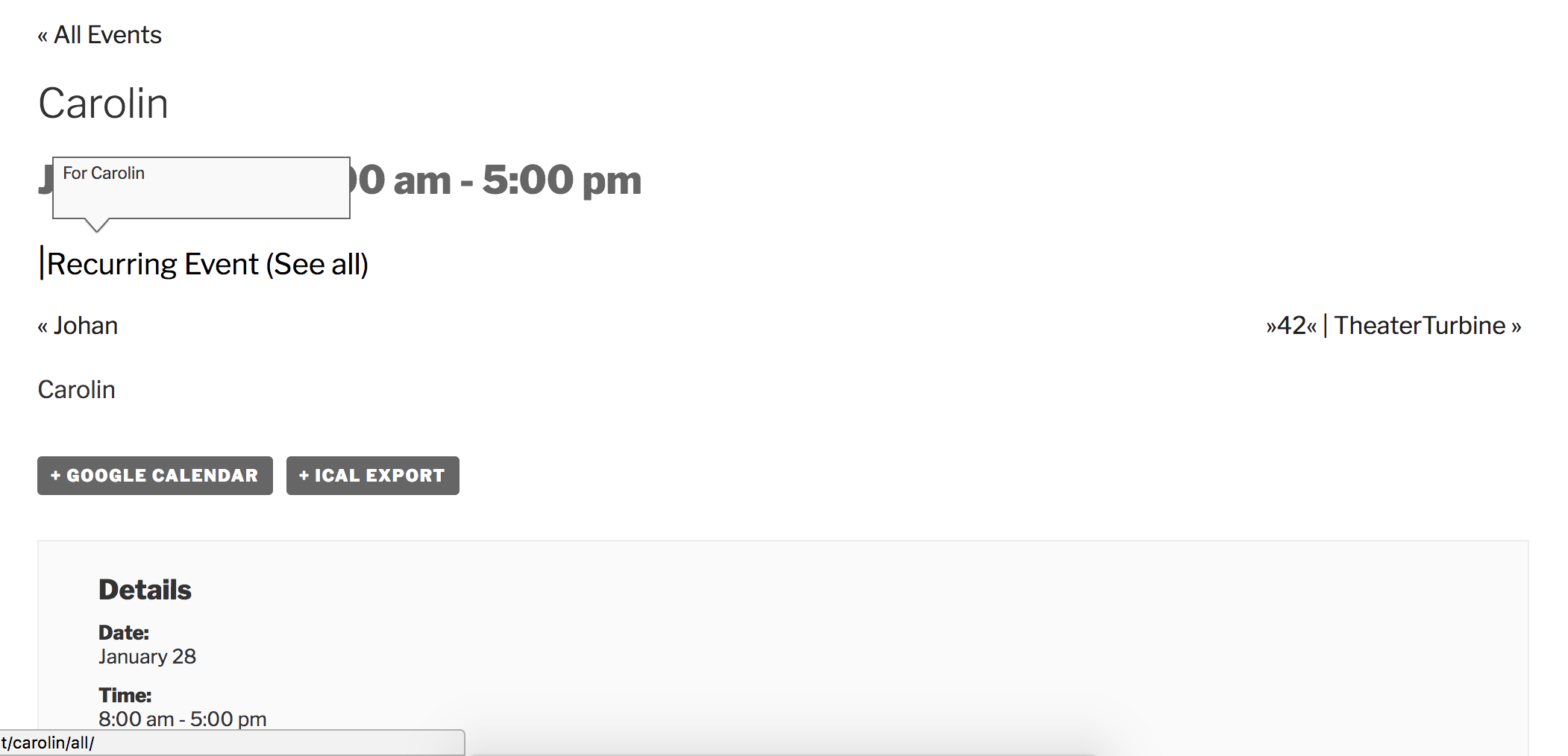
Am I missing anything in reproducing the issue you’re having? If so, please provide more clarification on how to reproduce the conflict and I’d be happy to test again.
January 27, 2017 at 2:14 pm in reply to: Event calendar category settings keep getting lost/reset #1225431ModeratorHey Stephanie,
We just released a version which included a fix for scheduled imports. Can you possibly attempt to reproduce the behavior after updating to the most recent versions? As always, make sure you have just the default WordPress theme and our plugins active during testing. It’s best you do this on a test site so you can fully troubleshoot the issue.
If you do still experience troubles, please send over the exact steps needed to reproduce the behavior (including Google Calendar URLs) and I’d be happy to further troubleshoot. Thanks and have a great weekend ahead!
ModeratorHello,
Thank you for further clarifying. I believe I understand your issue, but when adding a recurring event I am able to select a date for “Series ends on”. Please see screenshot below:
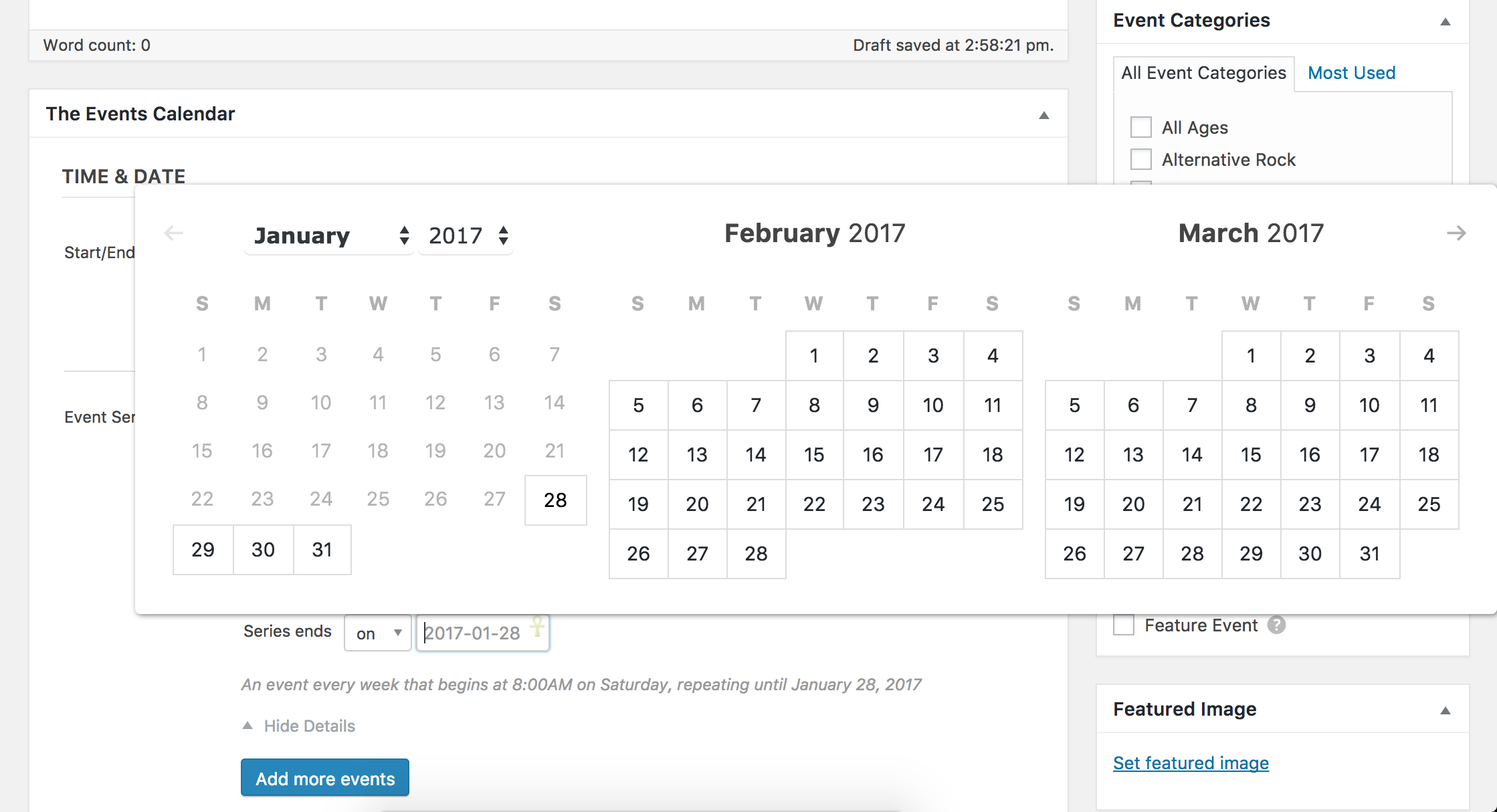
Is what I’ve described/shared with you above what you are referring to? If not, please provide a screenshot if possible.
I’ll need you to confirm you’ve reviewed our Testing for conflicts guide before I’m able to provide further support, so please let me know and we’ll continue investigating. Cheers!
ModeratorHey Tom,
We have a feature report logged aimed to increase the Google Maps options as you’ve described. I unfortunately don’t have any code available at the moment which will keep the map from scrolling on the single event pages, but I’ll include this forum thread to the logged report which helps increase the developers’ attention on the matter.
Sorry I don’t have a temporary workaround for you and let me know if you have any more questions or concerns. Cheers!
ModeratorHello 🙂
I’d be happy to help assist, but won’t be able to do so in the Pre-Sales Questions Channel. Please create a new thread in the appropriate forum and we’d be happy to answer your questions. Thanks for understanding and have a great rest of your day. Cheers!
ModeratorHi Mark,
Thank you for your purchase and welcome to the Premium Plugin support forums! We have a feature report aimed to include the ability to display past events using the [tribe_events] shortcode, so I’ve added this forum thread to the report which helps increase attention on the matter.
I unfortunately don’t have a date when this feature will be available, but please stay tuned to our Release Notes and the plugin changelogs for more information. Thanks again and let me know if you’ve got any additional questions or comments. Cheers!
ModeratorHey Jeri 🙂
I would be happy to see if I experience the same behavior on my test site, but before doing so I’ll need you to review our Testing for conflicts guide guide and let me know what you learn.
Thanks and have a pleasant rest of your day!
-
AuthorPosts