

Forum Replies Created
-
AuthorPosts
-
Hunter
ModeratorHello,
I had mistakenly shared a snippet with you, so I deleted it so you and other users wouldn’t be confused by it. Try adding the following snippet to the bottom of your theme’s functions.php file and let me know if it works:
/* Tribe, prevent image import for Facebook events */

function tribe_ea_prevent_fb_image ( $event, $record ) {
// bail if the origin is not facebook
if ( $record->meta['origin'] != 'facebook' ) return $event;// unset image data
unset( $event['image'] );return $event;
}
add_filter( 'tribe_aggregator_before_save_event', 'tribe_ea_prevent_fb_image', 10, 2);ModeratorHi Tom,
Welcome back and thank you for posting to our premium plugin forums. I really like the idea you’ve described, but it would take more customization than we’re able to provide. You’d most likely have to hack some core files which is not recommended. I wish I had a better answer for you, but as I said above, I like the idea and see the validity behind your request, so my recommendation is to submit it to our UserVoice Feature Ideas page.
Have you tried searching our forums to see if you can find any examples of users building additional custom views? If not, that might be a good place to start.
Sorry I don’t have a better answer for you at this time and if it’s a must-have feature, you might want to have a look at our list of customizers to see if anyone can help further assist.
If you’re not already aware of our What support is provided for license holders? Knowledgebase article, it’s recommended you take a minute or two to review what we’re able to cover in the forums.
Thanks again and good luck building the custom view. Cheers!
ModeratorHello and welcome,
Sorry to see the both of you under the circumstances. I tested to see if I could reproduce the behavior and can confirm Community Events 4.4 causes the comments to disappear from blog posts.
I’ve gone ahead and logged a bug and added this forum thread to the ticket which helps expedite the process of getting a fix included in an upcoming release. I don’t have a precise date when it will be available, but please stay tuned to our Release Notes and the plugin changelogs for more information. @Jeremiah, go ahead and create a new thread and link to this thread. Having multiple threads attached to the bug ticket helps even more. Thanks again and let me know if you’ve got any additional questions or comments. Cheers!
January 10, 2017 at 7:27 pm in reply to: You have entered a license key for The Events Calendar PRO but the key is out of #1216286ModeratorLooks good! I’ll close this thread out but please feel free to create a new one if you have any more questions or concerns. Cheers!
ModeratorThank you for sending over your System Information. I see you checked ‘Yes’ to reverting back to the default WordPress theme and deactivating all plugins other than ours as instructed in the Testing for conflicts guide, but can you please confirm this?
I’m not able to reproduce the issue on my test environment, so once we eliminate the potential of a theme and/or plugin conflict, we’ll have a better idea on how to proceed. Thanks again 🙂
January 10, 2017 at 7:11 pm in reply to: How to change 'WooCommerce' text to 'Paid Ticket' (or whatever) for ticket type #1216274ModeratorGreat! If you feel this thread is “Resolved”, please mark it as such and I’ll go ahead and close it out. If you have any additional questions, feel free to reply and I’d be happy to help further assist. Cheers!
ModeratorHey Bill,
The last time I stayed at the Dunes was about 10 years ago, though I’ve driven by within the last couple years. I hope the change mentioned in this case is a good thing! I’m now in the Phoenix area so if you’re ever in my neck of the woods, look me up and we can grab some coffee.
The attached copy of your theme’s functions.php file didn’t come through, so I added it to the bottom of the default WordPress Twenty Seventeen’s functions.php file and shared it here.
If that doesn’t work, try resending your functions.php file and I’d be happy to take a look. Thanks for the update and hopefully we can get this going in no time. Cheers!
ModeratorHey Bec 🙂
Thank you for the update and I’m glad to hear things have started working again! To help save yourself time down the road, it’s best to review the Testing for conflicts guide and to make sure your plugins are updated before opening a new thread. It’s also a good idea to see if any issues you’re experiencing are already documented on our Known Issues page.
I’m going to close this thread out but please create a new one if you have any more questions or concerns. Cheers!
ModeratorHello,
We limit who can check in attendees to specific roles. If any user was allowed to check attendees in, it could potentially cause problems for the event organizers. A workaround is to use a plugin such as User Role Editor and create a specific role for checking in tickets, though I haven’t done this myself so I’m unsure of the exact process. This Admin roles and permissions KB article also might come in handy.
Let me know if this helps and have a good evening!
ModeratorHello,
That is the single-event.php file located in /the-events-calendar/src/views/ folder. That template calls in other templates, such as /the-events-calendar/src/views/modules/address.php which displays the venue address. It is highly recommended you review the Views & Templates section in the Themer’s Guide.
Good luck with the customizations and have a good evening 🙂
ModeratorHello,
I believe the files you need to overwrite to reorder the content in the sidebar are found in /the-events-calendar/src/views/modules/meta. Note the overwrite structure at the top of files when creating template overrides. (see screenshot below)
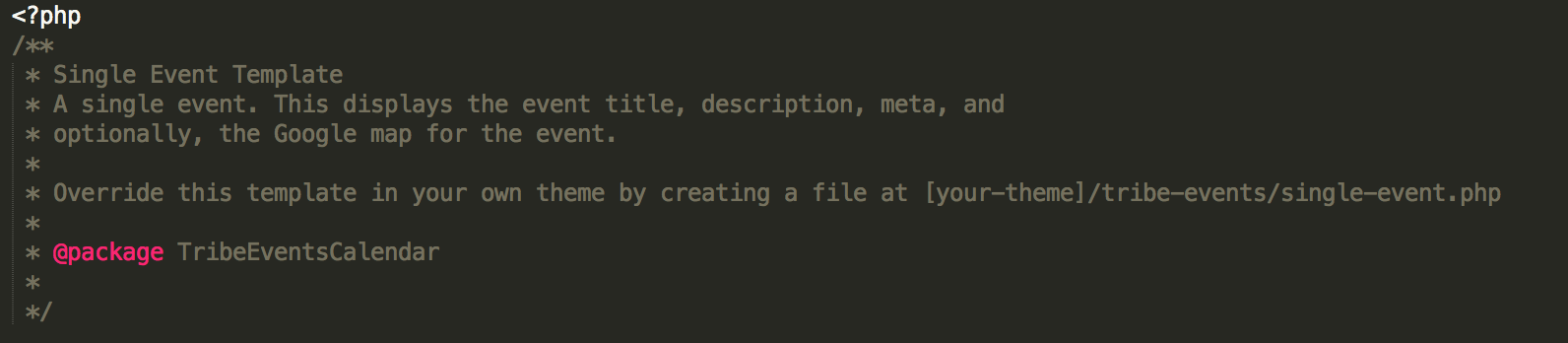
Rather than creating a support ticket each time you need help finding a particular template, it’s recommended you first set up a test site where you can fully test and troubleshoot any questions or comments you might have. This Customizing WordPress #1 – How To Create A Child Theme by LevelUpTuts is a similar example of the process explained in our Themer’s Guide. If you have not already reviewed the Themer’s Guide, it’s the best resource to familiarize yourself with in this instance.
As previously mentioned, we are limited when it comes to these types of support requests. Our What support is provided for license holders? Knowledgebase article provides more information on the matter.
Sorry I can’t do more in this situation. Best of luck and have a great rest of the week!
ModeratorHey Cody,
Are the imports failing 100% of time time? The scheduled imports are triggered once wp_cron. What triggers wp_cron is a visit to your site, so there’s the possibility the imports initially failed, but the plugin is currently designed to automatically reschedule the failed imports. It might be best to set up a custom cron job to ensure the scheduled imports get ran. Please check out the following tutorials for more information.
At this time, I’m not having any issues with scheduled imports. We are working to improve the “failed import” messages so you have a better idea what’s going on, so stay tuned to our Release Notes and the plugin changelogs for more information. Thanks again and let me know if you’ve got any additional questions or comments. Cheers!
ModeratorWelcome back,
As I mentioned in my previous post, it’s recommended you set up a testing site where you can fully troubleshoot any questions or issues you might have without risk of losing important data or having an “unfinished” site live for others to see. Please review our Using One License for Live and Dev Sites Knowledgebase article for information.
I wish I could provide more support in this instance but instructions on how to properly create and save customizations are clearly outlined in the Themer’s Guide. You should have both The Events Calendar and Events Calendar PRO installed and activated on your site. Additionally, folders titled the-events-calendar and events-calendar-pro should appear in your plugins folder. You’ll save any customizations in the tribe-events folder inside your theme folder. Additionally, Event Aggregator is “baked” in The Events Calendar, so it does not need it’s own folder like TEC and PRO do.
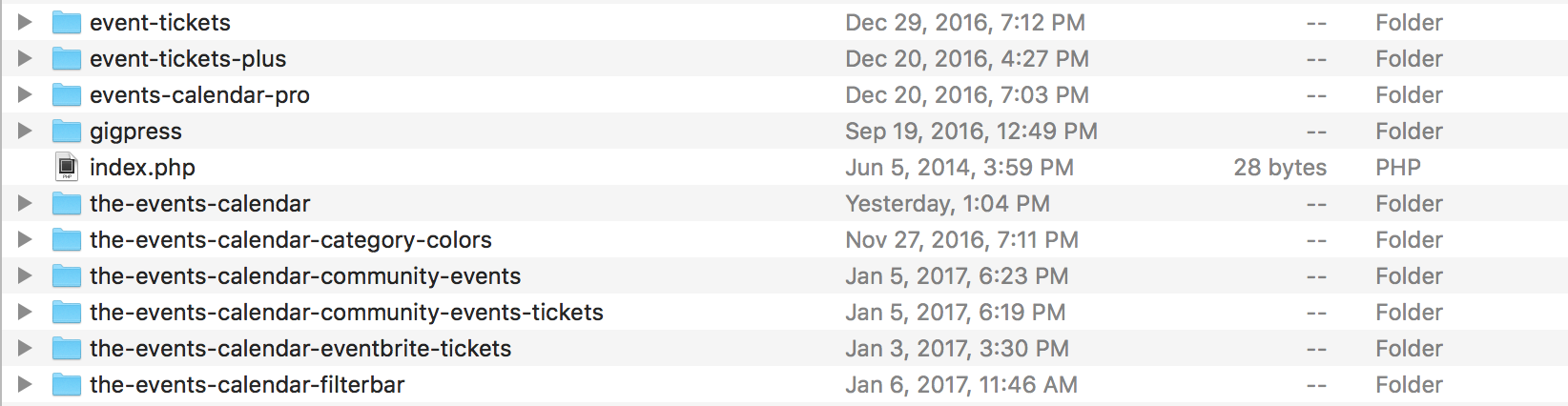
I’ll provide any more information I feel might help below. Sorry again I can’t dedicate more time on this thread. Please review our What support is provided for license holders? Knowledgebase article so you fully understand what to expect when asking for support. If things get beyond your level of expertise, it might be best to hire a professional to help further assist. We have a list of customizers to help get you started in the right direction.
- Settings Overview: The Events Calendar and Events Calendar PRO
- The Events Calendar and the WordPress Customizer
- New User Primer: The Events Calendar and Events Calendar PRO
- Basic font and color changes with CSS
In response to the “Next Events” text not translating in Photo view; what does it currently say? You can change what displays by looking at the PRO language files or use the snippet found here. Please see the screenshot below of my Photo view’s “Next Events” text.

Best of luck and please create a separate thread for the Google Maps issue and we’d be happy to help take a closer look. Thanks and take care!
ModeratorGo ahead and send over your System Information as a private reply. The tickets should display beneath the event information on events which have tickets created for them. Check out our Making tickets KB article for further instructions.
Have a good evening!
ModeratorYour account has been updated from Multisite to Personal. Let me know if you have any more questions. If not, I’ll go ahead and close this thread out. Thanks!
-
AuthorPosts