

Forum Replies Created
-
AuthorPosts
-
Hunter
ModeratorHi and welcome,
I am not experiencing the same behavior on my test website which uses the default WordPress theme. I see you checked ‘Yes’ to reverting back to the default WordPress theme and deactivating all plugins other than ours as instructed in the Testing for conflicts guide, but can you please confirm this?
I notice in your System Information that you have older versions of our plugins installed. Can you update to the most recent versions, then retest as outlined in our Testing for conflicts guide to see if the issue persists?
Please let me know what you learn and have a great evening. Cheers!
ModeratorHey, Dirk 🙂
That definitely sounds like a good idea! I don’t believe that functionality is available just yet, but the best place to submit suggestions is over at our UserVoice Feature Ideas page.
We pluck the most popular and useful ideas on a regular basis, so please take a moment and share your thoughts with us. If it is already on the devs radar, seeing the suggestion will only help your cause. Hopefully we can get it incorporated into an upcoming release.
Sorry I don’t have a better answer for you at this time and let me know if you’ve got any additional questions or concerns. Cheers!
ModeratorHello,
Welcome to our premium plugin forums and thank you for your purchase! We first need to eliminate the potential of a theme and/or plugin conflict before proceeding. Please review our Testing for conflicts guide and reply back with what you learn.
Thanks again and have a great evening. Cheers 🙂
ModeratorHello!
First off, thank you for your purchase and welcome to our premium plugin support forums! I set up a test event based on the information provided, but everything worked perfect for me.
Time & Date setting:
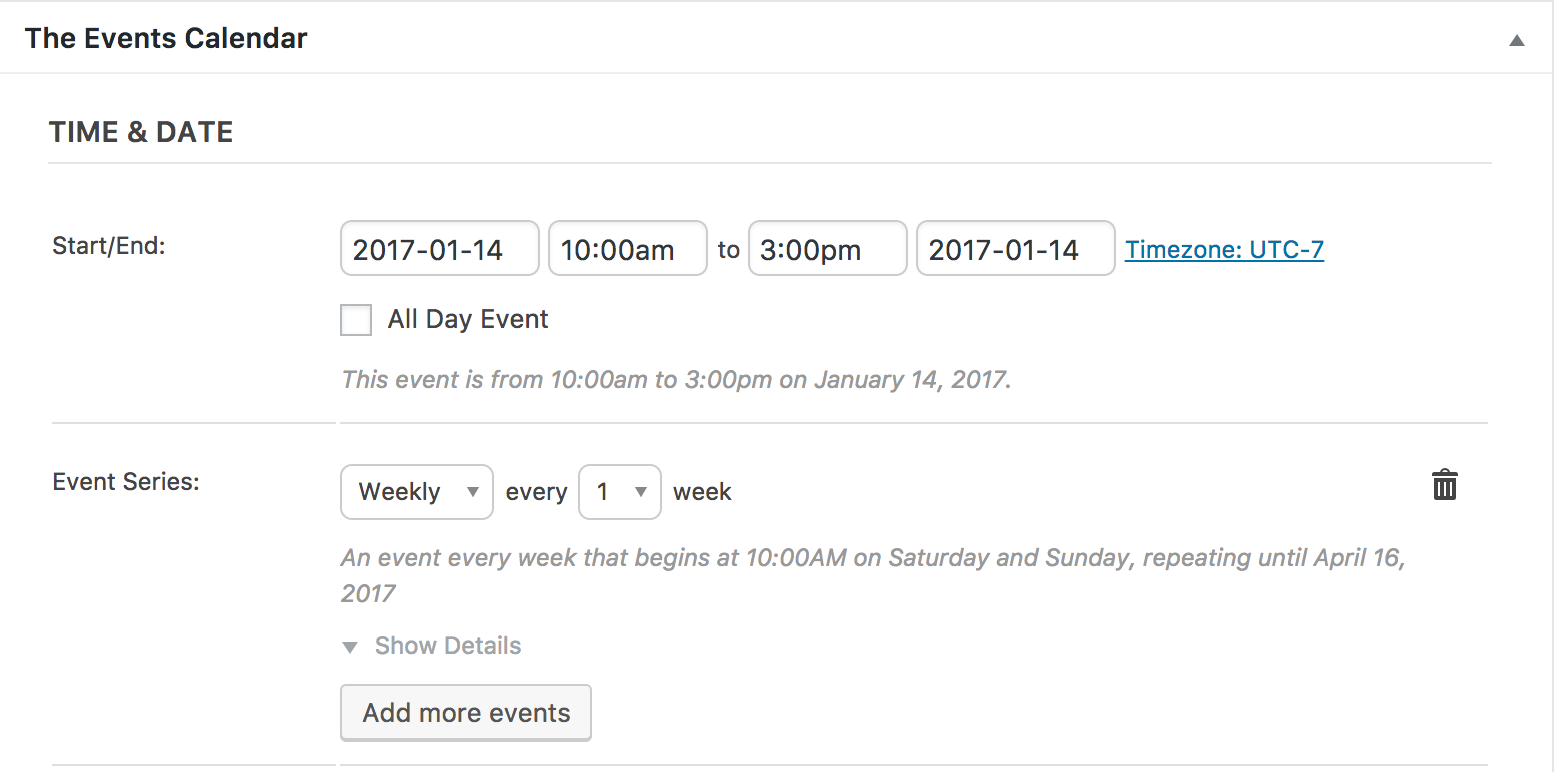
Screenshot of beginning of test series I created:
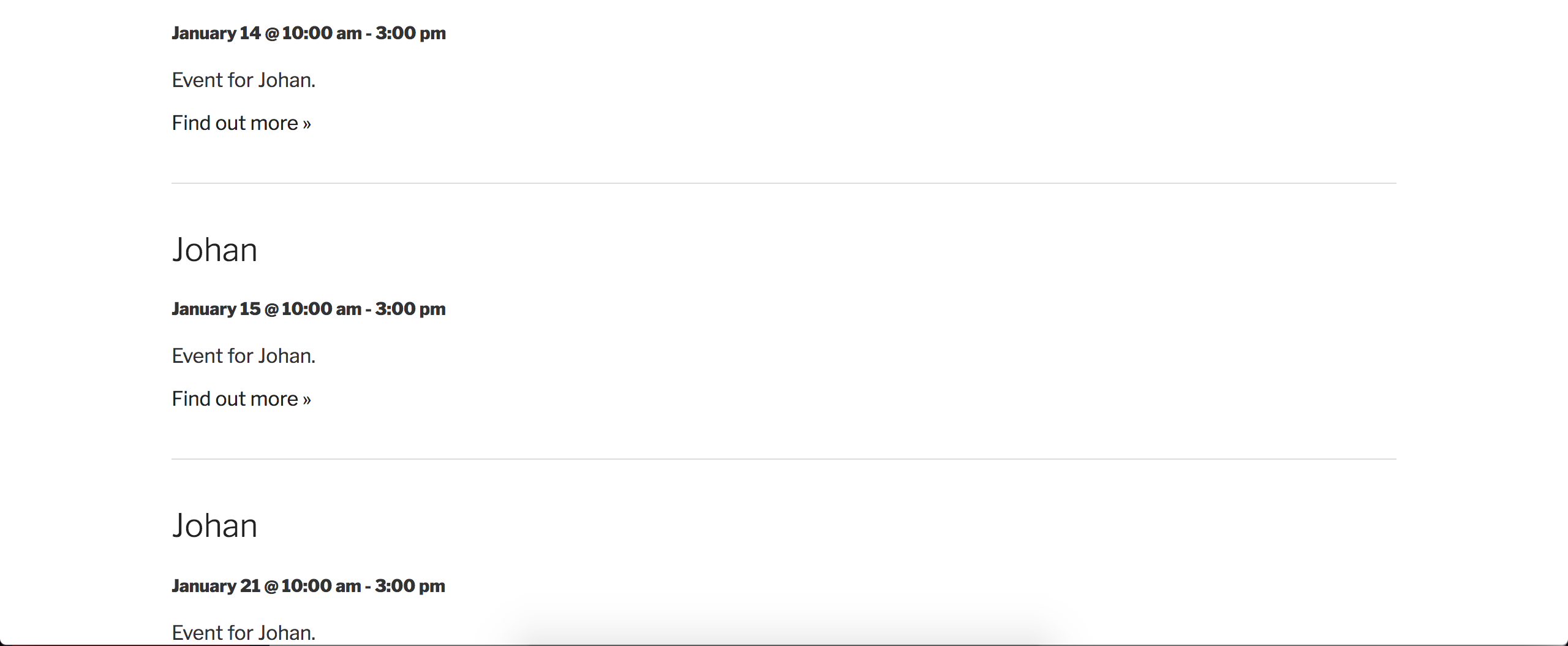
Screenshot of the middle of the test series. As you can see, the dates are correct. February 25th is a Saturday, the 26th is a Sunday, March 4th is a Saturday, and the 5th is a Sunday.
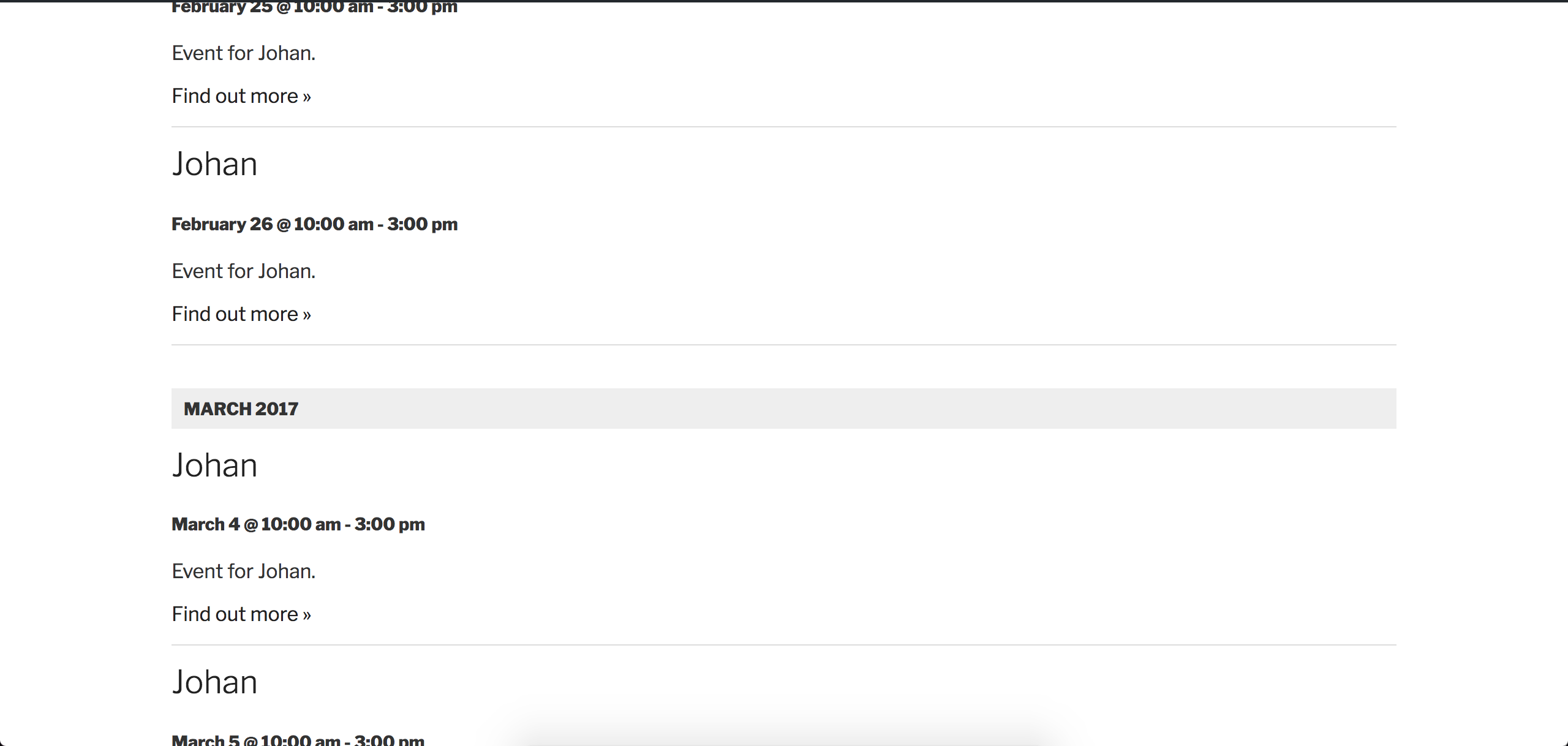
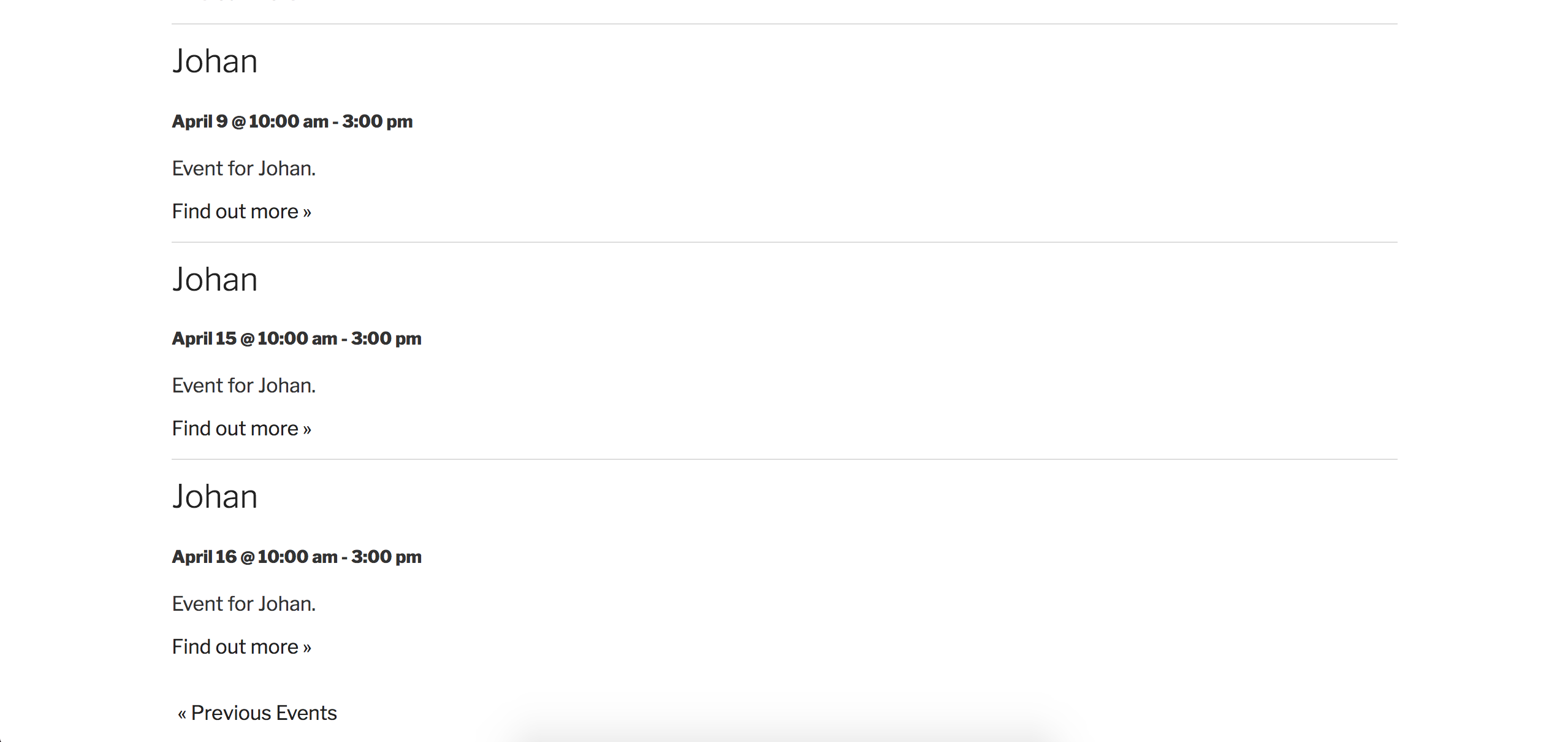
Screenshot of the end of the test series, which matches up to the 2017-04-16 end date you provided:
I see you checked ‘Yes’ to reverting back to the default WordPress theme and deactivating all plugins other than ours as instructed in the Testing for conflicts guide, but can you please confirm this?
Please make sure WP_DEBUG and WP_DEBUG_LOG are enabled on your site’s wp-config.php file. Any errors will display at the top of your page as you try to reproduce the conflict. Note what you find and please include it in your reply.
Lastly, please review our Using Recurring Events in Events Calendar PRO Knowledgebase article for more information on recurring events. Thanks and have a great evening. Cheers 🙂
ModeratorHi and welcome back,
I copied the Facebook link shared with me and attempted a new import:
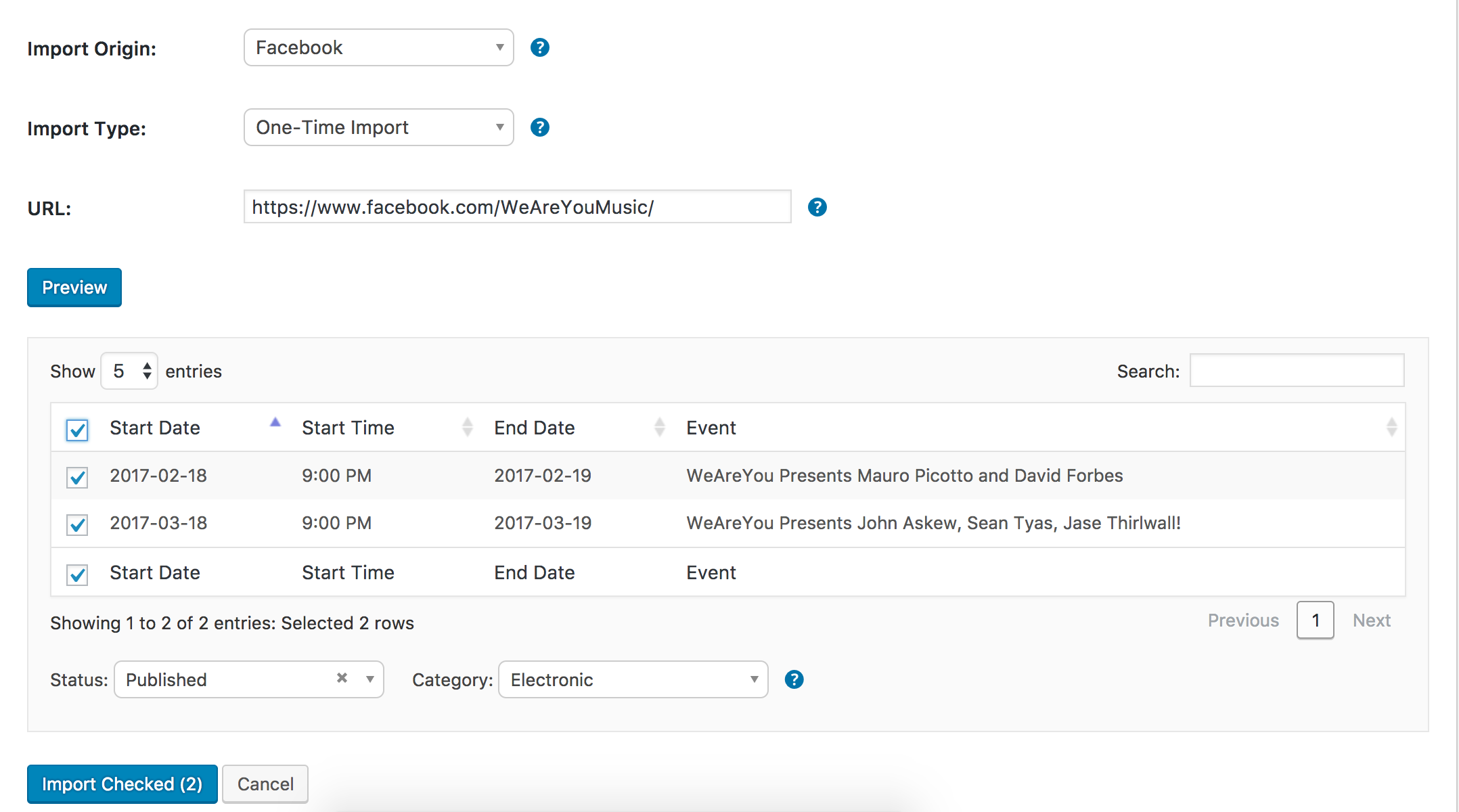
I did not experience any issues with the import:

Could you update to the most recent version of The Events Calendar (4.4.0.1) and then review the Testing for conflicts guide to see if you can reproduce the conflict?
Let me know if doing makes a difference and we’ll go from there. Thanks and have a good evening 🙂
ModeratorHi. Sorry you’re experiencing the datepicker issue. It is a known bug that should be fixed soon via a plugin update.
I’ll mark this ticket as Pending Fix, which means this thread should receive a reply once the applicable fix has been released. I cannot guarantee when it will be fixed as it’s in the development team’s hands now.
However, if you’re anxious to get it resolved right away, replacing the entire contents of this file:
/wp-content/plugins/the-events-calendar/src/Tribe/Asset/Bootstrap_Datepicker.php
with this code:
resolved the issue for me. You might want to try it too. Please let me know how it works out.
I am unable to reproduce the behavior of the featured image not displaying in the month view hover tooltip. I see you checked ‘Yes’ to reverting back to the default WordPress theme and deactivating all plugins other than ours as instructed in the Testing for conflicts guide, but can you please confirm this?
Please keep me updated and have a good evening. Cheers!
January 12, 2017 at 5:17 pm in reply to: Event Aggregator: Valid Licence but 'Buy' option and red errors #1217788ModeratorHi and welcome back 🙂
When you navigate to Events > Settings > Licenses, do you see a green “Valid Key! Expires on ____-__-__” message beneath the Event Aggregator license key field? See screenshot below for example.

Please review our Testing for conflicts guide for more information.
I also recommend reading over our Finding and inputting your license key and Moving Your License Keys Knowledgebase articles to make sure everything is set up properly in regards to your license key.
Please keep me updated and have a good evening. Cheers!
ModeratorHi and welcome,
Forgive me if I’m on the wrong track, but I don’t believe the plugin will allow you to set an end date that is before the start date. Is this what you’re trying to accomplish? So if your event start date is 15 January 2017, the end date cannot be any earlier than 15 January 2017.
Let me know if this helps answer your question and have a great evening. Cheers!
ModeratorHello!
First off, thank you for your purchase and welcome to our premium plugin support forums! I see you have tried the following:
• Deactivating other plugins: Yes
• Switching to a default theme: NoBefore we proceed, can you please review our Testing for conflicts guide and reply back with what you learn? Please include your System Information as a private reply.
Thanks!
January 12, 2017 at 4:59 pm in reply to: EC update conflicting with Site Origin Page Builder #1217784ModeratorHello,
Welcome and sorry to see you’re having troubles. I do want to point out that we are limited providing support for conflicts with themes and plugins by other authors. For what we are able to cover, please review our What support is provided for license holders? Knowledgebase article.
Please make sure WP_DEBUG and WP_DEBUG_LOG are enabled on your site’s wp-config.php file. Any errors will display at the top of your page as you try to reproduce the conflict. It might also help to open the ‘Inspect’ tool to see if any errors display in the browser console. Note what you find and please include it in your reply.
Once I have that information back from you, I’ll have a better idea on how to proceed. If it comes down to it, reverting back to the version of TEC that last worked for you might be the best alternative if/when we come up with a solution. Thanks and have a good evening.
ModeratorHello and welcome back 🙂
Dirk, would you mind creating a separate thread for your issue? Doing so will help increase attention to the issue and help reduce the amount of confusion. Thanks and I’ll keep my eye on the incoming queue for your thread.
Modar, at this time, I’m confident the behavior you’ve shared with me matches up with a known bug we have logged, so I’ve linked this forum thread to the ticket which helps expedite the process of getting a fix included in an upcoming release. I don’t have a precise date when it will be available, but please stay tuned to our Release Notes and the plugin changelogs for more information. Thanks again and let me know if you’ve got any additional questions or comments. Cheers!
January 12, 2017 at 4:38 pm in reply to: Auto-import from Facebook is not working for all events #1217776ModeratorI’d be happy to help further test. Before I can, please visit Events > Imports >New Import and fill in the form as if you were setting up an import and send me a screenshot so I can mimic the exact process you’ve been doing. See the screenshot below for an example. I’ll also need a screenshot of your Events > Settings > Imports screen.
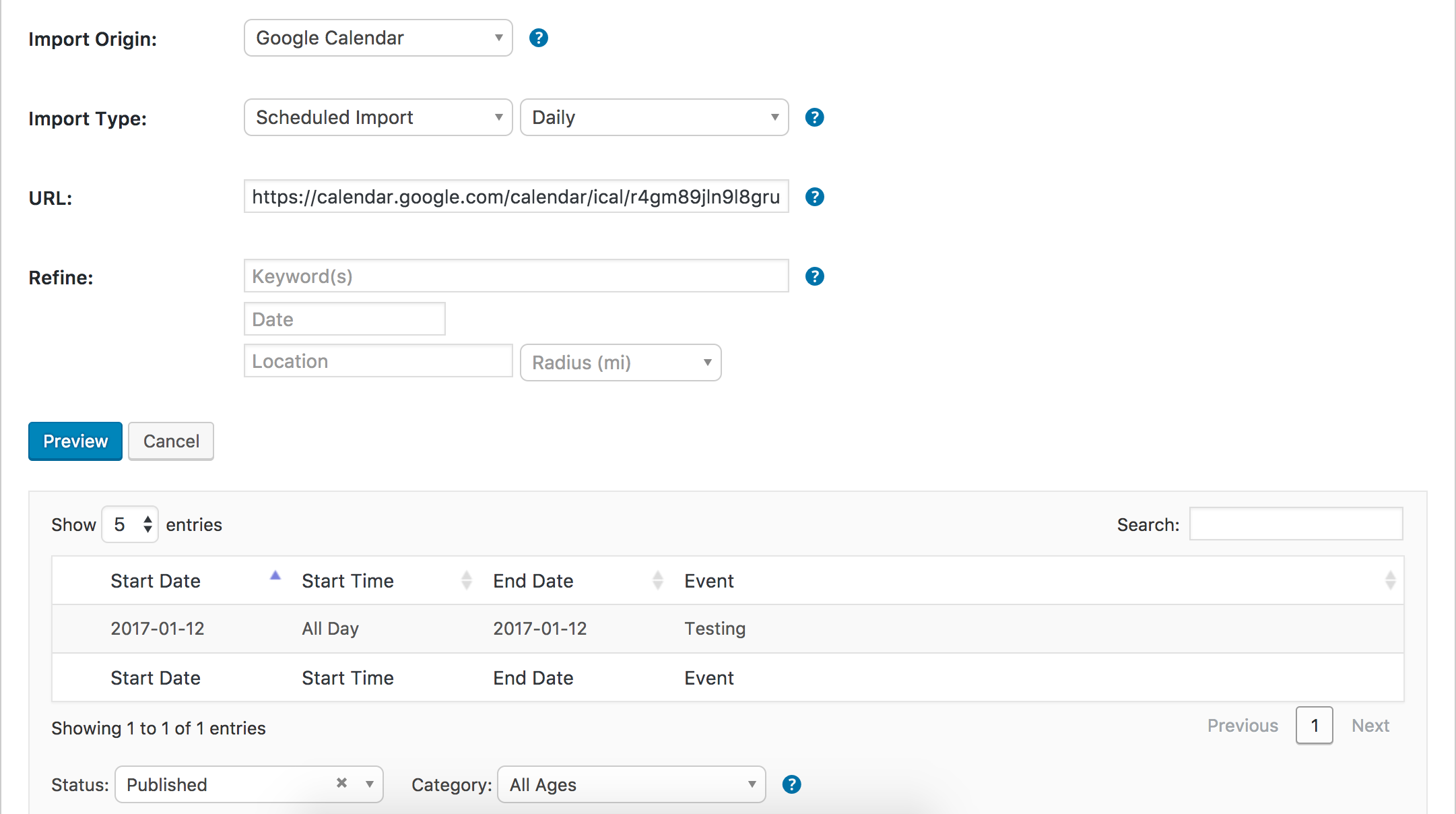
Thanks and have a good evening 🙂
ModeratorHello,
Thank you for sharing the System Information with me. I see you’re running outdated versions of our plugins. Please update to the most recent versions available, then review the Testing for conflicts guide once again to see if the issue persists.
If it does, please reply back and include your updated System Information as a private reply.
Thanks and have a good evening 🙂
ModeratorI visited the link but when I try clicking on a product, it simply redirects me back to the same page. And the screenshot you provided earlier actually appears to be the WooCommerce main shop page.
I’m really unsure on how to help here. The information in the articles I linked to above should provide clear instructions on how to properly install and setup the plugin and help get you started making tickets.
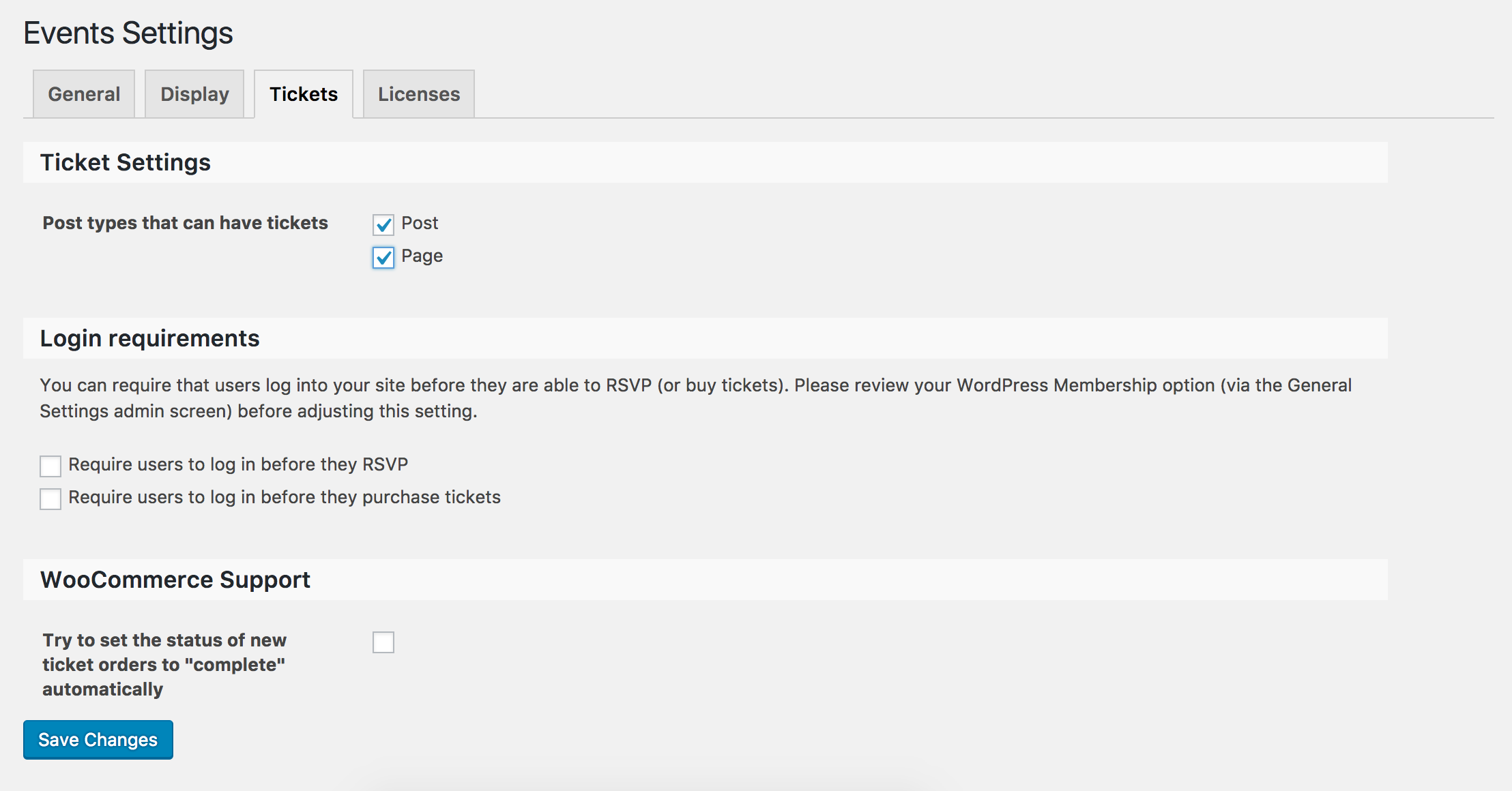
Make sure you have enabled post types so they can have tickets under Events > Settings > Tickets:
Then, add/edit a new page or post and you should see the option to create a ticket:
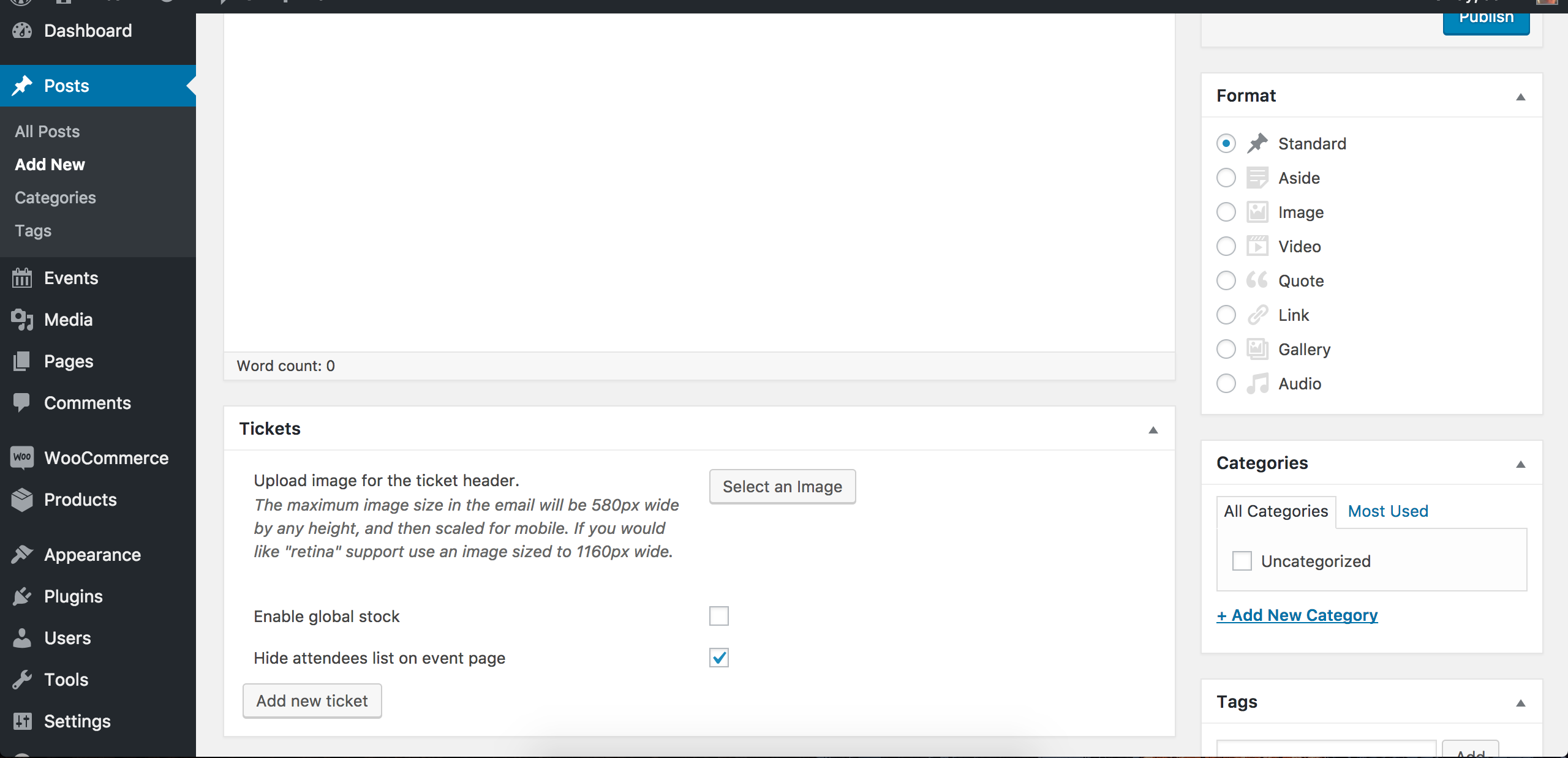
Follow the instructions from our Making Tickets Knowledgebase article to create tickets. I went ahead and created a sample post and added a ticket:
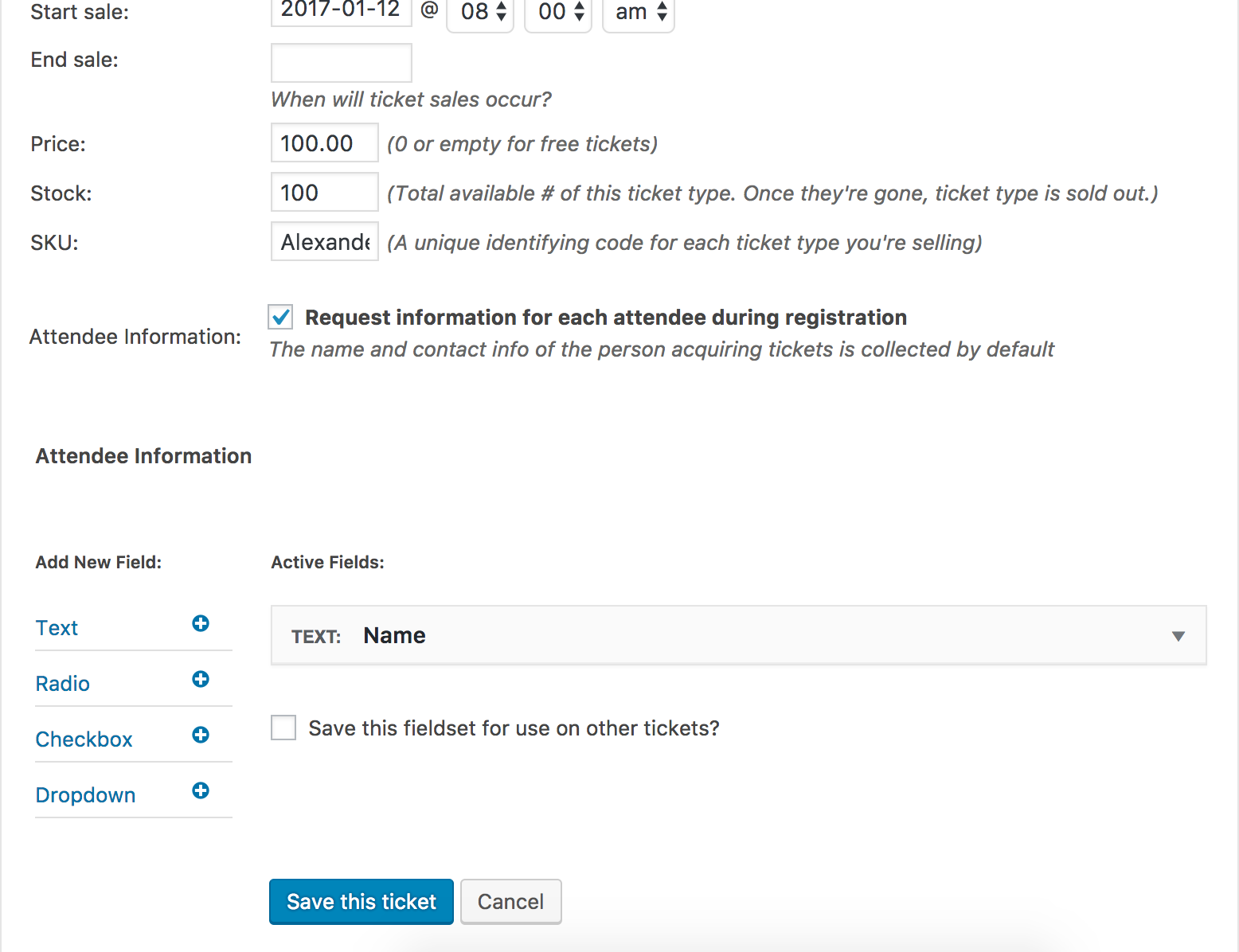
As you can see, the ticket is visible on the front end of the sample post I just created:
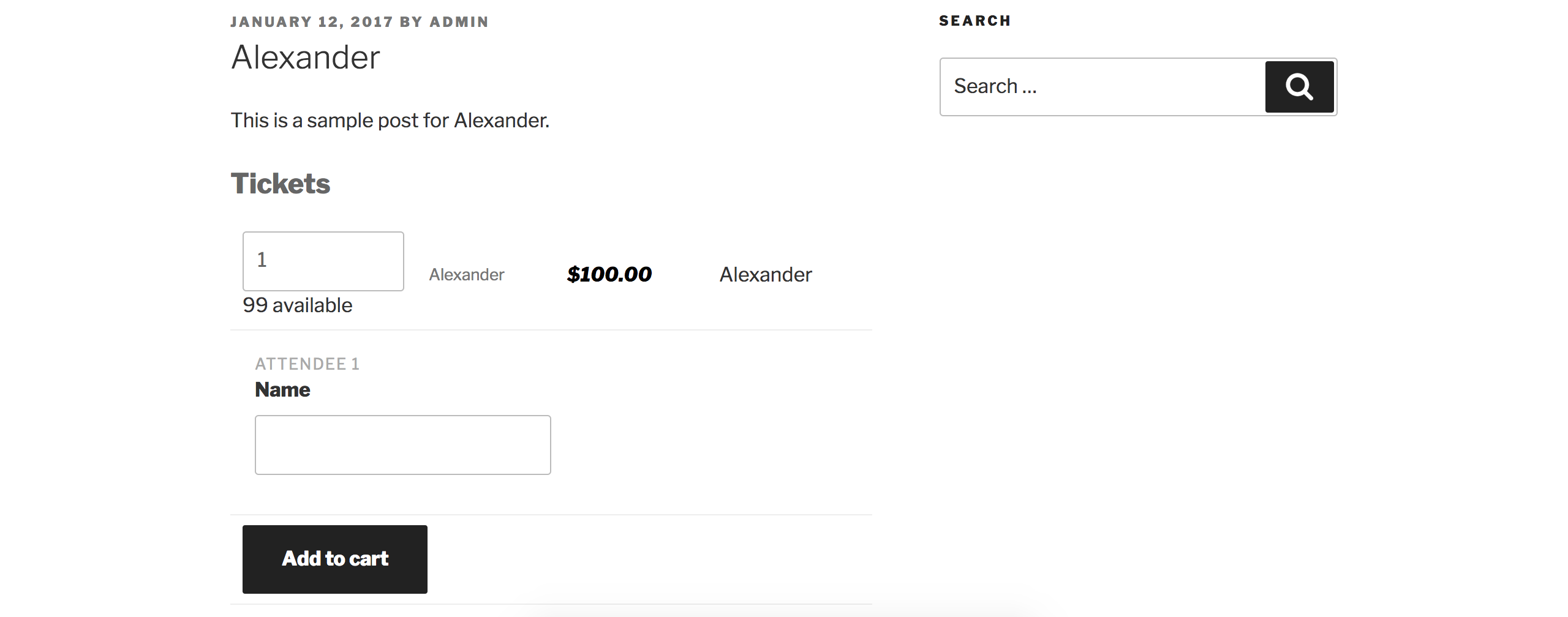
There are no current known bugs that might be affecting anything you’re currently attempting to achieve, so please re-read the aforementioned documentation I provided. Cheers.
ModeratorYes I am positive that is the single event view. Is there a folder named tribe-events inside your theme folder? If so, templates inside this folder will override the plugin files. Have you read the Themer’s Guide? Have you watched any of the videos I linked to?
-
AuthorPosts