
Home › Forums › Calendar Products › Events Calendar PRO › Events Calendar Time & Date Issue
- This topic has 5 replies, 4 voices, and was last updated 9 years, 8 months ago by
coexist.
-
AuthorPosts
-
January 12, 2017 at 1:57 am #1217257
coexist
ParticipantHi there,
I’m using the Events Calendar Pro for our websites listings, recently I’ve noticed an error when editing or creating a new event; it won’t let me put the Start and End date for the Event on the same day. For example, when I put the start date as 15th January 2017 it automatically changes the end date to 15th January 2018, and won’t allow me to put it any earlier.
Any ideas what might be causing this?
Cheers,
January 12, 2017 at 5:09 pm #1217786Hunter
ModeratorHi and welcome,
Forgive me if I’m on the wrong track, but I don’t believe the plugin will allow you to set an end date that is before the start date. Is this what you’re trying to accomplish? So if your event start date is 15 January 2017, the end date cannot be any earlier than 15 January 2017.
Let me know if this helps answer your question and have a great evening. Cheers!
January 13, 2017 at 12:24 am #1217915ParticipantHi Hunter,
Thanks for your reply, that isn’t quite what I meant though.
I have an event that starts at 11.30am on Sunday 15th January 2017, and lasts for one hour. However when I try to put it into the calendar the earliest end date I can set is for 14th January 2018, one year later..
I’ve noticed the same error on a few other event listings as well, so I assume it’s an error with the plugin.
Many thanks,
January 13, 2017 at 11:26 am #1218243ModeratorHello,
I attempted to reproduce the behavior as described on my test site, but everything seems to be working for me:
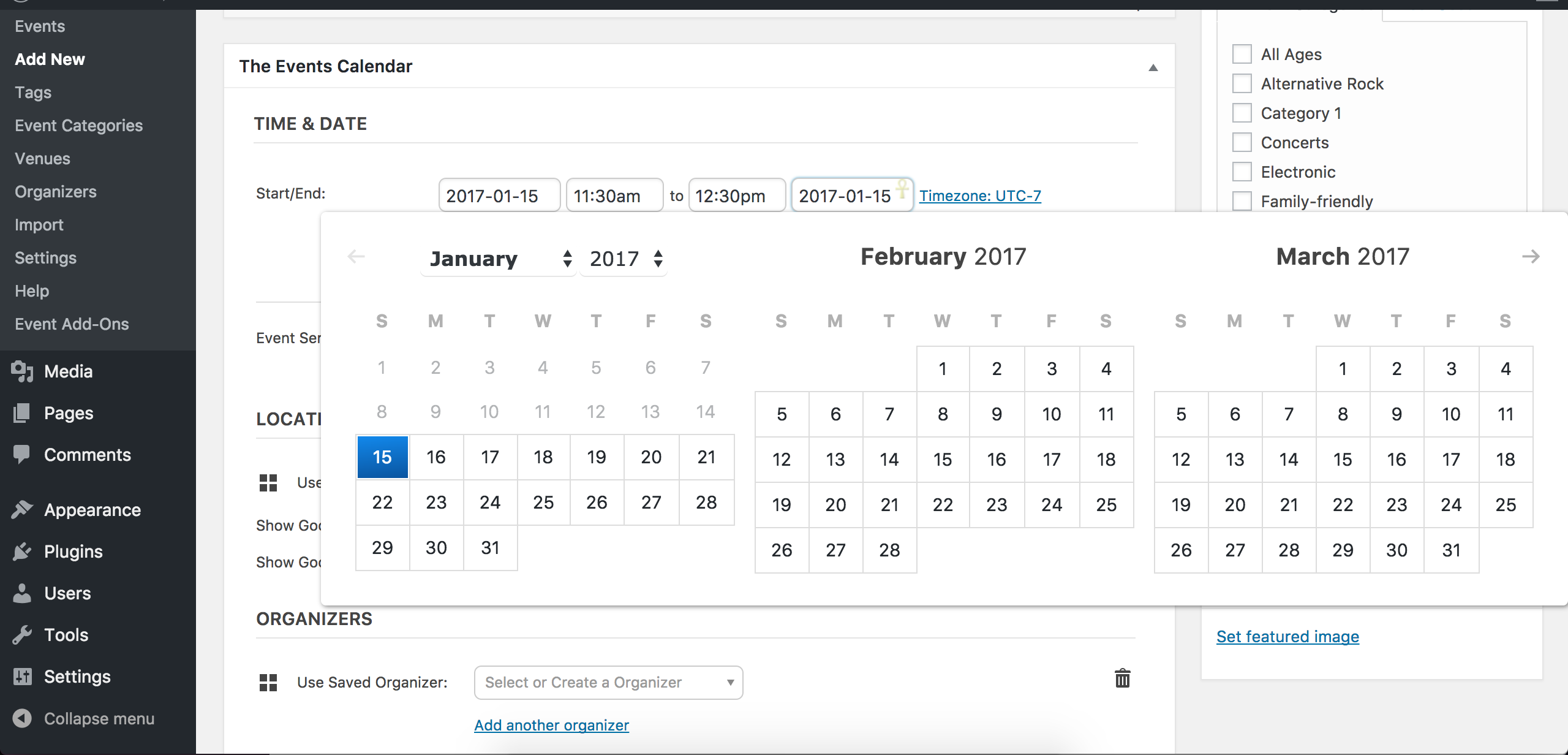
Does this issue occur every time you go to add/edit an event, or is it sporadic? Can you clarify whether the issue occurs when PRO and Filter Bar are active in addition to TEC? What about when TEC and Filter Bar are active, but not PRO? Please test with every combination of these plugins activated/deactivated and note what you find.
It might be best you set up a fresh WordPress installation where you can fully troubleshoot the issue. Make sure you have only the default WordPress theme and The Events Calendar installed and activated on the test site. Please review our Moving Your License Keys Knowledgebase article for more information.
Please make sure WP_DEBUG and WP_DEBUG_LOG are enabled on your site’s wp-config.php file. Any errors will display at the top of your page as you try to reproduce the conflict. I also recommend opening the ‘Inspect’ tool by right-clicking your mouse and observing any possible errors in the console. Note what you find and please include it in your reply.
If we can identify a bug, I’d be happy to get it logged so we can address it in an upcoming maintenance release. In order to do so, I need to be able to reproduce the behavior. Thanks and please keep me updated. Have a great weekend ahead 🙂
February 4, 2017 at 8:35 am #1229448Support Droid
KeymasterHey there! This thread has been pretty quiet for the last three weeks, so we’re going to go ahead and close it to avoid confusion with other topics. If you’re still looking for help with this, please do open a new thread, reference this one and we’d be more than happy to continue the conversation over there.
Thanks so much!
The Events Calendar Support Team -
AuthorPosts
- The topic ‘Events Calendar Time & Date Issue’ is closed to new replies.