

Forum Replies Created
-
AuthorPosts
-
January 13, 2017 at 1:06 pm in reply to: Bug: tickets disappearing when enabling attendee information #1218317
Hunter
ModeratorThank you for letting me know you’ve got things figured out and also for sharing your solution for others to learn from. Feel free to create a new thread if you have any more questions or comments and have a pleasant evening. Cheers!
ModeratorBefore I can begin, I’ll need a screenshot of your Events > Settings > Imports screen. Thanks 🙂
ModeratorHey Yohanan,
At this point, you’re going to have to handle the customizations from here. I cannot explain it any better than our Themer’s Guide does or than I have in my previous responses on multiple threads.
The videos that might help in this instance include Customizing WordPress #1 – How To Create A Child Theme by LevelUpTuts and Customizing WordPress #2 – Using Chrome Developers Tools.
If it gets beyond your level of expertise, you might want to look into hiring a professional to help further assist. Sorry again I can’t do more and good luck learning and implementing the process of template overrides. Cheers 🙂
ModeratorMy pleasure! Thanks for your patience and have a great weekend ahead 🙂
January 13, 2017 at 12:32 pm in reply to: EC update conflicting with Site Origin Page Builder #1218285ModeratorI went ahead and re-opened that thread. My sincerest apologies about closing it out early!
If you’d like to manually revert back to a previous version, please review our Manual Updates Knowledgebase article and let me know if you have any questions. The article is for updating, but it’s the same process. There shouldn’t be any issues with WP being on 4.7.1.
I’ll log the behavior you’ve described as a bug, though I can’t guarantee whether the fault lies within our code or the page builder’s code, so I’ll leave that up to the developers and if they update the report with any new info, I’ll be sure to share that with you here.
I’ll mark this thread as ‘Pending Fix’ for the time being. Sorry I don’t have a better workaround for you at the moment and let me know if you have any more questions or concerns. Cheers!
January 13, 2017 at 11:34 am in reply to: You have entered a license key for The Events Calendar PRO but the key is out of #1218250ModeratorI’m going to re-open this thread. I truly apologize I closed it. I was wrongfully under the impression your issue had been solved. Can you please confirm you’ve reviewed our Testing for conflicts guide to make sure you’re not experiencing a theme and/or plugin conflict?
You might also try visiting your License Keys page, hit the ‘Disconnect now‘ text next to The Events Calendar license key, then revisit Events > Settings > Licenses on your WordPress site and reenter the license key.
I might need to assign you a new license key, so please let me know the results from the Testing for conflicts guide and we’ll go from there. Thanks and sorry again about closing the thread down prematurely. Cheers!
ModeratorHello,
I attempted to reproduce the behavior as described on my test site, but everything seems to be working for me:
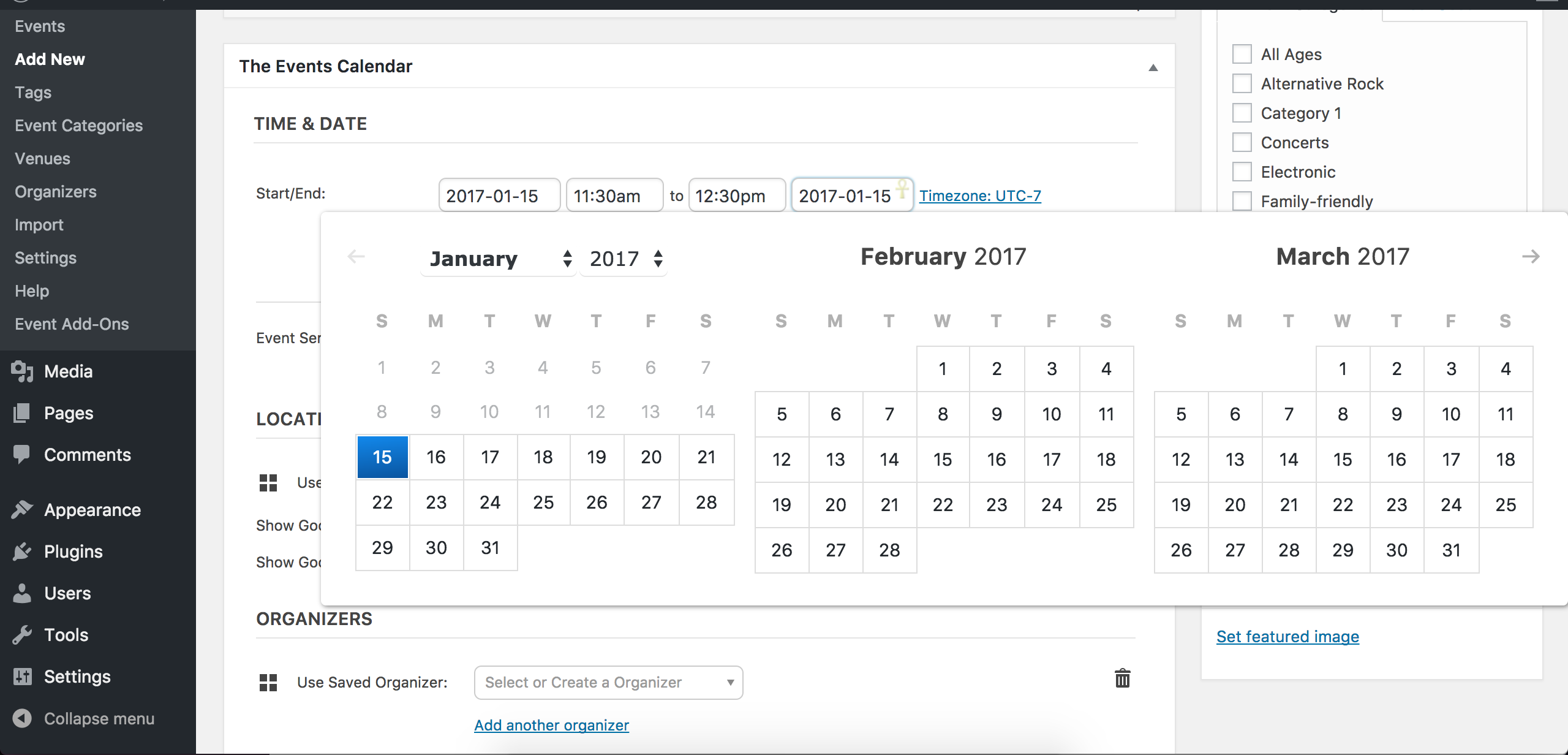
Does this issue occur every time you go to add/edit an event, or is it sporadic? Can you clarify whether the issue occurs when PRO and Filter Bar are active in addition to TEC? What about when TEC and Filter Bar are active, but not PRO? Please test with every combination of these plugins activated/deactivated and note what you find.
It might be best you set up a fresh WordPress installation where you can fully troubleshoot the issue. Make sure you have only the default WordPress theme and The Events Calendar installed and activated on the test site. Please review our Moving Your License Keys Knowledgebase article for more information.
Please make sure WP_DEBUG and WP_DEBUG_LOG are enabled on your site’s wp-config.php file. Any errors will display at the top of your page as you try to reproduce the conflict. I also recommend opening the ‘Inspect’ tool by right-clicking your mouse and observing any possible errors in the console. Note what you find and please include it in your reply.
If we can identify a bug, I’d be happy to get it logged so we can address it in an upcoming maintenance release. In order to do so, I need to be able to reproduce the behavior. Thanks and please keep me updated. Have a great weekend ahead 🙂
January 13, 2017 at 11:12 am in reply to: Event Aggregator: Valid Licence but 'Buy' option and red errors #1218238ModeratorHello,
I marked your last reply as private. When sending sensitive information over such as license key information, it’s recommended you do so as a private reply. Are you having issues with any other plugins, or is it limited to Event Aggregator? Are you seeing any errors on your server’s error log?
It might be best you set up a fresh WordPress installation where you can fully troubleshoot the issue. Make sure you have only the default WordPress theme and The Events Calendar installed and activated on the test site. Please review our Moving Your License Keys Knowledgebase article for more information.
Please make sure WP_DEBUG and WP_DEBUG_LOG are enabled on your site’s wp-config.php file. Any errors will display at the top of your page as you try to reproduce the conflict. I’d also right-click your mouse and use the ‘Inspect’ tool to see if anything displays in the error console. Note what you find and please include it in your reply.
I also notice you have two licenses for Event Aggregator (ends in 77f9). Have you tried using the other license to see if things behave differently? Need be, I can assign you a new license key to see if that clears things up.
Sorry you’re having to deal with this strange issue and please keep me updated. Thanks and have a great weekend!
ModeratorThis reply is private.
ModeratorHey Stuart,
Can you send over essentially every detail I’ll need to reproduce the error? This includes:
- URLs to Facebook pages you’re attempting to import events from.
- Visit Events > Imports > New Import and fill in the fields as if you were creating a new import as you’ve been doing. Take a screenshot and send it over. See screenshot below for example.
- Send a screenshot of your Events > Settings > Imports screen.
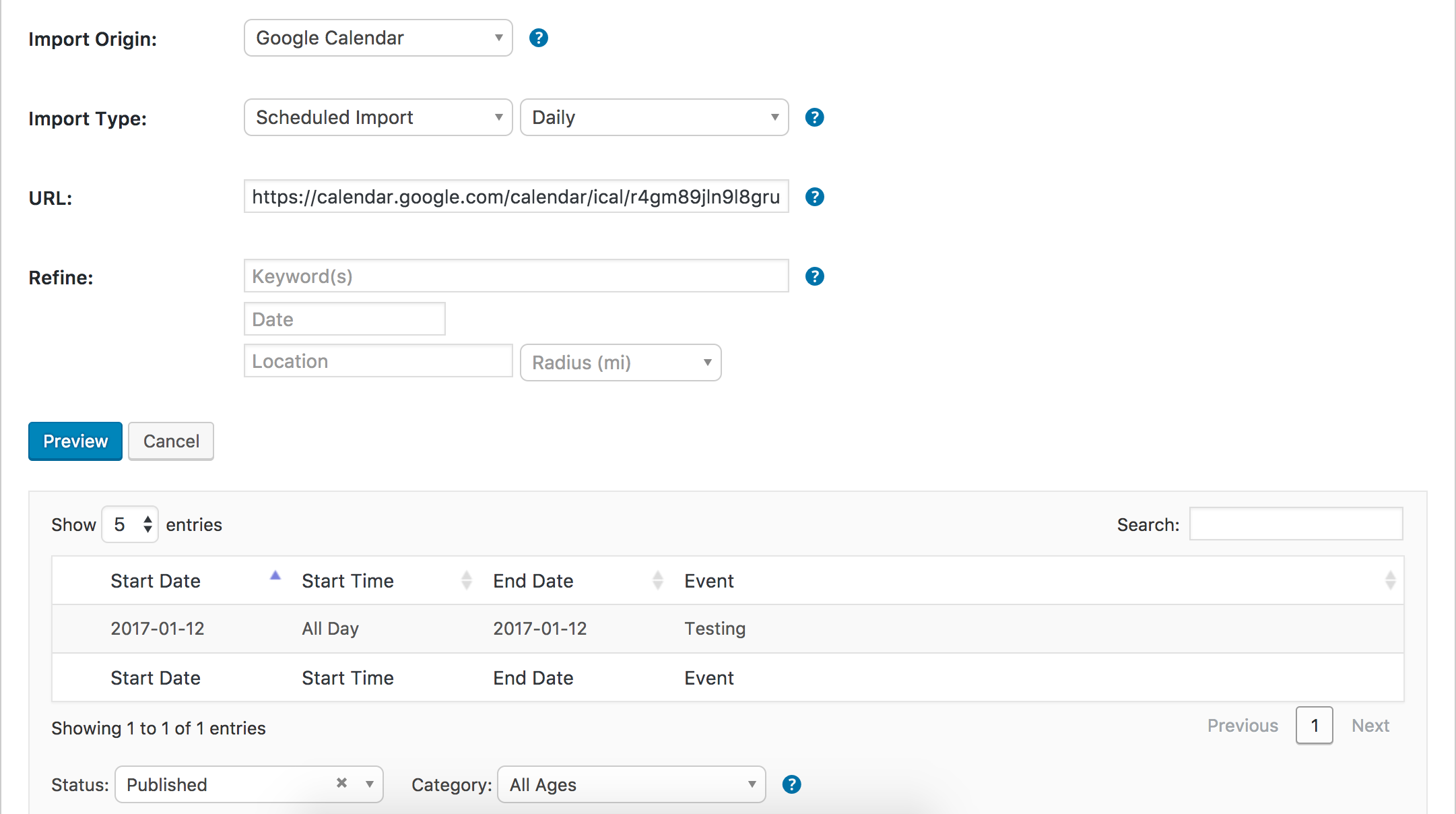
Thanks and have a great afternoon 🙂
ModeratorHello,
Please review our Moving Your License Keys Knowledgebase article for more instructions. Temporarily reverting back to the default WordPress theme shouldn’t cause you to lose any custom code or data, but you might want to make a backup prior to doing so just in case. As explained in our What support is provided for license holders? Knowledgebase article, we are unable to provide support for conflicts with custom themes.
In order to continue receiving support and to identify the precise source of conflict, please review the Testing for conflicts guide in it’s entirety and reply back with what you learn.
I understand this process is not ideal, but it is common and most plugin authors have a similar procedure before providing support. Thank you and please keep me updated. Cheers 🙂
ModeratorWelcome back,
Where is the error displaying? Do you see any errors on your server’s error log? Did you try reverting back to the default WordPress theme and deactivating all plugins other than ours, then attempt to install Event Tickets Plus?
I am unsure what the error you shared with me means and I’m not seeing any logged issues relating to it either. Do you have Event Tickets installed and activated on your site? If not, it is a requirement to run Event Tickets Plus. I also recommend reviewing our New User Primer: Event Tickets & Event Tickets Plus to make sure you are installing and setting up the plugin properly.
Lastly, it appears your System Information didn’t come through properly. Please locate the System Information with me and share it as a private reply.
Thanks and take care 🙂
ModeratorHello,
Sorry to see you’re having troubles. Before we begin, can you send over your System Information as a private reply?
It also might be best you try reinstalling and reactivating Event Tickets and Event Tickets Plus, but make sure you have just the default WordPress theme active and all plugins other than ours deactivated. Please review our Testing for conflicts guide for more details.
Thank you for posting to our premium plugin forums and have a pleasant rest of your day. Cheers!
ModeratorHi and welcome back 🙂
Would you mind sending over your System Information as a private reply? Once I’ve got that information, I’ll have a better idea on how to proceed.
I see you checked ‘Yes’ to reverting back to the default WordPress theme and deactivating all plugins other than ours as instructed in the Testing for conflicts guide, but can you please confirm this?
If so, was WP_DEBUG and WP_DEBUG_LOG set to true on your wp-config.php during your testing? If so, were there any errors you noticed? If you did not have WP_DEBUG and WP_DEBUG_LOG set to true while testing, would you mind going over our Testing for conflicts guide once more? Make sure WP_DEBUG and WP_DEBUG_LOG are set to true before you begin resting. Please note what you find (if anything) and share it in your reply. Lastly, do one test with both TEC and PRO active, then once with just TEC active. Thanks and have a great rest of your day.
Cheers!
January 12, 2017 at 7:05 pm in reply to: Bug: tickets disappearing when enabling attendee information #1217842ModeratorHi and welcome,
That behavior sounds strange to say the least! Does it occur when you manually create an event, or only on events imported via CSV? Before we continue, can you please review our Testing for conflicts guide and reply back with your findings? Please include your System Information as a private reply.
Thanks and have a good evening 🙂
-
AuthorPosts