

Forum Replies Created
-
AuthorPosts
-
January 14, 2017 at 6:26 pm in reply to: How do I make the featured Image clickable on mobile devices? #1218683
Hunter
ModeratorHello,
The code that includes the list view linked featured image is found on lines 37-39 of /the-events-calendar/src/views/list/single-event.php.
" title="" rel="bookmark">
As previously mentioned, the featured image is linked by default, so if you’re experiencing different behavior you might want to review the Testing for conflicts guide and Themer’s Guide to help identify if a theme override is the cause of conflict.
Good luck and have a great rest of your weekend. Cheers!
ModeratorHi Gary 🙂
Thank you for your purchase! We are unfortunately unable to provide support in our Pre-Sales Questions Channel, so please open a thread in the Events Calendar PRO support forums and we’d be happy to see if we can help.
Thanks again and have a great rest of your weekend!
ModeratorHey James,
Have a look at our Dequeue CSS Styles and JavaScript Files extension and let me know if it helps address your concerns.
Have a great weekend ahead 🙂
January 13, 2017 at 2:36 pm in reply to: Events in the past are ordering on publication date #1218403ModeratorHello!
First off, thank you for your purchase and welcome to our premium plugin support forums! Please review our Show past events in reverse chronological order Knowledgebase article. The snippet should do the trick. Let me know how it works out and thanks again. Cheers 🙂
January 13, 2017 at 2:34 pm in reply to: events csv import:Sorry, this file type is not permitted for security reasons. #1218397ModeratorHello to all 🙂
I can confirm Hans-Gerd’s reports (thank you, Sir!) – this is a known issue from WordPress itself rather than our plugins. I’ll close this thread out, but please feel free to create a new one if you have any more questions or concerns. Have a great weekend, everybody!
January 13, 2017 at 2:28 pm in reply to: "Events cannot be imported because Facebook has returned an error" #1218390ModeratorHi and welcome,
Sorry to see you’re experiencing issues. Thank you for reviewing the Testing for conflicts guide prior to creating the thread! Please:
- Send the URLs to the Facebook pages you’re attempting to import events from.
- Visit Events > Imports > New Import and fill in the fields as if you were creating an import exactly as you’ve been doing it so far. Take a screenshot like the example below.
- Visit Events > Settings > Imports and screenshot the entire screen.
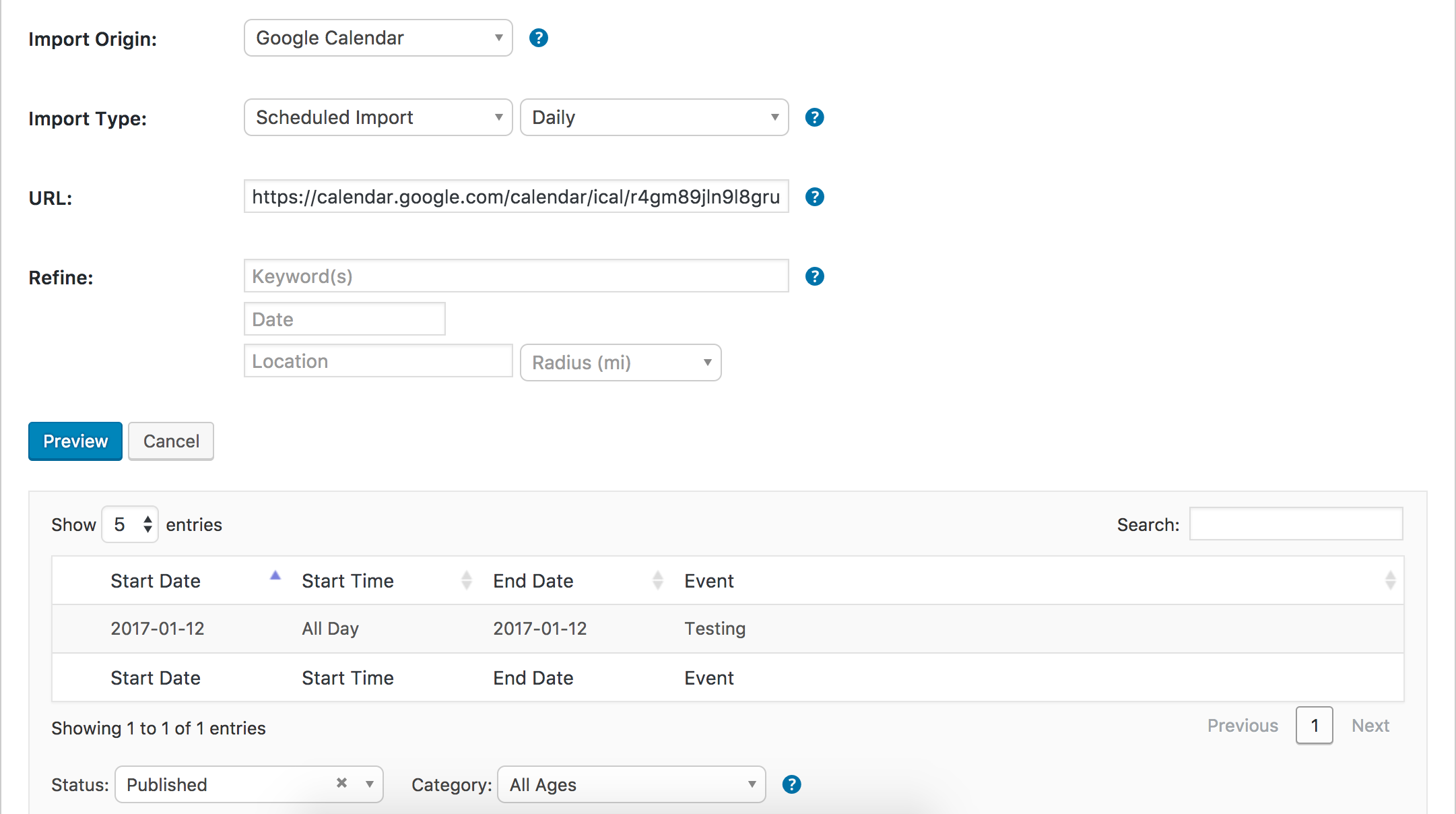
I essentially need every detail in order to replicate the exact process you’ve been using, so make sure to leave nothing out. Thanks and have a great evening 🙂
January 13, 2017 at 2:18 pm in reply to: Event Calendar not showing in wordpress customizer #1218386ModeratorHey Michael,
I visited Appearance > Customize and selected The Events Calendar as explained in the WordPress Customizer Knowledgebase article. I did not experience the same behavior you’ve shared with me:
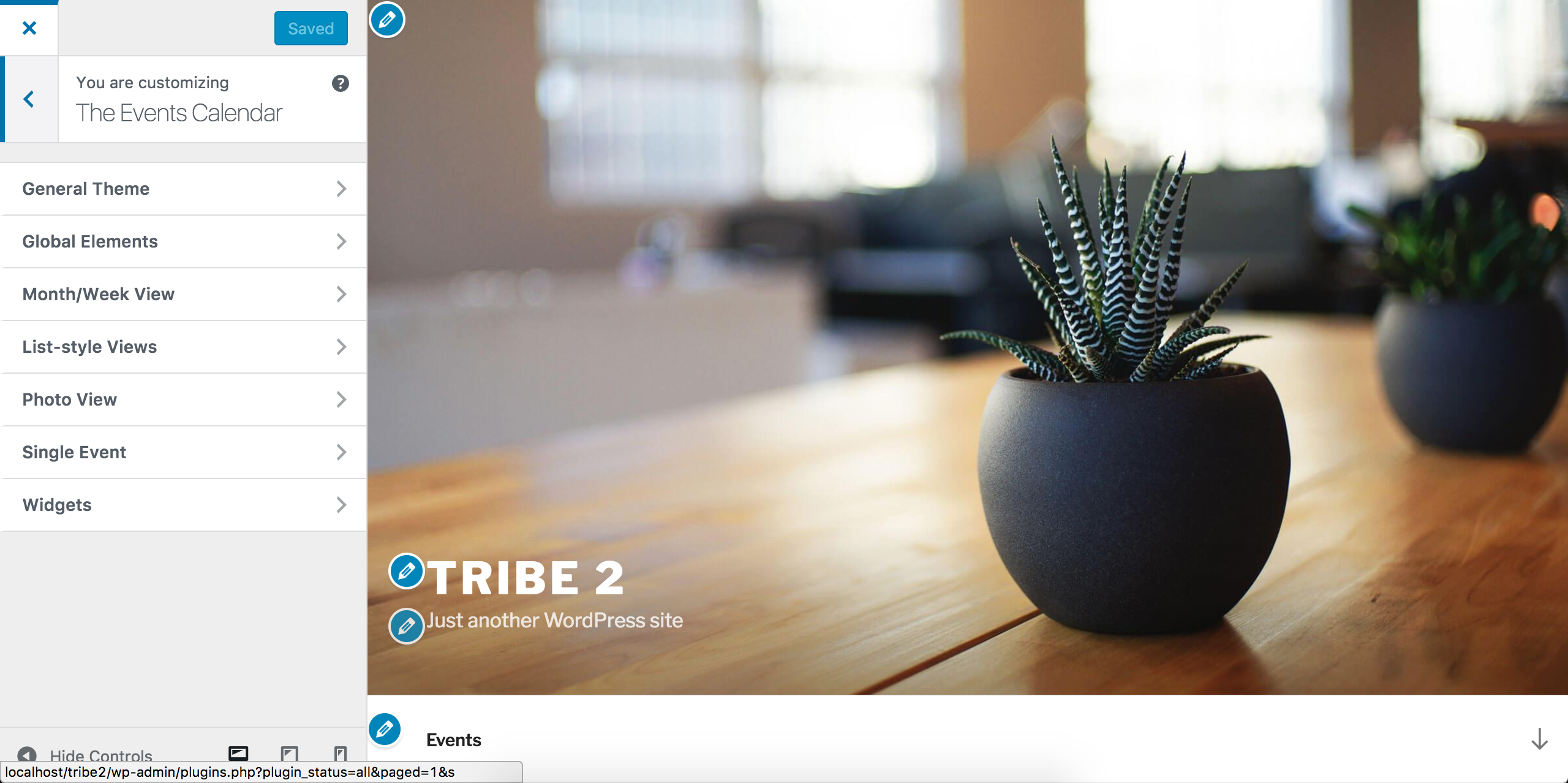
To help identify the precise source of conflict, please review our Testing for conflicts guide and let me know what you find out. Include your System Information as a private reply.
Thanks and have a great evening 🙂
ModeratorHi Dan,
Sorry to see you’re experiencing a plethora of issues. I’m unsure as to why you’re unable to log into your WordPress dashboard. You might want to do some general searches on the web to look for any possible reasons you’re locked out and how to regain access.
I’m not confident this issue is related to any of our plugins, though anything is possible. Please let me know when you’re able to successfully access your WordPress dashboard and then we can begin investigating your other issues.
Thanks and best of luck. Cheers 🙂
January 13, 2017 at 2:08 pm in reply to: Can't Submit Event Error: Start / End Time is required #1218381ModeratorHello to the both of you 🙂
@Frances, we appreciate you taking the time to chime in here with your findings and solution.
To the both of you: it’s required you review our Testing for conflicts guide to ensure a theme and/or plugin conflict is not the cause of conflict. @Frances, if you have not already done this, please do so and if you still experience the behavior, please create a separate thread so we can get a more accurate idea of the number of users it’s affecting. Creating a separate thread is a requirement and also helps cut down on confusion.
@Thomas, please review the Testing for conflicts guide and let me know if there is any change. Thanks to the both of you and have a pleasant evening.
January 13, 2017 at 2:03 pm in reply to: Dropdown no longer showing when I try to add id'd in import events #1218378ModeratorHello,
I’d be happy to help further investigate, but before doing so, please review our Testing for conflicts guide and let me know what you find out.
Thank you and have a pleasant evening 🙂
ModeratorHello,
Sorry to see you’re having issues. I’d be happy to attempt to reproduce the behavior, but before doing so, I’ll need you to review our Testing for conflicts guide and reply back with what you find out. Include your System Information as a private reply.
Thanks and have a great evening 🙂
ModeratorHey Steve,
To help track down the exact source of conflict, I’ll need you to please review our Testing for conflicts guide and reply back with your findings. Thanks and have a great evening 🙂
ModeratorHi Tamera,
Welcome back and sorry to see you’re experiencing an issue. Can you elaborate on what exactly is going on and link to any threads relative to what you’re experiencing? Before we proceed, I’ll need you to please review our Testing for conflicts guide and reply back with your findings. Include your System Information as a private reply.
Thanks and have a great evening. Cheers 🙂
ModeratorHello,
I followed your instructions and imported the HunemeSharepoint.ics file, then the HunemeSP.ics file. I did not experience any duplicate events or any issues for that matter. I also tested using test calendars and .ics files and didn’t experience any issues, so at this time I’m confident saying there doesn’t appear to be a bug. Please see screenshots below confirming my reports.
Import #1 (HunemeSharepoint.ics):
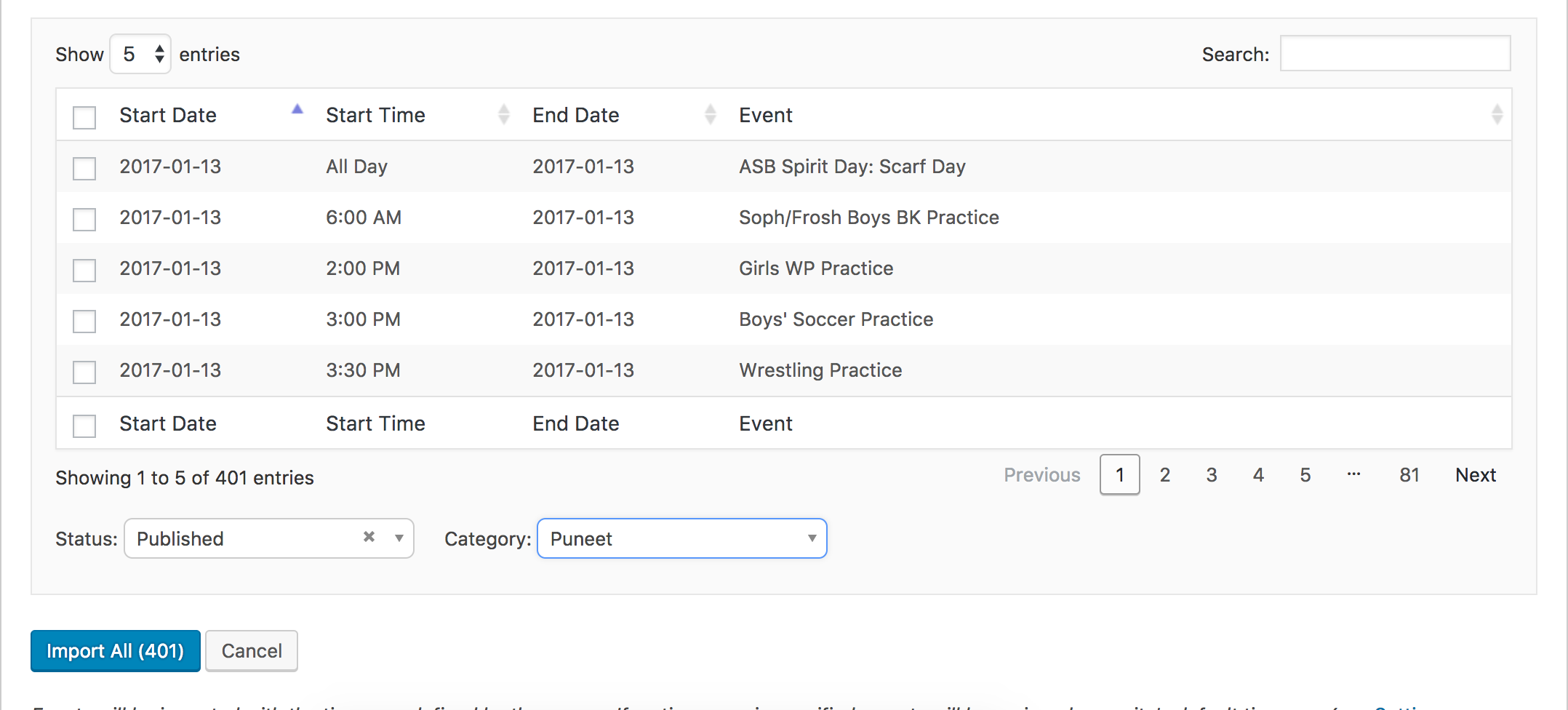
Import runs successfully, importing a total of 401 events:

Import #2 (HunemeSP.ics):
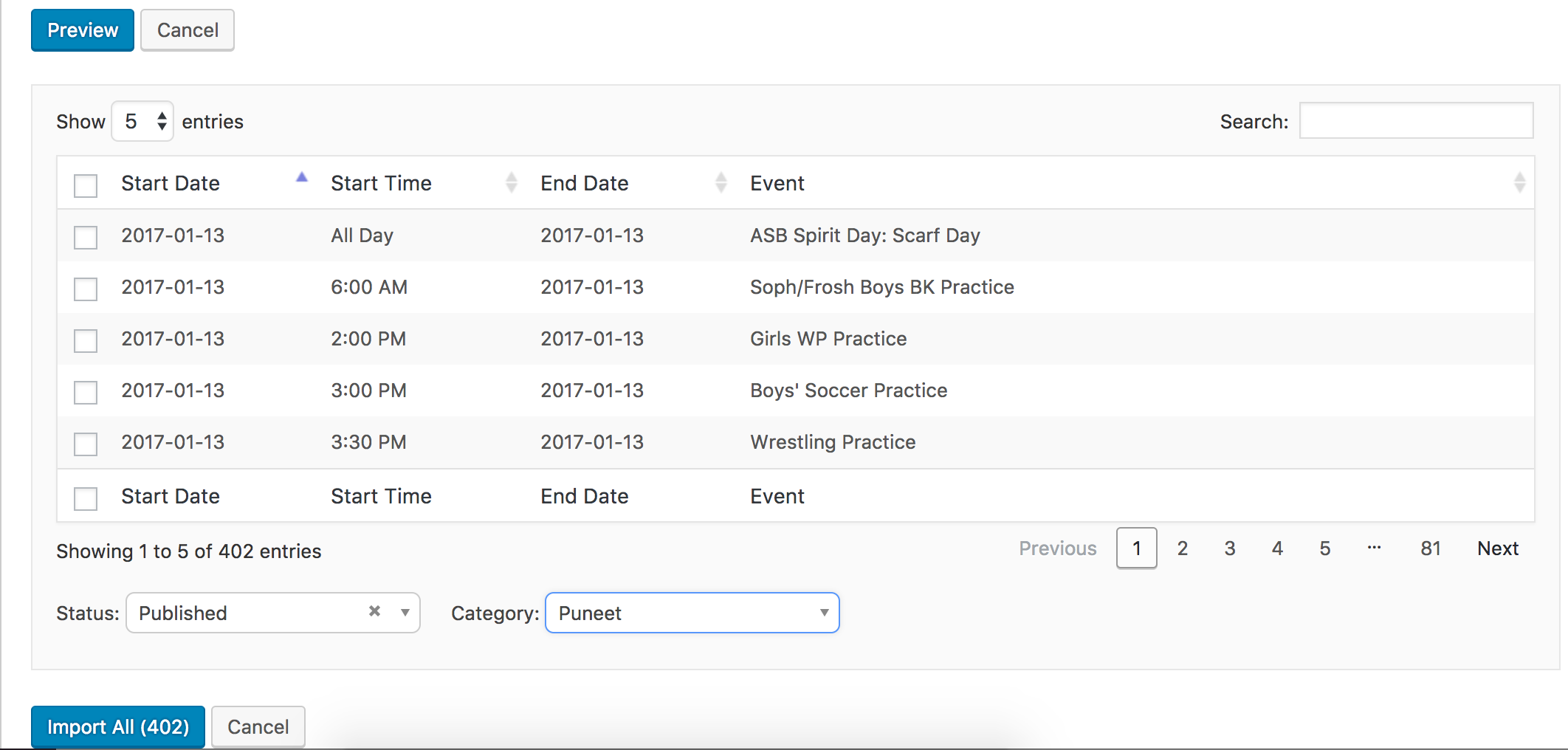
Import runs successfully, importing a total of 1 event:

I created a new category titled ‘Puneet’ to help organize the events. As you can see, a total of 402 events were created and assigned to the category:

All my testing was done using the most recent version of The Events Calendar, so you might want to try updating to the same version and retesting to see if the events are still duplicating. It’s best you have the default WordPress theme active and all plugins other than The Events Calendar deactivated while going through the testing process.
I wish I could do more in this instance but without the ability to reproduce the behavior and seeing no logged bugs resemble your issue, my hands are tied. Please let me know if updating makes a difference and have a great weekend ahead 🙂
ModeratorThank you for letting me know the issue has been resolved and please feel free to create a new thread if you have any more questions or comments. Take care!
-
AuthorPosts