

Forum Replies Created
-
AuthorPosts
-
Hunter
ModeratorHi Johan,
Sorry to see you here under the circumstances. Do you have any template overrides inside your theme folder? Review our Themer’s Guide if you’re unfamiliar with template overrides.
I’d be happy to help further investigate, but any more information you can provide will be helpful. If you could include step-by-step instructions on how to reproduce the behavior, I’ll gladly test on my local site.
Lastly, I see you checked ‘Yes’ to reverting back to the default WordPress theme and deactivating all plugins other than ours as instructed in the Testing for conflicts guide, but can you please confirm this?
If so, did you have WP_DEBUG and WP_DEBUG_LOG enabled on your site’s wp-config.php file? Did/do any errors display at the top of your page as you try to reproduce the conflict? Note what you find and please include it in your reply.
Thanks and have a good evening!
ModeratorHi and welcome back 🙂
I see you checked ‘Yes’ to reverting back to the default WordPress theme and deactivating all plugins other than ours as instructed in the Testing for conflicts guide, but can you please confirm this?
If you have not, it is a required step to continue receiving support. I am not able to reproduce the issue you’ve shared with me, so let me know and we’ll go from there.
Thanks and have a great evening!
ModeratorHi Timo 🙂
Welcome to the premium plugin forums! If CSS isn’t working, you might need to edit/create a custom template. Please review our Themer’s Guide for more information. Avada has included template overrides, so check out what they have going on in the /Avada/tribe-events/ folder.
If you’re not aware, the ‘Inspect’ tool is a great way to identify and make changes using CSS. Please check out this Customizing WordPress #2 – Using Chrome Developers Tools YouTube video for more info.
Let me know how things go and have a great rest of your day!
January 16, 2017 at 3:30 pm in reply to: Latest Events Calendar (v4) shows event title above the event featured image #1219293ModeratorHi Attila,
Welcome to our premium plugin support forums and sorry to see you’re having troubles. I took a look at the link provided, but it appears you might have already solved the issue?
Let me know if you still need assistance and I’ll do my best to help. We are limited with these types of support requests. For what we are able to support, please review our What support is provided for license holders? Knowledgebase article.
Another helpful resource in this instance is our Themer’s Guide. Please review the guide as your request might require creating/editing a template override.
Please let me know the status and have a great rest of your day!
ModeratorHey Jamal,
First off, thank you for your purchase and welcome to our premium plugin support forums! Sorry to see things aren’t working out at the moment. To rule out a theme and/or plugin conflict, can you please review our Testing for conflicts guide and let me know what you learn?
You should be able to enter your license key when the default WordPress theme is active and all plugins other than ours are deactivated. Have a great evening and thanks again!
ModeratorHi and welcome,
Sorry to see you’re experiencing troubles. I notice in your System Information that you have multiple outdated version of our plugins installed. Can you please update to the most recent versions, then review the Testing for conflicts guide to see if the error displays? I’d start by deactivating all plugins other than The Events Calendar, update TEC, then individually activate and update each Modern Tribe plugin.
You might also need to look into updating Manually. Please let me know what you find out and have a great afternoon 🙂
January 16, 2017 at 2:28 pm in reply to: Events calendar is conflicting with my disqus plug in #1219251ModeratorHello again,
Happy Monday! I am unfortunately unable to provide dates for maintenance and feature releases. Things are so fluid which makes it hard to predict when releases will be available.
I understand your frustration, but it’s essentially impossible to build code that is guaranteed to not conflict with other code being used on the site, such as themes and plugins by other authors. We clearly state in our What support is provided for license holders? Knowledgebase article that we don’t support conflicts with themes and plugins by other authors.
With that said, it’s recommended you review my last response to ensure you are in fact experiencing issues from this known bug or if your issues are coming from another source of conflict. Please take a moment and review the Testing for conflicts guide if you haven’t already and let me know what you learn. Make sure WP_DEBUG is set to true on your site’s wp-config.php file.
Have a great rest of the day and thanks again 🙂
ModeratorHappy Monday 🙂
Awesome! Thank you for the update and I’m happy to hear things are back on the right track! We also appreciate the kind words. I’ll close this thread out, but please feel free to open a new one if you have any more questions or concerns. Have a pleasant week!
ModeratorWelcome back,
Thank you for sharing the System Information with me. I see you’re running outdated versions of both Event Tickets and Event Tickets Plus. Can you please update to the most recent versions, then retest as explained in the Testing for conflicts guide to again ensure a theme and/or plugin conflict is not the reason for the issue?
Thanks again and have a great rest of your day 🙂
ModeratorHappy Monday!
Glad to hear the server issues have been addressed. Do the events still display in the wrong chronologically order when the default Twenty Seventeen theme is active and all plugins other than ours deactivated? To continue receiving support, please review the Testing for conflicts guide and let me know what you find out.
There is the potential of a theme and/or plugin conflict, so rather than revert back to a working version, it’s best you identify what’s exactly going on. If a bug is present, I’d be more than happy to get it logged so the devs can get a release out.
Please let me know what you find and have a great afternoon 🙂
January 16, 2017 at 2:07 pm in reply to: Event Calendar not showing in wordpress customizer #1219225ModeratorHey Michael,
I won’t be able to offer much assistance until you share the results after reviewing our Testing for conflicts guide, so please let me know what you’ve learned and we’ll continue investigating.
Thanks and have a great evening 🙂
January 16, 2017 at 2:04 pm in reply to: Can't Submit Event Error: Start / End Time is required #1219224ModeratorHi and welcome back,
I hope you had a great weekend. It’s definitely not best practice to make these sort of changes on your live site, so by changing the active URL your license is attached to, you can easily switch between your dev and live site. Please review our Using One License for Live and Dev Sites and Moving Your License Keys Knowledgebase articles.
To ensure I’m not missing anything, I tested in an attempt to reproduce the behavior you’ve shared with me but the Community Events submit event form worked fine for me. I’m also not seeing any logged bugs at this time.
Please let me know what you find after reviewing the Testing for conflicts guide on your dev site and have a great evening!
ModeratorHello,
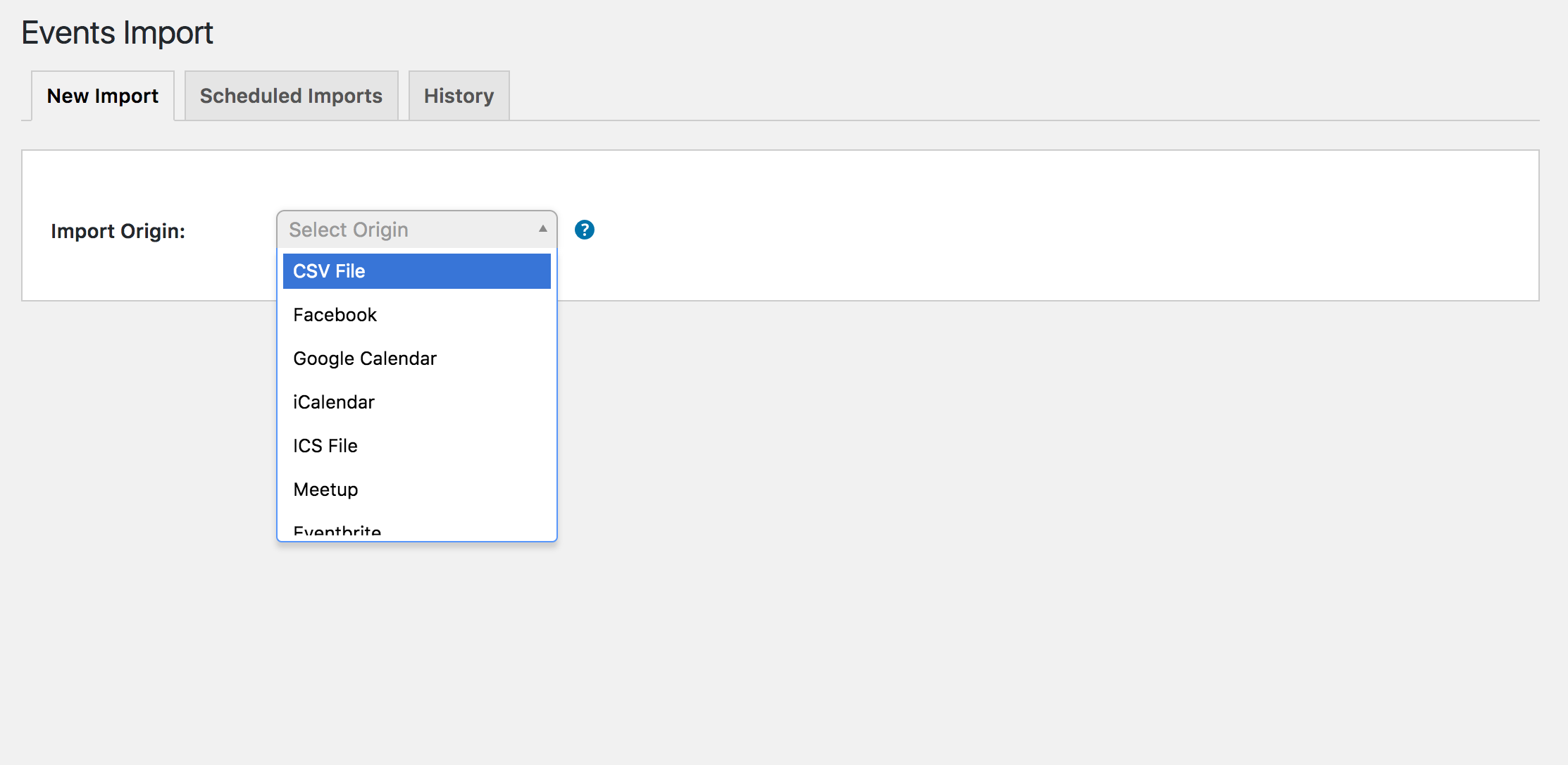
Thank you for the update. I am unable to reproduce the behavior:
It might be best you set up a fresh WordPress installation where you can fully troubleshoot the issue. Make sure you have only the default WordPress theme and The Events Calendar installed and activated on the test site. Please review our Using One License for Live and Dev Sites for more information.
Please let me know what you find out and have a great evening 🙂
January 16, 2017 at 1:54 pm in reply to: Dropdown no longer showing when I try to add id'd in import events #1219216ModeratorHi and welcome back,
I hope you had a great weekend! I’m unable to reproduce the behavior on my test website. Please see screenshot below for reference.
It might be best you set up a fresh WordPress installation where you can fully troubleshoot the issue. Make sure you have only the default WordPress theme and The Events Calendar installed and activated on the test site. Please review our Using One License for Live and Dev Sites for more information.
Let me know what you find and have a great evening 🙂
ModeratorHey Cody,
I’ve located I bug I feel is related to the failed imports you’re currently experiencing, so I’ve gone ahead and added this forum thread to the ticket which helps expedite the process of getting a fix included in an upcoming release. I don’t have a precise date when it will be available, but please stay tuned to our Release Notes and the plugin changelogs for more information.
Just so I can be sure, please send over ~10 links to Facebook pages you’ve been experiencing the failed scheduled imports on so I can attempt to reproduce the behavior.
Thanks again and let me know if you’ve got any additional questions or comments. Cheers!
-
AuthorPosts