

Forum Replies Created
-
AuthorPosts
-
Hunter
ModeratorHello,
That shouldn’t be the case. Please review our Downgrading a plugin to a past version tutorial and let me know if you’re able to successfully downgrade. If you run into any issues, make sure you revert back to the default WP theme and deactivate all plugins other than ours to rule out a theme and/or plugin conflict. Refer to our Testing for conflicts guide for complete details.
Let me know how it works out!
ModeratorHey Ingrid!
I am so sorry for the delayed response! I must’ve assigned the thread to myself and somehow missed it, so again I am truly sorry! I was just attempting different settings on my test site but didn’t experience the issue you’ve shared with me. Can you please review our Testing for conflicts guide and reply back with your findings? Please include your System Information as a private reply.
Once I’ve got that information I’ll have a better idea on how to proceed. Thanks again for your patience and have a great afternoon!
February 9, 2017 at 11:44 am in reply to: Recurring Event Have Wrong Year in Dashboard and .ics export #1232290ModeratorI completely understand! We are taking these issues very seriously and are thankful for your patience while we work out the kinks!
February 9, 2017 at 11:43 am in reply to: No matching records found | Your preview doesn’t have any records to import #1232287ModeratorYou might want to look into a plugin like Bulk Delete for this functionality. Please let me know what you end up doing 🙂
ModeratorThanks again for your patience and rest assured we’re taking these issues seriously. Have a great upcoming weekend!
February 9, 2017 at 11:40 am in reply to: Event titles and times not showing in full page calendar view #1232283ModeratorThank you for letting me know you’ve got things figured out and also for sharing your solution for others to learn from. I’ll also provide all relative resources I have for caching below:
- https://codex.wordpress.org/High_Traffic_Tips_For_WordPress
- https://codex.wordpress.org/WordPress_Optimization
- https://theeventscalendar.com/knowledgebase/caching-basics/
- https://theeventscalendar.com/knowledgebase/caching-month-view-transients/
- https://theeventscalendar.com/knowledgebase/caching-basics/
- https://theeventscalendar.com/the-events-calendar-performance-considerations/
- https://theeventscalendar.com/favorite-developer-plugins/
- https://theeventscalendar.com/knowledgebase/problems-with-minification/
Feel free to create a new thread if you have any more questions or comments and have a pleasant evening. Cheers!
ModeratorHey Kris,
That’s definitely strange! I don’t believe there’s a setting for that, but I’d start by opening my ‘Inspect‘ tool to see if I can get an idea of what’s going on. I’d also review our Themer’s Guide to make sure any custom templates (if you have any) aren’t the cause of conflict. If the issue seemed to start after doing an update, there’s the potential you need to update the code in your custom templates.
Let me know if this helps and have a great rest of your day!
February 8, 2017 at 7:20 pm in reply to: Related Events – How to display description, location etc #1231836ModeratorHey Rob,
I’d be happy to point you in the right direction. The file you’ll need to start with is /events-calendar-pro/src/views/pro/related-events.php. Please refer to our Themer’s Guide to learn the process of creating and saving custom templates.
Please let me know if this helps and have a pleasant rest of your day!
ModeratorHello,
Sorry to see you’re having issues with duplicate events. Before I compare the issue to our logged bug reports, can you please review our Testing for conflicts guide and reply back with your findings?
We need to ensure a theme and/or plugin conflict is not the actual reason for the duplicate events. Once I have that information I’ll be able to provide more accurate responses. Thank you and please keep me updated. Cheers 🙂
February 8, 2017 at 6:33 pm in reply to: How to display event's price, but it's not for ticket (or RSVP) #1231819ModeratorHello,
I’m unsure on the field you’re referring to, but we have included a cost field (see screenshot below).
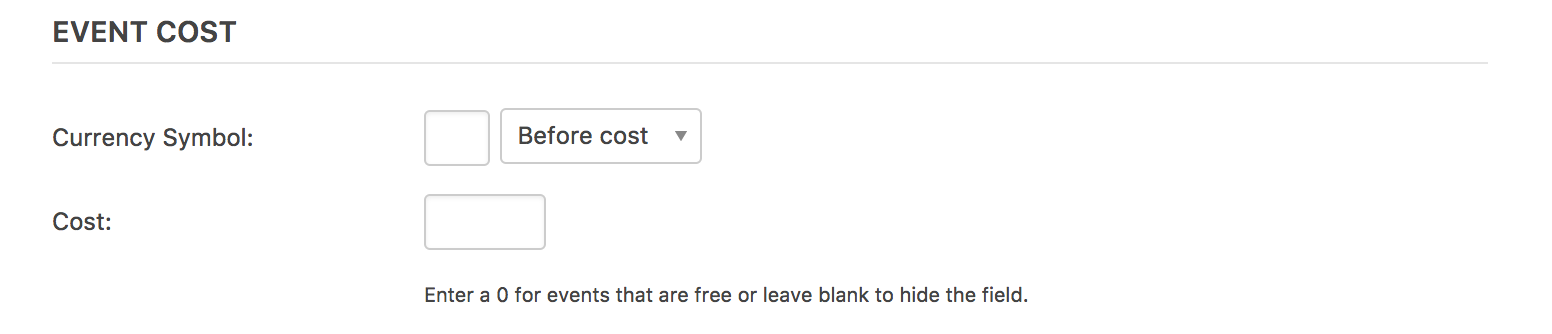
Please review Events Calendar PRO WordPress post meta data for more information on what data is gathered/stored.
To adjust where data displays, please review the Themer’s Guide. It helps guide you through the process of creating and saving customizations. We are unfortunately unable to help with these requests, so you’ll have to manage them yourself. If things get beyond your level of expertise, you might want to look into hiring a developer. We have a list of non-affiliated customizers that can help assist.
Please let me know if this helps and have a pleasant rest of your day!
February 8, 2017 at 6:29 pm in reply to: Event ticket plus – Checkin functionality and use of scanners #1231816ModeratorHello 🙂
Thank you for considering our plugins for your project! You are correct, a member of your staff will need to access your site through a browser to check in guests. Another generally helpful resource worth sharing is our New User Primer: Event Tickets and Event Tickets Plus Knowledgebase article.
I attempted to visit the link you provided but it leads to a 404 page. So long as the commercial scanner has QR scanning capabilities, it should work! It’s best to test the scanner with ample time before the event in case it doesn’t work.
Please let me know if this helps answer your questions and feel free to reply back with any more you have. Take care and best of luck with the site. Cheers!
ModeratorHey Stephan,
Sorry to see you’re having troubles. Can you test again as recommended in the Testing for conflicts guide, but please make sure WP_DEBUG and WP_DEBUG_LOG are enabled on your site’s wp-config.php file. Any errors will display at the top of your page as you try to reproduce the conflict.
I also recommend right-clicking your mouse and opening the ‘Inspect’ tool to see if any errors display in the console. Note what you find and please include it in your reply.
Thank you and have a wonderful evening! Cheers 🙂
February 8, 2017 at 6:16 pm in reply to: Facebook Pictures & Prices Don't Import, Problem with Multi-day events #1231811ModeratorHello again, Martha 🙂
I am using Event Aggregator 4.4.1 to import Facebook events, and none of the pictures or prices or Google Maps are importing, even though I have the Google Maps box checked in Aggregator.
We are aware of the featured image and map issues. Fixes are set to be included in the next maintenance release, so please stay tuned to our Release Notes and the plugin changelogs for more information.
There hasn’t ever been the option to import the ticket link from Facebook, but it’s a commonly requested feature which we’re well aware of. Please take a moment and upvote the request over at our UserVoice Feature Ideas page. The specific request can be found here.
In response to your follow-up request, I understand your request but I’m not entirely sure of a solution. I imagine this is possible with the help of a plugin like Easy WP SMTP. Give it a shot and let me know how it goes!
Thanks for your patience while we work out the faulty code and let me know if you’ve got anything else you need help with. Cheers!
ModeratorHey Mike,
I did a general Google search on your site and it looks like all the results are listing the correct dates:
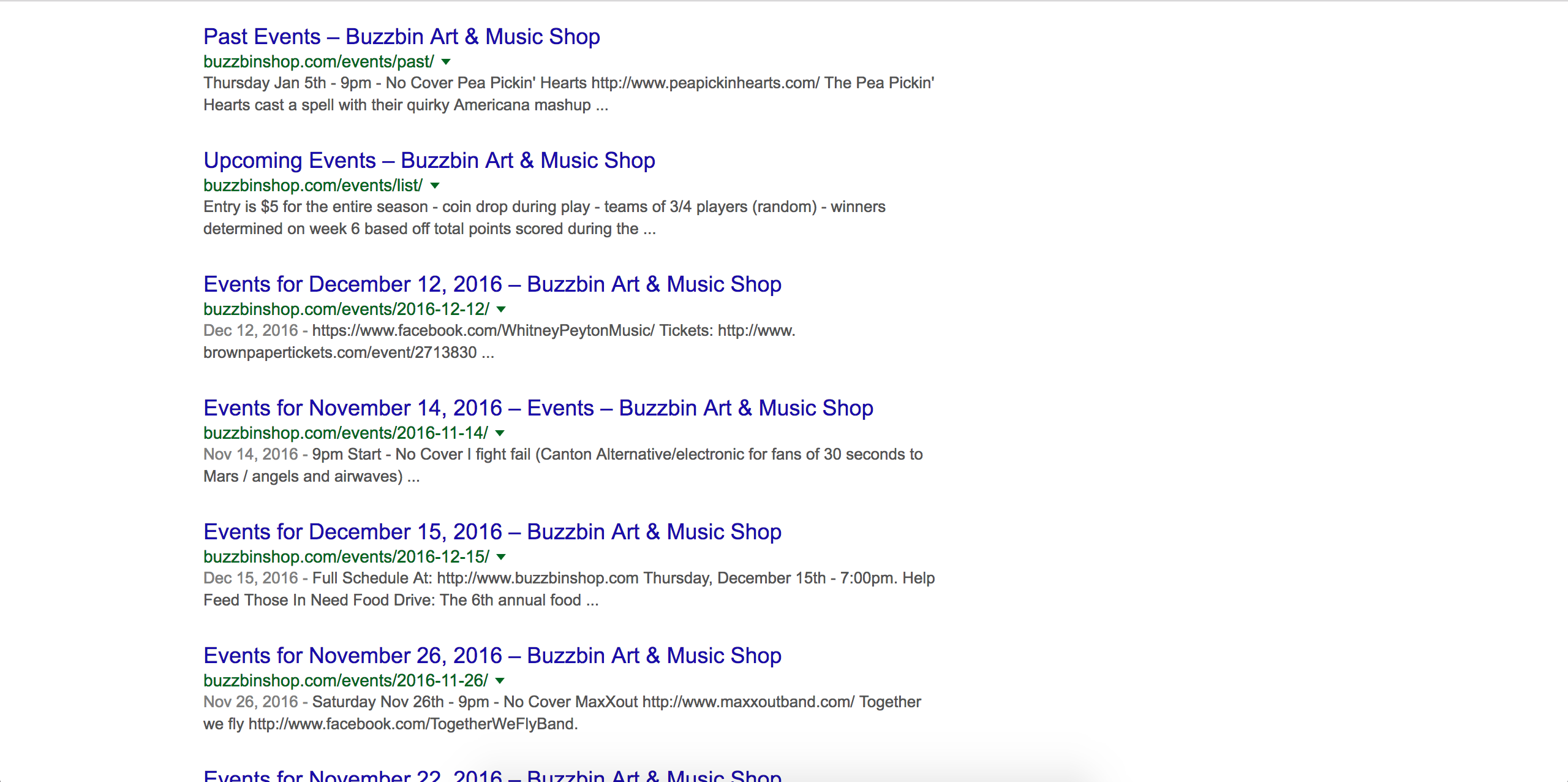
The reason I ask if you had a Google Webmaster account is because you should be able to a) identify why the events are displaying the incorrect dates and b) update your sitemap once you have addressed the issue so Google reflects the correct dates.
The Events Calendar indeed uses Google’s Structured Data format for schema/rich snippets. As previously mentioned, we don’t have any logged bugs relating to schema/rich snippets. Please let me know if this helps answer your questions. Cheers 🙂
February 8, 2017 at 5:45 pm in reply to: Recurring Series Listing Last Instance, Link on Single Event Page Not Working #1231799ModeratorWelcome back,
Thank you for taking the time to set up a testing site! It’s recommended you keep that around in the case you need to run through the Testing for conflicts guide again.
> Additionally, the hover box listing the dates is obscured on the page. (This is a plugin/theme conflict). I know there isn’t support on that, but if you know how to make the box pop down instead of up, that would be helpful!**
I’m not entirely sure about this, but my go-to is this Customizing WordPress #2 – Using Chrome Developers Tools YouTube video. Our Using Chrome Developer Tools tutorial is also helpful.
Basically, use the ‘Inspect’ tool by right-clicking your mouse to identify the CSS class/ID and try whatever CSS you can think of/find from Googling to alter the hover so it looks good with your site design. I know this isn’t the ideal answer! I’d also contact the Avada team to see if they have any advice. They’ve always been super helpful any time I needed a little help.
<– New problem with update: the reoccurring event series dates listed in the hover box say “unspecified date” See attached image (this is not a plugin/theme conflict)*
I created a test recurring event, but I’m not seeing the “unspecified date” text in the hover window. Can you send over a screenshot of the ‘Time & Date’ section for an event reflecting this behavior and I’ll see if I can reproduce it? Thanks and please keep me updated 🙂
-
AuthorPosts