

Forum Replies Created
-
AuthorPosts
-
August 5, 2016 at 1:10 pm in reply to: Emailed Tickets QR Code Not Generating in Emails/Auto-Completing ticket Orders #1148391
Hunter
ModeratorHello and welcome to our Premium forums,
First off, our entire team, from developers to support team members sincerely appreciate these kind words:
Thank you for all of the hard work and support on your free and premium software.
1. Can you confirm the QR codes are in fact not being included in the ticket emails (generated by our plugins) rather than the order emails (generated by WooCommerce)? I have a feeling once you address concern #2, the QR issue should resolve itself. Essentially the order needs to be marked as “Complete” in order to trigger our plugin to send the email containing the actual QR code.
2) WooCommerce has a resource titled ‘Automatically Complete Orders’ which has been a solid solution for this issue. Try it out and please let me know if it works!
3) Another useful WooCommerce resource titled ‘Unhook/remove WooCommerce Emails’ can help address the seemingly redundant emails. Again, please let me know it this helps.
Keep me updated with your progress and let me know if I’ve sufficiently answered your questions. Have a great upcoming weekend and thanks for choosing PRO and Event Tickets Plus!
ModeratorHey Jeffery,
Would you mind sharing the code you’ve entered in the ‘Add HTML before event content’ box? Additionally, sharing your System Information as a private reply would help a lot too 🙂
Have a great rest of your Friday and thanks for choosing PRO!
August 5, 2016 at 12:35 pm in reply to: Imported iCal event time off by 1 hour, but only on certain days! #1148353ModeratorHey Nicholas,
Sorry to hear about the time discrepancies. Can you try setting your WordPress timezone settings to ‘UTC-5’ rather than ‘CDT/Chicago’ and see if the issue still occurs? Please review and test as recommended in our Testing for conflicts guide just to make sure we rule out a theme and/or plugin conflict. Please include your System Information as a private reply for good measure.
Thank for using our iCal Importer and PRO for your events calendar needs and have a great upcoming weekend.
Cheers!ModeratorHey Marie,
Happy Friday and welcome back 🙂
I did a quick check of our logged bug reports and don’t see anything resembling what you’ve described. Before I get to testing, can you please review our Testing for conflicts guide and reply back with what you learn?
Thank you for choosing PRO and have a great rest of the weekend.
Cheers!ModeratorHi Rami,
Welcome to our premium forums and thank you for choosing PRO! From my understanding, the “classroom day” and “on-site days” are at two different geographic locations. If this is correct, events are limited to one venue location at this time. The good news is we do have plans in an upcoming feature release to incorporate that functionality into our plugins!
If I’ve misunderstood you, please reply back with as much detail as possible and we’ll get to the bottom of it. Again, thanks for choosing PRO and have a wonderful weekend!
ModeratorHi Amanda,
Thanks for the update and enjoy your upcoming weekend.
Cheers!ModeratorHi and thank you again for your continued patience.
I still have yet to confirm my suspicions from the more technically-inclined support team members, but I believe the answer to both questions is “Yes” – though it might be best to try it out on a test environment, if that’s an option.
Let me know if you’re able to do that and in the mean time, I’ll continue researching on my end and we’ll touch base once you reply back. Thanks again and enjoy the upcoming weekend!
ModeratorHey Saar,
Welcome back. Rather than essentially rewrite what my fellow colleague Brian wrote, I’ll link to a specific answer in which he provides the step-by-step instructions for scanning QR codes with a mobile device app.
Please let me know how it works out for you.
Cheers!August 5, 2016 at 12:01 pm in reply to: Just purchased iCal. I thought an iCal url was part of the deal. #1148334ModeratorHi Deanna,
I’m truly sorry if the description of our iCal Importer led you to believe it automatically “fetches” all available iCal URLs and their corresponding events.
I’m really limited on my knowledge of how this plugin works from a technical standpoint, so I’m not sure if it’s possible to do what you’ve described. I would at the least recommend visiting our UserVoice Feature Ideas page and submit your feature request there.
Another route would be to view our list of customizers and see if any are up to the task. If worst comes to worst, we offer a 30-day no hassle refund. Should that be the case, visit our Refunds page and we’d be happy to process that for you.
Again, I apologize if any of our product descriptions/screenshots gave you the wrong impression regarding the capabilities and features our plugin(s) offer. We are always looking for ways to improve in every aspect of our existence, so if you have any specific feedback for us on how we can do better in the future, please feel free to comment with your concerns. Thanks for everything, please keep me updated, and look at the bright side… it’s FRIDAY!
Cheers!
ModeratorHey Bryan,
Thank you for reaching out and hope all is well up in PC! I’ve got family up there and can’t wait to get back!
Regarding the issue you’ve described, we had a logged bug which was addressed in the 4.2.3 release back on July 21, 2016. According to your System Information (thanks for sharing, by the way), you’re running TEC version 4.2.3.
I started testing and can confirm there is a bug which impedes the ability to edit organizers for published events. I wasn’t able to replicate the venue issue described, though I’m not dismissing the possibility it is also being affected, I just wasn’t able to confirm it myself. We’ll be sure to do more testing on that as well. Any thing we find will be addressed in an upcoming maintenance release, so keep an eye on the TEC changelogs.
I’ve updated a similar bug report logged yesterday with the information I’ve provided to you, so for the time being you can try manually backdating TEC. It took me until version 4.1.4 to get the ‘Organizer’ fields to save properly when editing an organizer for a published event. I then manually updated in chronological order until I got to the latest version (4.2.4) and the issue seemed to, in essence, “go away”.
With that said, there is obviously a bug and we’re already hard at work on a solution! Let me know what you discover as you follow the aforementioned steps and if everything ends up working out for you too.
Thanks for reaching out and I look forward to getting this resolved once and for all.
Cheers!August 4, 2016 at 1:49 pm in reply to: Just purchased iCal. I thought an iCal url was part of the deal. #1147817ModeratorHi Deanna,
Welcome and thank you for reaching out. I would be glad to assist here 🙂
If you take a look at our ‘New User Primer: iCal Importer‘ article, we break down how to install, activate, and setup the basic features for the iCal Importer plugin. If you jump to ‘Running a one-time import with the iCal Importer‘ article, we provide information on how to import events related to iCal URLs.
Essentially, you don’t necessarily need to ‘go out on the web and search for events’, but you do need to identify iCal URLs that list events relative to what you’d like to list on your WordPress site.
I hope this clarifies how the plugin works and please feel free to reply with any other questions or concerns you might have. Enjoy the rest of your day.
Cheers!
August 4, 2016 at 1:42 pm in reply to: HELP! Multiple Instances of One Event from Facebook API #1147812ModeratorHey Eric,
Sorry to hear about the troubles. Can you please confirm whether the issue still occurs after reviewing our Testing for conflicts guide? Your System Information will be very useful too. Reason I ask is because it’ll help us narrow down the exact source of conflict.
Take a look at this Knowledgebase article; it provides a few options for cleaning up the duplicated events and provides more information on the matter. Please let me know if you have any questions and we’ll proceed from there.
Enjoy the rest of your day and thank you for choosing us for your events calendar needs.
Cheers!ModeratorHi Charles,
Thank you for reaching out and welcome back!
I’m not able to reproduce the issue on my test environment which is using the default WP theme and only our plugins activated. Can you please confirm the issue persists after reviewing our Testing for conflicts guide?
I look forward to your response and enjoy the remainder of your day.
Cheers!ModeratorHey Dave,
Welcome to the Pre-Sales Channel and thank you for reaching out! The featured image size is really dependent upon the layout of your event pages, largest available size of image available, etc. You can use the default WordPress image sizes by calling in ‘thumbnail’ or ‘medium’ for example. (see screenshot below)
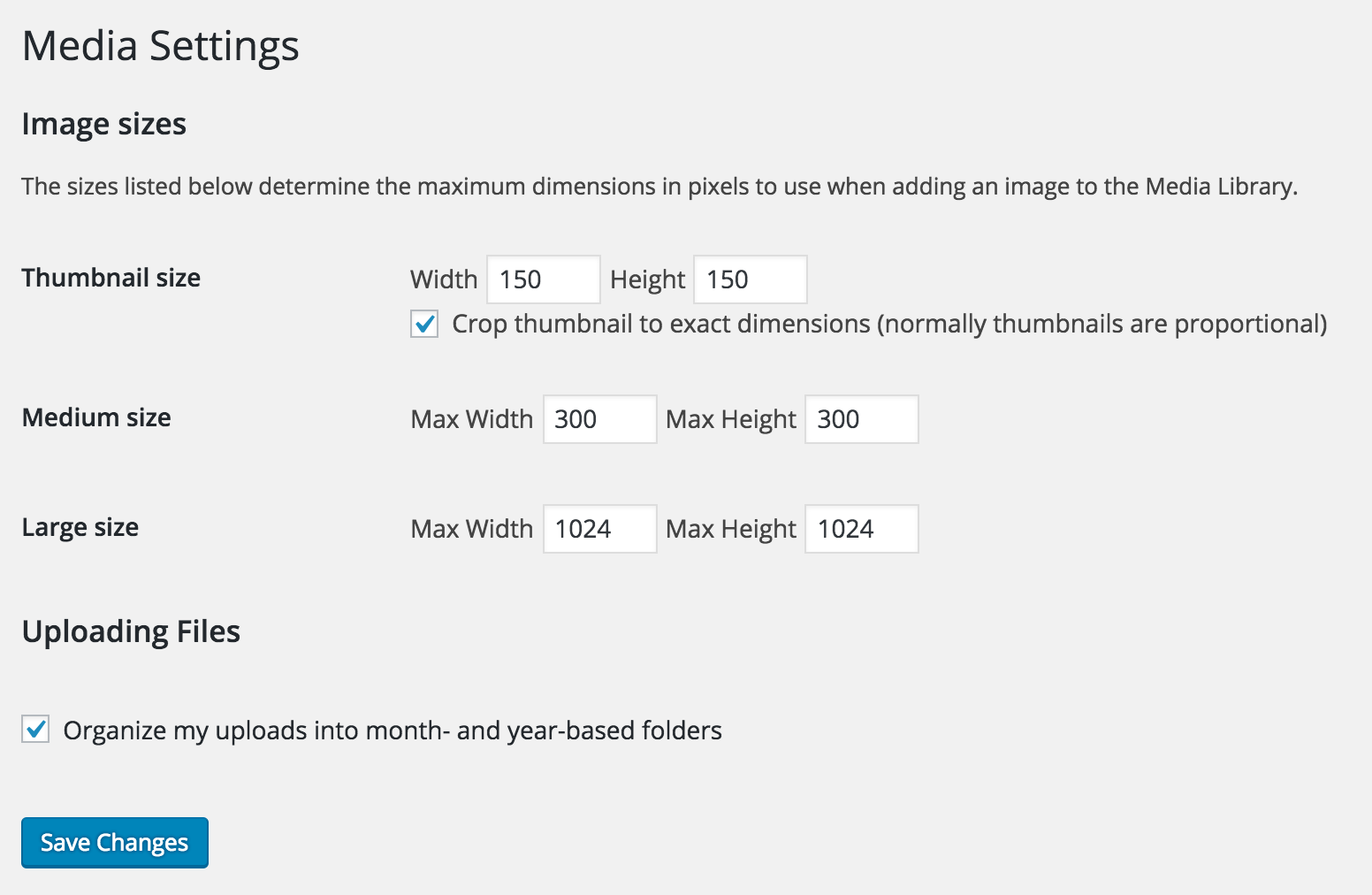
If you need to create a custom size for your event featured image, you could do that in your theme’s functions.php file and call that size for all your event’s featured images. More info on that can be found here.
I hope this helps answer your question and let me know if you have any additional comments. Have a great Thursday and thanks again for contacting our Pre-Sales Channel.
Cheers!
ModeratorHey Fer,
These types of customizations are typically beyond what we’re able to provide per Forum Rules, but my fellow support team member Barry has written a snippet which hides the events from the ‘Events Calendar’ widget until a date is clicked.
It might not be exactly what you need, but it can definitely help get you started in the right direction. Try adding the code to the bottom of your theme’s functions.php file and let me know how it works. I tested it on the Twenty Sixteen and it worked as designed.
If it comes down to it, we’ve got a list of customizers that can help out. I hope this answer suffices and best of luck with the customizations!
-
AuthorPosts