

Forum Replies Created
-
AuthorPosts
-
August 4, 2016 at 10:42 am in reply to: Recurrence rules not working properly with Avada theme #1147720
Hunter
ModeratorHi and welcome back,
I’ve got a copy of Avada so I’d be happy to test the issue, but in order to confirm exactly where the conflict is coming from, would you mind running through our Testing for conflicts guide?
Let me know what you find out and we’ll take the next step. Thank you for being so thorough in your initial post and enjoy the rest of your day.
Cheers!
ModeratorHey Sandy!
Glad to hear you’ve to it figured out for the time being. We go in-depth on how to properly save your customizations to avoid losing when updating in our Themer’s Guide. Thank you for keeping me updated and have a good rest of your day.
Cheers!
ModeratorWelcome back,
My sincerest apologies for the delayed response. I’ve been conversing with fellow support team members on the matter. Sorry to hear issues are persisting!
- Can you please confirm what your exact issues are in your own words, just to make sure we don’t make assumptions about the behavior on your site? I.E., is your issue literally the exact same, where the event dates and timezones all work fine every until they are imported into Outlook?
- If the events are imported into any other applications, do similar issues arise?
- Can you also post your complete system information? It will help us peak under the hood and will help us match our site configurations to your own if we need to try and recreate the problem.
- We have indeed published many fixes in the last year and beyond related to iCal export/import issues — the handling of timezones is tricky.
Thanks again for being so patient and have a good rest of your day.
Cheers!ModeratorHi Val,
I hope we’re making progress! I believe you could what you’ve described by using the built-in WooCommerce shortcodes, more specifically the ‘Products‘ shortcode.
We also have a plethora of shortcodes included with PRO that can hopefully get you started in the right direction.
Let me know if I’m on track here and take care.
Cheers!August 3, 2016 at 12:53 pm in reply to: Is it possible to display all event (past and future) events as a default view? #1147301ModeratorHey @jeff,
You are correct. With all of the different combinations and options users want/need, it would be impossible to meet those demands :-/
Thanks for the input and have a great Wednesday!
ModeratorHello and thank you for sharing the information with me.
I took a quick look at your website but it appears there is some conflict going on with either your theme and/or another plugin. As previously requested, can you please confirm you’ve reviewed our Testing for conflicts guide guide to ensure you’re not experiencing a theme and/or plugin conflict?
I did a quick check of our logged bug reports and don’t see anything relating to your situation. Keep me updated and we’ll go from there. Thanks again and have good one.
Cheers!
ModeratorHi Ann,
Quoted from this Knowledgebase article, it appears you may to need to request a refund due to the outdated version of PHP your site is currently using:
Our requirements are the same as WordPress: we require at least WP 4.4, PHP 5.6 and jQuery 1.7. We always recommend that you update to the latest version of WordPress available.
Let me know if you have any more questions and I’d be happy to answer. Have a great rest of your week!
ModeratorHey Jessica,
Thank you for your patience while I did some testing with the provided .CSV file. I was able to successfully import the entire file you sent over, so I’m really not sure where the breakdown is. (see screenshot below)
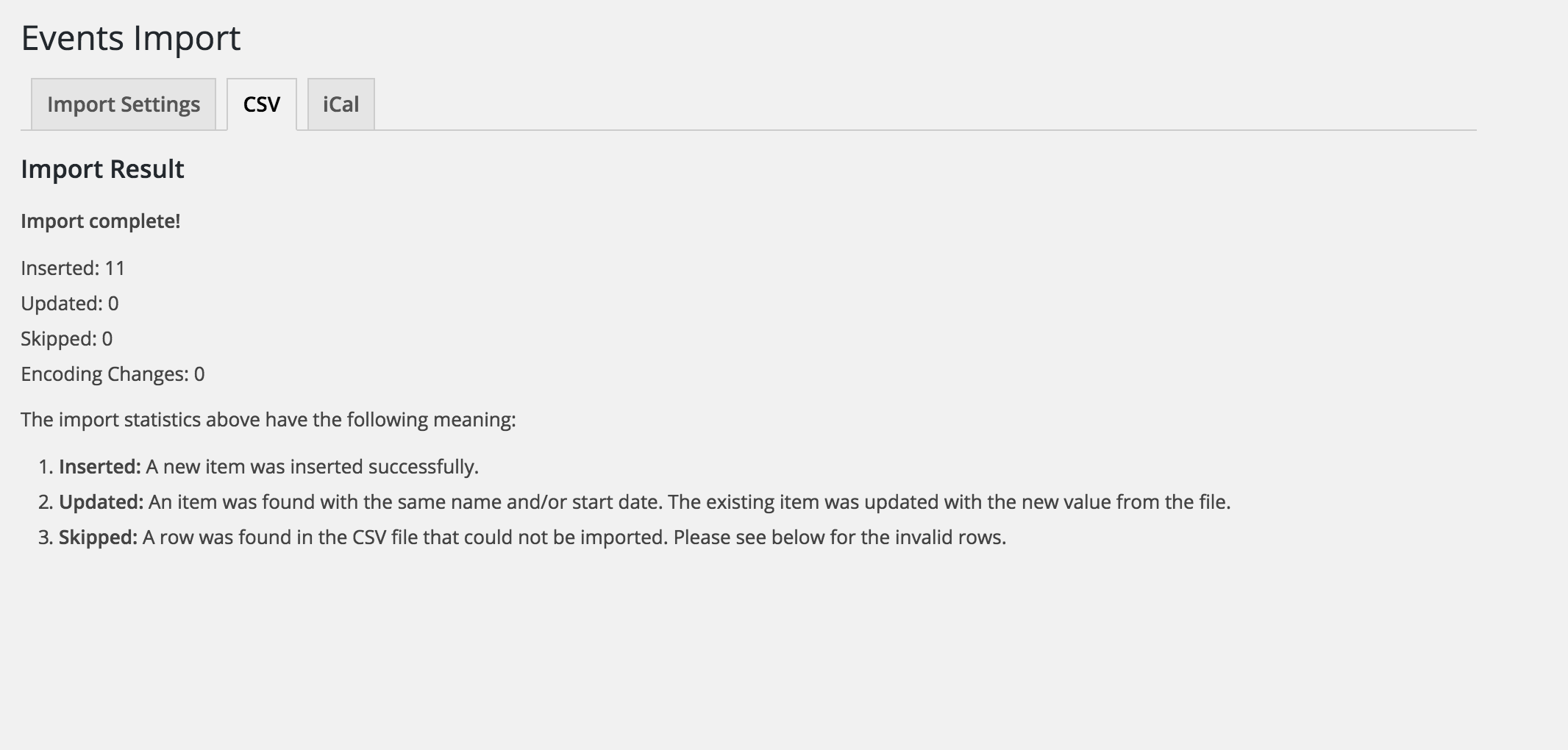
I have the default Twenty Sixteen theme and only our plugins active during my testing, so you may want to try reviewing our Testing for conflicts guide to see if you can narrow down the exact source of conflict. If you’re still having troubles, we’ve got a list of customizers that can help out.
Sorry I can’t be of more assistance here and thanks again for your patience. Have a great upcoming weekend!
August 2, 2016 at 1:43 pm in reply to: Is it possible to display all event (past and future) events as a default view? #1146791ModeratorHey Robert,
Thank you for getting back to me. I know it’s not the most ideal answer, but this type of request is unusual so it would require some additional coding to achieve. Our ‘Using tribe_get_events’ Knowledgebase can hopefully get you started in the right direction.
Thanks again and best of luck with everything.
Cheers!ModeratorHello and thank you for the response 🙂
Whether or not it can be added is dependent upon the technical prowess of your developer. We don’t typically take on custom jobs ourselves, but we’ve got a list of customizers that can definitely help get the job done.
Let me know if you have any more questions and have a great day.
Cheers!ModeratorHi Sandy,
Would you mind sharing a link to your events page? This YouTube Video can be very useful for learning how to make minor CSS adjustments. Thanks for keeping me updated and I look forward to hearing back.
Cheers!
ModeratorHey Saar,
Unfortunately, we are not able to support conflicts with other plugins for numerous reasons. You might want to try searching around to see if any other users have experienced the same issue and come up with a resolution. If you provide the name of the plugin, I can try my best to help.
We have a 30-day money back guarantee, so if that ends up being the case, we’ve got you covered 🙂
Let me know how you’d like to proceed and we’ll go from there. Have a good rest of your day!
ModeratorHi and welcome back,
My apologies for missing the last question in your initial post. By changing the name of the plugin folder, it shouldn’t cause any data loss for any reason. And yes, you should absolutely give the plugin discussed on the ‘Release: Events Calendar PRO 4.2.2.1’ article a shot as I admittedly missed the connection between your issue and the recent fix we put out.
The plugin will do as much as it can every 30 minutes, assuming no other plugins get in the way. So, it’s a bit of a your-mileage-may-vary situation. I hope I’ve done a better job this time around and please keep me updated with your progress. Have a good day!
ModeratorHi Valery,
I am truly sorry for the delayed response! I would be more than happy to help out 🙂
The best way to go about this would probably be to set up a series of recurring events (only available with Events Calendar PRO) for all the dates you plan to sell tickets to.
From there, you would need Event Tickets (free) and Event Tickets Plus in order to create tickets for specific dates. You can install Event Tickets and try out the basic features to see how it goes.
I hope I’ve sufficiently answered your question and please feel free to follow up with any additional questions or comments you have. Take care and again, my sincerest apologies for the delayed response!
ModeratorHey David,
I am so sorry it took nearly a week to answer this question! I apparently assigned it to myself but didn’t notice. No excuses either way!
With that said, we can’t guarantee our plugins will work out-of-the-box with any themes other than the default WordPress themes, but I’d say nearly 90% of the time, our plugins get along just fine with most custom themes with little to no extra work.
You can install our free Event Tickets plugin which offers the basic RSVP and ticketing features to get an idea of how well they integrate. For paid ticketing, you would need an E-commerce solution such as WooCommerce and Event Tickets Plus.
Again, my sincerest apologies it took so long to answer your question and please let me know if I’ve sufficiently done so. Have a good rest of your day.
Cheers!
-
AuthorPosts