

Forum Replies Created
-
AuthorPosts
-
Hunter
ModeratorThank you for the update and I’m glad to hear everything is going smooth! Have a good rest of your week and thanks for choosing us for your event needs 🙂
ModeratorHi Ann,
What you’ve described doesn’t sound typical and also doesn’t resemble any logged bugs in our reports. With that said, would you mind confirming whether the issue exists after reviewing our Testing for conflicts guide? Let me know how that goes and we’ll continue investigating. Have a great week and thanks for choosing us for your events calendar needs!
Cheers!
ModeratorHey Wes,
Welcome back! I grabbed the URL you provided and tested it on my local environment. I was able to load the events and import one successfully. (see screenshot below)
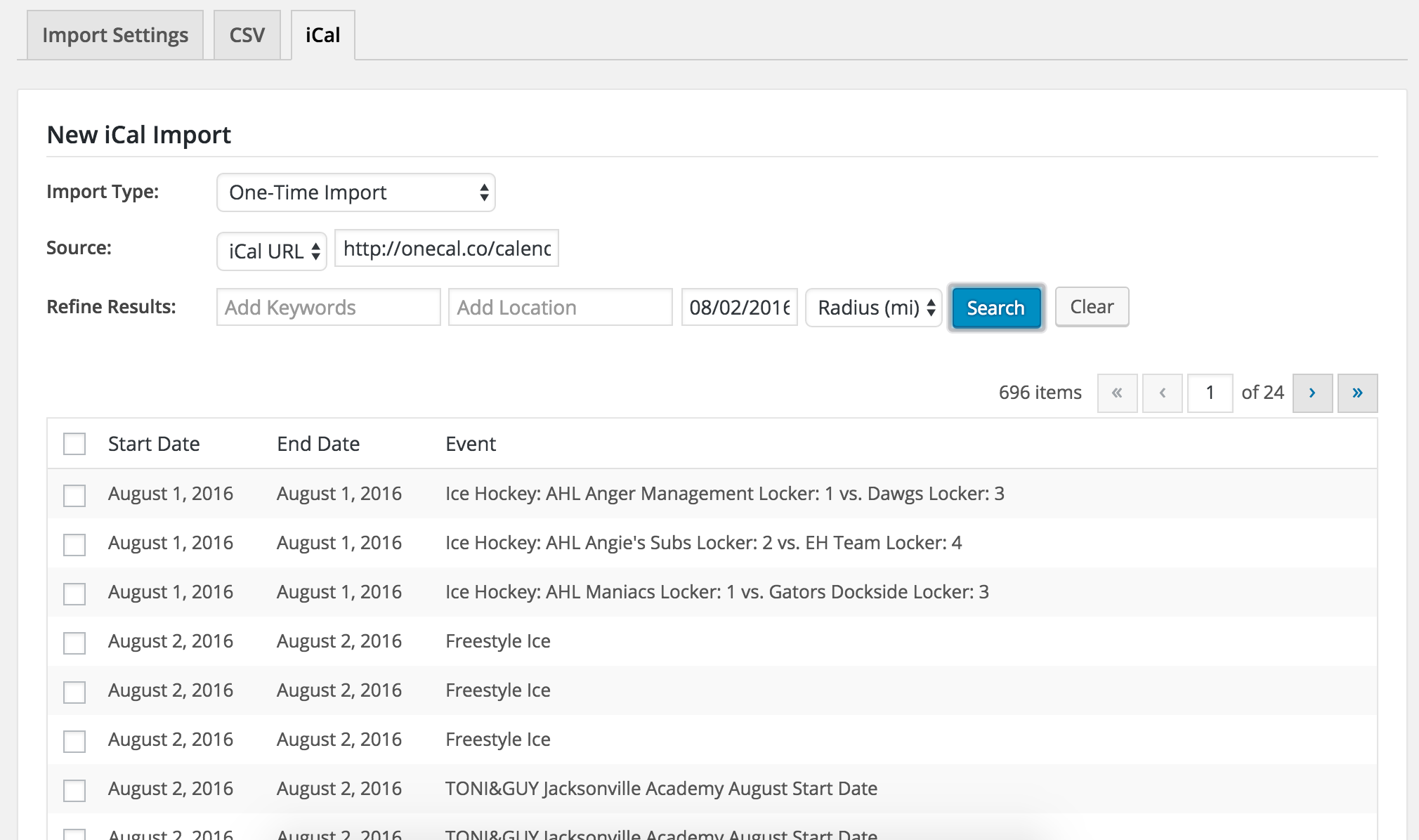
Can you please confirm if the issue still occurs after reviewing our Testing for conflicts guide? And if you don’t mind, can you share your System Information as a private reply?
Keep me updated with your findings and we’ll take the next appropriate steps. Have a great Monday.
Cheers!
ModeratorHi and welcome 🙂
I was able to successfully load the list of events (there were over 800, so that might be a factor) and import an event with no problems. (see screenshot below)
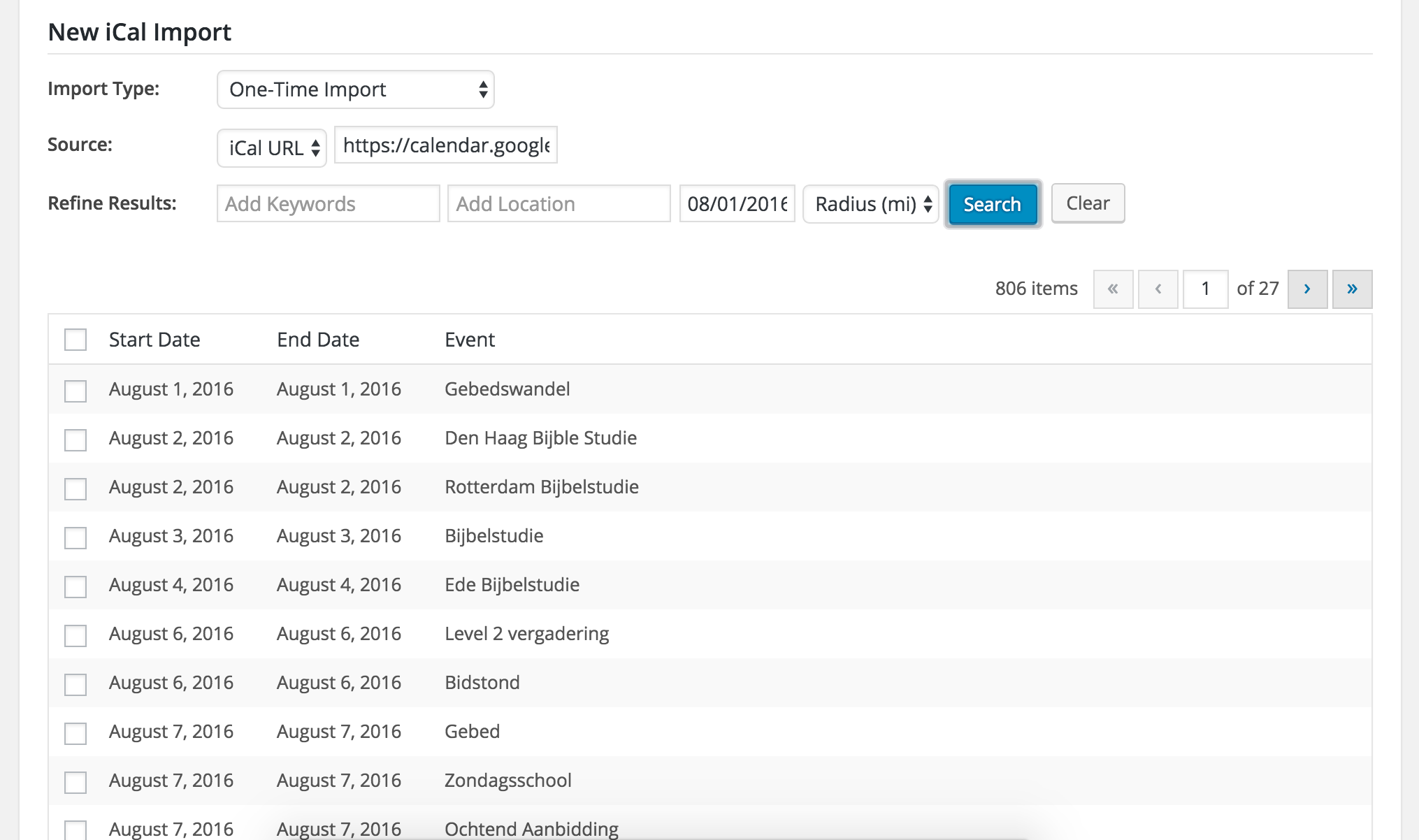
Can you please confirm you’ve reviewed our Testing for conflicts guide to rule out a theme/plugin conflict? Let me know and we’ll go from there. Our ‘New User Primer: iCal Importer’ is also a great resource for troubleshooting and identifying conflicts.
Other than that, I’m really not sure as to why the iCal Importer plugin isn’t working for you. If it comes down to it, we have a list of customizers that can get the job done.
Keep me updated and have a great rest of your day.
Cheers!ModeratorHey Tamara,
You can alter how the dates/times are displayed by visiting Events > Settings > Display and scroll down to ‘Date Format Settings’ (see screenshot below).
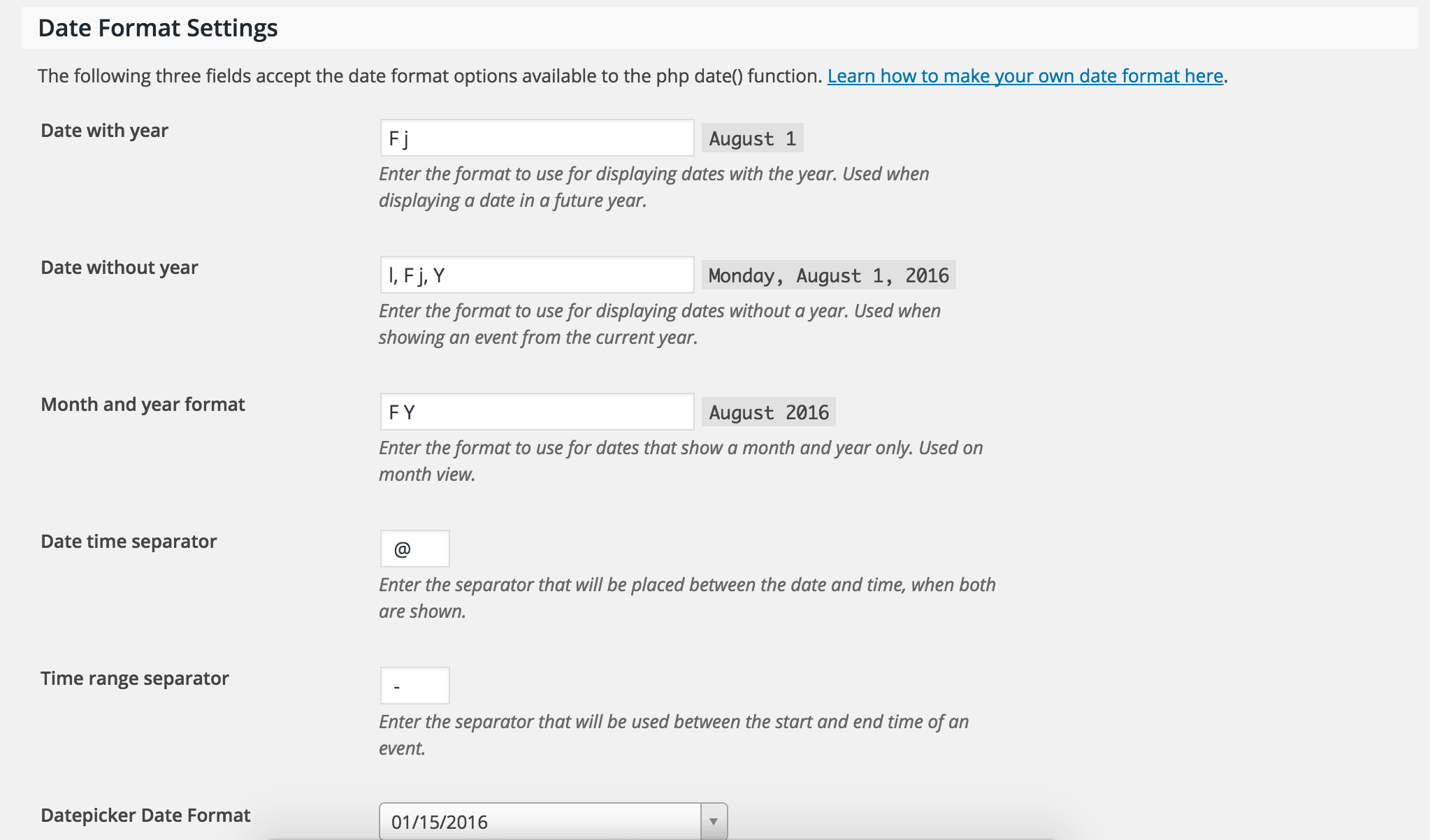
(In other news, I am confounded by the custom recurring date feature of TEC Pro, but that’s a topic for another day.)
It would be best to open a separate thread if you have another concern. We’d be happy to help answer any additional questions, so if that’s the case, go ahead and create a new topic and we’ll jump right on it.
Thanks again and take care.
Cheers!ModeratorHi and welcome back,
It appears this thread has been “messed up” in one way or another. Do you have an issue you need help looking into? I see you’ve since posted another thread, so let me know what the deal is and we’ll take it from there. Thanks and have a wonderful week!
ModeratorHello and welcome 🙂
Thank you so much for being so thorough in your initial post and including the example troublesome query. We do have a few Knowledgebase articles geared towards performance which I’ll link to below. We are always looking for ways to optimize our coding methods, but ultimately, site performance is up to the site owner/manager.
I can personally attest that speed/performance is one of (if not) the most challenging aspects to web development. From your server configuration, hosting provider, themes, plugins, external scripts, it never really ends! With that said, let me know if you have any follow-up questions or comments for me and best of luck getting your site running at a more optimum level.
Caching: What, when and how
The Events Calendar Performance Considerations
Problems with MinificationModeratorHey Sascha,
Welcome to the premium support forums and thank you for choosing PRO! Would you mind confirming you’ve reviewed our Testing for conflicts guide to ensure you’re not experiencing a theme and/or plugin conflict? Additionally, would you mind sharing your System Information as a private reply?
Thanks again and have a great rest of your day.
Cheers!ModeratorHey Saar,
Welcome to the forums and thank you for choosing Event Tickets Plus! Can you please confirm if the issue still occurs after reviewing our Testing for conflicts guide? Let me know your findings and we’ll take it from there.
Thanks again and have a great rest of your Monday.
Cheers!ModeratorHey Sandy,
Welcome back to the forums! You can hide/remove that line via a template override as explained in our Themer’s Guide or by using a little CSS magic. If you need any specific instruction on how to do either, let me know which method you prefer and I’ll gladly point you in the right direction.
Thank you for choosing PRO as your events calendar and have a wonderful rest of your Monday.
Cheers!ModeratorHello and thank you for reaching out!
If you visit the ‘Map‘ view on our demo site and select ‘Show Filters’ beneath the map, you’ll see our Filter Bar plugin features. (see screenshots below) The Filter Bar plugin is not included with the free or PRO calendar version, but it goes much deeper than the default ‘Search bar‘ included with the free and PRO calendar plugins.
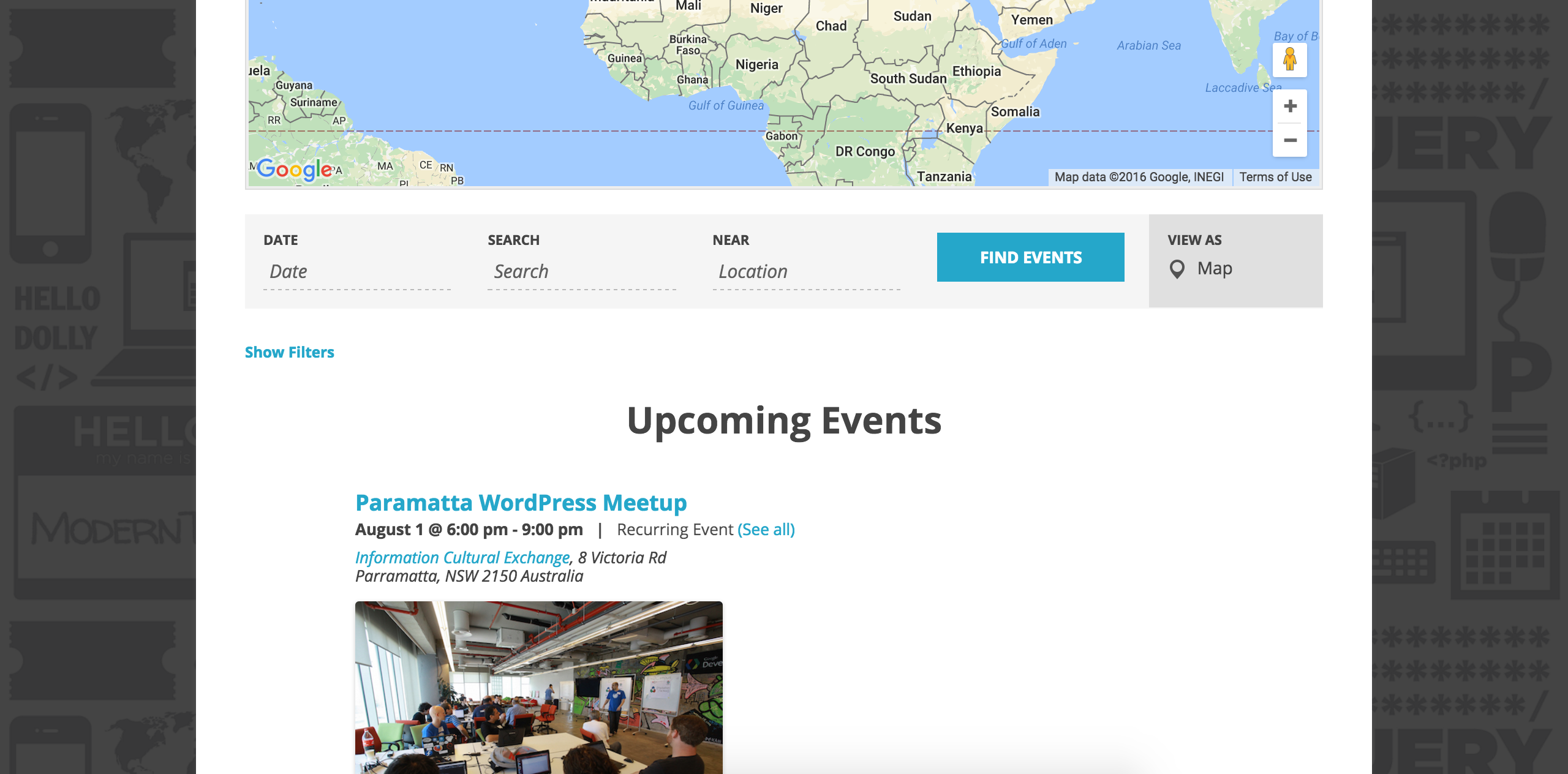
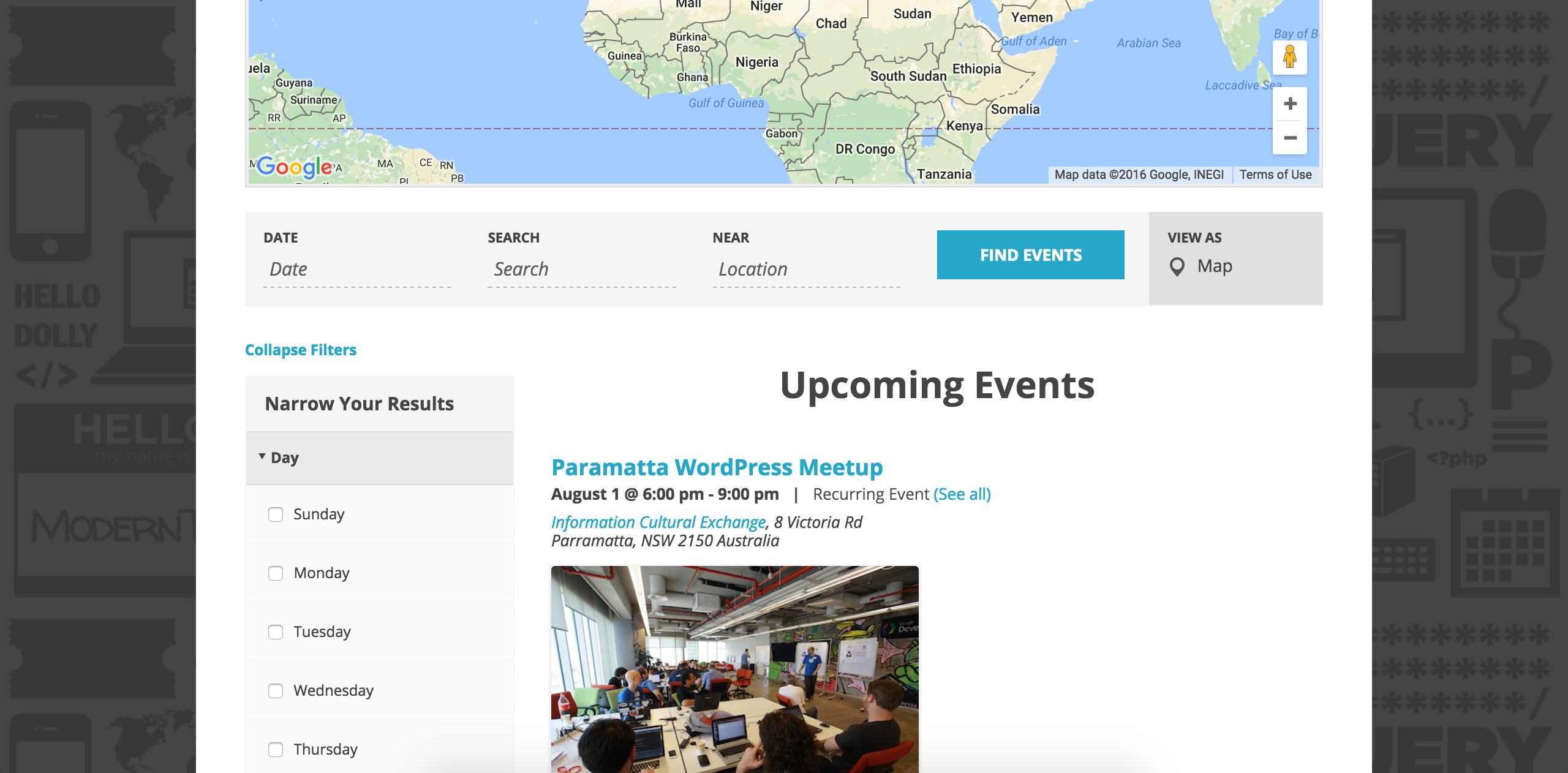
I hope I’ve sufficiently answered your question and please feel free to respond with any more questions or comments you might have. Enjoy the rest of your week and thanks again for reaching out.
Cheers!
August 1, 2016 at 11:07 am in reply to: Is it possible to display all event (past and future) events as a default view? #1146190ModeratorHello, Gentlemen 🙂
@jeff, would you mind creating a separate thread? It’ll help expedite both requests. Thanks for understanding and I’ll keep my eye on the queue for your thread.
@Robert, there isn’t a built-in feature that allows you to display all events, past and future. There are a few snippets on this thread that can hopefully help get started, but these types of customizations are outside the scope we’re able to cover, so you’ll need to handle the specifics from here. If it comes to it, we’ve got a list of customizers that can help get the job done.
We are always incorporating new ideas from our UserVoice Feature Ideas page, so feel free to submit your idea if it hasn’t been already.
Have a great rest of your weekend and thanks for choosing PRO.
Cheers!ModeratorHello and welcome back 🙂
Thank you for choosing the Facebook Events! I see you checked ‘Yes’ to reverting back to the default WP theme and deactivating all other plugins as recommended in our Testing for conflicts guide, but can you please confirm this? Can you also send over a screenshot of what you have for your ‘Facebook Import Settings’ under Events > Import > Import Settings? I took a quick look at our logged bug reports and don’t see anything resembling what you’ve described.
Thanks again and have a great rest of your Monday!
Cheers!August 1, 2016 at 10:49 am in reply to: Only need: event, event description, time start, time end and category #1146182ModeratorHey Paul,
Right on! I’ll close this out but please feel free to open a new thread if anything else comes up. Have a good week!
ModeratorHi and welcome back,
I completely understand your hesitation on sharing the XML file seeing it contains sensitive information, though without the ability to try and recreate the issue impedes the level of support I can provide here. Can you send over a file without the sensitive information? If so, I’d be happy to take a look to see if there is in fact a bug somewhere in our plugin(s). Let me know if that’s doable and we’ll go from there.
Regarding feature requests, your voice can be heard on our UserVoice Feature Ideas page! Thanks for being so patient while we continue investigating and have a great rest of your Monday!
-
AuthorPosts