Date format of list widget

Home Forums Calendar Products Events Calendar PRO Date format of list widget

Viewing 3 posts - 1 through 3 (of 3 total)
  • Author
    Posts
  • #1145972
    Tamara Pickrell
    Participant

    Is there a place where I can fiddle with the date format of the list widget? I want to remove the day of the week and the time, and just show “Big Event: Aug 26-28,” for example. The customer will look at the single event page to see the different times on each day. I’ve already done some template editing, and I’m comfortable with that, but I don’t know how to write any code from scratch, so I hope there’s another solution.

    Edit: And also in the “Related Events” area, if possible.

    (In other news, I am confounded by the custom recurring date feature of TEC Pro, but that’s a topic for another day.)

    Thanks!

    #1146226
    Hunter
    Moderator

    Hey Tamara,

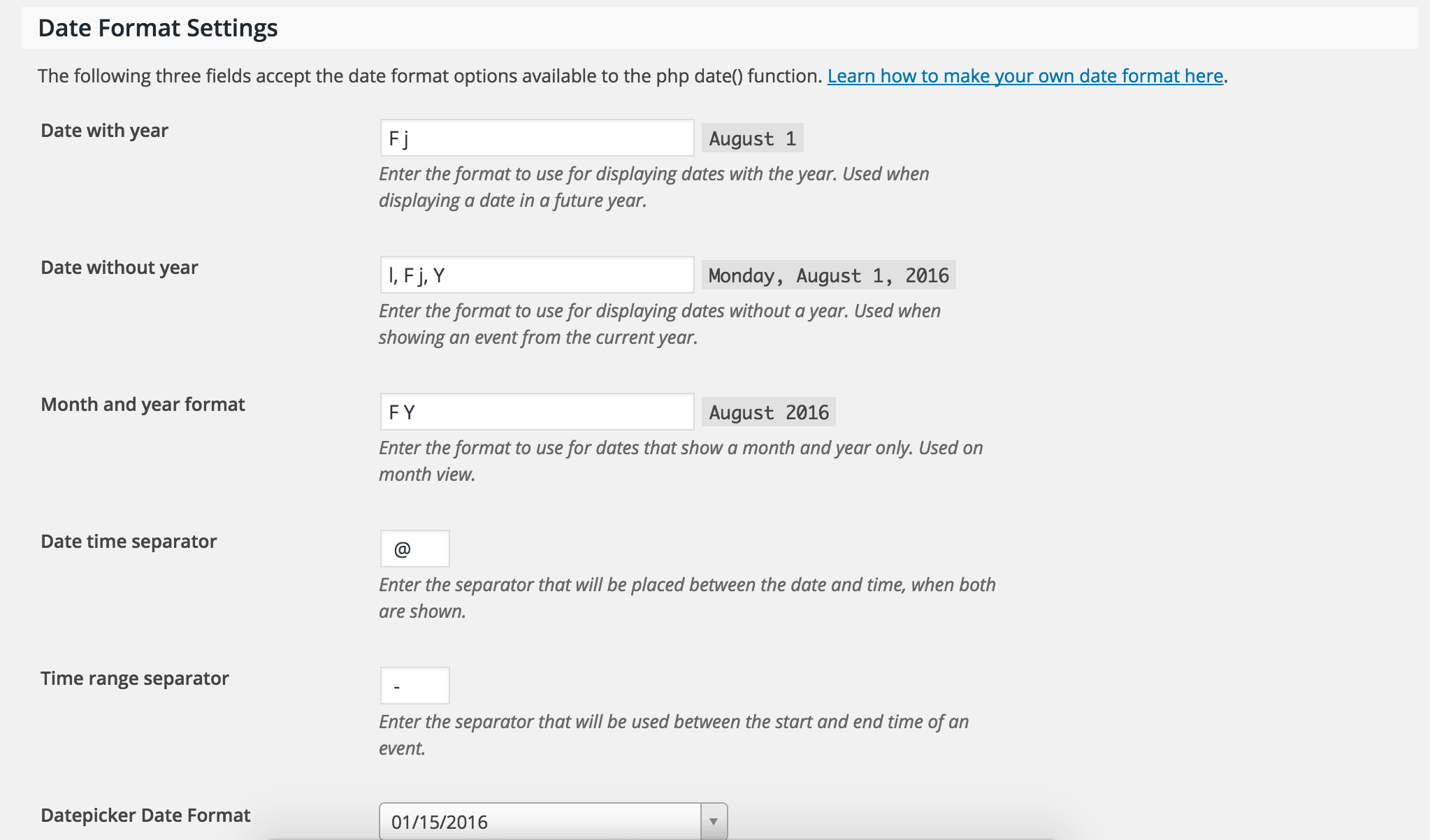
    You can alter how the dates/times are displayed by visiting Events > Settings > Display and scroll down to ‘Date Format Settings’ (see screenshot below).

    (In other news, I am confounded by the custom recurring date feature of TEC Pro, but that’s a topic for another day.)

    It would be best to open a separate thread if you have another concern. We’d be happy to help answer any additional questions, so if that’s the case, go ahead and create a new topic and we’ll jump right on it.

    Thanks again and take care.
    Cheers!

    #1154868
    Support Droid
    Keymaster

    Hey there! This thread has been pretty quiet for the last three weeks, so we’re going to go ahead and close it to avoid confusion with other topics. If you’re still looking for help with this, please do open a new thread, reference this one and we’d be more than happy to continue the conversation over there.

    Thanks so much!
    The Events Calendar Support Team

Viewing 3 posts - 1 through 3 (of 3 total)
  • The topic ‘Date format of list widget’ is closed to new replies.