

Forum Replies Created
-
AuthorPosts
-
George
ParticipantHey Juan,
I’m sorry for the trouble and for the disappointing outcome here, but we can help and are happy to issue a refund. Please follow the steps on this page to do that ? https://theeventscalendar.com/knowledgebase/refund-policy/
Thank you for giving our plugins a try.
Sorry for the trouble, Juan!
Sincerely,
GeorgeParticipantHey Austin,
Thanks for your reply, and for your patience over the weekend. To help me figure out why you don’t have that option, can you post your site’s system information to this thread? Here’s how to do that ? https://theeventscalendar.com/knowledgebase/sharing-sys-info/
Thank you!
GeorgeParticipantHey Shweta,
Are you the user @Priyesh, who started this thread?
Unfortunately, the link you provided for the site is on your localhost—it is not accessible by us, in other words, and so I cannot check out your issues firsthand.
I do not have any issues with The Events Calendar or its add-ons in Safari, so unfortunately at this time there is not further support we can provide without being able to see the site and its issues in Safari firsthand.
Sorry to disappoint!
If you cannot get your site live, then the best recommendation I can make would be to view our demo site, wpshindig.com, in the same version of Safari in which you see issues on your own site.
If you see the same (or similar) issues on our demo site, then share screenshots and share links to the specific pages on which these issues arise. I’ll take a look at those and we can go from there.
Thank you,
GeorgeJune 20, 2016 at 8:36 pm in reply to: https://tiga.org/events/the-tiga-games-industry-awards-2016 #1129617ParticipantHey Richard,
Thank you for testing this out!
It sounds like there is a theme conflict here, and I appreciate your testing to help reveal this. Why did things work before, but not now? Well, there are numerous possibilities for explaining this. The best way to try and find out the specific cause of the problem is to head to your site’s wp-config.php file and change this line of code:
define('WP_DEBUG', false);to this:
define('WP_DEBUG', true);That will display PHP errors if any exist, which might be quite useful here.
So, once you’ve made this change, reactivate the theme in which things break. See if any PHP errors display as you try navigating through the site—if you see errors, copy and paste them in their entirety into a reply on this thread and I’ll take a look.
Thank you!
GeorgeParticipantThis reply is private.
June 20, 2016 at 10:52 am in reply to: Organizer is required and Organizer Email is required error #1129395ParticipantHey Tom,
Thank you for the update. Please do let us know what you find once you remove any “require Community fields” snippets on your site—I will try to recommend further steps from there, and hopefully save you the effort of doing a complete re-installation of things.
Sincerely,
GeorgeParticipantThis reply is private.
ParticipantHey @Wilco,
When you say “disable” the category links, do you mean just hiding them so that they are not visible to site visitors? This is indeed possible, but only with some custom CSS.
If you can share links to specific places on your site where category links show up, then I will take a look and recommend CSS to hide the links for the time being. You can then remove the CSS after a future update fixes the problem.
Let me know what you think!
George
ParticipantHey @Glenn,
You can hide that top border on the first event by adding this additional line of CSS:
.widget.tribe-events-adv-list-widget .tribe-mini-calendar-event:first-of-type {

    border-top: none !important;

}
Cheers,
GeorgeJune 20, 2016 at 10:43 am in reply to: License Number being rejected even though its active #1129389ParticipantThanks for this information. Here we go:
#1 The Two-Column Display of Event Widgets
You describe your goal as such:
What I am wanting to achieve is in 2 columns. Column 1 just the mini_calendar image display with no calendar items listed below it =”0″.
☝️ To achieve this, you must add custom CSS on your site like the following:
body.home .tribe-mini-calendar-wrapper:first-of-type div.tribe-mini-calendar-list-wrapper {

    display: none !important;

}
This how that makes things look on your site:
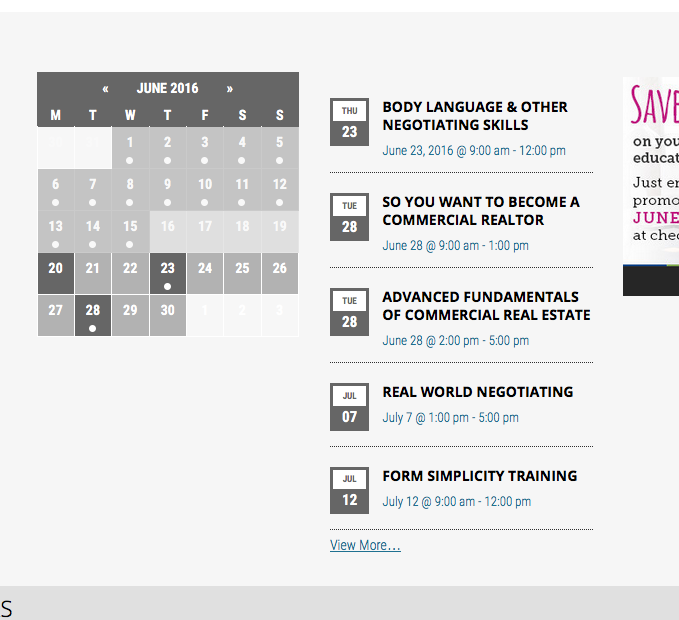
#2. The Licensing Issues
In your reply above, you posted this screenshot:

You elaborated on things a bit.
To be clear: what happens if you go the screen that is in the above screenshots, and click “Disconnect Now” next to one of these licenses? Please use the “Disconnect Now” link and then share a screenshot of that same page after doing so.
We can proceed with more troubleshooting from there.
Thank you,
GeorgeParticipantThanks for confirming this!
That section of information is found in The Events Calendar here:
the-events-calendar/src/views/list/single-event.phpThe specific section you are referring to starts with this line of code:
<?php do_action( 'tribe_events_before_the_meta' ) ?>And ends with this line of code:
<?php do_action( 'tribe_events_after_the_meta' ) ?>I hope this information helps!
GeorgeJune 20, 2016 at 10:20 am in reply to: Events that are spread over two non consecutive days #1129377Participant😀
ParticipantWonderful! Best of luck with your site, Christophe. 😀
— George
ParticipantThank you for posting your solution and updating this thread, Gene.
Just to be honest so that you can set your expectations, there are no current plans for adding a “required fields” option to Community Events—this may come some time in the future, but I just wanted to let you know that a snippet will be required for the foreseeable future. 🙁
Sorry to disappoint on that front! Please do voice your opinion on this on our UserVoice page here ? http://tribe.uservoice.com
Other customers can vote on submitted ideas on that page, which we pay close attention to—submit this idea (and any other ideas you might have about our products), and it might help expedite the realizing of those ideas in our plugins.
Open a new thread here any time if other issues or questions arise.
Cheers,
GeorgeParticipant😀
-
AuthorPosts