

Forum Replies Created
-
AuthorPosts
-
December 19, 2016 at 11:12 am in reply to: migrate from Facebook Events to Event Aggregator #1207836
Hunter
ModeratorHi Michel,
Welcome back and I hope you’re having a great start to the week! You do not need to purchase another license. Users who had an active license for Facebook Events and/or iCal Importer were granted licenses for Event Aggregator. The granted licenses are set to expire on the same date as your Facebook Events/iCal Importer plugins. You should see the EA license key under your License Keys page.
To help with the transition, we have written up a guide on Moving to Event Aggregator. Please review it and let me know how things go. Have a great rest of your day. Cheers!
ModeratorWelcome back 🙂
I hope you had a great weekend and thank you for the response.
It appears that I hadn’t yet published the event in question, so I believe it was duplicating the venue each time it checked it.
What do you have the ‘Status‘ set to under Events > Import? (see screenshot below)

Thanks again and enjoy the rest of your day. Cheers!
ModeratorWelcome back,
Thank you for the update. I took a quick peek but unfortunately was unable to come up with any reasoning behind the issue you’re experiencing. We are not permitted to root around in the backend of customer sites, so there is not much I can do in this situation.
Your best shot at this point would be to set up a test site using the default WordPress theme and only our plugins, then slowly introduce your theme and other plugins until you can narrow down the exact source of conflict.
I understand this is not an ideal situation, but it’s best practice to have a test site where you can fully troubleshoot any issues you have. If it gets beyond your level of expertise, I recommend reviewing our list of customizers for further assistance.
Sorry again I can’t do more and best of luck resolving the conflict. For more information on what is covered on the support forums, please review our What support is provided for license holders? Knowledgebase article. Cheers!
ModeratorWelcome back,
Try installing a plugin such as SSL Insecure Content Fixer to make sure you’re not getting mixed content errors. Use the ‘Inspect’ tool to see any errors in the browser console. This Identifying errors using the ‘Inspect’ tool YouTube video is helpful. Please let me know if this helps resolve your issue and have a great afternoon. Cheers 🙂
ModeratorWelcome back,
We are unfortunately unable to provide support via telephone. I am admittedly a little confused on the issue you’re having. I spun up a brand new WordPress test site on my local machine and don’t see the ‘Edit‘ text you claim is missing. (see screenshot below)
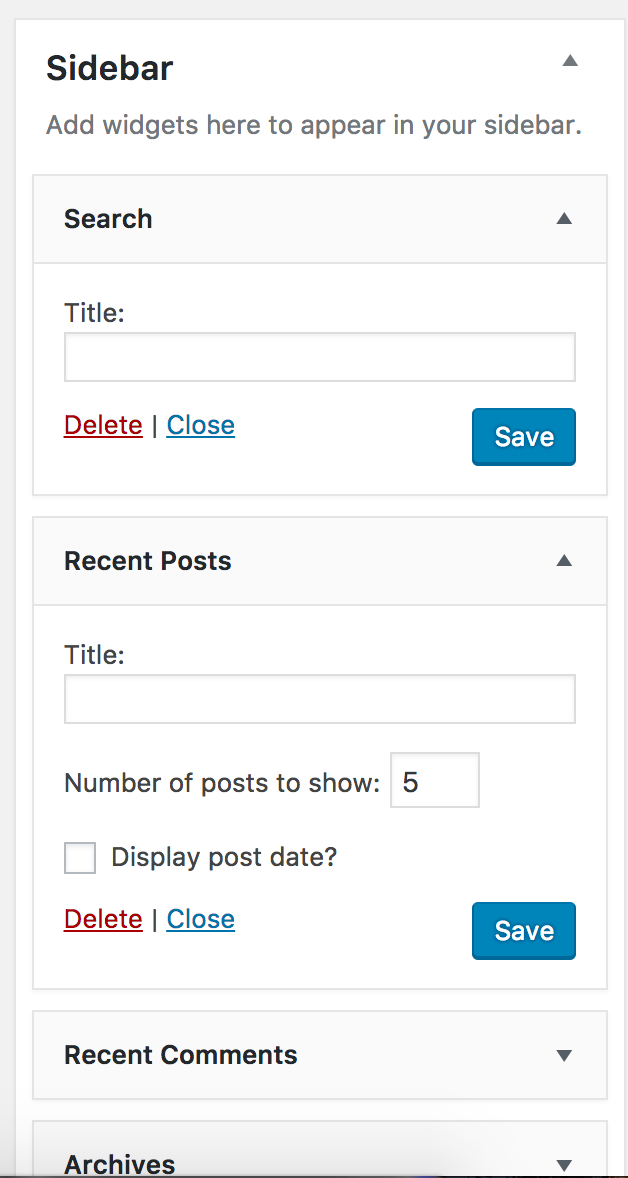
Can you please elaborate on the issue and possibly send screenshots with the ‘Edit‘ text so I can better understand your issue? Thanks and have a great afternoon. Cheers!
ModeratorDirek,
Thank you for the update. We are unable to log into customer sites, so please refrain from sending over credentials. Can you please make sure all of our plugins are updated to the newest versions? I also recommend installing a plugin such as SSL Insecure Content Fixer. Reason behind this is because in a screenshot you shared with me, it looks like your site is serving mixed content. This plugin will help resolve those issues. Please let me know if updating the plugins to the latest versions and the plugin make a difference.
Once you have updated to the most recent versions, please review the Testing for conflicts guide once again and let me know how things go. Please include your System Information as a private reply.
I’m fairly confident the issue lies somewhere within your site due to the inability to reproduce your issue and no logged bugs resembling it. Thanks again and have a good afternoon. Cheers!
December 19, 2016 at 9:58 am in reply to: Attendee info not saving or showing in Attendee Lists again. #1207769ModeratorWelcome back,
I hope you had a great weekend. The reason we ask users to have a test site is so they can fully troubleshoot any issues they’re experiencing without risk of losing important data. It’s best practice to do this in general, not only for our plugins.
My apologies for not answering your question about whether the version of PHP might be a factor. According to this KB article, as long as you’re running a version greater than or equal to 5.6, you should be fine.
Setting up a completely new site to reproduce these same bugs that you all have stated have been fixed, yet are still an issue as you all have also confirmed, seems like a complete waste of time.
I’ve bolded the text I’d like to address. As previously mentioned, I am not able to reproduce the issue you’re experiencing (see screenshot below), nor are there any logged bugs which describe it, so I’m a little confused as to what you mean by that statement.

I wish I had a different answer for you, but there is not much I can do in this circumstance. Rest assured if there were, I would take any steps necessary to help further assist. If it gets beyond your level of expertise, we have a list of customizers that can help further troubleshoot.
Best of luck and have a good afternoon. Cheers!
December 19, 2016 at 9:43 am in reply to: Latest version throwing 500 error on import of eventbrite event #1207751ModeratorHello,
My apologies for missing this detail, but a license for Events Calendar PRO is required to use the shortcodes you’re attempting to use. As for the WPML issue, can you send over step-by-step instructions on how to replicate your issue so I can see if it resembles anything in our logged bug reports? I’ll also need you to confirm the issue still occurs after reviewing our Testing for conflicts guide. This is a required step to continue receiving support.
Thank you and have a great afternoon. Cheers!
ModeratorHello,
Thank you for the response. Can you please send over a link to a page where it displays the issue so I can see if I notice anything that might be causing the issue? Thanks again and have a great Monday!
ModeratorHi Carol,
Thank you for the response. Before we proceed, can you please review our Testing for conflicts guide and reply back with your findings? We need to eliminate the potential for a theme and/or plugin conflict before proceeding.
Thanks again and have a great Monday!
ModeratorThank you for letting me know the issue has been resolved and please feel free to create a new thread if you have any more questions or comments. Take care!
ModeratorWelcome back,
I tested again to see if the event gets updated with the altered info upon reimporting and I did not experience any issues. I’m also not seeing any recently opened bug reports about event info not being updated. Sorry there’s not much more I can do in regards to support for this issue as I’m unable to reproduce it and there don’t appear to be other users experiencing the same behavior.
In response to the import being “stuck”, I’m also unable to reproduce this issue, though I do see a bug just created by another support team member indicating a potential bug. There doesn’t appear to be any workaround for this issue at the moment, but I’ll add this thread to the bug report which usually helps expedite a fix for the bug.
I’ll mark this thread as ‘Pending Fix’ for the time being and please stay tuned to our Release Notes and the plugin changelogs for more information. Thanks again and let me know if you’ve got any additional questions or comments. Cheers!
ModeratorHello,
We had a bug resembling what you’ve described, but it was addressed in a recent release. I notice you’re running The Events Calendar version 4.3.3. Can you please update to version 4.3.4.2 and once again review the Testing for conflicts guide to see if you experience the same issues?
Let me know how things go and have a great weekend. Cheers!
ModeratorWelcome back,
I’m unable to reproduce the issue you’re experiencing and there don’t appear to be any logged bugs of users reporting similar behaviors. Can you please send over your System Information as a private reply?
I’ll also need you to confirm you reviewed the Testing for conflicts guide in it’s entirety. This is a required step to continue receiving support. Please let me know what you find any have a great weekend. Cheers!
ModeratorHey Stuart,
Last question before I test to see if I can reproduce the behavior myself. Please reply back with a screenshot of your Events > Settings > Imports screen, more specifically the Event Update Authority and Facebook Import Settings sections.
Have a great weekend 🙂
Cheers! -
AuthorPosts