

Forum Replies Created
-
AuthorPosts
-
Hunter
ModeratorHello,
Worry not! You do not need to purchase a new license. We have a Knowledgebase article written for this exact circumstance.
Thanks for hanging tough with us and please let me know how things work out for you. Cheers!
ModeratorHello,
The Week templates are actually in the Events Calendar PRO plugin folder rather than The Events Calendar. So it’ll be:
/events-calendar-pro/src/views/pro/
Let me know if you are able to locate the right templates and have a good afternoon!
ModeratorAwesome! I appreciate the update and glad to hear the issue has been resolved. Please open a new thread if you have any more questions. Cheers!
ModeratorGary,
Welcome back! You could most definitely get the home page set up as you described. There are many ways to do it, so if you decide to purchase the plugins and need a little help getting it set up, we’re here to help out!
Also Can you tell me if its possible to set up Map Pin Clusters feature on the Google Maps view?
That is not currently a built-in feature, but we’re always welcoming new feature requests over at our UserVoice Feature Ideas. I imagine it wouldn’t be too hard to set up yourself, though I haven’t done anything similar myself.
We have a list of customizers available to help further assist with any custom work you might need. Luckily, the WordPress community is giant, so as long as you vet your potential contractors and have a solid contract written up before starting work/payment, you shouldn’t have much to worry about.
Please let me know if you’ve got any more questions and have a great afternoon!
December 19, 2016 at 7:33 pm in reply to: Send events tickets order email different than normal WooCommerce product order? #1207991ModeratorHi and welcome back,
The snippet on this page should get you started in the right direction. I also recommend submitting this as a request to our UserVoice Feature Ideas page.
Let me know how it works out and have a good rest of your day. Cheers!
ModeratorHello,
Welcome back and thank you for the thorough post. We have a bug logged resembling what you’ve described, so I’ve gone ahead and added this forum thread to the ticket which helps expedite the process of getting a fix included in an upcoming release. I don’t have a precise date when it will be available, but please stay tuned to our Release Notes and the plugin changelogs for more information. Thanks again and let me know if you’ve got any additional questions or comments. Cheers!
ModeratorHi Heather,
I notice you’re running version 4.3.3 of The Events Calendar. We are currently on version 4.3.4.2, so please update to the most recent version. Once that’s done, please review the Testing for conflicts guide and reply back with the results.
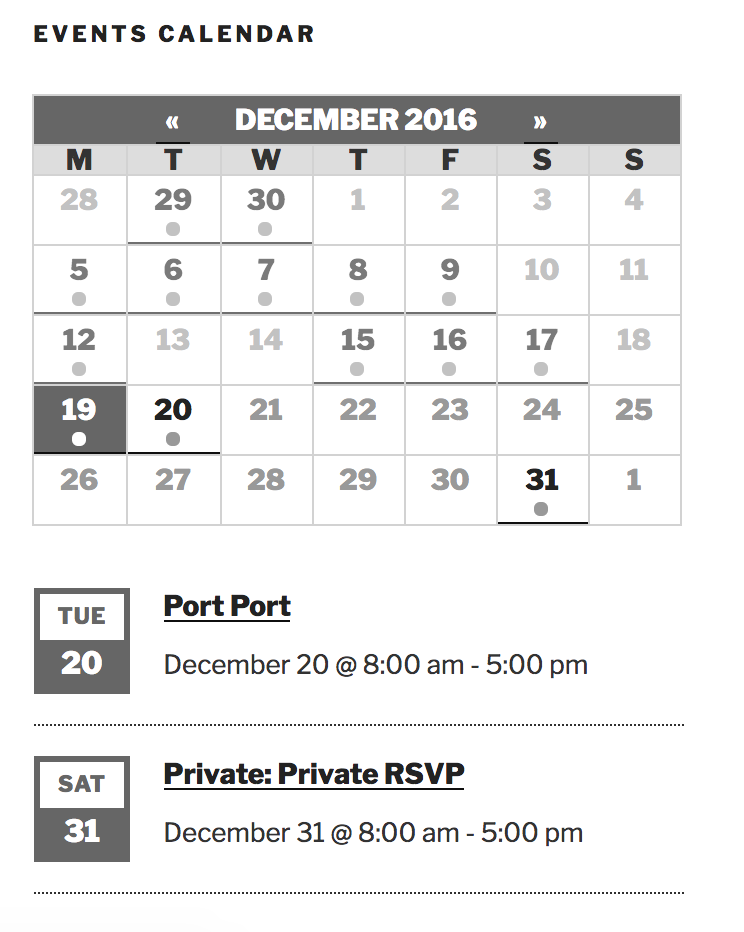
I did a quick test to see if I could reproduce the behavior, but events marked with the ‘Privately Published‘ status do not show in the mini calendar widget when viewing as a logged-out user. (see screenshots below)
Logged in:
Logged out:
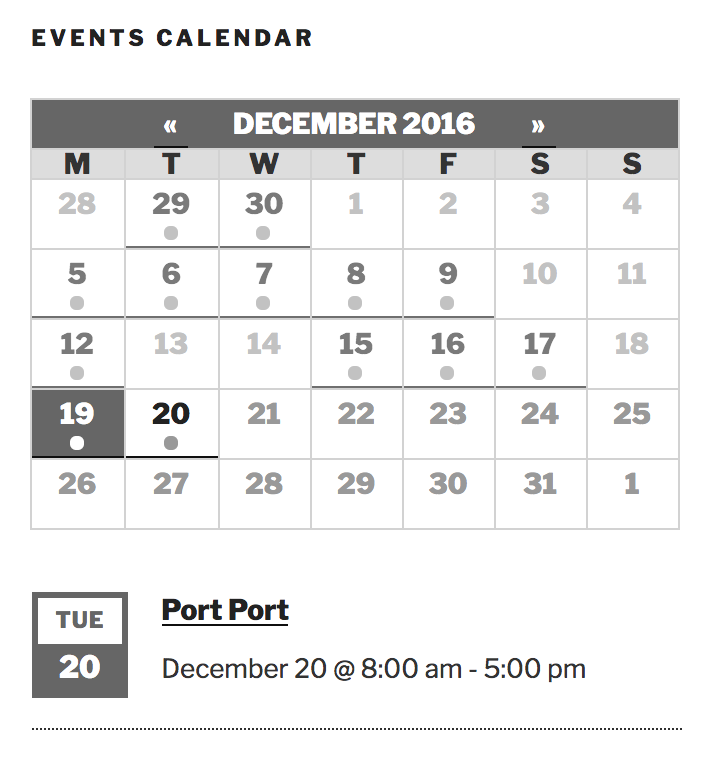
Let me know what you learn after updating and retesting and we’ll go from there. Cheers!
ModeratorHi Yohanan,
Welcome back and thank you for posting. These types of requests are a little outside the scope we’re able to cover on the support forums, but what you’ve described doesn’t sound too difficult. I recommend reading over our Themer’s Guide as it provides examples on how to properly create and save customizations. For more information on what is covered on the support forums, please review our What support is provided for license holders? Knowledgebase article.
Sorry we can’t do more in this instance and if it gets beyond your level of expertise, here is a list of list of customizers that can help further assist. Thanks again and take care!
ModeratorHello!
Welcome to our Pre-Sales Questions channel and thank you for reaching out. Everything you’ve described sounds completely doable using our plugins as you’ve described, but I can’t guarantee things will work out-of-the-box with your custom theme. We build our plugins and test them according to the WordPress codex standards, so there shouldn’t be any issues if your theme follows the same guidelines. You can learn more on the matter here.
We offer a 30-day money back guarantee, so we’d be happy to refund your entire purchase if things didn’t work out as planned.
I hope this helps answer your questions and please let me know if you’ve got any more. Have a great rest of your day and thanks again. Cheers!
ModeratorHi Agnes,
Thank you for posting and welcome back. Do the venues which aren’t displaying in the Filter Bar venue filter have upcoming events taking place at their location? The Filter Bar is designed to “hide” any venues and organizers which do not have upcoming events attached to them.
Have you noticed any sort of pattern with the venues that aren’t displaying in the Filter Bar? Lastly, are you using the ‘Dropdown‘, Checkboxes, or ‘Autocomplete‘ setting under Events > Settings > Filter Bar >Venues filter?
Thanks again and have a great evening. Cheers!
ModeratorHello and welcome 🙂
It is not currently possible to have multiple venues attached to events. We have that feature mapped to be included in an upcoming release, but I don’t have a specific date when that will be available.
I’ve gone ahead and added this thread to the ticket which helps increase the attention paid by developers. Please stay tuned to our Release Notes and the plugin changelogs for more information. Thanks again and let me know if you’ve got any additional questions or comments. Cheers!
ModeratorHello!
First off, thank you for your purchase and welcome to our premium plugin support forums! Before posting to the forums, we ask that you review our Testing for conflicts guide. It is a required step to receive support and by doing so prior to creating the thread saves time and helps identify the conflict so we have a better idea on how to resolve it.
Because it was as simple as entering the Facebook event ID into the appropriate field, I went ahead and tested the issue to see if I could reproduce the behavior, but everything appears to be working for me. (see screenshot below)
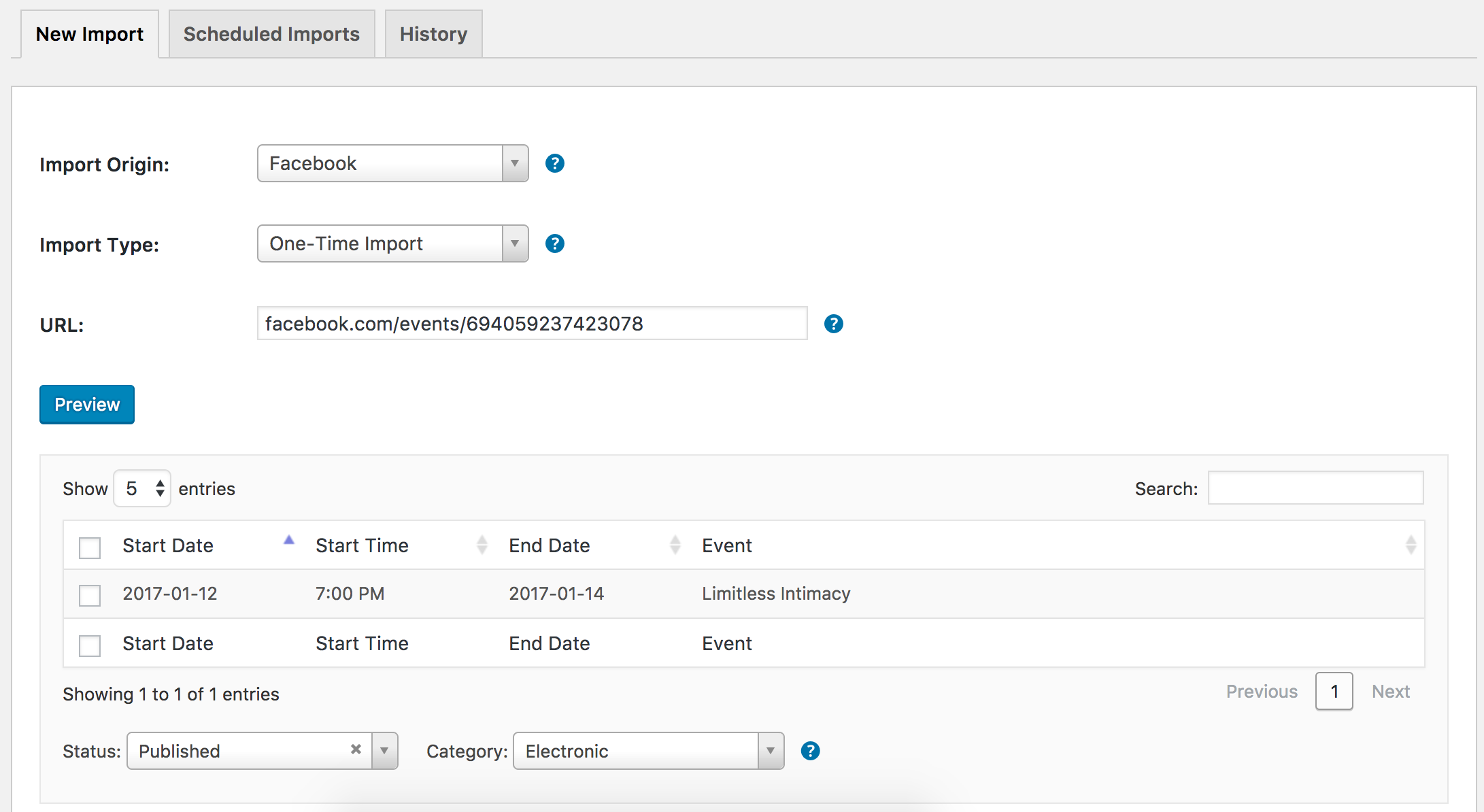
Please go ahead and review the Testing for conflicts guide and reply back with what you learn. Again, please try getting in the habit of reviewing the guide before opening a new thread. Thanks again and have a wonderful evening. Cheers!
ModeratorHello and welcome 🙂
I see the validity in what you’re wanting to do, but unfortunately there is no built-in feature which allows for what you’ve described. I’m also unable to track down any examples of it being done. The best route here would be to submit your request to our UserVoice Feature Ideas and hopefully we can get it built into an upcoming release, though I can’t guarantee if/when it will come to fruition.
If it’s a must-have feature, hiring a developer might be the quickest way to make it happen. We have a list of customizers available to help further assist. Sorry I can’t do more in this instance. For what we’re able to cover in the support forums, please review our What support is provided for license holders? Knowledgebase article.
Thanks for understanding and best of luck with the project. Cheers!
ModeratorHello and welcome,
Thank you for being so thorough in your post and sorry to hear you’re having troubles importing CSV files. I did a quick test on my local installation but didn’t run into the same issues you’re having. (see screenshot below)

We do have a logged bug relating to the Uncaught TypeError: $(…).bumpdown is not a function error you’re seeing in the browser console. I don’t see any temporary workaround, but the bug is set to Priority 1, which means it’s being worked on an a fix should be released any day.
I don’t have a concrete date when that will be, but please stay tuned to our Release Notes and the plugin changelogs for more information. Thanks again and let me know if you’ve got any additional questions or comments. Cheers!
December 19, 2016 at 11:28 am in reply to: Feature request: Attendee List Extension in Admin #1207850ModeratorHi and welcome 🙂
I would be happy to help answer any questions I can, but the best place to submit feature requests is over at our UserVoice Feature Ideas page.
there is no possiblity to see the names of the attendees, if entered on checkout, in the attendee list.
Once a ticket has been sold, you should be able to view all the information captured during the checkout process. For more information, please review our Tickets: Managing your orders and attendees Knowledgebase article. Please let me know if this helps answer your question about how to view attendee information.
Also there should be a possiblity to enter or modify the attendee’s names at a later time, when the client knows the names and provides the info to the event host.
Users can edit their information by selecting the ‘View your Tickets.‘ link seen on the event which tickets were purchased for. (see screenshot below)
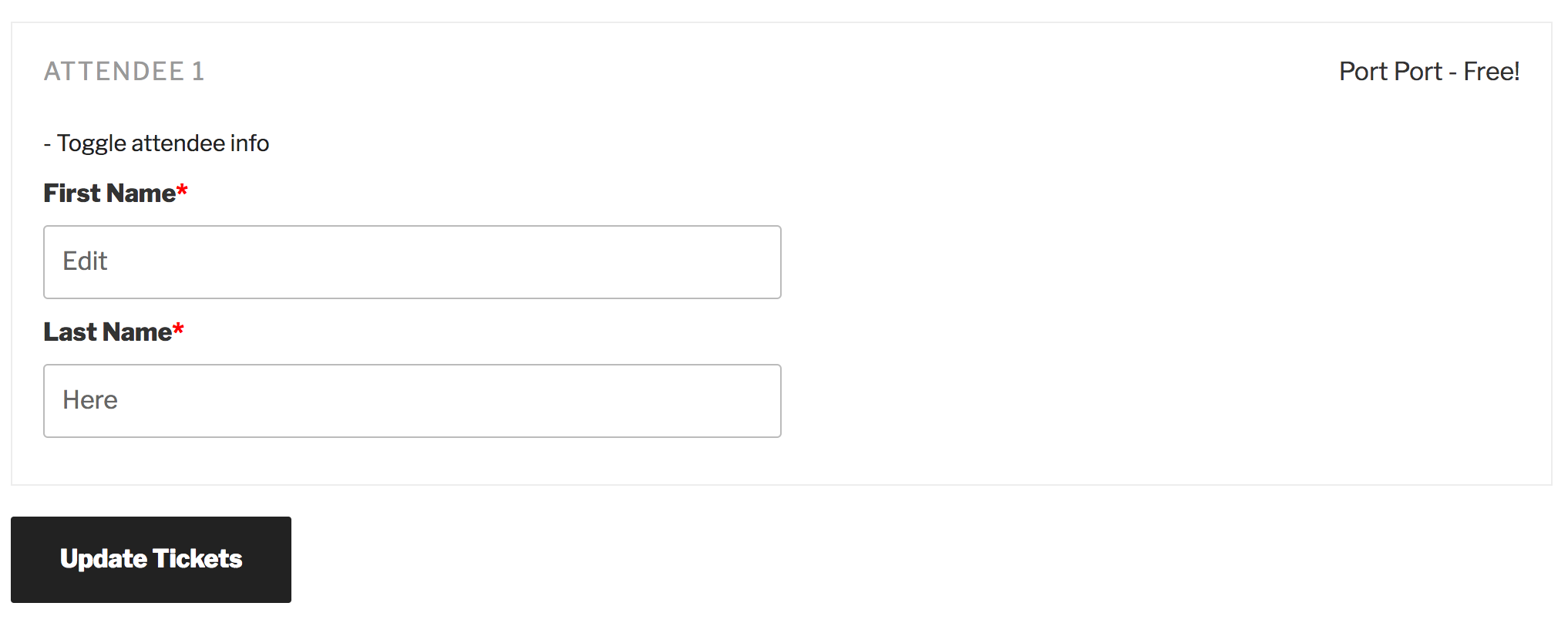
There is no way for admins to alter attendee information other than going into the database and making changes there. We have a feature report logged aimed to include the ability for admins to alter information in a simpler fashion.
There is no possiblity, in a recurring event attendee list, to export the attendees filtered by ticketname/type.
Have you tried the search filter you implemented above the attendee list? It doesnt give me any useful output.
These are both features worth mentioning on the UserVoice Feature Ideas page. The ability to search attendee information is already on our radar, so I’ve added this forum thread to the report which usually helps expedite the process of getting this feature released. I would still take a moment to submit a request for this feature at the User Voice Feature Ideas page.
Please let me know if you have any additional questions and thanks for the input. Cheers!
-
AuthorPosts