

Forum Replies Created
-
AuthorPosts
-
Hunter
ModeratorHi and welcome,
I’m happy to hear you’re loving PRO so far! I took a look at the link provided, but I’m not exactly sure what/where you’re referring to on the single event page. Can you reply back with more information and include screenshots if possible?
I’d also like to provide any documentation I feel is relevant on the matter:
- Settings Overview: The Events Calendar and Events Calendar PRO
- Testing for conflicts guide
- Customizing WordPress #1 – How To Create A Child Theme by LevelUpTuts
- Customizing WordPress #2 – Using Chrome Developers Tools
Please review each source in the list. I’ll do the most I can to help, though we are able to provide little assistance for theme customizations. Please review our What support is provided for license holders? Knowledgebase article.
Thanks and have a good evening!
ModeratorHey Justin,
I see you checked ‘Yes’ to reverting back to the default WordPress theme and deactivating all plugins other than ours as instructed in the Testing for conflicts guide, but can you please confirm this?
If so, it might be best you set up a fresh WordPress installation where you can fully troubleshoot the issue. Make sure you have only the default WordPress theme and The Events Calendar installed and activated on the test site. Please review our Using One License for Live and Dev Sites for more information.
Please make sure WP_DEBUG and WP_DEBUG_LOG are enabled on your site’s wp-config.php file. Any errors will display at the top of your page as you try to reproduce the conflict. Note what you find and please include it in your reply.
Let me know what you find out and have a great evening. Cheers!
ModeratorHello and welcome 🙂
Thank you for considering our plugin(s) for your project! While we have not included all the necessaries features to achieve what you’ve described, it wouldn’t be too difficult with the use of another plugin or two. If you read over our Admin roles and permissions tutorial, we go over a similar process as what you’ve explained.
Please let me know if this helps answer your question and have a great evening. Cheers!
ModeratorHi and welcome back 🙂
The first step here is to update all of our plugins to the latest versions, then review our Testing for conflicts guide and let me know if the issues persist.
If the issues do persist with your site in the state explained in the Testing for conflicts guide, please include a specific list of the issues you’re experiencing, including exact step-by-step instructions how to reproduce them.
Please include your System Information as a private reply.
Lastly, I notice in your System Information you have the Facebook Events plugin installed on your site. If you’re not aware, we are in the process of retiring the Facebook Events plugin and replacing it with our newest plugin, Event Aggregator.
You have been granted a license for Event Aggregator and it is set to expire on the same date your Facebook Events license expires. For information, please review our Moving to Event Aggregator Knowledgebase article and if you run into any issues along the way, please create a separate thread.
Have a great evening. Cheers!
ModeratorHey Tyler,
Thank you for considering Event Tickets and Event Tickets Plus for your project and welcome to our Pre-Sales Questions Channel! By selecting the link found on each event a user has RSPV’d or purchased a ticket for:


users are taken to a page with their RSVP/ticket information. They can also edit ticket information:
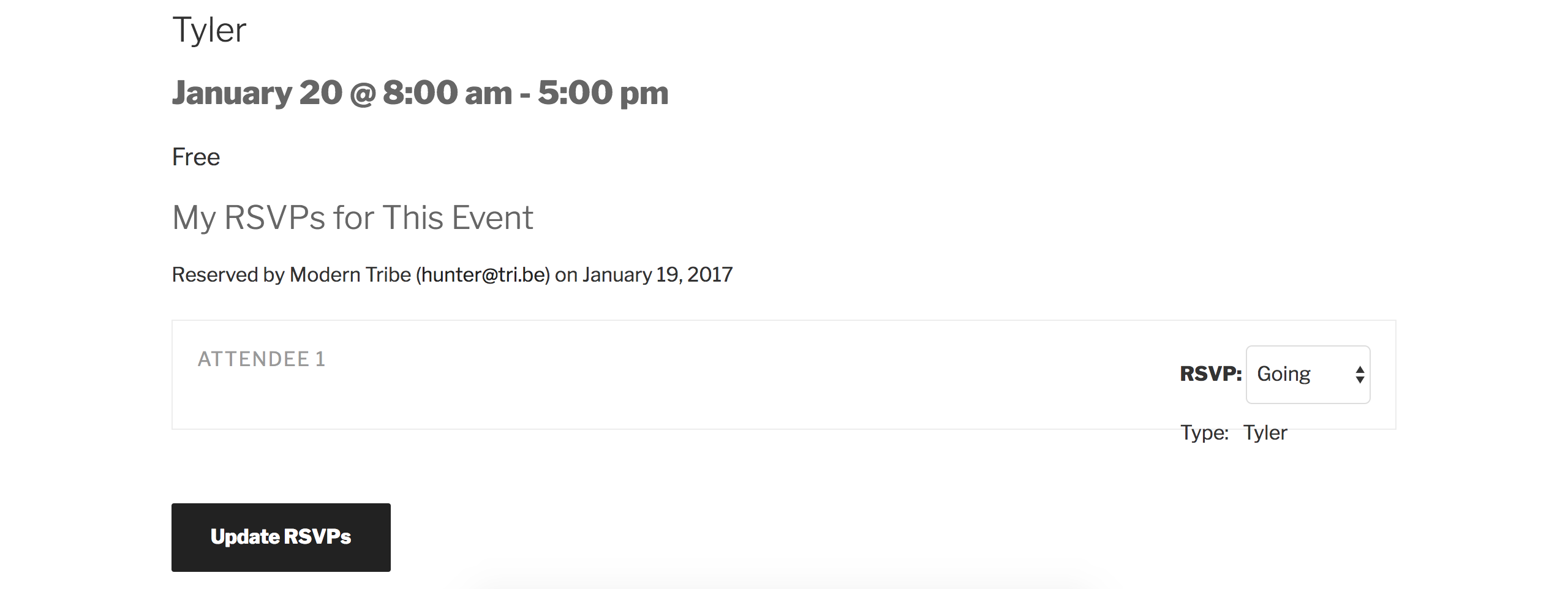
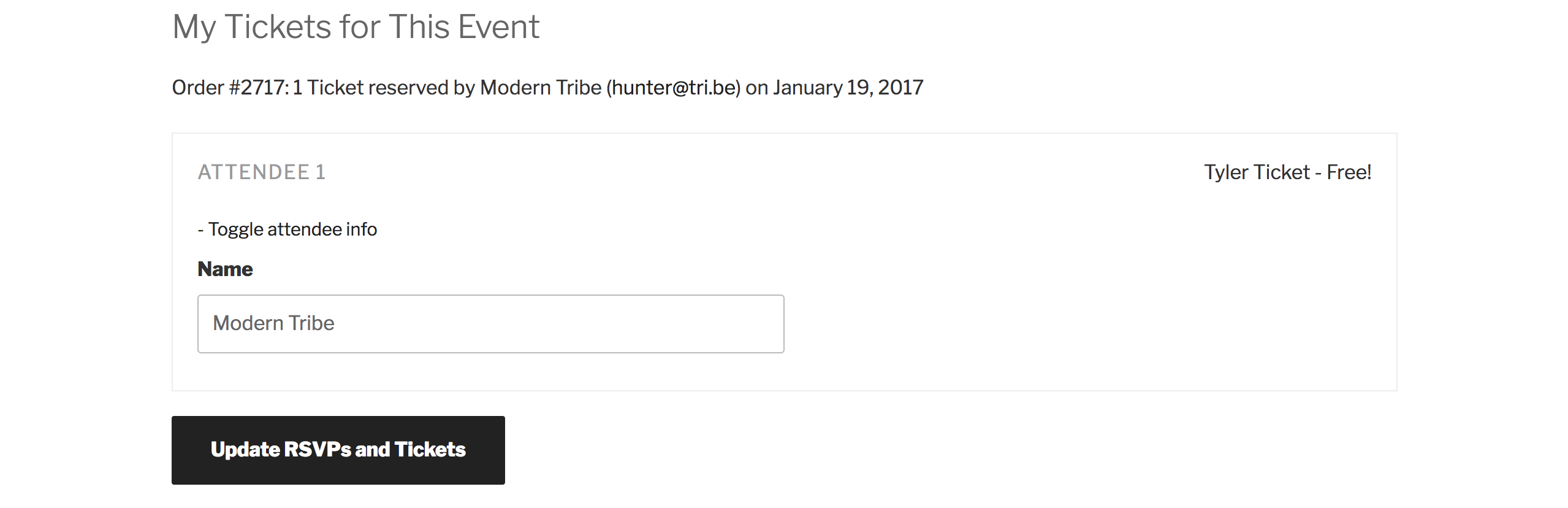
At this time, there is no dedicated location where users can access all of their RSVPs/tickets. If it’s something you’d like included in an upcoming release, we welcome requests with open arms over at our UserVoice Feature Ideas page. Please let me know if this helps answer your question and have a great evening. Cheers!
ModeratorHey Raphael,
Unfortunately, Event Tickets and Event Tickets Plus aren’t fully integrated with the recurring events functionality. It’s on our radar and one of the most popular feature requests: https://tribe.uservoice.com/forums/195723-feature-ideas/suggestions/3685663-recurring-event-support-for-tickets — Please do add your vote.
One workaround idea is to create all your recurring events, break them all from the recurrence series (so they become single/standalone events) and then add tickets to each single/standalone event.
Sorry to be the bearer of bad news and let me know if you have any additional questions or concerns. Cheers!
ModeratorHey Russell,
Welcome back! I attempted to locate your events page to see if I could come up with any solution, but I wasn’t able to find it. Can you send an accessible link? I’d also like to recommend our Featured Images knowledgebase tutorial and this Customizing WordPress #2 – Using Chrome Developers Tools which explains the process of using your browser’s ‘Inspect’ tool to make changes using CSS.
Please note, we are limited on these types of requests. Please review our What support is provided for license holders? Knowledgebase article.
Thank you and have a good evening 🙂
ModeratorHey Gary,
It looks as if your post didn’t come through entirely. Please reply back with what you’re requesting and I’d be happy to provide further assistance. Thanks and take care!
January 19, 2017 at 5:13 pm in reply to: How to show outdated events on map view (embedded with [tribe-events] shortcode) #1221198ModeratorHello and welcome 🙂
You can include past events when using the [tribe_events] shortcode. More info can be found here. Let me know how it goes and thanks for choosing PRO. Cheers!
January 19, 2017 at 5:00 pm in reply to: Event calendar category settings keep getting lost/reset #1221195ModeratorHey Stephanie,
Thank you for setting up the test site and let me know what you find. I went ahead and created a scheduled import and created and assigned a category titled Stephanie to the import. I also added an Event List widget and set the filter to the ‘Stephanie’ category. After the import ran for the second time, the widget retained the ‘Stephanie’ category and everything else seemed to go well too.
Screenshot was taken after the second import ran:
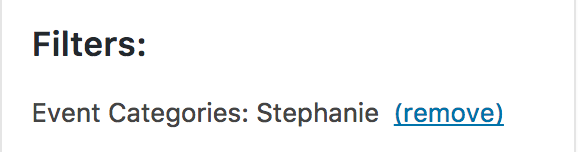
Please let me know what you find from your testing and if you think you’ve ran into a bug, please send over the exact step-by-step instructions needed to reproduce the behavior. If I get the same results, I’ll take the appropriate actions.
Thanks again and have a good evening 🙂
ModeratorDo you have a message displaying in the Events > Settings > General tab that says something similar to “You have 2 venues for which we don’t have geolocation data…”? If so, go ahead and hit the ‘Fix Venue Data‘ button and let me know if that makes a difference.
I created a short screencast of my experience attempting to reproduce your issue. As you can see in the video, I’m not having any issues adding new/existing venues to new/existing events.
Sorry again I can’t do more in this instance. It might be best you set up a fresh WordPress installation where you can fully troubleshoot the issue. Make sure you have only the default WordPress theme and The Events Calendar installed and activated on the test site.
Did the flow of actions seen in my screencast reflect the steps you’ve been doing? If not, provide exact step-by-step instructions on how to precisely recreate the behavior and I’d be happy to test again.
Cheers!
ModeratorHello,
Thank you for letting me know the results. Unfortunately, I can’t find any other workaround for the time being, but as previously mentioned, we have a logged bug report and a fix will be included in an upcoming maintenance release.
Sorry again and have a great upcoming weekend. Cheers!
ModeratorHello,
It appears the error logs did not come through. Please try resending them and I’d be happy to take a look. I understand your point on the amount of users using both Divi and The Events Calendar and I don’t disagree with it. We typically do investigate issues if there are a high number of users reporting the same issue. I looked over our list of logged bug reports but am not seeing anything resembling the conflict you’re experiencing.
This most likely means there’s an isolated incident which the What support is provided for license holders? Knowledgebase article states we’re unable to support.
Go ahead and resend those error logs so I can compare any errors to ones we’re aware of. If I’m unable to tie your issues to what we have logged, you’ll have to resolve this matter yourself. If it’s beyond your level of expertise, there are affordable professionals who can help further troubleshoot. We have a list of non-affiliated customizers available as well.
Thanks for understanding our position on the matter and have a good evening 🙂
ModeratorHello,
I’d be happy to further explain. If you visit our demo site, you’ll notice there is not an ‘Add Event’ button. You’ve voiced the concern that the ‘Add Event’ button is not displaying on the list of events. This is because we have not included it on the list of events. If you did want to add a button which links to your Add Event page, you would have to do so by adding the code into the necessary files as explained in our Testing for conflicts guide.
Please let me know if this helps clear up any confusion and take care 🙂
January 19, 2017 at 10:23 am in reply to: Requesting better information Using the wordpress customizer #1221060ModeratorHi and welcome back 🙂
We have a Knowledgebase article geared towards The Events Calendar and the WordPress Customizer.
Can individual days or events be colorized?
Not using the WordPress Customizer. Each ‘cell’ (date) of the table (calendar) has a data-day=”2017-01-27″. More info here.
The easiest/quickest way to style is by adding your CSS code directly into your theme options CSS panel or onto your theme’s style.css file. This Customizing WordPress #2 – Using Chrome Developers Tools YouTube video is a great visual example on using the ‘Inspect’ tool.
Please let me know if this helps and have a great rest of your day.
-
AuthorPosts