
Home › Forums › Calendar Products › Events Calendar PRO › Single Event Sidebar Widgets??
- This topic has 5 replies, 4 voices, and was last updated 9 years, 8 months ago by
Gorka.
-
AuthorPosts
-
January 19, 2017 at 9:44 am #1221037
Gorka
ParticipantHi!
I’ve just purchased the Event Calendar PRO plugin. It looks awesome but I would like to add more stuff into the SINGLE EVENT SIDEBAR VIEW. For me it looks a bit empty.
Is there a way to add widgets into the single event page?
Example: https://tripaloc.com/event/ii-feria-internacional-de-la-trufa-negra/
Thanks!
GorkaJanuary 19, 2017 at 6:20 pm #1221251Hunter
ModeratorHi and welcome,
I’m happy to hear you’re loving PRO so far! I took a look at the link provided, but I’m not exactly sure what/where you’re referring to on the single event page. Can you reply back with more information and include screenshots if possible?
I’d also like to provide any documentation I feel is relevant on the matter:
- Settings Overview: The Events Calendar and Events Calendar PRO
- Testing for conflicts guide
- Customizing WordPress #1 – How To Create A Child Theme by LevelUpTuts
- Customizing WordPress #2 – Using Chrome Developers Tools
Please review each source in the list. I’ll do the most I can to help, though we are able to provide little assistance for theme customizations. Please review our What support is provided for license holders? Knowledgebase article.
Thanks and have a good evening!
January 20, 2017 at 1:06 am #1221396ParticipantThanks for you message.
What I mean is that I would like to have some sidebar widgets in my single event page. For example the ones I have in the blog post pages: https://tripaloc.com/que-ver-y-hacer-en-vitoria-gasteiz/
See screenshot attached.
Thanks
January 20, 2017 at 2:09 pm #1221728ModeratorThank you for further clarifying. The best route in this case is to review the Stylesheets and Page Templates KB resource, then refer to the Themer’s Guide for information on how to create and save custom templates; which is exactly what you’ll be doing to achieve the look and feel you’re going for if you aren’t able to get sidebars to display using the Basic Template Settings in the Events > Settings > Display tab.
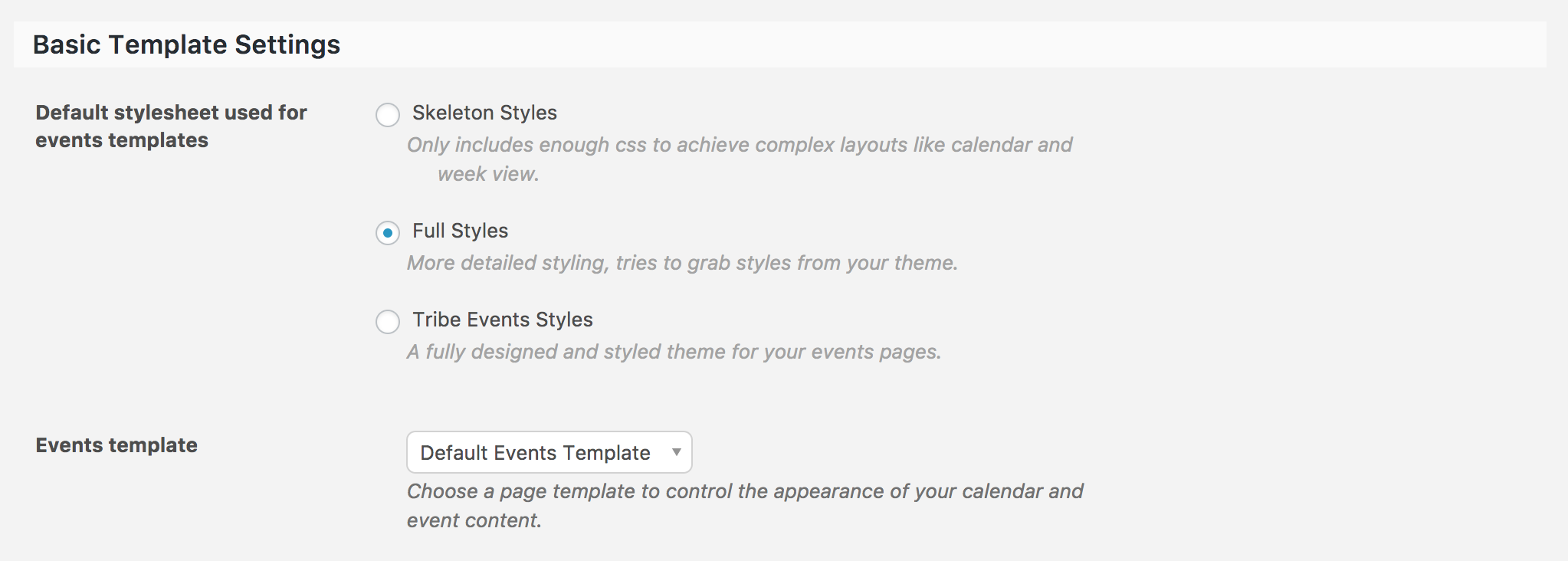
Let me know how things go and if you get caught up along the way, feel free to respond with specific questions. Again, theme customizations are beyond the scope as stated in our What support is provided for license holders? Knowledgebase article, but I’ll do my best to accommodate.
Thanks again and have a great weekend ahead!
February 11, 2017 at 8:35 am #1233361Support Droid
KeymasterHey there! This thread has been pretty quiet for the last three weeks, so we’re going to go ahead and close it to avoid confusion with other topics. If you’re still looking for help with this, please do open a new thread, reference this one and we’d be more than happy to continue the conversation over there.
Thanks so much!
The Events Calendar Support Team -
AuthorPosts
- The topic ‘Single Event Sidebar Widgets??’ is closed to new replies.