

Forum Replies Created
-
AuthorPosts
-
January 31, 2017 at 1:18 pm in reply to: Events Calendar missing custom fields after update #1227110
Hunter
ModeratorHello,
Sorry to see you’re having troubles updating. Unfortunately, coming from such an old version is likely to come with conflict as you’ve experienced. Is the custom field data still in your database after updating past version PRO 3.0.2?
I could find one relative thread on the matter, but a unfortunately a solution is not provided. I imagine it might be easiest to export the custom fields only on the 2.0.9 version using either an SQL query or a plugin developed specifically for exporting data. From there, compare what an exported file from the most recent version looks like and see if you can merge the old custom fields into the updated custom fields format.
Please keep me updated with the status of your issue and have a good afternoon 🙂
ModeratorHello again, Bill 🙂
Please try adding the following snippet to your theme’s functions.php file file. You’ll most likely need to remove the opening <?php tag, essentially pasting the following code at the bottom of the file:
/*

 * The Events Calendar snippet

 * Show only first instance of a recurring event in photo view shortcode

 * Gist: https://gist.github.com/niconerd/e8efdd5a0a8d621e6b0ebeb699ef7413

 */

function tribe_hide_recurring_instances ( $query ) {

	$query->set('post_parent', 0);

}
function tribe_photo_shortcode_hijack_query ( ) {
add_action( 'pre_get_posts', 'tribe_hide_recurring_instances' );
}add_action( 'tribe_events_pro_tribe_events_shortcode_prepare_photo', 'tribe_photo_shortcode_hijack_query' );
I tested it on my local site and it hides all instances besides the first in a recurring series when using a shortcode to display Photo view. Let me know how it works out for you and take care!
ModeratorHey Mark 🙂
1) I would like to remove all country selections except the United States from venue location fields. Can you please point me to the file(s)?
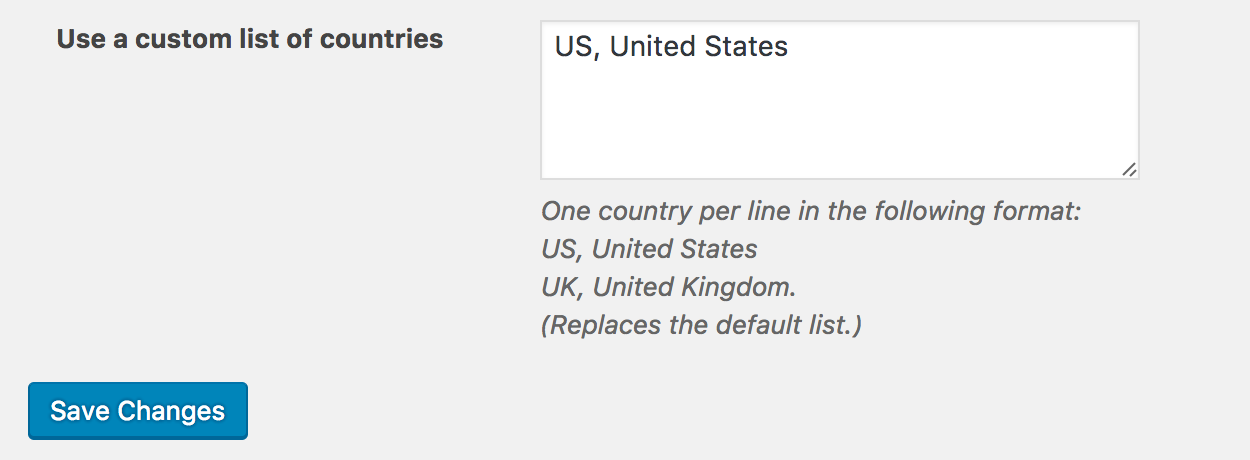
If you navigate to Events > Settings > Default Content and enter “US, United States” into the ‘Use a list of custom countries‘ field, the Community Events Add Event venue country dropdown should not display any countries other than the United States. Give it a shot and let me know how it works out. Cheers!
 January 30, 2017 at 3:48 pm in reply to: Shortcode showing "1" instead of the state abr. in widget upcoming event list #1226533Moderator
We have a bug logged resembling what you’ve described, so I’ve added this forum thread to the ticket which helps expedite the process of getting a fix included in an upcoming release. I don’t have a precise date when it will be available, but please stay tuned to our Release Notes and the plugin changelogs for more information. You can use the following method below as a temporary workaround:
1. Copy this file
wp-content/plugins/events-calendar-pro/src/views/pro/widgets/modules/single-event.php
to
wp-content\themes\{your-theme}\tribe-events\pro\widgets\modules\single-event.php2. Open it for editing and add these two lines in the beginning:
$zip = tribe_get_zip();
$region = tribe_get_region();3. Save.
Thanks again and let me know if you’ve got any additional questions or comments. Cheers!
ModeratorHello,
You have posted in our Pre-Sales Questions Channel which we’re unable to provide technical assistance in. Can you please create a thread in the Community Events support forums and we’d be happy to help further assist? Thanks for understanding and have a pleasant rest of your day!
ModeratorHey Chelsea,
We have a bug logged resembling what you’ve described, so I’ve added this forum thread to the ticket which helps expedite the process of getting a fix included in an upcoming release. Luckily, it’s at Priority Level 1 which means it should be included in the next maintenance release. I don’t have a precise date when it will be available, but please stay tuned to our Release Notes and the plugin changelogs for more information.
You could temporarily revert back to the version which exports correctly for you until we can come up with a solution. Thanks again and let me know if you’ve got any additional questions or comments. Cheers!
ModeratorHey Peter,
Thank you so much for taking the time to further troubleshoot the conflict. Can you send over a file that is giving the error when you’re attempting to import using Event Aggregator? Once I have that, I’d be happy to further assist. Thanks again and have a good evening!
January 30, 2017 at 3:03 pm in reply to: Add events from front-end error while select organizer #1226506ModeratorHello,
Thank you for providing the System Information. As requested in my last response, the image does not appear to have come through, so please try resending it. And before I am able to provide any technical support, you’ll need to review our Testing for conflicts guide and reply back with your findings. If you are able to reproduce the behavior, please include exact step-by-step instructions on how to reproduce the behavior.
Thanks again and take care 🙂
ModeratorThis reply is private.
ModeratorHello, again!
Try replacing the entire contents of [your-theme]/tribe-events/tickets/email.php with the contents from this snippet.
Please let me know how it works out for you and take care!
January 30, 2017 at 1:35 pm in reply to: Recurring Event Have Wrong Year in Dashboard and .ics export #1226430ModeratorHello again,
Thank you for the update. We have a bug logged resembling what you’ve described, so I’ve added this forum thread to the ticket which helps expedite the process of getting a fix included in an upcoming release. I don’t have a precise date when it will be available, but please stay tuned to our Release Notes and the plugin changelogs for more information. Luckily, it’s marked at Priority Level 1 which means it should be included in the next maintenance release.
Thanks again and let me know if you’ve got any additional questions or comments. Cheers!
ModeratorAwesome! I appreciate the update and glad to hear the issue has been resolved. Please open a new thread if you have any more questions. Cheers!
ModeratorHi Kathy,
If you review the Event Aggregator and Event Aggregator product pages, you’ll see they have very different functions and features.
We granted licenses to those who had purchase import-related plugins which we recently retired in favor for Event Aggregator. More info on the matter can be found here. If you would like the ability to import events from a variety of sources, then you may want to consider purchasing a license for Event Aggregator.
I switched to twenty sixteen theme and with all the plugins but the events calendar deactivated nothing is showing in the calendar. But I don’t have any license key in the Aggregator.
Not having a license entered into the Event Aggregator license key field won’t (well, shouldn’t) have any effect on whether events display or not. My apologies for not catching this sooner, but I noticed you have The Events Calendar PRO version 4.0.5 installed. The most recent version released is 4.4.1. Can you please update PRO to the latest version, then retest as explained in our Testing for conflicts guide to see if the events will display?
I have a hunch once you update PRO, the issue should resolve itself. Please let me know what you find out and have a good afternoon 🙂
January 30, 2017 at 11:49 am in reply to: Aggregator not importing images, truncating Venue info #1226356Moderator@Paul, @Cody, and @Lee, we appreciate you chiming in here. There is obviously an issue in the present version, so the best thing for you to do in this instance is to create your own thread. Before doing so, ensure you’ve review our Testing for conflicts guide to rule out the potential for a theme and/or plugin conflict.
Next, create a thread and include exact step-by-step instructions the support team member fielding you thread needs in order to reproduce the conflict. It might be helpful to link to this thread for reference. We’ll make sure the conflict gets identified and a bug gets logged. Based on the number of users affected determines the level of priority the bug is given. This bug will most likely get addressed in the next maintenance release.
With that said, @flowstate, can you please do as I’ve recommended above and send over exact step-by-step instructions needed to reproduce the conflict relative to featured images? Please include screenshots and/or a screencast if possible.
Can you please confirm that the name of the venue should appear in the LOCATION string of the exported feed, i.e. BEFORE the address bit, assuming something like
LOCATION:[VENUE_NAME]\, [STREET_ADDRESS]\, London\, [POST_CODE]\, United KingdomThe venue name should appear in the export feed. Can you please clarify how you are “mirroring” events from site a to site b? This is another instance where the best thing you can do is provide step-by-step instructions on how to reproduce the issue so I can test on my local environment.
Thank you everyone for your patience and rest assured we’ll get things squared away as soon as possible. Cheers!
ModeratorHello,
Sorry to see you’re experiencing troubles. I went ahead and created an event with the same ‘Time & Date’ settings as seen in the first screenshot you shared with me, but was not able to reproduce the behavior you’re getting.
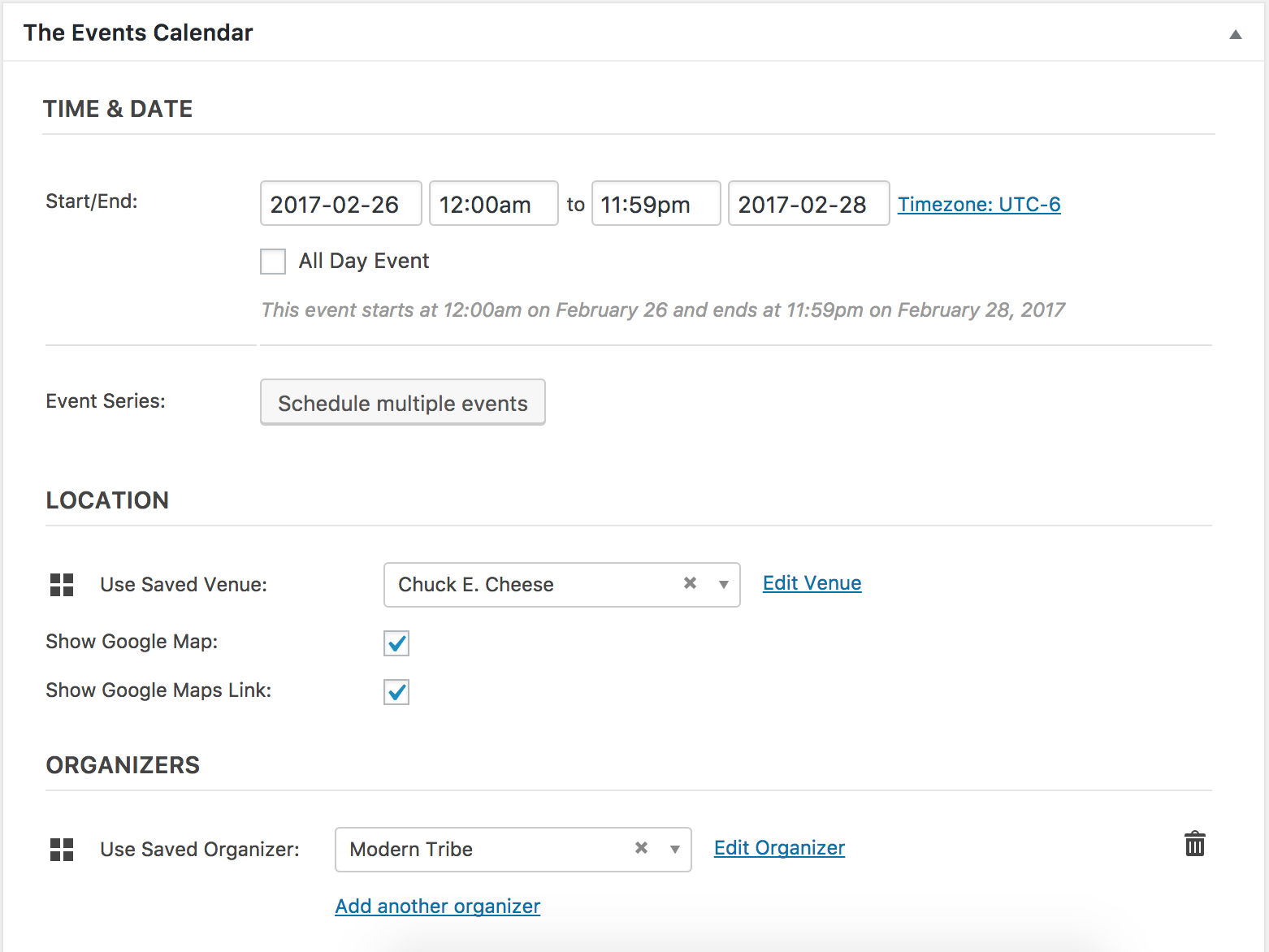
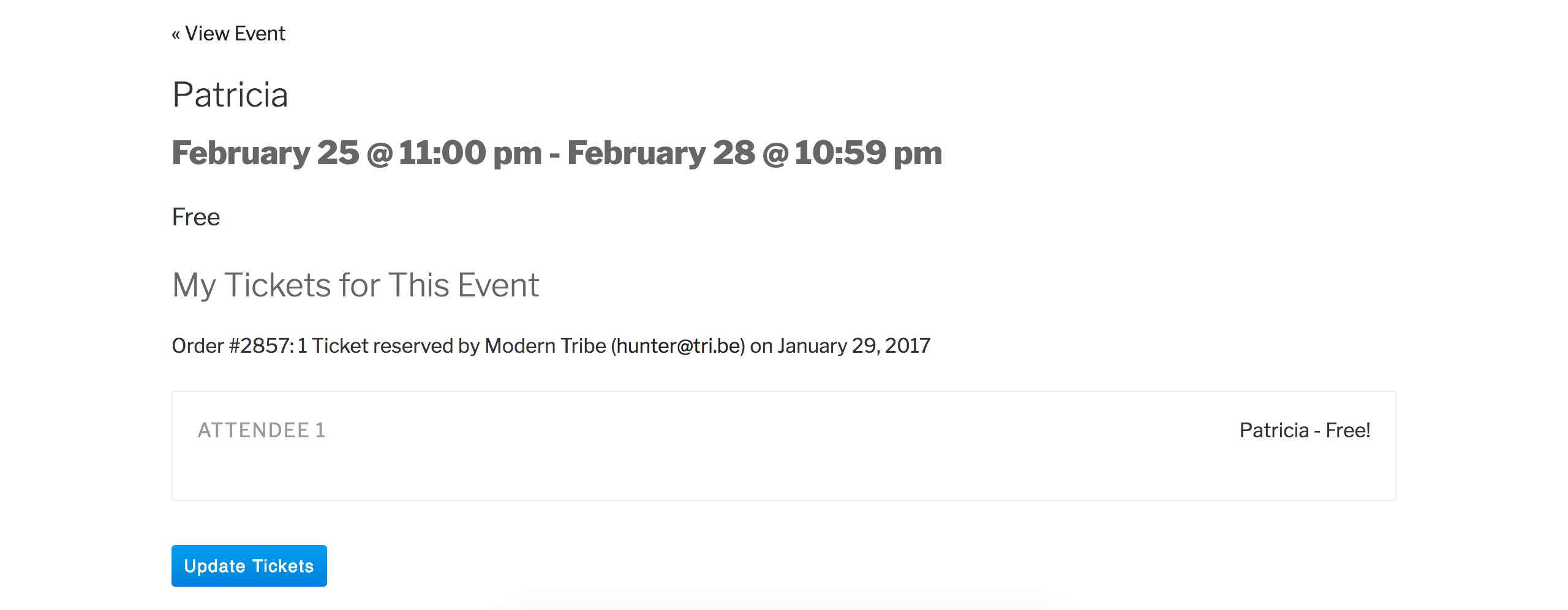
I see you checked ‘Yes’ to reverting back to the default WordPress theme and deactivating all plugins other than ours as instructed in the Testing for conflicts guide, but can you please confirm this?
Please make sure WP_DEBUG and WP_DEBUG_LOG are enabled on your site’s wp-config.php file. Any errors will display at the top of your page as you try to reproduce the conflict. I also recommend right-clicking your mouse and opening the ‘Inspect’ tool to see if any errors display in the console. Note what you find and please include it in your reply.
Lastly, I checked over our list of logged bug reports but don’t see anything resembling to what you’ve shared, so hopefully further testing will provide insight. Please keep me updated and have a wonderful evening. Cheers!
-
AuthorPosts