

Forum Replies Created
-
AuthorPosts
-
Hunter
ModeratorHello 🙂
Welcome back to our premium plugin support forums and thank you for the kind words! We have a feature report logged resembling what you’ve described, so I’ve included this forum thread to the report which helps increase attention on the matter. It’s also recommended you visit our UserVoice Feature Ideas and submit/upvote the request there.
I don’t have any timeline on when this feature will be available, but please stay tuned to our Release Notes and the plugin changelogs for more information. Thanks again and let me know if you’ve got any additional questions or comments. Cheers!
ModeratorHi and welcome 🙂
Based on my experience with the data highlighter tool, there is the potential of a theme and/or plugin conflict based on what you’ve shared with me.
What is a good search query to run to see how Google is displaying the event rich snippets for this site?
I typically resort to doing a Google search along the lines of:
“site:http://your-site.com/event/single-event”
I see you have Yoast SEO plugin installed on your site and you have a Google Webmaster account. Between those two, you should be able to fully manage the SEO titles, descriptions, etc. Please let me know if this helps answer your question and have a great rest of your day!
ModeratorHello 🙂
Randy, as Hans-Gerd has pointed out, there is no need to input a license into the Event Aggregator license key field found under Events > Settings > Licenses if you do not have/need an Event Aggregator license.
If you do want the features included with Event Aggregator, you can visit the product page which I’ve linked to above and complete the checkout process. Once you’ve done that, you’ll be granted a license and which you’ll need to enter under Events > Settings > Licenses like you did with your PRO license.
We do not offer support via telephone. Please review our What support is provided for license holders? Knowledgebase article for more information.
@Hans-Gerd, thank you kindly for taking the time to step in here! @Randy, let me know if this helps clarify any confusion and have a pleasant rest of the day to the both of you!
ModeratorHello,
I’d be happy to help further investigate, but before doing so can you please review our Testing for conflicts guide and reply back with your findings?
Please make sure WP_DEBUG and WP_DEBUG_LOG are enabled on your site’s wp-config.php file. Any errors will display at the top of your page as you try to reproduce the conflict. I also recommend right-clicking your mouse and opening the ‘Inspect’ tool to see if any errors display in the console. Note what you find and please include it and your System Information as a private reply.
Thank you and have a pleasant rest of your day!
ModeratorHello 🙂
Thank you for purchasing Event Tickets Plus and welcome to our premium plugin support forums. The reason the shortcode is not displaying events is because you need an Events Calendar PRO license in order to use the shortcodes.
If for some reason you were under the impression the shortcodes were included with either the free version of The Events Calendar and/or Event Tickets Plus, please provide links to any documentation stating these incorrect facts so we can update them accordingly.
Please let me know if this helps answer your question and have a wonderful rest of your day!
ModeratorHello!
First off, thank you for your purchase and welcome to our premium plugin support forums! Event Aggregator is a separate plugin (which you do not have a license for) from Events Calendar PRO (which you do have a license for).
Make sure you have correctly entered the license for Events Calendar PRO under Events > Settings > Licenses to enable to recurring events feature. There is no need to input a license key into the Event Aggregator field found under Events > Settings > Licenses if you do not have/need an Event Aggregator license.
Please let me know if this helps answer your question. Thanks again and have a great rest of your day 🙂
February 4, 2017 at 2:02 pm in reply to: Embedding Calendar Views with the [tribe_events] Shortcode #1229573ModeratorHello,
Can you send a link to the page you’re referring to which includes the shortcode? I’d be happy to take a look and see if I can help further assist. If you visit Events > Settings > Display and try different options, do any have an effect on the “corrupted” display? I’ll need you to review our Testing for conflicts guide and let me know if that has any effect on the display. This is a required step to continue receiving support.
More info can be found in our Settings Overview: The Events Calendar and Events Calendar PRO and Stylesheets and Page Templates tutorials. I also want to point out we’re limited when it comes to theme and plugin conflicts. Please review our What support is provided for license holders? Knowledgebase article for more information.
February 4, 2017 at 1:00 pm in reply to: SEO Meta Title and Descriptions for Organizers and Venues #1229564ModeratorHi Annette 🙂
Your SEO plugin should include a section where you can alter the SEO titles and descriptions for events, venues, and organizers. I know with Yoast SEO you are able to easily manage this data, but it’s admittedly been awhile since I used All in One SEO Pack.
Have you done any general web searches on the matter or contacted your SEO plugin author to see if they have any additional information? The only snippets I have relative to SEO are for the Yoast SEO plugin.
I do want to point out our What support is provided for license holders? Knowledgebase article. We’re fairly limited on the amount of support we can provide for these types of requests, but let me know what you find out and we’ll continue investigating.
Thanks and have a great rest of your Saturday!
February 4, 2017 at 12:52 pm in reply to: Searchbar doesn't work in [tribe_events] shortcode #1229562ModeratorHello, Dejan 🙂
I’d be happy to further investigate, but before doing so I’ll need you to review our Testing for conflicts guide and let me know what you learn. Please include your System Information as a private reply.
Thank you and have a wonderful rest of your day!
ModeratorHello,
Sorry to see you’re having issues importing events from Facebook. I compared what you’ve shared with me to our logged bug reports and believe I’ve located a bug relative to your situation. A workaround is to grab the link for each individual event you want imported and enter that into the Events > Imports > New Import > URL field as you’ve been doing thus far. I visited the FB page you shared with me and clicked through to this event, then attempted to import it and everything went well. See screenshots below:
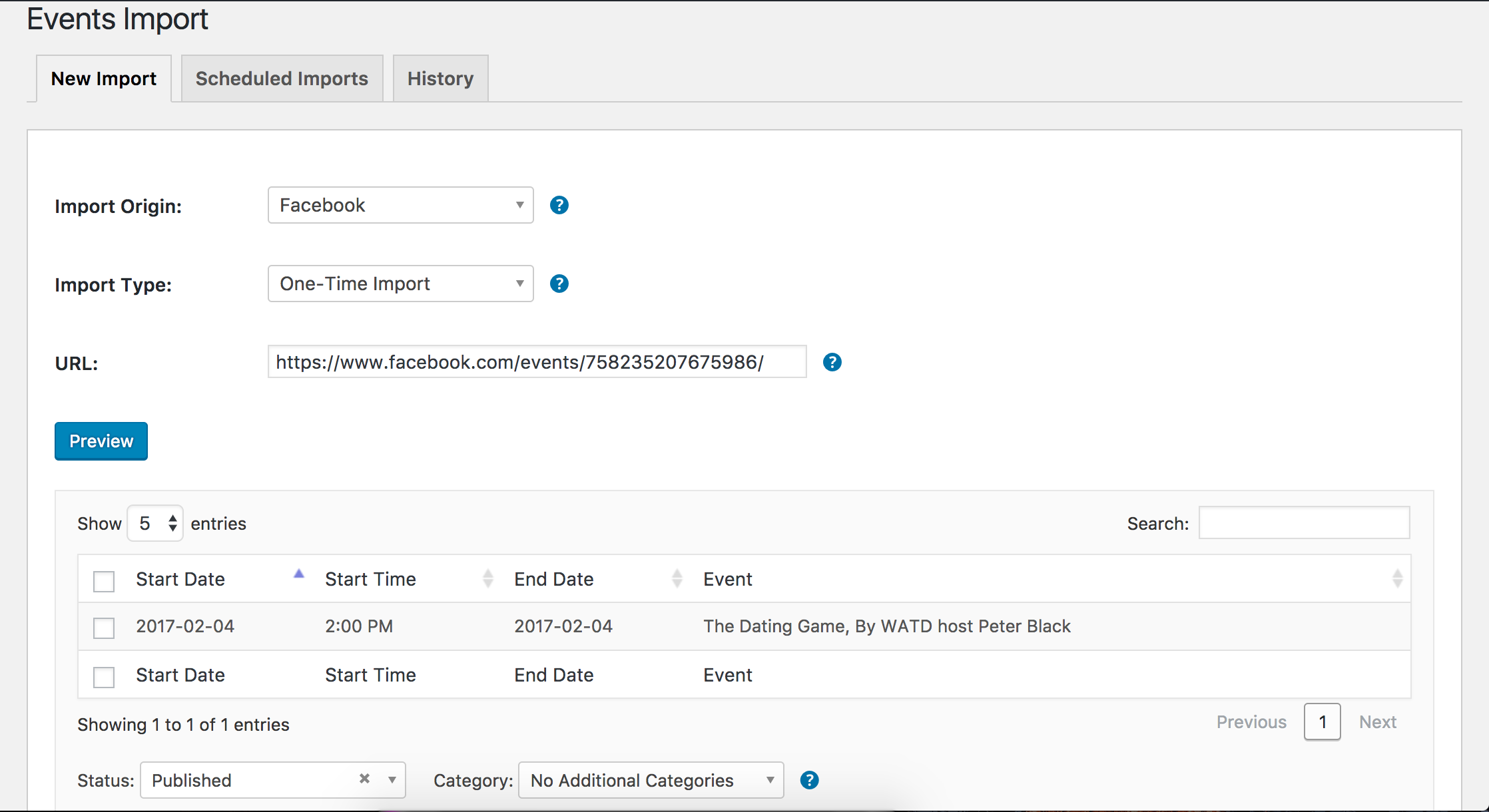
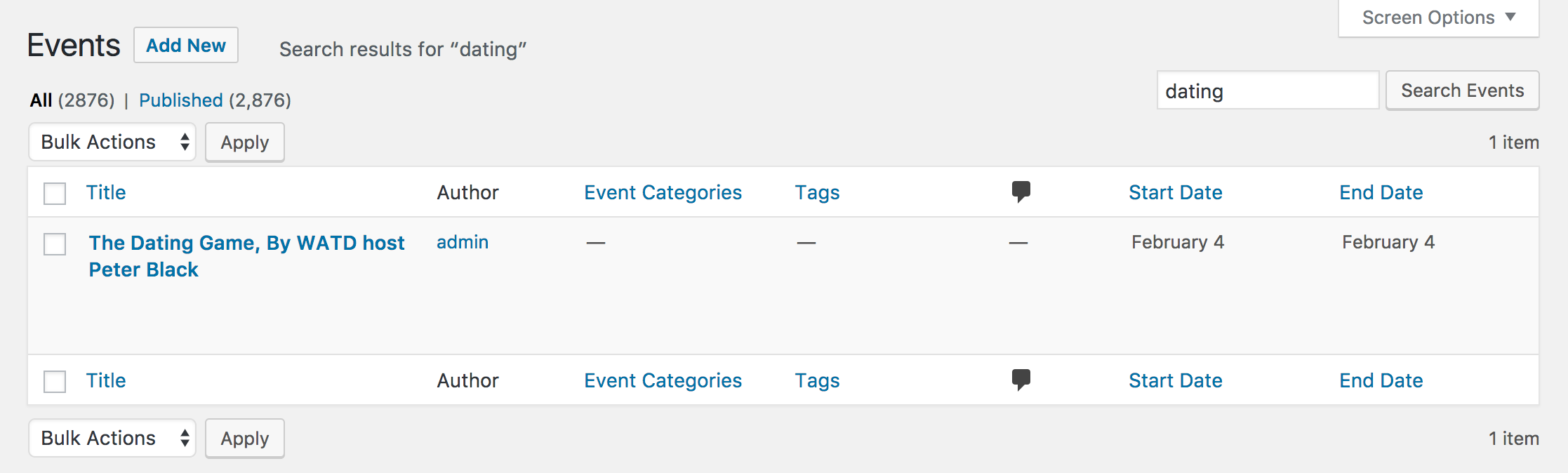
I’ll include this forum thread to the bug report which helps increase attention on the matter. I don’t have a precise date when a fix will be available, but I’ll mark this thread as ‘Pending Fix’. Please stay tuned to our Release Notes and the plugin changelogs for more information. Thanks again and let me know if you’ve got any additional questions or comments. Cheers!
February 4, 2017 at 12:38 pm in reply to: State shows as a regional code after update for Event List Widget #1229556ModeratorHello,
We have a bug report logged when using the Advanced List Widget’s State/Province and Zip fields, a “1” displays on the front end widget. Is this the behavior you’re experiencing? If so, please try the steps provided in this response until we can come up with a fix and include in a maintenance release.
Please keep me updated and have a great rest of your Saturday!
February 4, 2017 at 12:31 pm in reply to: Widget states all show as the number ‘1’ since latest update. #1229551ModeratorHello,
Sorry to see you here under the circumstances. We have a bug logged resembling what you’ve described, so I’ve added this forum thread to the ticket which helps expedite the process of getting a fix included in an upcoming release. I don’t have a precise date when it will be available, but please stay tuned to our Release Notes and the plugin changelogs for more information.
Until we can address the faulty code, you can copy this file:
wp-content/plugins/events-calendar-pro/src/views/pro/widgets/modules/single-event.php
to
wp-content\themes\{your-theme}\tribe-events\pro\widgets\modules\single-event.php
Open it for editing and add these two lines in the beginning and save your changes:
$zip = tribe_get_zip();
$region = tribe_get_region();Thanks again and let me know if you’ve got any additional questions or comments. Cheers!
ModeratorHi Bruce,
I created a test event with a ticket including two attendee fields (First and Last Name) and the attendee info is displaying for me:
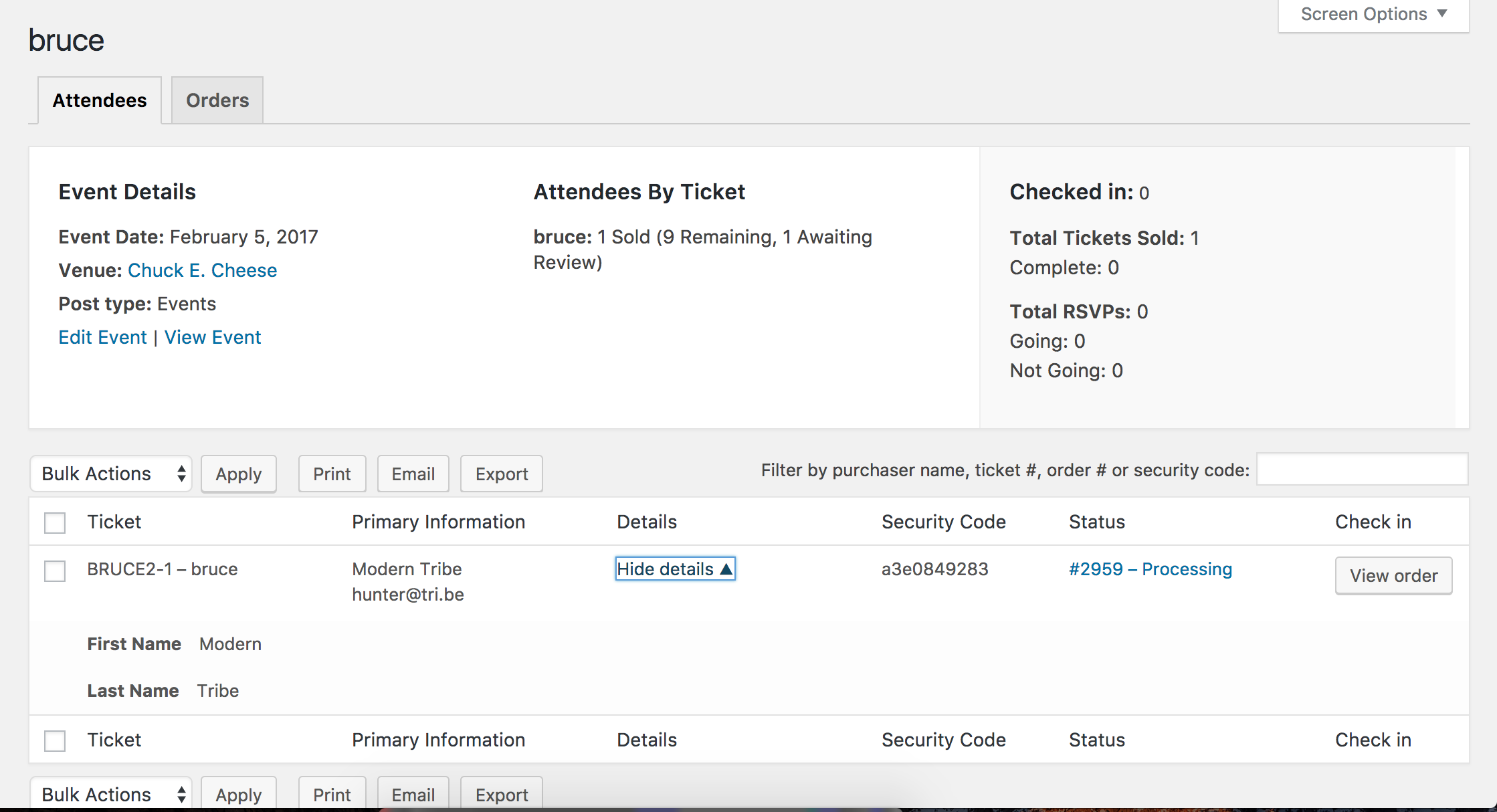
I see you checked ‘Yes’ to reverting back to the default WordPress theme and deactivating all plugins other than ours as instructed in the Testing for conflicts guide, but can you please confirm this?
I also notice in your System Information you have The Events Calendar Shortcode installed. I wanted to make sure you were aware of all the shortcodes included with our plugins:
- PRO Widget Shortcodes
- Embedding Calendar Views with the [tribe_events] Shortcode
- Inserting Calendar Content into Posts or Pages
- Embedding Single Events with the [tribe_event_inline] Shortcode
Do you mind testing the issue again, but please make sure WP_DEBUG and WP_DEBUG_LOG are enabled on your site’s wp-config.php file. Any errors will display at the top of your page as you try to reproduce the conflict. I also recommend right-clicking your mouse and opening the ‘Inspect’ tool to see if any errors display in the console. Note what you find and please include it in your reply.
Thank you and have a pleasant Saturday afternoon 🙂
ModeratorHello 🙂
My apologies for the delayed response! I must’ve assigned this thread to myself and unfortunately missed it. Thank you for taking the time to lay out the behavior you’re experiencing. I see in your System Information you have outdated versions of our plugins.
Can you update to the most recent versions, then confirm the issue persists when reverting back to the default WP theme and deactivating all plugins other than ours? Please review our Testing for conflicts guide and reply back with what you learn.
Please make sure WP_DEBUG and WP_DEBUG_LOG are enabled on your site’s wp-config.php file. Any errors will display at the top of your page as you try to reproduce the conflict. I also recommend right-clicking your mouse and opening the ‘Inspect’ tool to see if any errors display in the console. Note what you find and please include it in your reply.
Thanks and have a pleasant weekend ahead!
February 3, 2017 at 2:29 pm in reply to: Can't search and select existing event locations/venue in EC Pro 4.4.0.1 #1229204ModeratorThank you for letting me know you’ve got things figured out and also for sharing your error report. Feel free to create a new thread if you have any more questions or comments and have a pleasant evening. Cheers!
-
AuthorPosts