
Home › Forums › Ticket Products › Event Tickets Plus › Attendee Info Missing
- This topic has 4 replies, 3 voices, and was last updated 9 years, 8 months ago by
Hunter.
-
AuthorPosts
-
February 2, 2017 at 1:54 pm #1228542
bruce williams
ParticipantI’d just like to raise my hand and say I am experiencing a similar issue to this. Attendee meta data does not display in the WP dashboard but I can export it to CSV ==> this means the meta data exists, at least for ticket purchases prior to updating to the current versions of The Events Calendar, Events Calendar Pro, Event Tickets and Event Tickets Plus.
I am not on GoDaddy (on SiteGround). and am running PHP 5.6. Happy to provide more details if needed. Hope this can be fixed quickly…
========================
PLEASE LEAVE FOR SUPPORT
Reporting the same issue as: https://theeventscalendar.com/support/forums/topic/no-attendee-info-wp-v4-7-1/========================
PLEASE LEAVE FOR SUPPORT
Reporting the same issue as: https://theeventscalendar.com/support/forums/topic/no-attendee-info-wp-v4-7-1/February 4, 2017 at 12:27 pm #1229550ModeratorHi Bruce,
I created a test event with a ticket including two attendee fields (First and Last Name) and the attendee info is displaying for me:
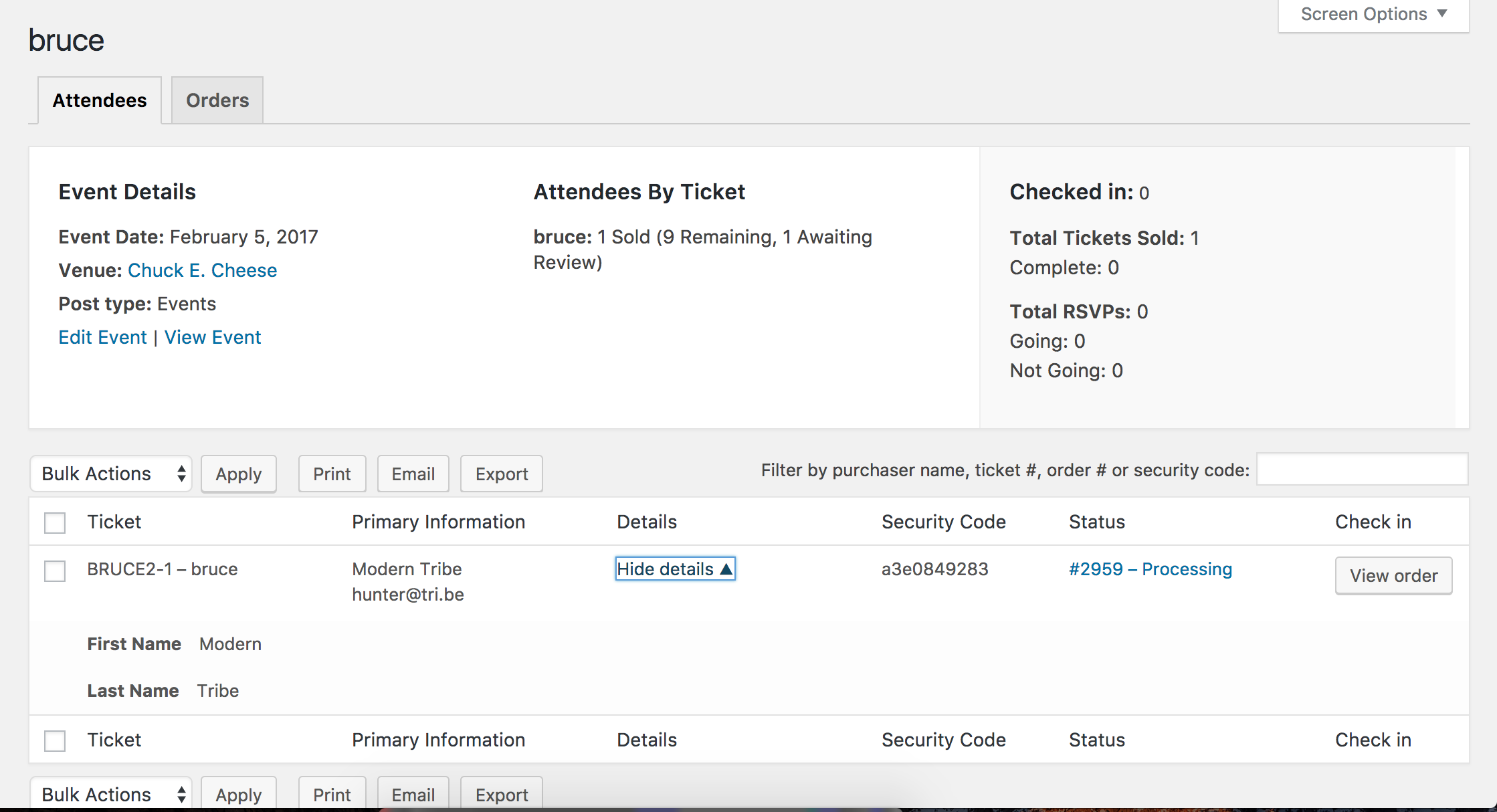
I see you checked ‘Yes’ to reverting back to the default WordPress theme and deactivating all plugins other than ours as instructed in the Testing for conflicts guide, but can you please confirm this?
I also notice in your System Information you have The Events Calendar Shortcode installed. I wanted to make sure you were aware of all the shortcodes included with our plugins:
- PRO Widget Shortcodes
- Embedding Calendar Views with the [tribe_events] Shortcode
- Inserting Calendar Content into Posts or Pages
- Embedding Single Events with the [tribe_event_inline] Shortcode
Do you mind testing the issue again, but please make sure WP_DEBUG and WP_DEBUG_LOG are enabled on your site’s wp-config.php file. Any errors will display at the top of your page as you try to reproduce the conflict. I also recommend right-clicking your mouse and opening the ‘Inspect’ tool to see if any errors display in the console. Note what you find and please include it in your reply.
Thank you and have a pleasant Saturday afternoon 🙂
February 4, 2017 at 1:08 pm #1229566ParticipantThat’s odd. It appears to be working now. I’m guessing this is due to some server-side caching that SiteGround is using. I have all their proprietary caching turned off, but perhaps they have additional caching that can’t be disabled by the customer.
Weird…
February 5, 2017 at 1:19 pm #1229732ModeratorStrange indeed! Thank you for letting me know the issue has been resolved and please feel free to create a new thread if you have any more questions or comments. Take care!
-
AuthorPosts
- The topic ‘Attendee Info Missing’ is closed to new replies.