

Forum Replies Created
-
AuthorPosts
-
Hunter
ModeratorWelcome back,
Thank you so much for confirming you reviewed the Testing for conflicts guide prior to creating the thread. You’d be surprised at how often we have to ask users to do so before we’re able to help provide support, so thank you again!
After a quick check, it looks like I’m also getting duplicate events from your feed. Based on all the evidence, I’m confident you are experiencing the behaviors of a known bug, so I’ll include this forum thread to the report.
It’s marked as Priority Level 2 and should be included in the next maintenance release. I don’t know when this will be, but please stay tuned to our Release Notes and the plugin changelogs for more information. Thanks again and let me know if you’ve got any additional questions or comments. Cheers!
ModeratorHey Chelsea,
I checked the status of the bug report related to your particular and it’s still ‘Open’ – meaning it has not been addressed. I apologize you’re still waiting for a fix! We typically update threads with the news their issue(s) have been addressed, so hold tight while we work on the faulty code.
Thanks again for your continued patience and let me know if you’ve got any more questions in the mean time. Have a great weekend!
ModeratorThat is great news! I’m happy to hear the video helped – and what you’ve learned can be applied to virtually your entire site, not just our plugins 🙂
Thank you for letting me know the issue has been resolved and please feel free to create a new thread if you have any more questions or comments. Take care!
ModeratorWhen users have custom templates they are responsible for updating them to match changes made in new releases – of course, we try to minimize disruption as far as possible. Also, we try to clue them in to things they should look for by providing useful data in Events > Help > Recent Template Changes. If you navigate there, you should see a list of recently updated templates (which changes each release).
It’s also best you review our Release Notes and the plugin changelogs when updates are available.
Thank you for sharing your solution with us and have a great rest of your day!
ModeratorHopefully it’s sooner rather than later! I unfortunately cannot provide any updated details on when a fix should be available, but as previously mentioned please stay tuned to our Release Notes and the plugin changelogs for more information. Thanks again and let me know if you’ve got any additional questions or comments. Cheers!
ModeratorHey Lance,
Thank you for the update and your patience while I investigated the matter. Luckily, we’ve already started work on this issue, so as previously mentioned please stay tuned to our Release Notes and the plugin changelogs for more information. Thanks again and let me know if you’ve got any additional questions or comments. Cheers!
February 10, 2017 at 11:53 am in reply to: Filterbar : Distance filter not selectable also the default status #1233027ModeratorMy pleasure! I’ll close this thread out but feel free to create a new one if you have any more questions or concerns. Enjoy the rest of your day!
ModeratorWelcome back 🙂
Nothing was actually fixed rather the code has changed, so any customizations you have built around the previous code might need updating. As you can see on my test site, the button styles don’t reflect what you’ve described:
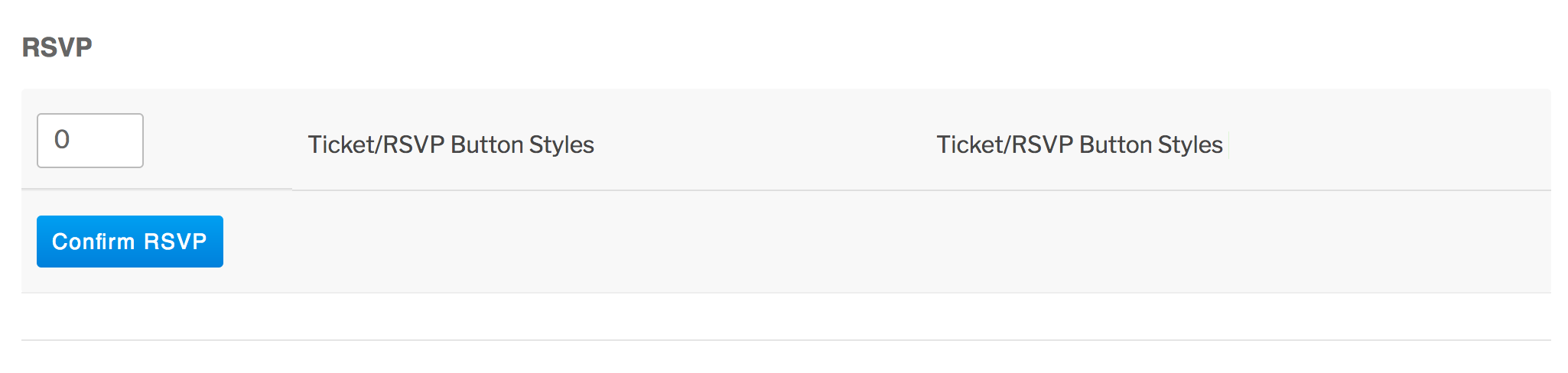
When users have custom templates, they are responsible for updating them to match changes made in new releases – of course, we try to minimize disruption as far as possible. Also, we try to clue them in to things they should look for by providing useful data in Events > Help > Recent Template Changes. If you navigate there, you should see a list of recently updated templates (which changes each release).
Please let me know if this makes sense and good luck with the CSS customizations updates. Cheers!
ModeratorHey Sarah,
Welcome and sorry to see you’re experiencing troubles. I went ahead and attempted to reproduce the behavior and can confirm events are not displaying when switching from Month to List view on a page using the [tribe_events] shortcode and included multiple categories. However, when I tried only one category I did not experience the same behavior. For example:
[tribe_events category=”beerfests” date=”2017-03″ view=”month”]
I’ve filed a report aimed to enable multiple categories when using the shortcode and added this forum thread to the ticket which helps expedite the process of getting a fix included in an upcoming release. I don’t have a precise date when it will be available, but please stay tuned to our Release Notes and the plugin changelogs for more information. Thanks again and let me know if you’ve got any additional questions or comments. Cheers!
Let me know if you’re still experiencing the issue and we’ll continue investigating. Cheers!
ModeratorHello,
Sorry to see you’re having troubles exporting events. We are unfortunately unable to provide technical support in the Pre-Sales Questions channel, so please create a thread either in the WordPress.org support forums or our premium plugin forums if you have a license for a premium product.
Sorry again I can’t do more at the moment and have a great rest of your day!
ModeratorHello,
We recently applied changes to the code relative to what you’re describing, so you might need to use some custom CSS to adjust the button styles to your liking. Please review this short Customizing WordPress #2 – Using Chrome Developers Tools YouTube video. We also wrote a helpful tutorial on the matter.
A few other helpful resources include:
https://theeventscalendar.com/knowledgebase/stylesheets-and-page-templates/
https://theeventscalendar.com/knowledgebase/wp-admin-settings-overview/Let me know how things work out and have a pleasant rest of your day. Cheers!
February 9, 2017 at 7:52 pm in reply to: Featured Events deletes all but the first of an existing recurring event #1232617ModeratorHey Jack 🙂
Welcome back! I set up a recurring event, then marked it as a “Featured Event” but all the events remain intact. Can you confirm they’re actually being “erased”? Visit the list of events on the backend of your site and search for one of the events you marked featured. Are they all there? If so, can you try visiting Events > Settings > General and uncheck the ‘Recurring event instances‘ setting, then check to see if the events are displaying on the front end of your site?

If they are not there, try marking another event as featured, but before doing so review our Testing for conflicts guide to see if there is a potential theme and/or plugin conflict which is causing the deletion of events.
Please let me know what you find and have a great rest of your day. Cheers!
February 9, 2017 at 7:36 pm in reply to: Google Calendar Import on single event – one hour difference #1232613ModeratorHi and welcome,
Sorry to see you’re having troubles and thank you for providing the link to the issue you believe to be related. I can confirm the behavior you’re experiencing. I attempted to export an event on my test site and it looks like the timezone is off by an hour. My site timezone setting (WP Admin > Settings > General > Timezone) is set to UTC-7 and when attempting to export an event to my Google Calendar, I get (GMT-08:00) Pacific Time, however when I set my timezone to the city I reside in, the timezone is accurate when exporting it to Google Calendar.
Can you visit WordPress Admin Settings > General > Timezone and select the city closest to you sharing the same timezone, then see if you’re able to reproduce the behavior? Let me know how it goes and have a great evening. Cheers!
February 9, 2017 at 7:17 pm in reply to: Filterbar : Distance filter not selectable also the default status #1232599ModeratorHi Stefan 🙂
Thank you for your purchase! Have you visited Events > Settings > Filters and set the options to your liking? If not, please review our Configuring Filter Bar tutorial and if you’re still having issues, review our Testing for conflicts guide so we can rule out the potential for a theme and/or plugin conflict.
You’ll also need to make sure you have your Google Maps API key set up. Lastly, the distance filter appears only once you enter something into the ‘Near’ field on the Tribe Search Bar and hit the “Find Events” button.

Please let me know you’re still having troubles and we’ll continue investigating. Thanks and take care!
February 9, 2017 at 7:03 pm in reply to: Events calendar Order Actions has no ticket selection #1232591ModeratorHi and welcome 🙂
Can you please visit Events > Settings > Tickets > WooCommerce Support and try different options there, then attempt to reproduce the issue you’re having and let me know the results? The order might not be the correct status when you are attempting to send the ticket.
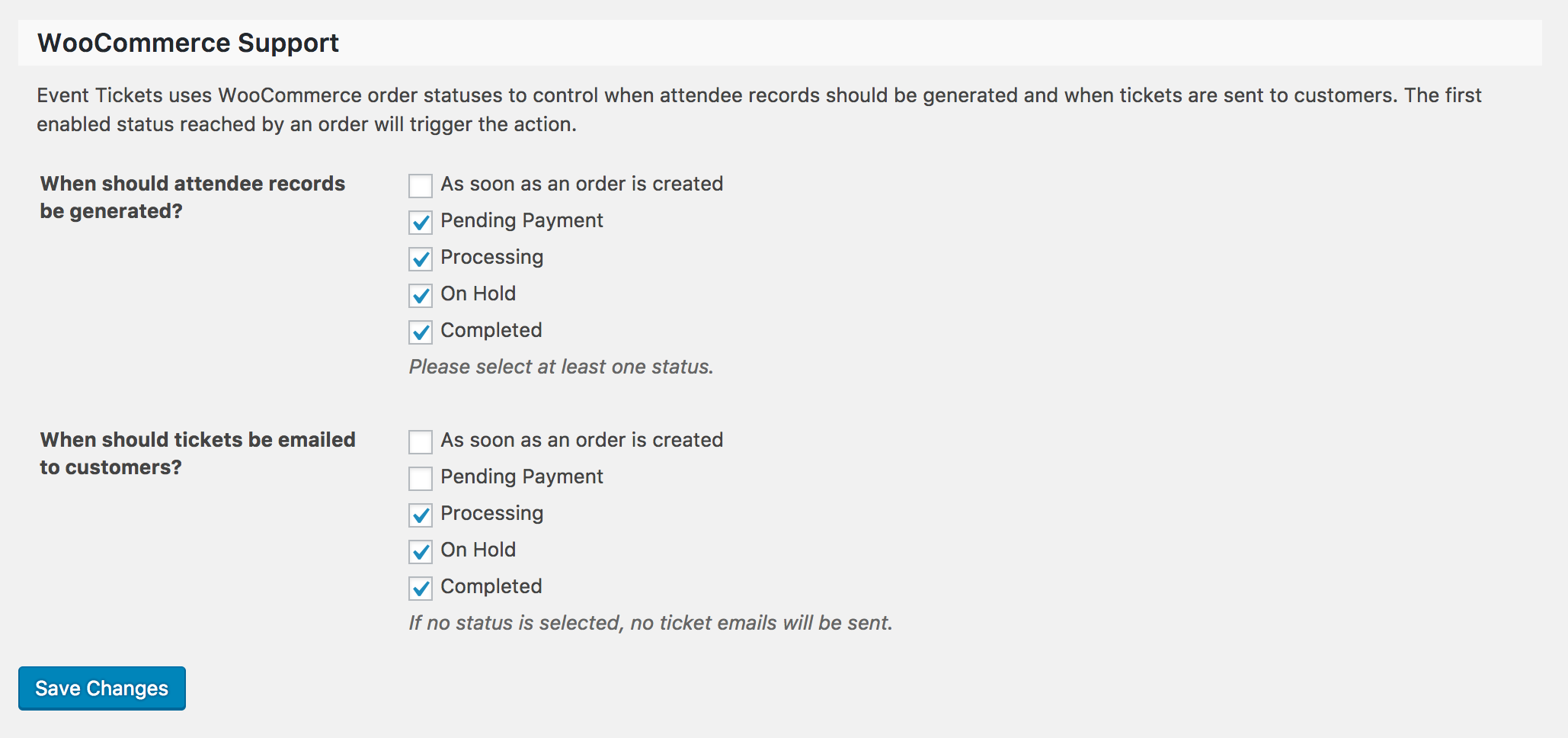
It’s also recommended you update our plugins to the latest versions, review the Testing for conflicts guide to see if any theme and/or plugins are causing the conflict and again let me know the results.
Thank you and have a pleasant rest of your day. Cheers!
-
AuthorPosts
