Events calendar Order Actions has no ticket selection

Home Forums Calendar Products Events Calendar PRO Events calendar Order Actions has no ticket selection

Viewing 3 posts - 1 through 3 (of 3 total)
  • Author
    Posts
  • #1231540
    Conrad
    Participant

    Morning,

    All my orders are working fine, I manually send out the tickets via edit order page using the pull down.
    WP –> WooCommerce –> Orders –> (Actions View) –> Order Actions –> Send Tickets.
    Then click complete and save order, mainly because I get a lot of bank deposits.

    However I have an order via Paypal, that come in and there is NO Send Ticket pull down.

    Yes its for the right SKU for the event. The order doesn’t even show up in the Event orders or attendees.
    Is there a way to fix this without refund, ie manually add it to the attendees and send tickets out or do I have to cancel.

    #1232591
    Hunter
    Moderator

    Hi and welcome 🙂

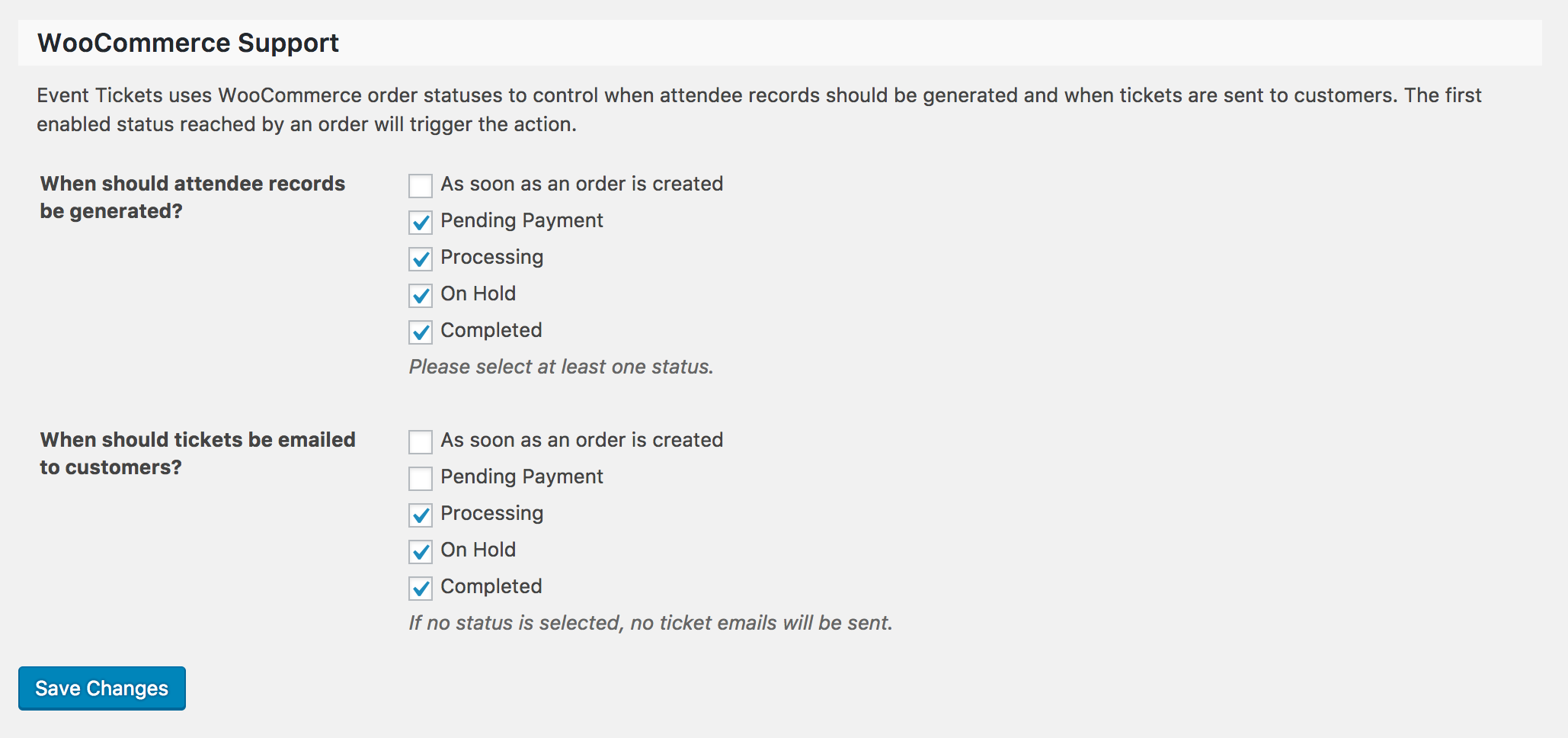
    Can you please visit Events > Settings > Tickets > WooCommerce Support and try different options there, then attempt to reproduce the issue you’re having and let me know the results? The order might not be the correct status when you are attempting to send the ticket.

    It’s also recommended you update our plugins to the latest versions, review the Testing for conflicts guide to see if any theme and/or plugins are causing the conflict and again let me know the results.

    Thank you and have a pleasant rest of your day. Cheers!

    #1249105
    Support Droid
    Keymaster

    Hey there! This thread has been pretty quiet for the last three weeks, so we’re going to go ahead and close it to avoid confusion with other topics. If you’re still looking for help with this, please do open a new thread, reference this one and we’d be more than happy to continue the conversation over there.

    Thanks so much!
    The Events Calendar Support Team

Viewing 3 posts - 1 through 3 (of 3 total)
  • The topic ‘Events calendar Order Actions has no ticket selection’ is closed to new replies.