
Home › Forums › Ticket Products › Event Tickets Plus › RSVP Confirmation button can't be seen
- This topic has 6 replies, 4 voices, and was last updated 9 years, 7 months ago by
Yvette Montague.
-
AuthorPosts
-
February 8, 2017 at 2:39 pm #1231709
Yvette Montague
ParticipantThe RSVP confirmation button is showing, but it’s really hard to see it (white text against light grey background). Is it possible to change the font color for the confirmation text/button to black or something more visible?
========================
PLEASE LEAVE FOR SUPPORT
Reporting the same issue as: https://theeventscalendar.com/support/forums/topic/confirm-rsvp-button-does-not-show-up/February 9, 2017 at 7:54 pm #1232619Hunter
ModeratorHello,
We recently applied changes to the code relative to what you’re describing, so you might need to use some custom CSS to adjust the button styles to your liking. Please review this short Customizing WordPress #2 – Using Chrome Developers Tools YouTube video. We also wrote a helpful tutorial on the matter.
A few other helpful resources include:
https://theeventscalendar.com/knowledgebase/stylesheets-and-page-templates/
https://theeventscalendar.com/knowledgebase/wp-admin-settings-overview/Let me know how things work out and have a pleasant rest of your day. Cheers!
February 10, 2017 at 6:47 am #1232774ParticipantHi Hunter,
You said you’ve recently applied code to fix – I’m on version 4.4.2 of
Events Tickets Plus and Events Calendar, and version what version has the
fix? It still displays as white on light grey even with the Tribe Events
Styles style sheet and the Default Tribe Events template.Also, there’s no link to the youtube video referenced.
Yvette Montague
Chief Executive Officer
MModern Marketing
(888) 278-1357 ext. 101
Website | Twitter
| Facebook
| Google+*This communication is directed in confidence solely to the person(s)
listed above, and may not otherwise be distributed, copied or disclosed. If
you have received this email in error, please notify us immediately by
telephone or by return e-mail and delete this communication and any copy
immediately. Thank you for your cooperation and assistance. *February 10, 2017 at 6:57 am #1232780ParticipantAh – I see the link on this post. It’s just not in the email. I will watch.
February 10, 2017 at 11:48 am #1233021ModeratorWelcome back 🙂
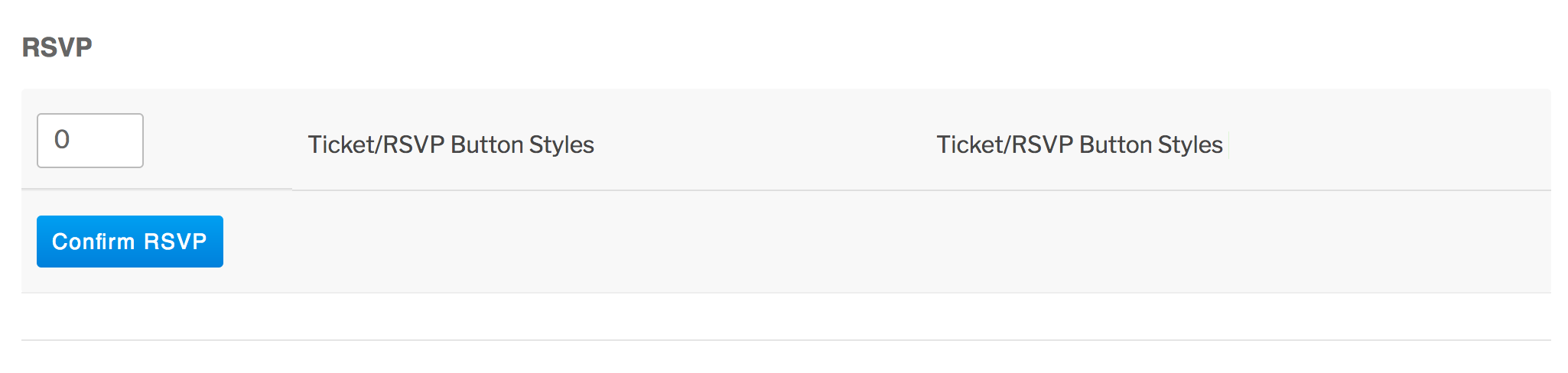
Nothing was actually fixed rather the code has changed, so any customizations you have built around the previous code might need updating. As you can see on my test site, the button styles don’t reflect what you’ve described:
When users have custom templates, they are responsible for updating them to match changes made in new releases – of course, we try to minimize disruption as far as possible. Also, we try to clue them in to things they should look for by providing useful data in Events > Help > Recent Template Changes. If you navigate there, you should see a list of recently updated templates (which changes each release).
Please let me know if this makes sense and good luck with the CSS customizations updates. Cheers!
March 4, 2017 at 8:35 am #1249459Support Droid
KeymasterHey there! This thread has been pretty quiet for the last three weeks, so we’re going to go ahead and close it to avoid confusion with other topics. If you’re still looking for help with this, please do open a new thread, reference this one and we’d be more than happy to continue the conversation over there.
Thanks so much!
The Events Calendar Support Team -
AuthorPosts
- The topic ‘RSVP Confirmation button can't be seen’ is closed to new replies.