

Forum Replies Created
-
AuthorPosts
-
Hunter
ModeratorHey John,
We do have a logged bug on the matter and as aforementioned, that is the only fix I know of at this time. If your developer is unable to resolve the matter until we can include a remedy in an upcoming maintenance release, there are unfortunately only a few routes I can offer: we can either do a full refund by visiting our Refunds page or as previously linked to, we have a list of customizers that can help out.
Believe me when I say that I do not like giving the link to our Refunds page. Thank you for your understanding on the situation and let me know how you would like to proceed. Cheers!
August 10, 2016 at 11:34 am in reply to: Recurring events showing on calendar 1 day after end #1150129ModeratorWelcome back,
Glad to hear the first issue has been addressed. I set up a test event with the exact recurrence rules provided by you, but everything went as expected. Unfortunately, I’m not sure where the breakdown is occurring for you.
Visit our ‘Moving your license keys‘ article to learn more on keeping your dev and live environment synced. Let me know if you’ve got any more questions and have a good day.
Cheers!
ModeratorWelcome back,
Sorry to hear it’s not going to work out for you :-/
If you visit our Refunds page, we’d be more than happy to process that for you. Another option before you go that route would be to look at our list of customizers and see if anybody is up for the challenge!
Thank you for your patience on the matter and have a great rest of your day. Cheers!
ModeratorHey Richard,
Welcome back and thank you for reaching out. Would you please review our Testing for conflicts guide to see if the issue still occurs? Let me know what you discover and please include your System Information as a private reply.
Thanks again and have a great evening.
Cheers!ModeratorHello and welcome back,
Sounds like a cool idea! We’re pretty limited on how much support we can provide in these instances (see Forum Rules) – but you could disable the ajax by adding this snippet to the bottom of your theme’s functions.php file.
Let me know if this helps and if you need further assistance, you’ll probably need to hire a developer to get the customizations you need. We’ve got a list of customizers who might be up for the task.
Thank you for understanding our position on the matter and best of luck with the app.
Cheers!ModeratorHello Arwyn,
Welcome back! When editing an event, if you scroll down far enough, the Eventbrite section should appear. (see screenshot below)
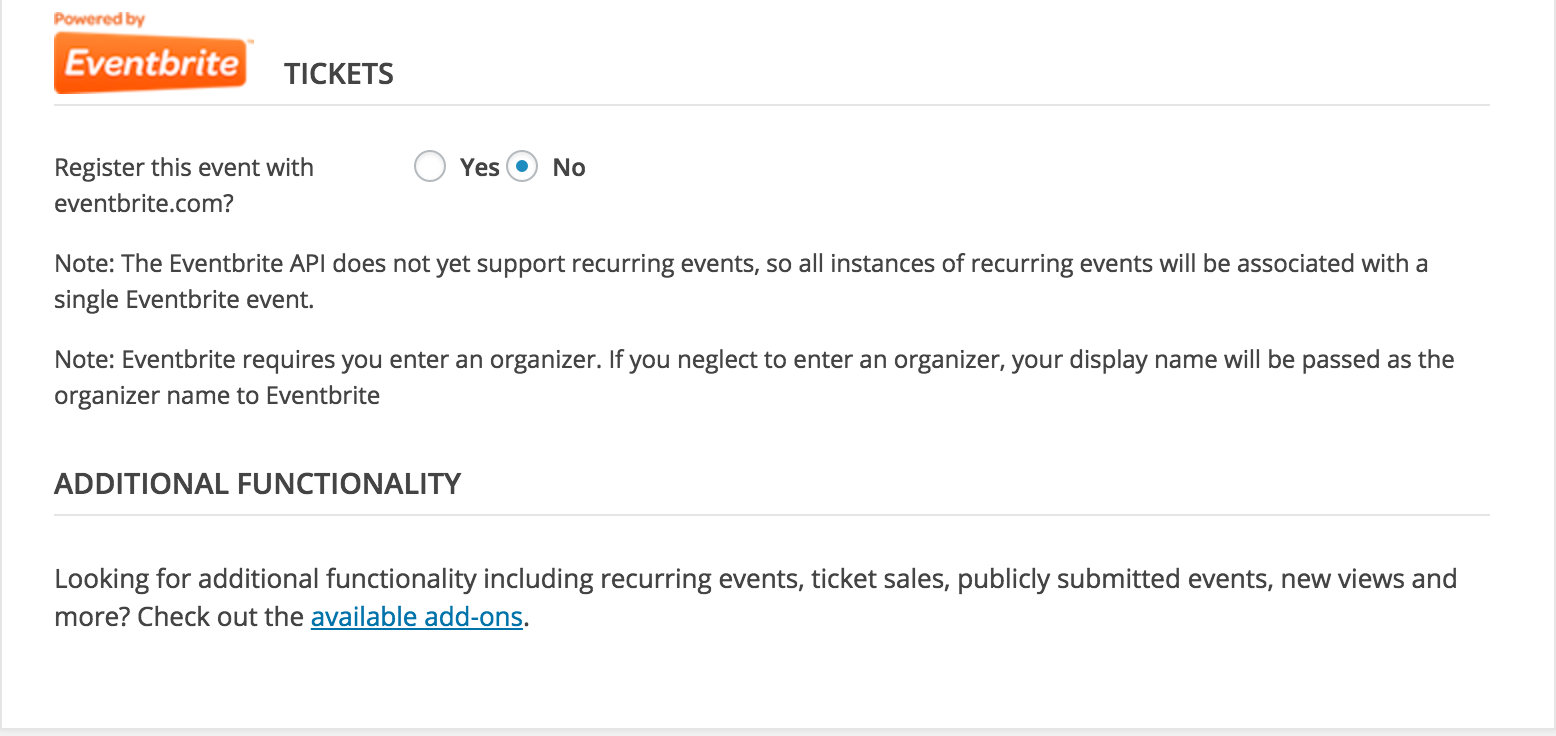
Are you seeing this same thing when you edit an existing event? It sounds like you’ve read through our ‘New User Primer: Eventbrite Tickets‘ – but if not, I recommend doing so. Our ‘Creating tickets and publishing to Eventbrite.com‘ KB article might be what you need more specifically.
Let me know what you find out and if you run into any conflicts, please double-check to see if they still occur after reviewing our Testing for conflicts guide. Thanks again and have a good evening.
Cheers!
ModeratorHi and welcome back,
Sorry to hear the search plugin isn’t picking up your events. We are limited on what we’re able to support per Forum Rules, but the taxonomy used for event categories is ‘tribe_events_cat‘.
Example:
'is_tax( 'tribe_events_cat', 'concerts' );'I hope this helps and best of luck getting the plugins to play nicely. Thanks for reaching out and have a great evening. Cheers!
ModeratorHi Lorette,
Welcome back and thank you for reaching out. Our ‘PRO Additional Fields‘ should accomplish what you’ve described. If you wouldn’t mind, review that article and let me know if you think it’ll achieve what you need. If not, reply back with more detail and we’ll see if there are other options available.
Thanks again and have a good evening.
Cheers!ModeratorHey Werner,
Thank you for posting and welcome back. Would you mind reviewing our Testing for conflicts guide to see if you’re dealing with a theme and/or plugin conflict? Let me know your findings and we’ll continue troubleshooting from there.
Thanks again and have a good evening.
Cheers!ModeratorHey Neil,
As my fellow support team member George mentions on this thread, these types of support requests will need to be handled by you. He also provides more information on the matter and a few ways to go about accomplishing the task.
I wish we had that feature built-in as I can see the validity behind it! With that said, check out our UserVoice Feature Ideas and submit it as an idea.
Sorry I don’t have an easier solution for you at this time and best of luck with the customizations. Cheers!
ModeratorI unfortunately don’t have a solid timeframe for you :-/
We recognize the seriousness of the problem and will prioritize accordingly. If you’re unable to resolve the bug yourself, we’ve got a list of customizers that can help out. If worst comes to worst, we offer Refunds within a 30-day period from the date of your purchase.
I really do apologize you’re having to deal with this bug. Also, thank you for clarifying the questionable post. Thank you for understanding and let me know your thoughts on the matter. Cheers!
August 9, 2016 at 12:00 pm in reply to: Modify Event Time and Date Time and Recurrence Rules #1149621ModeratorHi Jennifer,
Thank you for the feedback. I understand how frustrating it can be working with code as I’m admittedly not very code-savvy myself. Between CSS and template overrides, you should be able to turn our plugin into exactly what you need. We do our best to build what we think our users want/need, but the number of specific features/functionality is endless.
If you’re still unable to get the form to your liking, we’ve got a list of customizers that might be able to help.
Sorry I can’t be of more assistance and good luck getting everything how you envision. Thanks again.
Take care 🙂
ModeratorWelcome back,
I brought the issue to the attention of my fellow support team members, but we’re going to have to pass it along to the developers seeing none of us could come up with a working solution. I don’t have an exact date/time we’ll have the fix included in an upcoming maintenance release.
I’m a little confused on your last reply, so if possible, please provide more information so I can help better understand. Thank you 🙂
August 9, 2016 at 10:42 am in reply to: Recurring events showing on calendar 1 day after end #1149589ModeratorWelcome back,
Thank you for sharing the System Information with me. Before we get too far, let’s clarify which issue we’re working on…
The initial thread was that events are showing past when they’re supposed to end. Can you please let me know if this is still an issue? If so, does the behavior change when you change the ‘End of day cutoff’ setting as mentioned in my previous comment?
In response to the error mentioned in a comment previously made by you; can you please deactivate and delete The Events Calendar plugin and reinstall it manually? It’s always recommended to backup your database prior to doing this, though it shouldn’t delete any info from your database. Those errors were associated with a previous issue and have since been resolved.
Let me know the answers of both questions and have a great Tuesday.
Cheers!ModeratorHey Sascha,
Do any errors display at the top of the page(s) you’re experiencing the issues on when you set ‘WP_DEBUG‘ to ‘true‘ on your wp-config.php file? Please have your site reverted back to the default WP theme and deactivate all other plugins when testing and report back with any errors you see. Screenshots are always helpful 🙂
Thanks for the update and take care.
Cheers! -
AuthorPosts