

Forum Replies Created
-
AuthorPosts
-
Hunter
ModeratorHey Jessica,
The message you’re seeing under WooCommerce’s System Status tab says your theme has outdated template files. More info on that can be found here.
It sounds like you have a theme conflict in play which unfortunately we’re unable to support (see What support is provided for license holders?). If the conflict gets beyond your skill set, we have a list of customizers that can help assist.
Sorry I can’t be of more assistance here and good luck with everything. Cheers!
ModeratorHey Karly,
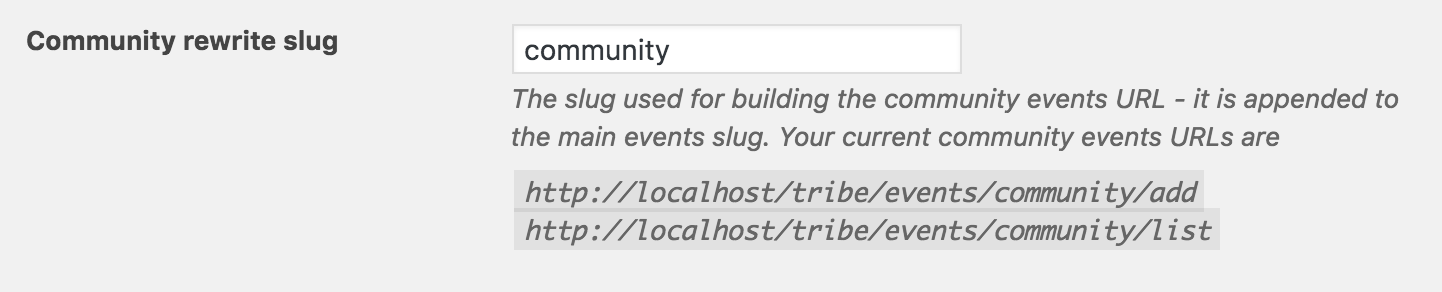
The submit event form slug is whatever you have set under Events > Settings > Community > Community rewrite slug (see screenshot below).
Keep me posted on your progress as others may find this thread useful down the road and have a great day!
ModeratorHey Laura,
Thanks for being so thorough in your response. I’ve tested as instructed in your previous post and here is what I’ve found…
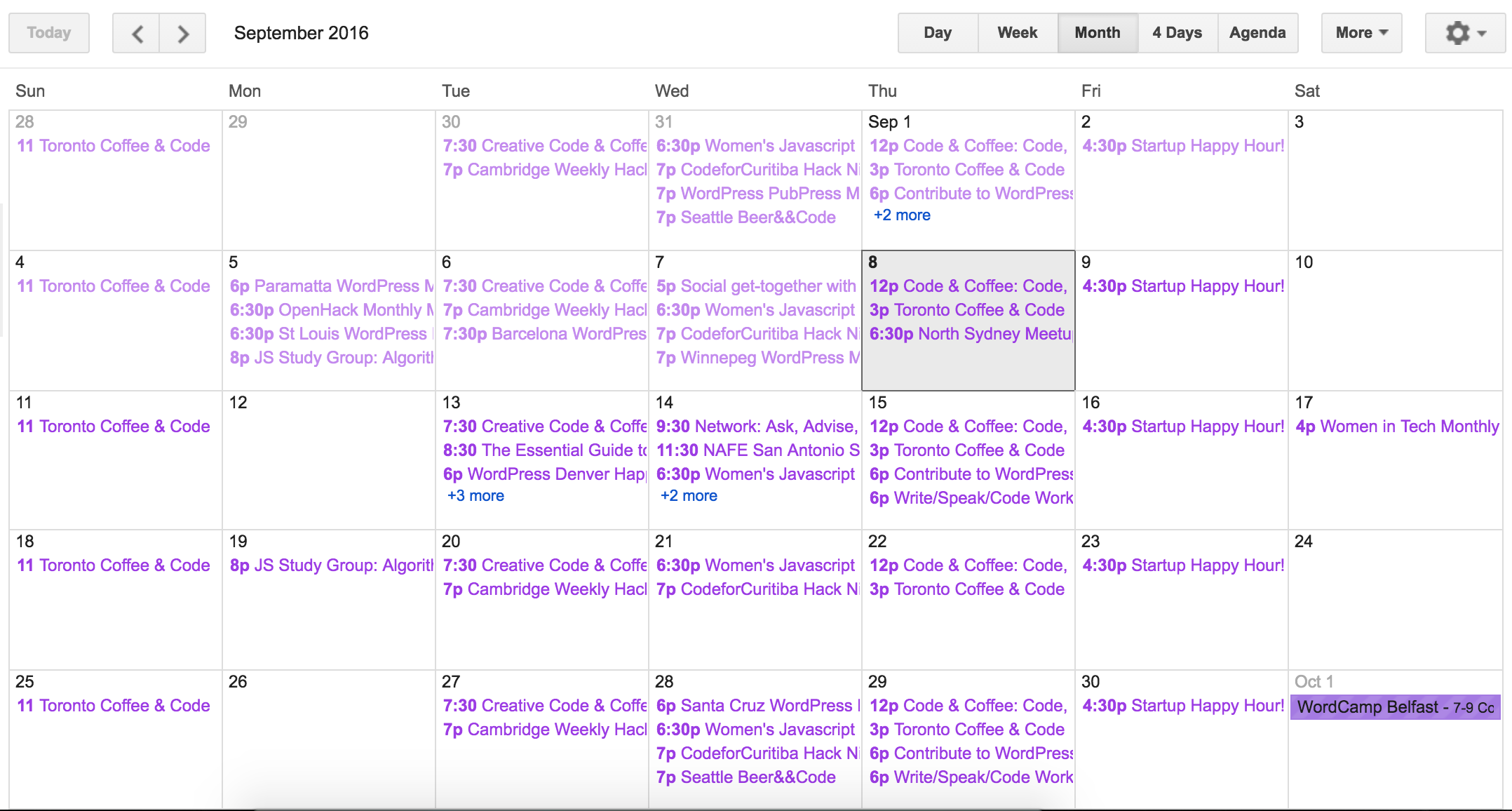
I imported the .ics to Google Calendars and everything imported correctly for me (see screenshot below).
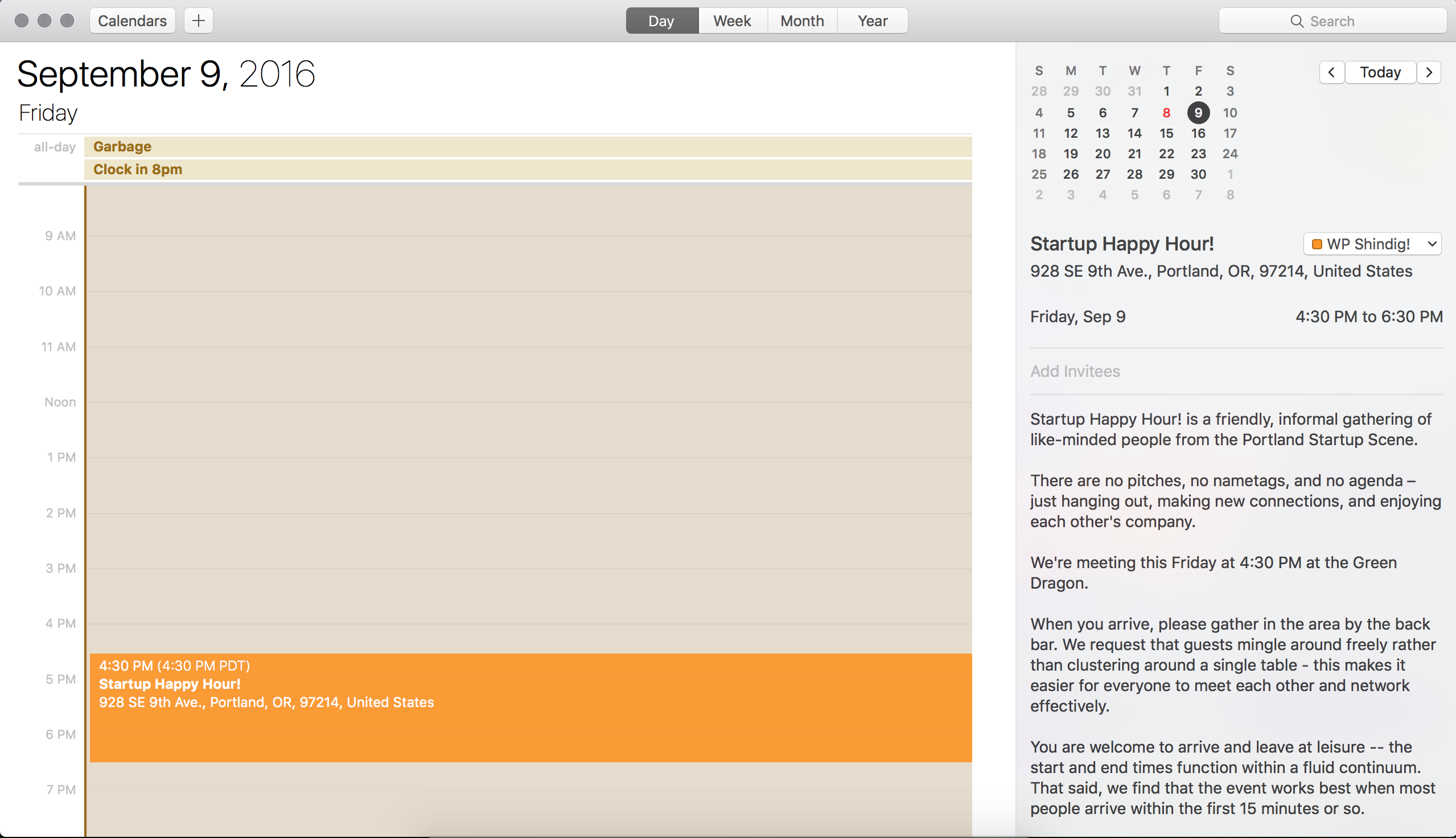
While I don’t have Microsoft Office, I used my Apple Calendar app and the times also imported correctly (see screenshot below)/
What do you currently have your WP timezone settings set you? Send a screenshot if possible. Thanks again and have a good afternoon.
ModeratorHello 🙂
As Cliff mentioned in your initial post, we’ve got a logged bug aimed to address this exact issue in an upcoming maintenance release. Stay tuned to your wp-admin and our release notes for info. Have a wonderful evening and thanks for choosing us for your events calendar needs. Cheers!
ModeratorHi and thanks for reaching out,
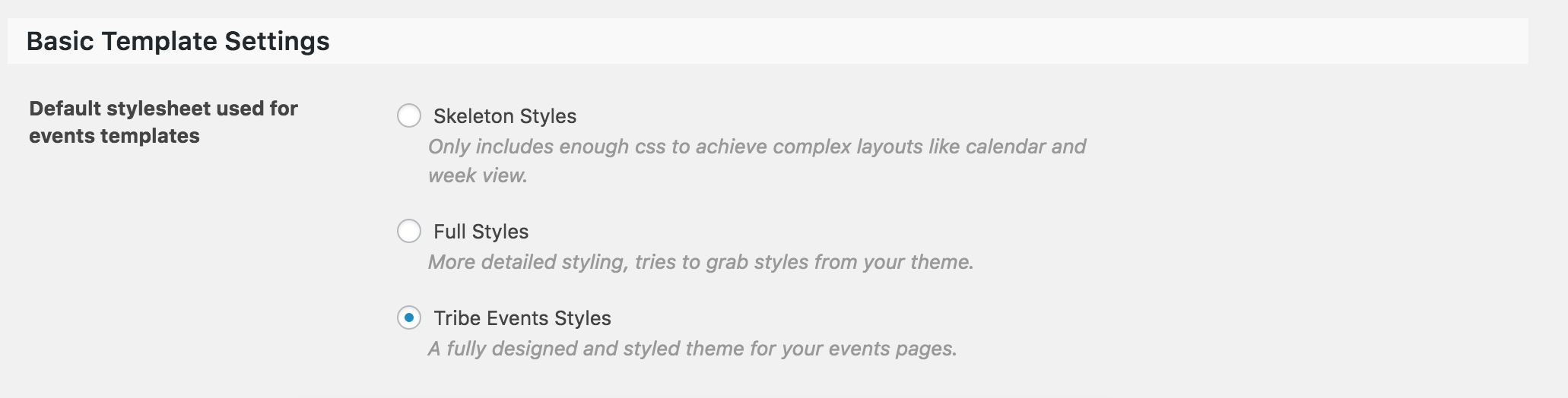
Our plugins do their best to play nicely with custom themes, but sometimes things just don’t work out. The first step I always recommend is to visit Events > Settings > Display (see screenshot below) and try different options there. Refresh your submit event page and see if everything looks good. If that doesn’t work out, our Themer’s Guide is an excellent resource for creating custom templates.
Let me know if either help and good luck. Cheers!
ModeratorHey Florian,
Thank you for reaching out and sorry to hear about the troubles. In these instances, it would be best if you could set up a test environment to see if you can replicate the issue. As always, we ask you refer to our Testing for conflicts guide while running your tests.
Let me know if that’s a possibility and if so, what the results of your testing are. Thanks again and take care. Cheers!
September 7, 2016 at 3:33 pm in reply to: Tickets Available not updating after tickets purchased #1161247ModeratorHey Shane,
Before I test the issue myself, would you please review our Testing for conflicts guide and reply back with your findings?
Thank you and have a wonderful evening. Cheers!
September 7, 2016 at 3:20 pm in reply to: Previous Events button and Past Events button just spin and spin #1161240ModeratorHey Mike,
Welcome back and sorry to hear about the troubles. I’d be happy to help! Our ‘Setting Up Your Google Maps API Key‘ might help in regards to the Google Maps API key issue. Also, does the navigation get hung up when you revert back to the default WP theme and deactivate all plugins other than ours as explained in the Testing for conflicts guide? Let me know how it goes and have an excellent evening. Cheers!
ModeratorHey David,
Welcome to our Pre-Sales Channel and thank you for reaching out! Performance is one of the most discussed topics around here, so I’ll provide you with the resources we’ve provided to help explain how the plugin handles large amounts of events and some measures you can take to ensure your site performance doesn’t suffer.
- https://theeventscalendar.com/the-events-calendar-performance-considerations/
- https://theeventscalendar.com/knowledgebase/caching-basics/
- https://theeventscalendar.com/knowledgebase/problems-with-minification/
- https://theeventscalendar.com/knowledgebase/caching-basics/
Ultimately, site performance is up to the site owner/developer due to the variety of factors that contribute to low page load speeds (hosting, caching, theme/plugins, etc). I do know we’re currently reviewing ways we can improve how our plugin handles large amounts of events, so keep an eye on our release notes.
I hope this helps address your question and please feel free to reply back with any more questions or comments you have. Cheers!
ModeratorHey Andre,
I see you’ve checked ‘Yes’ to reverting back to the default WP theme and deactivating all plugins other than ours as outlined in our Testing for conflicts guide, but can you please confirm this?
Off the top of my head, I’m not really sure why the plugin is behaving this way, but reply back with your findings and we’ll continue from there. Thanks for your patience and have an excellent evening. Cheers!
ModeratorHello and thank you for your patience while many of our team members return back from vacation! Before we troubleshoot much further, can you please confirm you’ve reviewed our Testing for conflicts guide? I did a quick check of the logged bug reports and to see if I was able to reproduce the issue, but am not able to find anything nor reproduce your results.
Thanks again and have a great afternoon.
Cheers!ModeratorHey Jessica,
Thank you for your patience while many of our team members return back from vacation! I’d be happy to help, but can you please confirm you’ve reviewed our Testing for conflicts guide? I did a quick check to see if I was able to reproduce the issue but was unable to do so (see screenshot below).
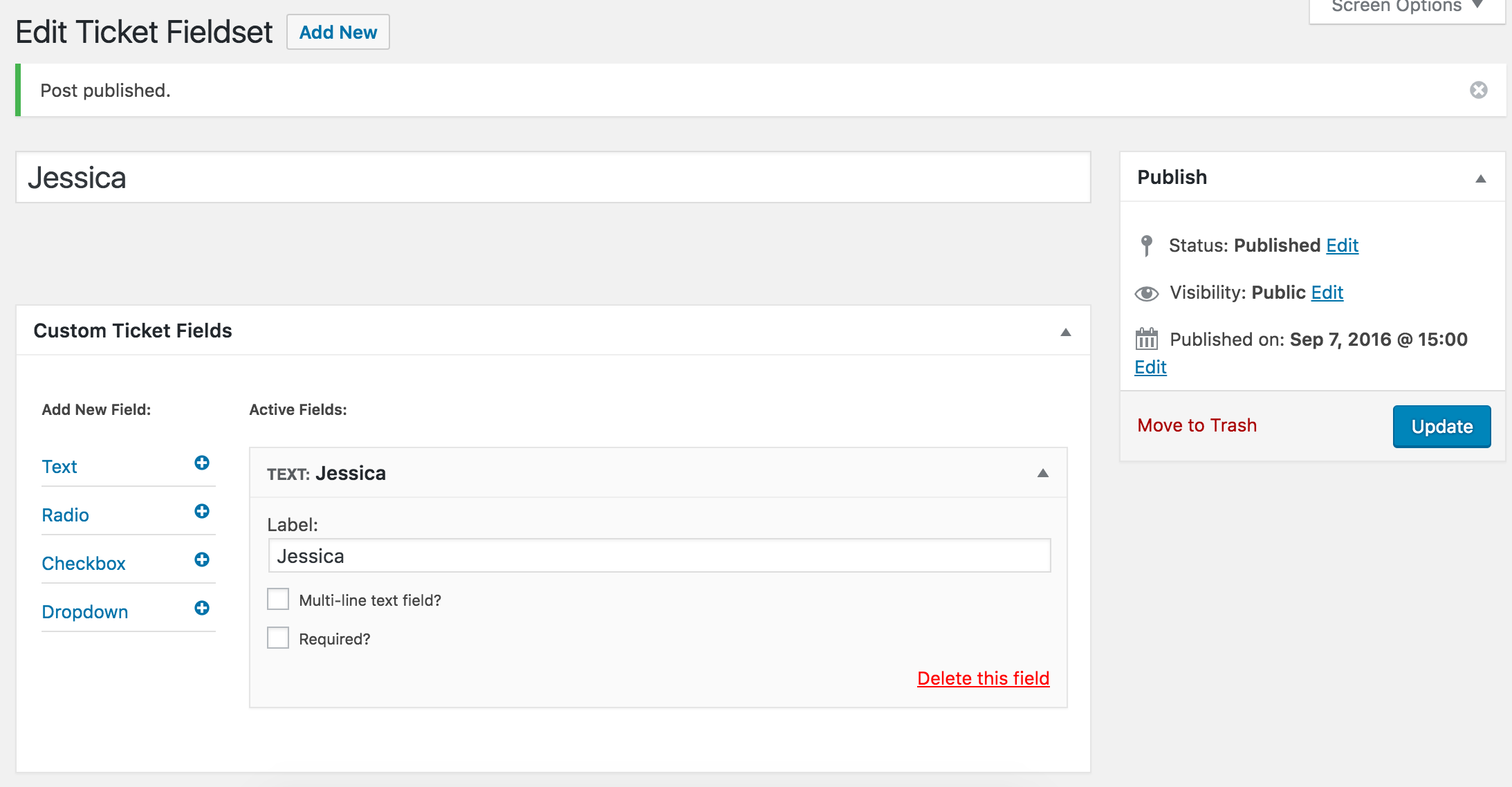
Thanks again and have a wonderful evening. Cheers 🙂
September 7, 2016 at 12:22 pm in reply to: Search will not find events out of current month… #1161138ModeratorHey Riccardo,
Thank you for the input. From my research, the best I’ve found is this answer by my fellow support team member George. While it doesn’t give you the exact solution, it does give you a great place to start.
I really apologize about the customer interaction you experienced based on the current design/functionality our plugin offers regarding search results in ‘Month’ view. As previously mentioned, our UserVoice Feature Ideas is the best place to voice your concerns as our dev team reviews the activity before starting any new feature ideas.
Again, sorry you had to go through that with the customer and good luck getting the ‘Month’ view to behave as you seek until we can get improvements laid out into future releases. Have a great evening and thanks for choosing PRO. Cheers!
ModeratorHey Karly,
While these instances are outside our scope of support, I found a thread on Stack Exchange that could possibly help out. Best of luck and thanks for reaching out. Cheers!
September 7, 2016 at 11:56 am in reply to: Confirmation email to be sent to email ids of 3 event organisers & Minimum Order #1161130ModeratorMy apologies for dismissing your initial questions! Let me do my best to address those for you. I’d also like to thank you for the patience while our team returns from celebrating a holiday.
1. I need the confirmation & order details email BCC to be sent to 3 event organizers. Currently, you do not have this functionality.
While there isn’t a built-in setting that allows for this functionality, we do have a few snippets available that can help get you started in the right direction!
2. Is it possible to make the maximum no. of tickets a user can add to 1 or 2 tickets only? Or will I have to purchase the min/max quantity plugin from WooCommerce. Will the WooCommerce plugin work with your tickets plugin?
Essentially the same answer as #1 – we’ve got snippets that can help limit the amount of tickets available for purchase without the use of an additional plugin.
3. How does the refund mechanism work if we are using WooCommerce?
If you refund a ticket, that ticket will show as ‘Refunded’ in the ‘Attendees’ screen for tickets sold to that event. So it works as if you were refunding a normal product from WooCommerce.
I hope I’ve sufficiently answered your questions and please let me know if there is anything else I can help with. Thanks again and have a great afternoon. Cheers!
-
AuthorPosts