
Home › Forums › Calendar Products › Events Calendar PRO › Wrong time on Google Calendar Import
- This topic has 5 replies, 4 voices, and was last updated 10 years ago by
Laura.
-
AuthorPosts
-
August 31, 2016 at 10:08 am #1158290
Laura
ParticipantWe are having the wrong time for a event import to our clients Google calendar across the board. The calendar with import the correct times to Ical but not google calendar. We made sure our time zones we set up correctly, and they are. Please help. Thanks.
August 31, 2016 at 4:52 pm #1158486Hunter
ModeratorHey Laura,
Welcome to our premium support forums! The first step here is to review our Testing for conflicts guide and reply back with your findings. It would also help if you included the iCal link(s) you’re having troubles with and I’d be happy to try and reproduce the issue. Please include screenshots of your WP and Events Calendar timezone settings.
Rest assured, we will get to the bottom of your issue. Have a great evening and thanks for choosing us for your events calendar & ticketing needs. Cheers 🙂
September 7, 2016 at 12:55 pm #1161155ParticipantHi Hunter,
I have tested for conflicts and found none.
I have found additional bugs related to .ics exports of multiple events this time in Outlook Calendar.
All bugs seem to point to a lack of Timezone information in the .ics download. Google Calendar and Outlook calendar cannot import a series of events at the correct times – they all throw the times off by a few hours – seems they all revert them to UTC-0.
The .ics should include timezone information in the head and it doesn’t. The line that is missing begins with VTIMEZONE
For the purpose of troubleshooting we need a control subject. So let’s ignore my specific site settings – and look at a neutral site: The Demo calendar over on The Event calendar site itself.
Now do a test yourself with the Demo calendar – download this file to get a month’s worth of events http://wpshindig.com/events/?ical=1&tribe_display=month
1. Import the calendar into Google. Step by step: Open Google Calendar, in sidebar select “other calendars” then “import calendar”. Import the .ics file. Do you see the events at the correct time? I don’t. I see times off by 6 hours (I’m in eastern timezone)
2. Import the .ics into Microsoft office. Do you also get an error “content conversion failed”? I do.
Curious to hear if you can recreate the bug. Then we can call it what it is and solve it (:
September 8, 2016 at 11:39 am #1161644ModeratorHey Laura,
Thanks for being so thorough in your response. I’ve tested as instructed in your previous post and here is what I’ve found…
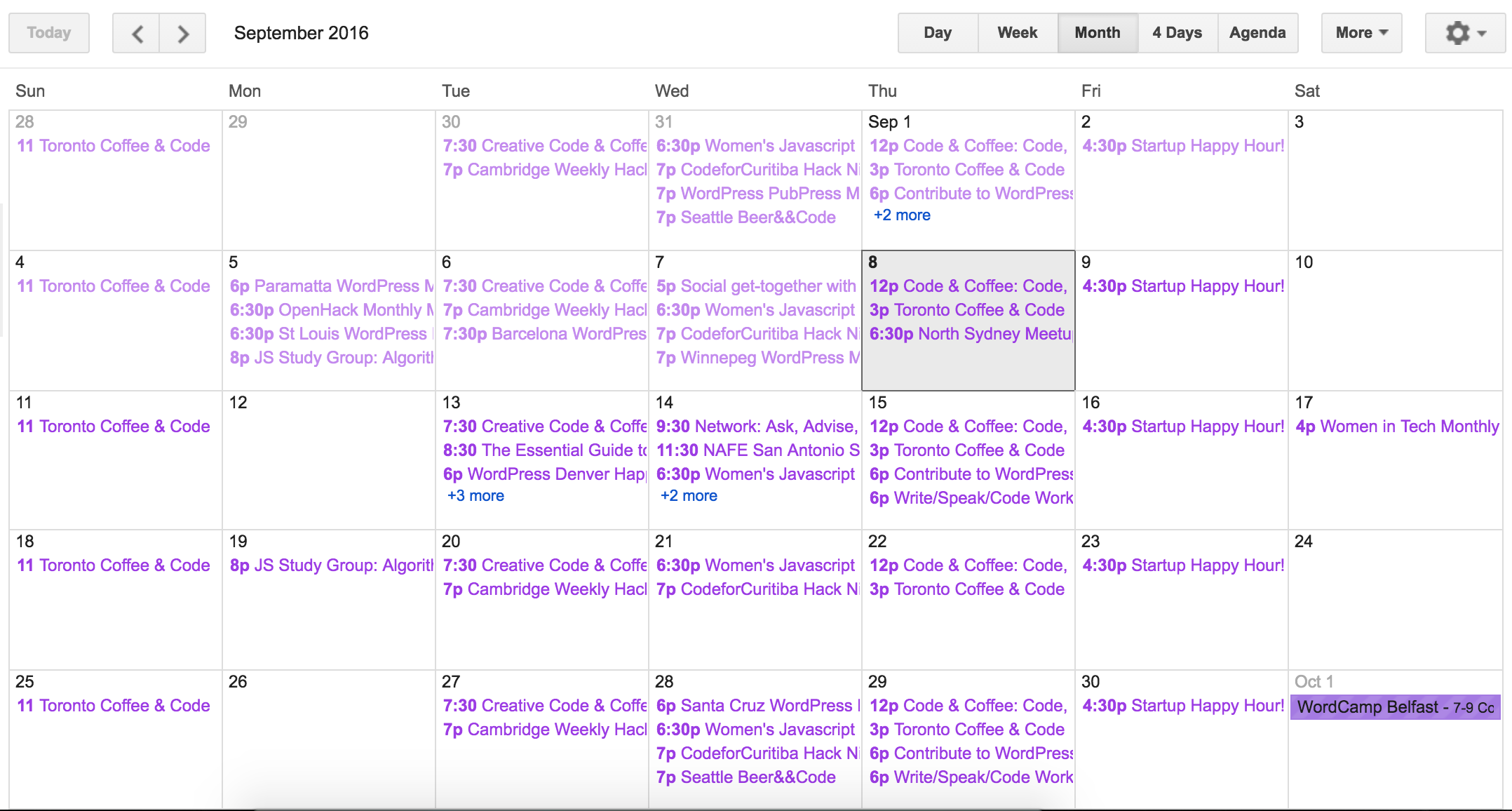
I imported the .ics to Google Calendars and everything imported correctly for me (see screenshot below).
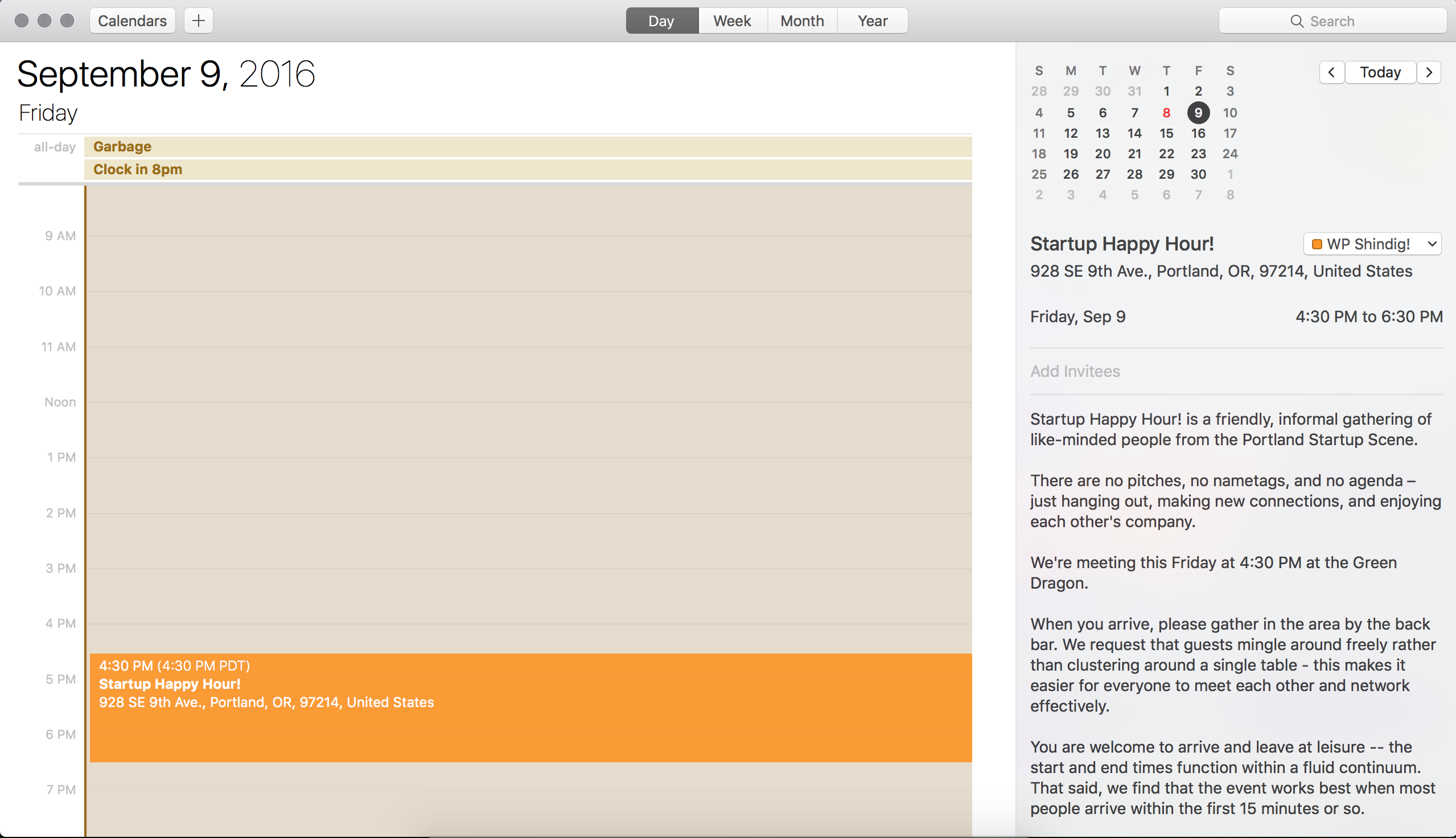
While I don’t have Microsoft Office, I used my Apple Calendar app and the times also imported correctly (see screenshot below)/
What do you currently have your WP timezone settings set you? Send a screenshot if possible. Thanks again and have a good afternoon.
September 30, 2016 at 9:35 am #1171070Support Droid
KeymasterHey there! This thread has been pretty quiet for the last three weeks, so we’re going to go ahead and close it to avoid confusion with other topics. If you’re still looking for help with this, please do open a new thread, reference this one and we’d be more than happy to continue the conversation over there.
Thanks so much!
The Events Calendar Support Team -
AuthorPosts
- The topic ‘Wrong time on Google Calendar Import’ is closed to new replies.