Submit a Community Event Form not working

Home Forums Calendar Products Community Events Submit a Community Event Form not working

  • This topic has 3 replies, 4 voices, and was last updated 9 years, 7 months ago by Caitlin Christoff Taillon.
Viewing 3 posts - 1 through 3 (of 3 total)
  • Author
    Posts
  • #1161111

    We are running the most recent version of WordPress + The Event Calendar PRO and Community Events Add-on.

    The community events “Submit an Event” page does not seem to be layed out nicely like in the examples we have seen before purchasing the plugin. Particularly around the event times. The boxes are all on separate lines and everything is spaced weirdly throughout the whole form. (Screenshot attached + link to page: http://uxbridgedaily.com/events/community/add/ )

    Is there a way to make this look better?

    We switched the theme and it seems to fix the problem – where would we go from here to try and get the plugin working properly?

    Thanks

    #1161251
    Hunter
    Moderator

    Hi and thanks for reaching out,

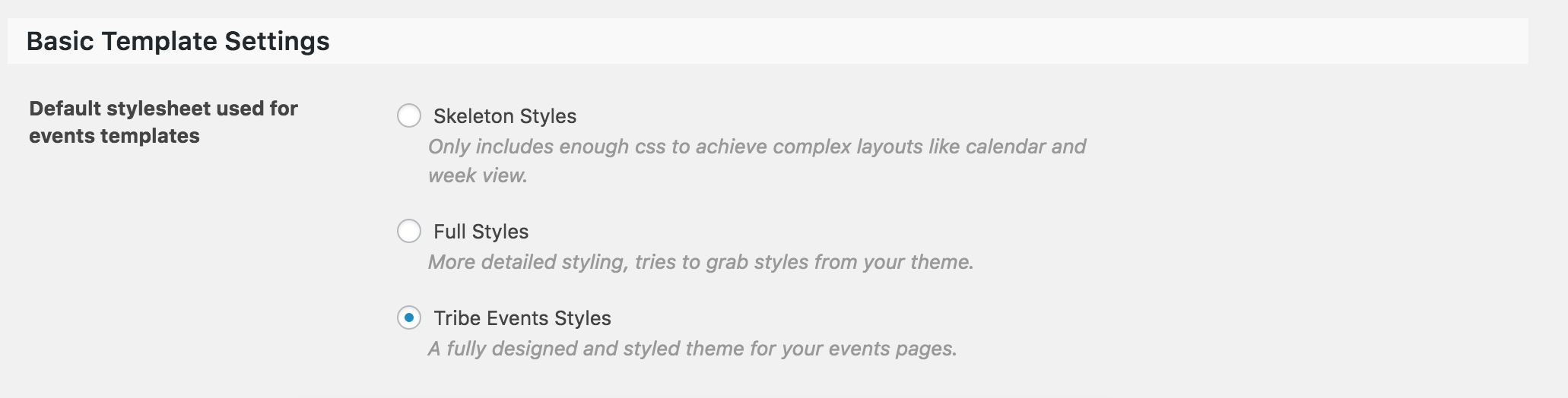
    Our plugins do their best to play nicely with custom themes, but sometimes things just don’t work out. The first step I always recommend is to visit Events > Settings > Display (see screenshot below) and try different options there. Refresh your submit event page and see if everything looks good. If that doesn’t work out, our Themer’s Guide is an excellent resource for creating custom templates.

    Let me know if either help and good luck. Cheers!

    #1170508
    Support Droid
    Keymaster

    Hey there! This thread has been pretty quiet for the last three weeks, so we’re going to go ahead and close it to avoid confusion with other topics. If you’re still looking for help with this, please do open a new thread, reference this one and we’d be more than happy to continue the conversation over there.

    Thanks so much!
    The Events Calendar Support Team

Viewing 3 posts - 1 through 3 (of 3 total)
  • The topic ‘Submit a Community Event Form not working’ is closed to new replies.