

Forum Replies Created
-
AuthorPosts
-
Hunter
ModeratorHello, Sébastien 🙂
Thank you for reaching out. The featured image size often depends on your theme width, layout, etc. With either CSS or a little custom code, featured images shouldn’t be too much of a worry. We have a Knowledgebase article geared towards Featured Images which I invite you to read.
Please let me know if you have any more questions on the matter and have a great afternoon. Cheers!
ModeratorHi Rebecca!
Welcome to our forums 🙂
You can either visit Plugins > Add New and upload the .zip file manually or you can do so via FTP by dragging/dropping the extracted contents of the .zip file directly into your wp-content/uploads folder. Detailed info can be found here.
Let me know if this helps and have a wonderful afternoon. Cheers!
September 27, 2016 at 1:03 pm in reply to: After Update to 2.8.7, Events Erased from Front End & Admin #1169430ModeratorHey Eric,
Forgive me if this comes off as a silly question, but do you have The Events Calendar (free version) installed and activated on your site?
Respond back and we’ll continue investigating. Thanks and take care.
Cheers!September 27, 2016 at 12:40 pm in reply to: Why is it the purchase as a guest is not functioning? #1169415ModeratorHello and welcome,
Can you visit Events > Settings > Tickets > Login requirements and check your settings are set up so guests are able to purchase tickets? (see screenshot below)
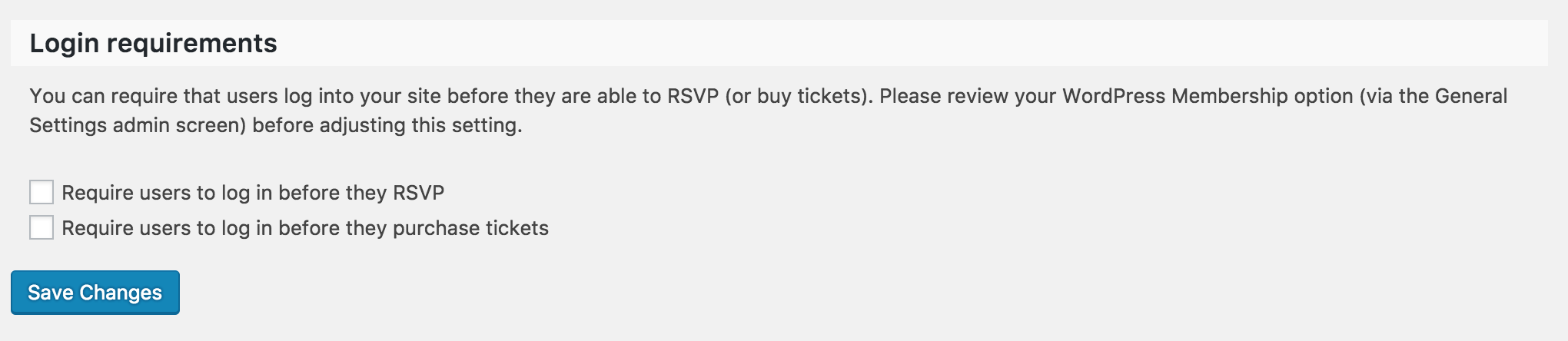
Are you also able to test and reply back with your findings as explained in our Testing for conflicts guide?
Keep me posted and have a great rest of the afternoon. Cheers 🙂
September 27, 2016 at 12:35 pm in reply to: Location and Organizer dropdown menus disappear #1169413ModeratorHello and welcome,
Sorry to hear about the troubles. Our plugin(s) don’t include the ‘Extras’ tab I see in the screenshot provided. Can you please review our Testing for conflicts guide and reply back with your findings? Have a great rest of your day!
Cheers 🙂
September 27, 2016 at 10:23 am in reply to: Request information for each attendee during registration #1169327ModeratorHello,
Welcome to our premium support forums 🙂
I see you checked ‘Yes’ to reverting back to the default WP theme and deactivating all plugins other than ours as outlined in our Testing for conflicts guide, but can you please confirm this?
Let me know and we’ll continue investigating. Have a great afternoon!
CheersModeratorHi and welcome back,
Thank you for reaching out 🙂
The best way to go about ensuring the code/custom template overrides you have in the tribe-events folder inside your theme folder matches up with the most recent versions would be to review our Themer’s Guide and also the New User Primer.
I’d also start by trying different options found under Events > Settings > Display. (see screenshot below)
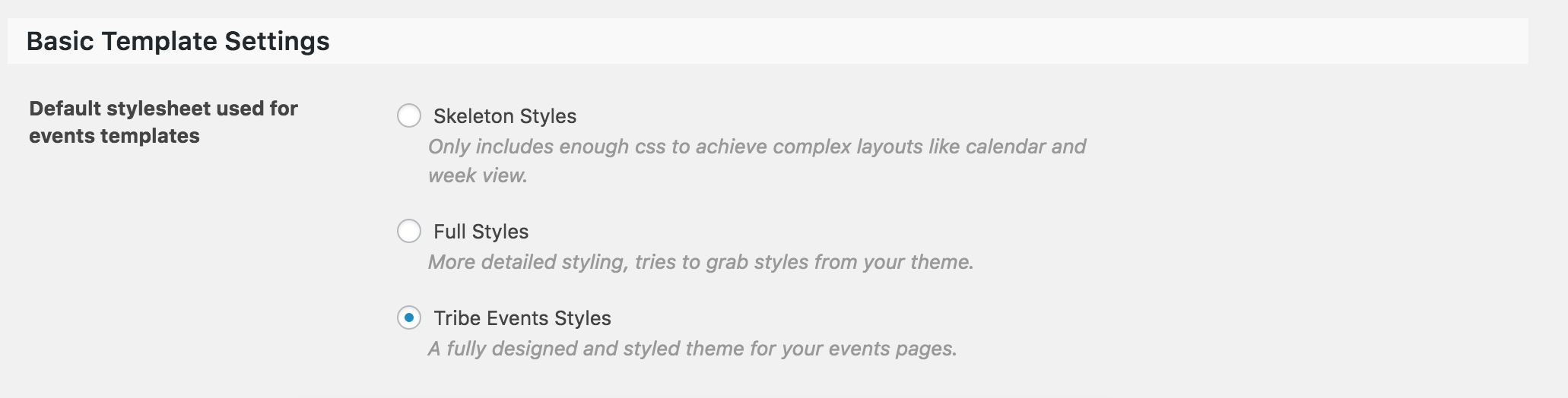
Let me know if any of this helps and we’ll go from there. Thanks again and have a great afternoon. Cheers 🙂
September 27, 2016 at 10:15 am in reply to: Overwriting Organizer's Description When Importing Event #1169322ModeratorHi and welcome back 🙂
I’d be happy to try and reproduce the issue. Before I get started, can you please review our Testing for conflicts guide and reply back with what you learn?
Thanks for reaching out and have a great afternoon. Cheers 🙂
ModeratorSimon,
I’ll mark this thread as ‘Pending Fix’ – which we typically update with info relative to your issue it develops. Thanks again 🙂
ModeratorHello,
By temporarily changing themes, you shouldn’t lose any custom work/data. As always, I recommend making a backup prior to testing if you’re wary of losing work. Unfortunately, it is a necessary step to take in order to narrow down the source of conflict.
Thanks for understanding and I look forward to your response. Have a good day 🙂
September 27, 2016 at 10:07 am in reply to: iCal Importer is showing 12am as start time on all events #1169315ModeratorHello,
It appears in the screenshot you shared that you might need to select the ‘Source’ dropdown and select ‘iCal URL’ rather than ‘ics File’. Try it out and see if it fetches events as designed. Please ensure you’ve deactivated your custom theme and all plugins other than ours if you run into any troubles.
Let me know the results of your testing and we’ll continue investigating. Have a good day 🙂
ModeratorHey Lisa,
Thank you for letting me know the results from the Testing for conflicts guide. I attempted to reproduce your issue again, but the two volleyball games on Oct. 6th didn’t appear this time. Did you remove them from the original calendar source? Additionally, we have a logged bug that could be related to the issue you’re experiencing. I recently wrote an in-depth response to another user with a workaround, so I’m going to copy/paste it below. Please let me know if the solution works:
For the time being, I’ve granted you a license for 2 months so you can download our Events Aggregator plugin, which is still in “beta development” – meaning it hasn’t been released to the public. To access that plugin, visit My Account > Downloads.
Look for an Early Access area beneath your licenses. Download The Events Calendar RC (release candidate) and install it in your site. Once it’s installed, input the Event Aggregator license. You’ll then be able to import iCal feeds without installing iCal Importer plugin. Make sure it (iCal Importer) is deactivated to avoid conflicts.
To import the feed, visit Events > Import > iCalendar and import the feed. As always, if you run into troubles, refer to the Testing for conflicts guide. Please note we are not currently support EA yet, but once it’s been included in the core plugin, it will be fully supported.
Lastly, I’ve added this forum thread to the logged bug report for the developers to reference while working on improvements. Stay tuned to our Release Notes for more info.
ModeratorSimon,
The timezone bug I believe you’re referring to is unrelated to your issue. As previously mentioned, I unfortunately don’t have a date when fixes will be addressed, but the bug report has been filed and is making its way through the development process. We’ll keep you posted via our Release Notes with feature and maintenance updates.
My apologies I don’t have anything new for you at this time and have a great Monday. Cheers 🙂
ModeratorJacco,
Thank you for the response. When you say:
Yes we followed your assitance for conflicts and checked what happened when switching off other plugins.
Can you please confirm you’ve tested with only our plugins active and the default WP theme active? We need to rule out both theme and plugin conflicts before going any further. Thanks again and take care. Cheers 🙂
September 26, 2016 at 12:19 pm in reply to: iCal Importer is showing 12am as start time on all events #1168865ModeratorHello,
Thank you for sending those over. Before we go too much further, I see you’re running an outdated version of Events Calendar PRO (4.2.4). Are you able to update to the latest version (4.2.6) and reproduce the issues as explained in our Testing for conflicts guide?
I did a quick check to try and reproduce the issue, but it appears the date/times are importing for me correctly. (see screenshots below)
The time in first screenshot (imported the event into Google Calendars) reflects the two hour time difference between Chicago and my local timezone. The second screenshot reflects the event imported into my local WP testing site and properly converts the timezone.
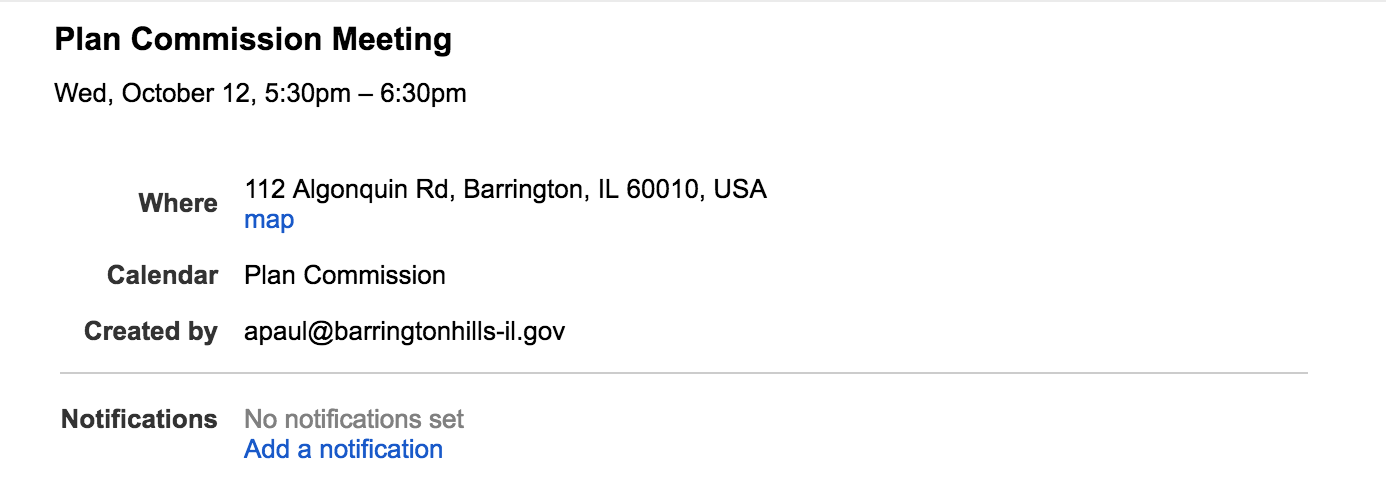
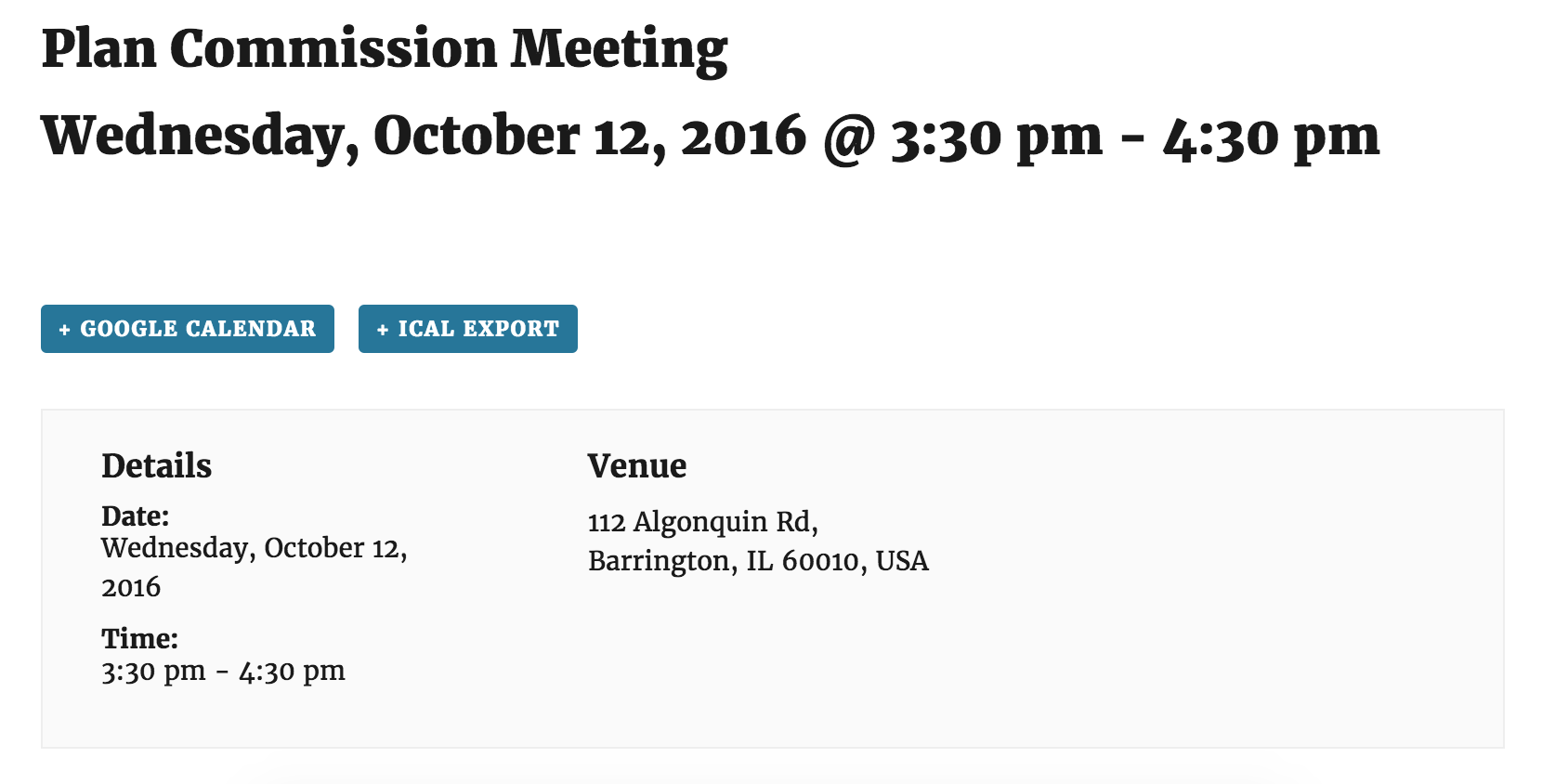
Please let me know if you are able to reproduce the behavior after updating and reviewing the Testing for conflicts guide. Cheers!
-
AuthorPosts