

Forum Replies Created
-
AuthorPosts
-
September 26, 2016 at 12:02 pm in reply to: URL /tribe-oauth/eventbrite/ was not found on this server. #1168859
Hunter
ModeratorMario,
I am not experiencing the same issues you’re describing. Would you mind reviewing our New User Primer: Eventbrite Tickets and Configuring Eventbrite Tickets? It’s always best to test with your site in the state outlined in our Testing for conflicts guide.
Once you’ve reviewed those resources, can you please provide the precise step things appear to “break down”? The more accurate information, or a timeline, will help me narrow down where to start looking for a bug.
Let me know if this makes sense and how the review of your current settings and attempts to connect to Eventbrite.com from your WordPress site go. Have a great afternoon. Cheers!
September 26, 2016 at 11:55 am in reply to: Last import failed. (icloud recurring iCal import) #1168855ModeratorHello and welcome back,
The issue you are currently experiencing is actually a known and logged WordPress core bug. More info can be found here. For the time being, the best way to import the events into your site is to download the iCal file and manually upload it under Events > Import > iCal, then select the ‘Source‘ dropdown and select ‘.ics File‘. (see screenshot below)

Sorry we don’t have a better workaround in the mean time and please stay tuned to our Release Notes for more info. Thank you for your patience while we identified the source of conflict and please let me know if you have any more questions or comments. Cheers!
September 26, 2016 at 11:45 am in reply to: Trouble with events shifting from Upcoming to Past feeds #1168848ModeratorWelcome back,
I see you’re running an outdated version of The Events Calendar (4.2.2). Are you able to update to the latest version (4.2.7) to see if you can reproduce the issue? As always, please review our Testing for conflicts guide prior to attempt to recreate the behavior.
Let me know how it goes and thanks for the update. Cheers!
ModeratorHello,
It’s a little hard to tell from the screenshots if your payment-options.php is saved correctly. Can you verbally verify it’s saved with the following structure? noo-ivent-child/tribe-events/community/payment-options.php
If the structure is correct, can you temporarily delete lines 32-155 directly on the /plugins/the-events-calendar-community-events-tickets/src/views/community-tickets/modules/payment-options.php file and let me know if that works?
Cheers!
ModeratorHey Jacco,
Thanks for reaching out. I unfortunately don’t have an answer off the top of my head nor do I see anything in our logged bug reports resembling what you’ve described. Can you confirm the issue still occurs after reviewing our Testing for conflicts guide? Can you also send a link to an event displaying these types of behaviors? I’d be happy to take a look 🙂
Thanks again and have a great upcoming weekend. Cheers!
September 23, 2016 at 3:26 pm in reply to: Default settings are not applied in forms in new event #1168179ModeratorHello,
Welcome back and sorry to hear about the issue. Can you review our Testing for conflicts guide and reply back with the results?
Have a great upcoming weekend and thanks for reaching out. Cheers!
September 23, 2016 at 10:32 am in reply to: Ticket's sale end date not working and reseting #1168049ModeratorClement,
Thank you for reaching out and welcome 🙂
I did a quick check to see if I could reproduce the behavior using Event Tickets (RSVP) and was unable to do so (see screenshots below).
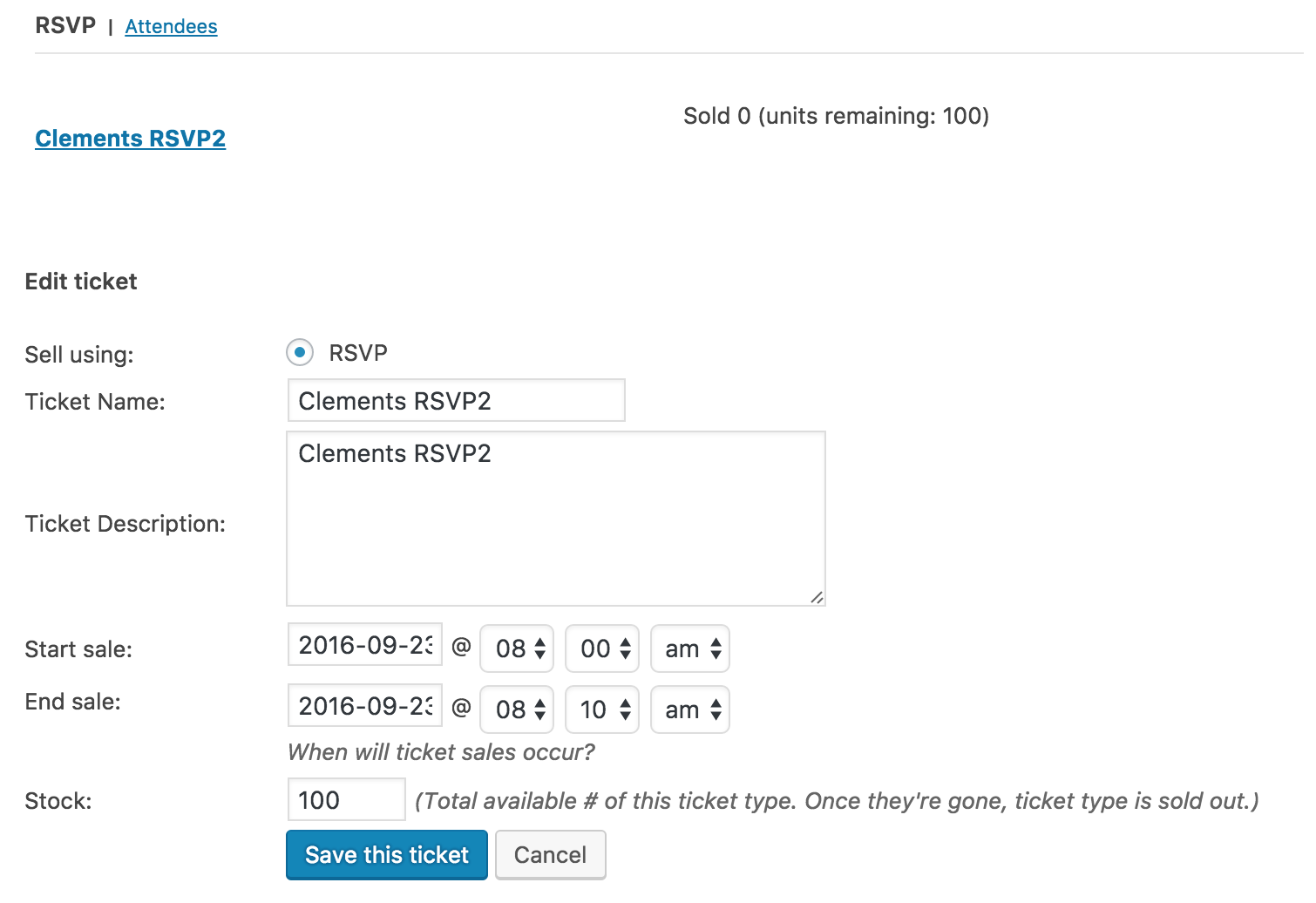
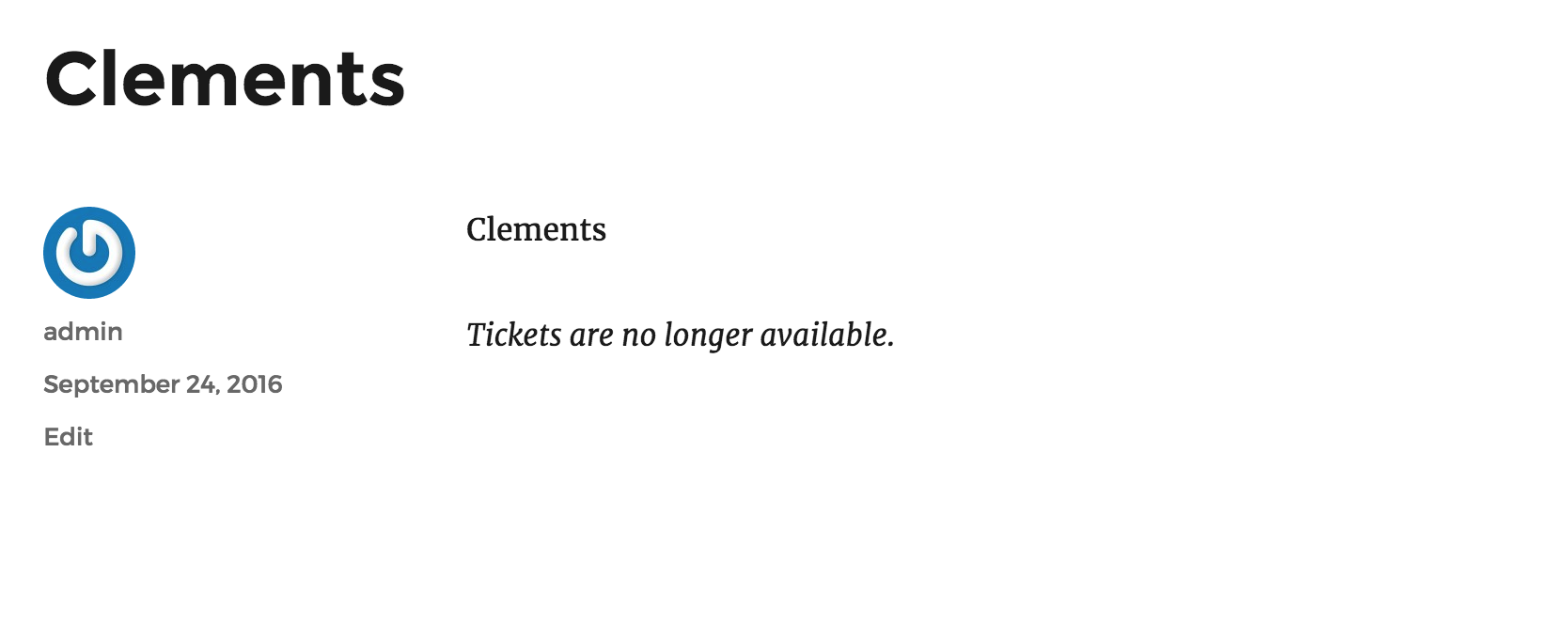
I also attempted to modify the ticket start date and was able to successfully do so (see screenshot below).
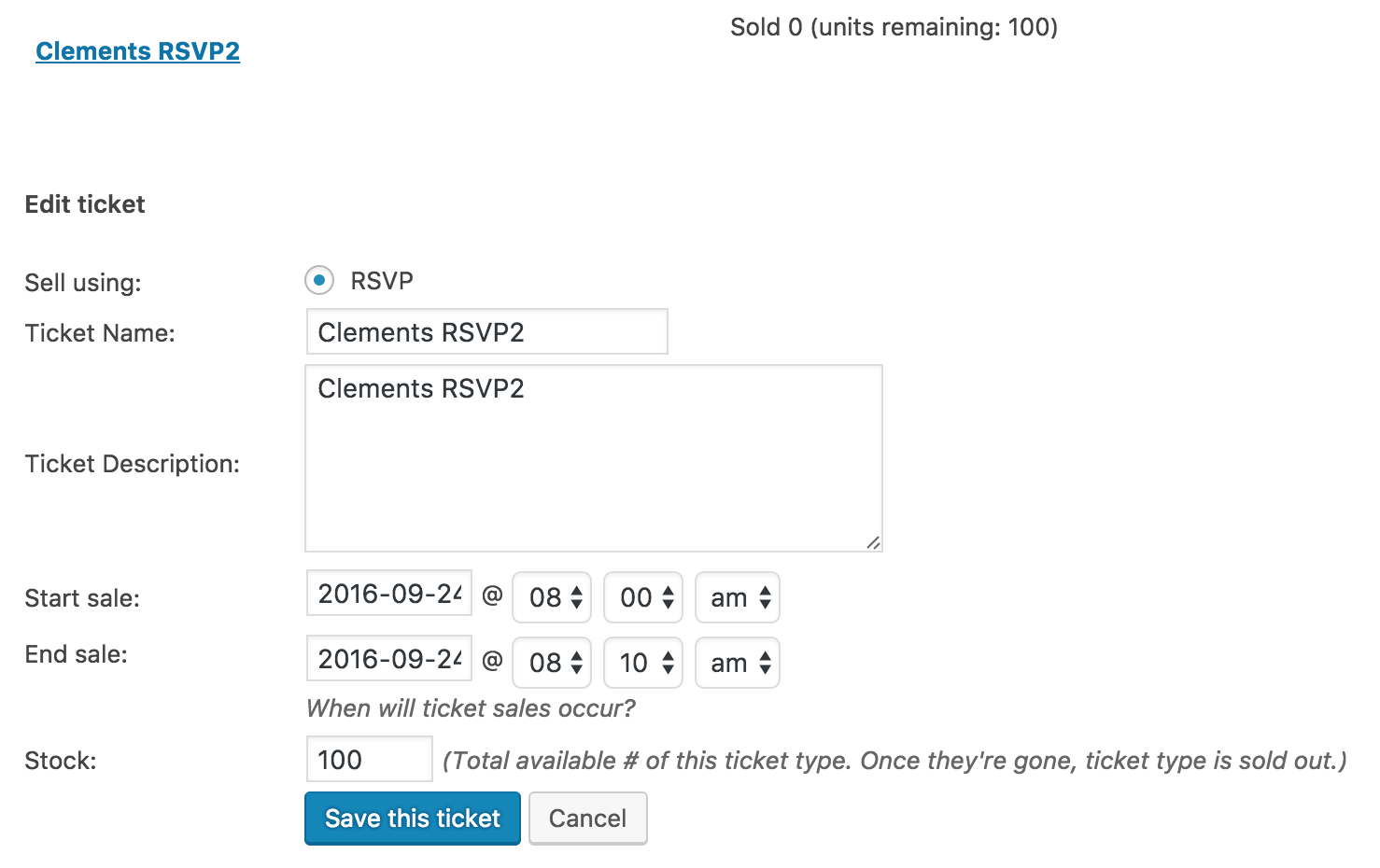
Can you please confirm you’ve reviewed our Testing for conflicts guide to see if you can reproduce the issue? Let me know and we’ll continue investigating from there.
Thanks again and have a great afternoon. Cheers!
September 23, 2016 at 9:58 am in reply to: iCal Importer is showing 12am as start time on all events #1168033ModeratorReynaldo,
Thank you for reaching out and sorry to see you here under the circumstances. I’d be happy to try and replicate the problem for you. If you wouldn’t mind, reply back with the iCal url you’re attempting to import and I’ll see if I experience the same behavior. Also, can you please see if you can replicate the issue after reviewing our Testing for conflicts guide and reply back with your findings?
Thanks again and I look forward to getting this resolved. Have a great Friday 🙂
Cheers!ModeratorThomas,
Thank you for your patience while we worked on a resolution and I’m happy to hear everything is working as designed! Please feel free to open a new thread if you have any more questions or concerns. Have the best of weekends and thanks for choosing PRO.
Cheers!
September 23, 2016 at 9:49 am in reply to: Events List Filter Widget stopped working (not saving) #1168027ModeratorNo worries – thanks for the update! Let me know what the Testing for conflicts guide results are and we’ll go from there. Thanks again and have a great Friday. Cheers!
ModeratorMichael,
Pat yourself on the back! Glad to hear you’re headed in the right direction and please feel free to open a new thread if you have any more questions or concerns. Have a great weekend. Cheers!
September 23, 2016 at 9:46 am in reply to: Last import failed. (icloud recurring iCal import) #1168023ModeratorThanks for the update and please let me know how the update goes and if things start working properly again. Have a great weekend!
September 22, 2016 at 7:31 pm in reply to: Import contains wrong dates for recurring and multi-day events #1167761ModeratorHey Jill!
Thank you for your purchases and welcome to the support forums 🙂
I’d also like to thank you for being so in-depth with your initial post and for reviewing our Testing for conflicts guide prior to posting.
I believe you’re experiencing a known bug which we have aimed to address in an upcoming release. For the time being, I’ve granted you a license for 2 months so you can download our Events Aggregator plugin, which is still in “beta development” – meaning it hasn’t been released to the public. To access that plugin, visit My Account > Downloads
Look for an Early Access area beneath your licenses. Download The Events Calendar RC (release candidate) and install it in your site. Once it’s installed, input the Event Aggregator license. You’ll then be able to import iCal feeds without installing iCal Importer plugin. Make sure it (iCal Importer) is deactivated to avoid conflicts.
To import the feed, visit Events > Import > iCalendar and import the feed. As always, if you run into troubles, refer to the Testing for conflicts guide. Please note we are not currently support EA yet, but once it’s been included in the core plugin, it will be fully supported.
Lastly, I’ve added this forum thread to the logged bug report for the developers to reference while working on improvements. Stay tuned to our Release Notes for more info.
Thanks again and please let me know how everything goes. Cheers!
September 22, 2016 at 7:00 pm in reply to: Last import failed. (icloud recurring iCal import) #1167755ModeratorFerol,
Thank you for reaching out and I’d be happy to help investigate the issues you’re currently experiencing. I see you’re running outdated versions of both the iCal Importer plugin and PRO. Are you able to update to the most recent versions and run through our Testing for conflicts guide to see if the issue still occurs? Reply back with your findings and we’ll take the next step.
Thanks again and take care,
Cheers!ModeratorHi Karin!
Thank you for reaching out via our Pre-Sales Channel! I would be more than happy to answer your questions. I’m not sure if our Community Events plugin will do what you need out-of-the-box, but it seems like a viable solution for what you’ve described. Add in a membership/role management plugin to add more features and functionality and you should be good to go! (possible plugin options in links)
We offer a 30-day money back guarantee, so if you purchased the plugin and found it doesn’t accomplish what you need, we’d be happy to refund the entire purchase. Let me know if I’ve sufficiently answered your questions and have a great rest of the evening.
Cheers!
-
AuthorPosts