

Forum Replies Created
-
AuthorPosts
-
George
ParticipantHi Mogens,
Thanks for reaching out.
It doesn’t look like you have a premium license, so please post any technical support questions like this in our free forums at http://wordpress.org/plugins/the-events-calendar
If you do have a premium license, then sorry for the trouble here! But please log into the account with your license key here on http://theeventscalendar.com and post your questions in our Premium Support forums.
Thank you,
GeorgeParticipantHi Lishal,
Thank you for your patience with us on these issues! There are some odd tangles in the code we have been ironing out to figure out the best course of action here.
There are a few courses of action, each with their own positives and negatives, so I will describe each of the courses of action in a simple way here for you to choose what to do.
Before doing ANY of the methods here, please make a fresh and complete backup of your site and database. This is just for security and backup, and your data should be fine with any of the following methods. But a good, thorough, new backup is just a smart thing to do. We do NOT recommend proceeding without a backup, as you could lose data. If you proceed without a backup it is against our recommendation.
Method 1: Downgrade to 4.0 and Run the “Cleanup” Plugin from Before
This may be the simplest option here. Essentially, what you would do is delete the existing plugin files off of your site for The Events Calendar, Events Calendar Pro, and any other Tribe plugins.
This will not delete event data.
Once the existing versions are deleted, replace them with 4.0.0 versions of each piece of software. You can get 4.0.0 files from http://theeventscalendar.com/my-account/downloads.
Install the 4.0.0 versions and activate them. Then, install the cleanup plugin (https://cloudup.com/cPv3ZMX8Zd0) and do the steps that Nico shared above (https://theeventscalendar.com/support/forums/topic/need-to-delete-hundreds-of-duplicate-events/#post-1071002)
Once the cleanup is done, delete the 4.0.0 versions and install the most up-to-date versions in their stead.
Method 2: Delete Events then Replace
With this second method, you would not have to delete/reinstall any software.
What you would do, however, is delete all of your existing events that have duplication problems.
Once deleted, you would then use the WordPress Importer (not The Events Calendar’s own importer tool—the WP importer at your wp-admin’s Tools > Importer menu item!) to import this file which has all of the duplicates removed: https://cloudup.com/cqZ1zWxWpaG
That link is to a .zip, so you would need to unzip that first of course. It’s an XML file with all of the cleaned events.
Method 3: DB Dump
The database dump is NOT RECOMMENDED unless you are SKILLED with database management and know exactly what you are doing here. Doing this DB Dump incorrectly could mess up your DB tables and such.
This method is basically the same as Method 2, but instead of deleting existing events in your wp-admin, you would delete the existing Database equivalents…and then replace with the DB dump available as a .zip here → https://cloudup.com/cp_JWt9QjRc
I personally would recommend Method 1 or 2. And remember, do not proceed with a complete fresh backup of your site and database.
I hope this helps!
— George
ParticipantHey Allison,
Thank you for sharing these links and for your patience here—we are getting different results from what you report and have been able to, for example, import the feed that doesn’t validate for you.
You say, “If I try to open it – nothing.”
However, for example, the link you shared (http://oregonwine.org/events/?ical=1&tribe_display=list) is chock full of valid events:
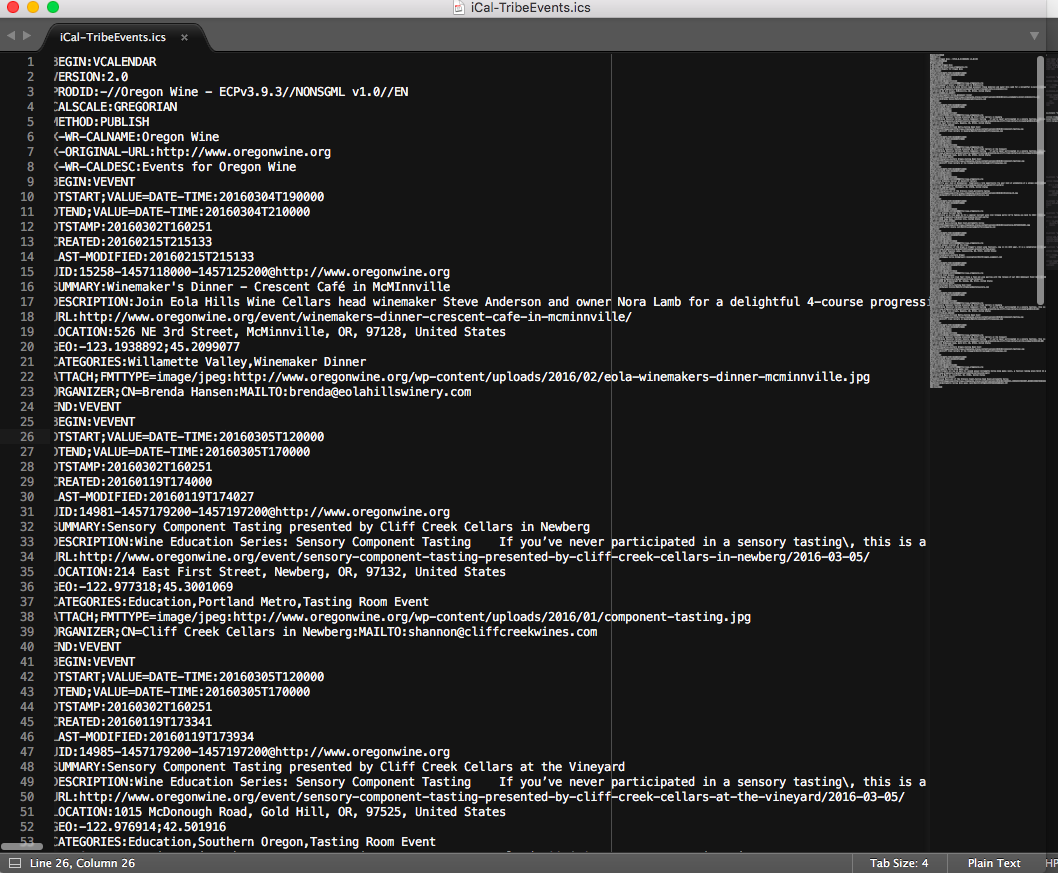
If you try importing this specific file/feed into another application, like iCal, do you have issues?
This step is the best one I can recommend. If the only problems are with that Time.ly importer/calendar, then this may be a bug specific to that software.
Let us know what you find!
Thanks,
GeorgeParticipantThank you for elaborating Ben—you mention having a Word Doc with a description of these issues, if you are interested in sharing this there are two methods I can recommend:
1. Simply copy and paste the contents of the document into a Gist at http://gist.github.com then share a link to this Gist.
2. Zip up the file and upload it to cloudup.com, http://ge.tt, or just some other publicly-accessible download link that I could use to download the file. Then share the link to download from and I will do that.
Thanks!
GeorgeMarch 2, 2016 at 7:57 am in reply to: Let events remain in shortcode widget after their past #1084329ParticipantThanks for this, @Johan. I’ve done some testing here and found that adding this snippet to your theme’s functions.php file should make a difference and should include those past events:
add_filter( 'tribe_events_list_widget_query_args', 'tribe_include_past_events_in_list' );function tribe_include_past_events_in_list( $args ) {
$args['eventDisplay'] = 'custom';
return $args;
}
Try that out and let me know if it helps!
Thanks,
GeorgeParticipantGlad to hear it! Best of luck with your project.
— George
ParticipantHey @Inspire99,
Thanks for the screenshot.
What you are trying to do here can technically be done, but unfortunately this would require modifying the template file in Event Tickets Plus which lives at this file location:
event-tickets-plus/src/views/wootickets/tickets.phpYou would have to rearrange the HTML there to suit your needs. If you are interested in doing this, I would recommend reading this customization guide for some insight on doing this → https://theeventscalendar.com/knowledgebase/themers-guide/
You can tinker around with that yourself, or if you would like, you can hire someone to make these customizations for you. We unfortunately are not available for any customizations, but we have a list of great developers here → http://m.tri.be/18k1 (and have no affiliation with any of these folks–they’re simply some well-respected names in the community that we’ve compiled to share in situations like this one).
I hope this information helps!
Sincerely,
GeorgeMarch 2, 2016 at 7:41 am in reply to: Cross browser editing issues + venue information display issues with spacing. #1084321ParticipantI’m sorry to hear this! Yoast SEO is a popular plugin, and it indeed has changed recently. We discussed it as a team in our team support meeting yesterday, and we are working on a number of compatibility fixes for it over the coming weeks and months.
I do not have an ETA on when a fix for these issues will arrive, though, unfortunately—and it could be a month or more before there is any progress here 🙁 I’m sorry to bear this news!
Please let me know if you have any further thoughts on this or if there’s anything else I can try to help with.
Sincerely,
GeorgeMarch 2, 2016 at 7:39 am in reply to: 'View Calendar' link does not work in top WP edit bar #1084319ParticipantHey Diane,
Thank you for sharing a link to your website. I took a look, but unfortunately do not see the problems you describe. You say, “Both Events and View Calendar go nowhere,” however there are not links called “Events” or “View Calendar.” Here’s a screenshot of what I see on your site:
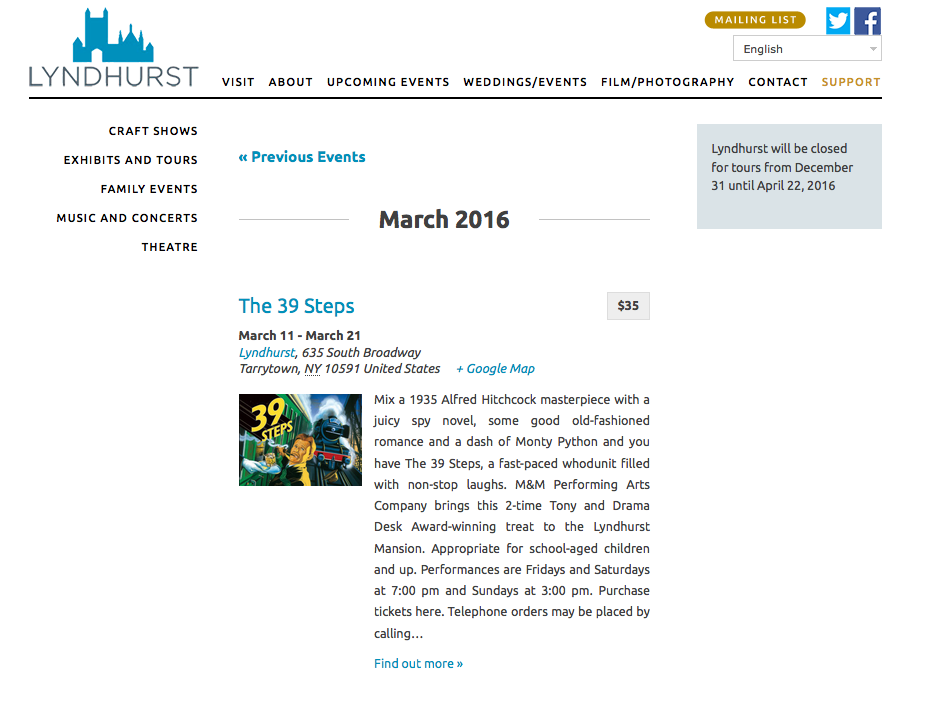
1. Can you clarify what your specific problems are here?
2. You ask, “Can a ‘buy tickets’ button be on the events page, rather than only on each individual event page?” Unfortunately, no this is not possible unless you were to custom-code such a button in place. We cannot help with custom coding, but you learn about making customizations here → https://theeventscalendar.com/knowledgebase/themers-guide/. I would recommend waiting until we clear up everything about your first set of problems/questions before getting to the tickets customizations or any other questions, though.
Thanks,
GeorgeMarch 2, 2016 at 7:34 am in reply to: 'View Calendar' link does not work in top WP edit bar #1084318ParticipantHi Diane,
I have removed the login information you posted here. We cannot log into user sites for any reason, and also these are public forums—publicly visible on the Internet. So please do not post any information like that here; it jeopardizes the security of your site.
— George
ParticipantHey Ben,
Thanks for the follow-up here—I sorry to hear about further issues, but for starters, I’m wondering if you can clarify how you came up with this URL with /ical-tribeevents.ics added to it?
Are you doing anything to generate this .ics file at this URL specifically? Did you see a forum thread or Knowledgebase post that told you to do so?
Next, I’m wondering if you get a different result if instead of the URL you posted here, you try this URL:
http://www.stjamesschools.co.uk/seniorboys/calendar/?ical
Does the above URL generate a more accurate file/feed for you?
Thank you!
GeorgeParticipantHi @Mark,
You describe this as an urgent situation, and I genuinely do not want to make things harder on you here, so for now I have uploaded the 3.9.0 files for Filter Bar here → https://cloudup.com/cm6Mo4EeaAp (only The Events Calendar and some other add-ons had 3.9.1—Filter Bar and others only went to 3.9.0, but it’s all the same 3.9.x release family!)
I would recommend pestering the developer of that third-party software to update their code to work with our most recent stuff—there are some serious security weaknesses when using old software like this, not to mention all of the code/performance/feature improvements etc.
We also cannot support the old versions, so if you install this 3.9.x software and have issues/conflicts on your site, step 1 of any support interactions would be “Update to most recent…”
I’m sure you know most of these things, @Mark, I just wanted to clarify them! Check out the link above for Filter Bar 3.9 and download the zip for it.
Best of luck with your project,
GeorgeParticipantHey Dan,
Thanks for your followup here. What you describe here is technically possible, but only if you yourself can write all of the custom code to do this. We cannot help with custom coding like this at all, so unfortunately you would have to take the reins on your custom “Out of Stock” handling.
If you are not able to write that code yourself, then you would have to hire someone to help you write that. We have a list of great developers here → http://m.tri.be/18k1 (and have no affiliation with any of these folks!—they’re simply some well-respected names in the community that we’ve compiled to share in situations like this one).
George
March 2, 2016 at 7:14 am in reply to: Woocommerce ticket error. Tickets won't save on the event page #1084302ParticipantHey @Joanna,
Thank you so much for testing all of those plugins and for your patience with my delayed reply—I was out sick yesterday and am sorry for the slow response here!
I’m sorry to say that the incompatibility with the WPML CMS plugin is mostly insurmountable; we do not have compatibility with those plugins yet, and so there isn’t, for example, a specific configuration of options that would resolve issues with that plugin.
I’m sorry about this, because essentially the two plugins cannot coexist on the same site 🙁
I would be happy to issue a full refund for your license purchases from us because of this! If you would like to get a refund, follow the steps here → https://theeventscalendar.com/knowledgebase/refund-policy/
I recommend acting upon those steps before March 5, because March 5 is one month from the date of your original license purchases, and our payment processors unfortunately make it very difficult to issue refunds more than 30 days after a payment is processed.
Thank you for your patience and cooperation here, @Joanna. Sorry to bear the bad news about the plugins!
Sincerely,
GeorgeParticipantThanks for this information @Karen!
There’s nothing that appears problematic in your “system information,” and even your event’s date and time settings look valid.
If you create a brand new recurring event, does it have the same issues as this broken one? Or does this broken event seem to be the only event behaving this way?
If a new recurring event has the same issues, then unfortunately the best step I can recommend at this point would be to run through the complete set of troubleshooting steps here → https://theeventscalendar.com/knowledgebase/testing-for-conflicts/
After each step in that process, try creating a new test recurring event and see if it has the same issues….
This process sounds tedious, but is fortunately much faster to work through than it sounds and is extremely valuable in terms of what information it might reveal.
Let me know what you find!
Thanks,
George -
AuthorPosts