
Home › Forums › Calendar Products › Events Calendar PRO › 'View Calendar' link does not work in top WP edit bar
- This topic has 15 replies, 3 voices, and was last updated 10 years, 6 months ago by
Support Droid.
-
AuthorPosts
-
February 25, 2016 at 9:53 am #1082081
Diane P
Participanttop WordPress admin bar for Events –
Both Events and View Calendar go nowhere. How can I fix that link?February 25, 2016 at 5:27 pm #1082289George
ParticipantHey Diane,
Can you share a link to the page where these two links are visible?
I’ll take a look and see what’s going on.
Thank you!
GeorgeFebruary 29, 2016 at 1:00 pm #1083541ParticipantHere is the site http://lyndhurst.org/programs usr: REMOVED pwd REMOVED BY GEORGE
Can a “buy tickets” button be on the events page, rather than only on each individual event page?
Cannot get calendar view back.
Diane
February 29, 2016 at 1:01 pm #1083543ParticipantMarch 2, 2016 at 7:34 am #1084318ParticipantHi Diane,
I have removed the login information you posted here. We cannot log into user sites for any reason, and also these are public forums—publicly visible on the Internet. So please do not post any information like that here; it jeopardizes the security of your site.
— George
March 2, 2016 at 7:39 am #1084319ParticipantHey Diane,
Thank you for sharing a link to your website. I took a look, but unfortunately do not see the problems you describe. You say, “Both Events and View Calendar go nowhere,” however there are not links called “Events” or “View Calendar.” Here’s a screenshot of what I see on your site:
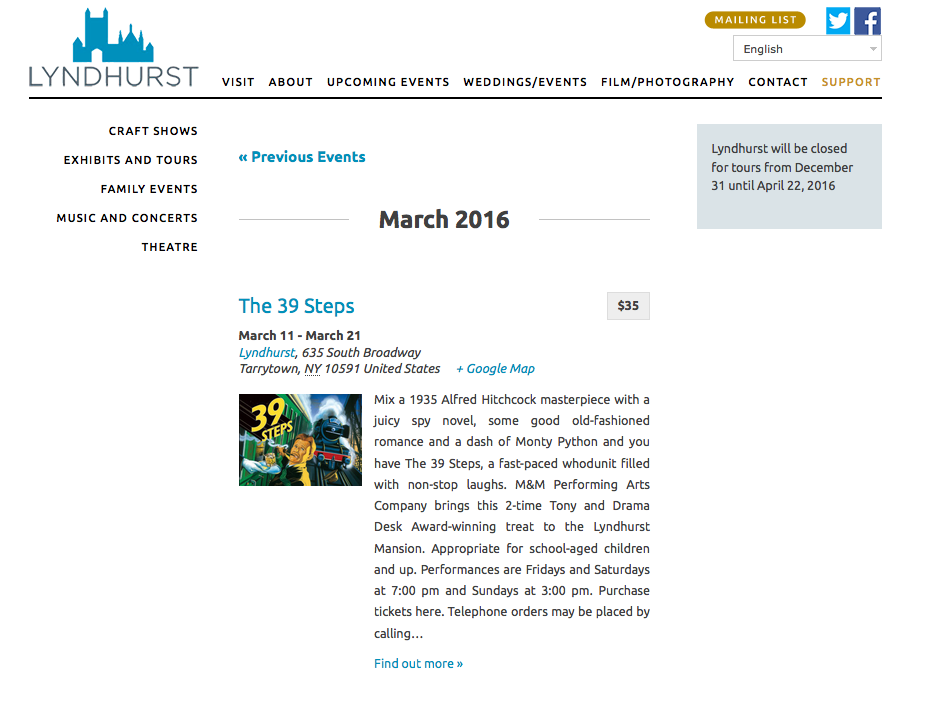
1. Can you clarify what your specific problems are here?
2. You ask, “Can a ‘buy tickets’ button be on the events page, rather than only on each individual event page?” Unfortunately, no this is not possible unless you were to custom-code such a button in place. We cannot help with custom coding, but you learn about making customizations here → https://theeventscalendar.com/knowledgebase/themers-guide/. I would recommend waiting until we clear up everything about your first set of problems/questions before getting to the tickets customizations or any other questions, though.
Thanks,
GeorgeMarch 2, 2016 at 10:23 am #1084475ParticipantThanks, George.
I first sent user/pwd, then edited so only showed user. Then posted pwd and chose SET AS PRIVATE REPLY. Does that not work?
Anyways, the calendar problem exists in the admin section of the site so you can only see it when you log in. I have uploaded it so you can see a screenshot here: http://dianepainter.com/LyndhurstCalendarMenu.pngMarch 2, 2016 at 3:22 pm #1084590ParticipantThanks for confirming the location of this bug, @Diane.
We unfortunately cannot log into user sites for any reason, so unfortunately whether you enter a private reply or not I cannot log into your admin.
I know that this can make it slow to communicate about the issue over a thread, but we can move quickly here—can you confirm what URL you are brought to when you click this “View Calendar” link?
Also, can you share your “System Information” with us? Here’s how → https://theeventscalendar.com/knowledgebase/sharing-sys-info/
Thank you for your patience with this process!
Sincerely,
GeorgeMarch 2, 2016 at 3:38 pm #1084596Participanturls that bad links go to:
from top menu Events and Events/View Events:
http://www.dnsrsearch.com/index.php?origURL=http%3A//www.lyndhurst.orgprograms/&r=http%3A//www.lyndhurst.org/wp-admin/edit.php%3Fpage%3Dtribe-common%26tab%3Dhelp%26post_type%3Dtribe_events&bc=from within Events Calendar individual event view/ ‘All Events’ link at top
http://www.dnsrsearch.com/index.php?origURL=http%3A//www.lyndhurst.orgprograms/&r=http%3A//www.lyndhurst.org/event/mr-dickens-tells-a-christmas-carol-4/&bc=system info:
URL
INSTALL KEYS
events-calendar-pro = de2cea3bf9f8c4e23b583cd87a04fcc5455c34a3
tribe-filterbar = bb545ba3ac9c3028ad0ddb99dec2dd2703d45346
WORDPRESS VERSION
4.3.3
PHP VERSION
5.3.20
PLUGINS
Advanced Custom Fields version 4.4.3 by Elliot Condon(http://www.elliotcondon.com/)
Akismet version 3.1.5 by Automattic(http://automattic.com/wordpress-plugins/)
BackUpWordPress version 3.3.2 by Human Made Limited(http://hmn.md/)
Contact Form 7 version 4.3.1 by Takayuki Miyoshi(http://ideasilo.wordpress.com/)
Enable Media Replace version 3.0.3 by Måns Jonasson(http://www.mansjonasson.se)March 2, 2016 at 3:55 pm #1084601ParticipantHey Diane,
Thanks for this—that is very odd link behavior and I cannot recreate it.
Also, it seems that your “System Information” block is cut short—as you can see, not even The Events Calendar or Events Calendar Pro are included in the “Plugins” section, which is erroneous because those plugins are clearly installed on your site.
So, not to belabor the point, but could you be sure to copy and paste the ENTIRE section of “System Information” here?
Thank you for your patience with this!
GeorgeMarch 2, 2016 at 3:57 pm #1084603ParticipantWhile you get the full system information, in the meantime I would recommend that you open a support thread with your web hosting provider. The URLs you shared are odd and seem to suggest possible DNS issues, or something happening on the level of the server.
So I would recommend contacting your web host’s support team about this issue so that they can see if they notice anything funky happening in regards to these links/redirects.
Thank you!
GeorgeMarch 4, 2016 at 2:12 pm #1085360ParticipantURL
INSTALL KEYS
events-calendar-pro = de2cea3bf9f8c4e23b583cd87a04fcc5455c34a3
tribe-filterbar = bb545ba3ac9c3028ad0ddb99dec2dd2703d45346
WORDPRESS VERSION
4.3.3
PHP VERSION
5.3.20
PLUGINS
Advanced Custom Fields version 4.4.3 by Elliot Condon(http://www.elliotcondon.com/)
Akismet version 3.1.5 by Automattic(http://automattic.com/wordpress-plugins/)
BackUpWordPress version 3.3.2 by Human Made Limited(http://hmn.md/)
Contact Form 7 version 4.3.1 by Takayuki Miyoshi(http://ideasilo.wordpress.com/)
Enable Media Replace version 3.0.3 by Måns Jonasson(http://www.mansjonasson.se)
The Events Calendar PRO version 3.9.3 by Modern Tribe, Inc.(http://m.tri.be/20)
Hello Dolly version 1.6 by Matt Mullenweg(http://ma.tt/)
Spider Video Player version 1.5.14 by https://web-dorado.com/
Root Relative URLs version 2.3 by Marcus E. Pope, marcuspope(http://www.marcuspope.com)
Search & Replace version 2.7.0 by Frank Bültge(http://bueltge.de)
WPML Multilingual CMS version 3.2.7 by OnTheGoSystems(http://www.onthegosystems.com/)
Responsive WordPress Slider – Soliloquy Lite version 2.4.0.4 by Thomas Griffin(http://thomasgriffinmedia.com)
Soliloquy version 2.4.3.3 by Thomas Griffin(http://thomasgriffinmedia.com)
The Events Calendar: Filter Bar version 3.12.1 by Modern Tribe, Inc.(http://m.tri.be/25)
The Events Calendar version 4.0.6 by Modern Tribe, Inc.(http://m.tri.be/1x)
Yoast SEO version 2.3.5 by Team Yoast(https://yoast.com/)
WP Super Cache version 1.4.6 by Automattic(http://automattic.com/)
NETWORK PLUGINS
–
MU PLUGINS
–
THEME
lyndhurst
MULTISITE
–
SETTINGS
recurring_events_are_hidden = exposed
tribeEventsTemplate = page-events.php
tribeEventsBeforeHTML =
tribeEventsAfterHTML =
previous_ecp_versions = Array
(
[0] => 0
[1] => 3.5.1
[2] => 3.6.1
[3] => 3.7
[4] => 3.9
[5] => 3.9.3
[6] => 3.12.2
[7] => 3.12.3
)
latest_ecp_version = 4.0.6
welcome_notice = 1
viewOption = list
organizer_venue_amalgamation = 1
donate-link =
postsPerPage = 10
liveFiltersUpdate =
showComments =
showEventsInMainLoop =
eventsSlug = programs
singleEventSlug = event
multiDayCutoff = 00:00
defaultCurrencySymbol = $
reverseCurrencyPosition =
embedGoogleMaps = 1
embedGoogleMapsZoom = 10
debugEvents =
stylesheetOption = tribe
tribeEnableViews = Array
(
[0] => list
[1] => month
)
tribeDisableTribeBar = 1
monthEventAmount = 3
events_filters_layout = vertical
events_filters_default_state = closed
dateWithYearFormat = F j, Y
dateWithoutYearFormat = F j
monthAndYearFormat = F Y
dateTimeSeparator = @
timeRangeSeparator = –
datepickerFormat = 1
defaultValueReplace =
disable_metabox_custom_fields = show
pro-schema-version = 3.5
hideSubsequentRecurrencesDefault =
userToggleSubsequentRecurrences =
recurrenceMaxMonthsBefore = 24
recurrenceMaxMonthsAfter = 24
geoloc_default_geofence = 25
geoloc_default_unit = miles
hideLocationSearch = 1
hideRelatedEvents = 1
weekDayFormat = D jS
earliest_date = 2014-05-02 00:00:00
latest_date = 2016-10-30 23:59:59
last-update-message = 3.9.1
eventsDefaultOrganizerID = 0
eventsDefaultVenueID = 1075
eventsDefaultAddress =
eventsDefaultCity =
eventsDefaultState =
eventsDefaultProvince =
eventsDefaultZip =
defaultCountry =
eventsDefaultPhone =
tribeEventsCountries =
schema-version = 4.0.6
pue_install_key_tribe_filterbar = bb545ba3ac9c3028ad0ddb99dec2dd2703d45346
enable_month_view_cache = 1
WORDPRESS TIMEZONE
America/New_York
SERVER TIMEZONE
UTC
COMMON LIBRARY DIR
/mnt/Target01/336254/904831/www.lyndhurst.org/web/content/wp-content/plugins/the-events-calendar/common/src/Tribe
COMMON LIBRARY VERSION
4.0.6March 7, 2016 at 2:17 pm #1086005ParticipantHey @Diane P,
Thank you for sharing this information! Have you opened a support thread with your web hosting provider? If so, what has been their response?
Aside from your hosting provider’s insight here, one of the main things that sticks out here is that some of your The Events Calendar plugins are out of date. Before any further support here, you will need to update all of these pieces of software to their most recent version.
Here is what you currently have on your site:
- The Events Calendar version 4.0.6
- The Events Calendar PRO version 3.9.3
- The Events Calendar: Filter Bar version 3.12.1
Here is what you need to have on your site:
- The Events Calendar version 4.0.7
- The Events Calendar PRO version 4.0.7
- The Events Calendar: Filter Bar version 4.0.4
You can get files for The Events Calendar here → https://wordpress.org/plugins/the-events-calendar/
You can get files for the other plugins here → http://theeventscalendar.com/my-account/downloads/Thank you!
GeorgeMarch 17, 2016 at 12:05 pm #1090491ParticipantHello, George –
My developer thinks he found the issue with the ‘<< All Events’ link at top left of each event page. As you will see in the folder – link here to two screenshots of problem, one shows link, the other is in Settings, showing slug/url that link goes to – https://www.dropbox.com/sh/1s0fuseduzfyjjp/AABXNaDBoMSbx4iCIaPBpOLxa?dl=0
the slug link is wrong, missing the forward slash. He said that is something you need to do there. Please help, client is not happy with me.Oh, and the original issues at top of admin area are still not working, either. In that folder is also a screenshot again of admin problem. ‘View Calendar’ under ‘Events’ in top admin menu goes to dnsrsearch.com. Erroneous.
March 18, 2016 at 6:07 pm #1091248ParticipantHi Diane,
Thanks for this update.
What is the status with the version numbers of software on your site? Can you share your current “System Information” on this thread so I can see the current state of things? Here’s how to do that, for reference: https://theeventscalendar.com/knowledgebase/sharing-sys-info/
Thank you,
George -
AuthorPosts

- The topic ‘'View Calendar' link does not work in top WP edit bar’ is closed to new replies.