Forum Replies Created
-
AuthorPosts
-
November 7, 2015 at 11:18 pm in reply to: Need to edit the phone number and email in the checkout page. #1023014
Cliff
MemberHey Anne.
The WooCommerce Tickets calendar add-on uses the WooCommerce checkout fields.
This resource from WooThemes may help with what you’re trying to accomplish: https://docs.woothemes.com/document/tutorial-customising-checkout-fields-using-actions-and-filters/
If not, please let me know.
MemberHi Ying-sun Ho.
We currently have the capability to display which time zone the event is taking place in. However, we do not currently have the functionality to dynamically display this in each visitor’s current time.
If you wanted to create your own code to do so, you might be able to leverage the popular moment.js script.
I hope this information helps.
MemberHi Kiki.
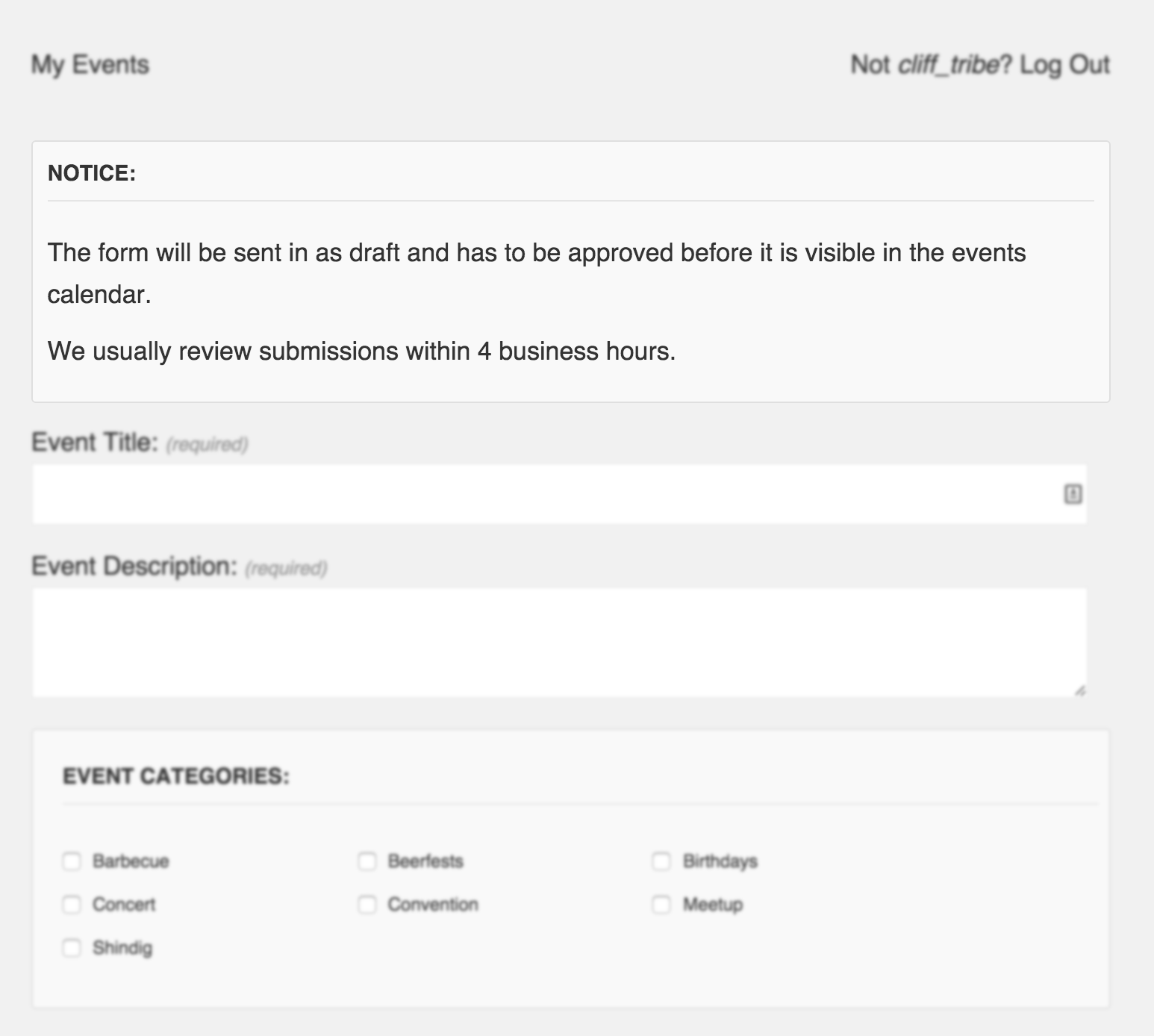
Take a look through this file: /wp-content/plugins/the-events-calendar-community-events/src/views/community/edit-event.php
In that file, search for ‘do_action’ to see all the places you could insert custom content.
For example, you could do this by adding the following code to your child theme’s functions.php file:

by adding this code in your child theme’s functions.php file: https://gist.github.com/cliffordp/6ed4de93895fe2acd959
Again, you could use ANY of the action hooks in that file to put your “Notice” text somewhere else (e.g. at the bottom of the form).
Let me know how it goes for you.
MemberHi Kelly. Thanks for your interest in our paid add-ons to The Events Calendar core/free plugin.
The Events Calendar PRO add-on is separate from the Community Events add-on. There is no overlap in features if you buy just one of these two.
Last but not least, we have a pretty great Refund Policy so you can buy one or many of our add-ons and thoroughly test them.
Let me know if you have anything else I can clarify for you or if you need help determining which add-ons will work best for your setup.
MemberHi Kevin.
If I’m understanding you correctly, I think you’ll need to follow along our Themer’s Guide.
So you’ll want to go to your current theme (ideally a child theme) and create a folder structure like this:
- /wp-content/themes/YOUR-CHILD-THEME/tribe-events/community/src/views/community/edit-event.php
- /wp-content/themes/YOUR-CHILD-THEME/tribe-events/community/modules/custom.php
Copy the /wp-content/plugins/the-events-calendar-community-events/src/views/community/edit-event.php file to that first location above and then make your edits to it.

For example, you could re-arrange the order each module is loaded (e.g. put custom below cost).
And copy the /wp-content/plugins/the-events-calendar-community-events/src/views/community/modules/custom.php file to the second child theme location mentioned above, then make your edits to it. For example, you could search for esc_html and sparingly remove it where absolutely necessary (it strips HTML, like links, but it’s there for security reasons, not simply to be annoying). And/or you could add do_shortcode() around the $options so you could use shortcodes in your Additional Fields options.
Finally, you might be interested in the tutorial how to make certain fields required on the Community Events form: https://theeventscalendar.com/knowledgebase/required-fields-for-events-submission-form/
I hope this information clears a few things up for you and gets you headed toward a good, long-term solution!
MemberHi Tyler.
It sounds like a setup where our new Community Tickets add-on could do everything you’re wanting, even if you just have 1 user/client to support.
In addition to the sales page link above, you can also check out this add-on’s New User Primer to get more familiar with it.
I thought of this add-on for you because:
- it would let your client, in their own WP user account, post new events and view each event’s attendees
- it would let you charge a flat amount and/or a percentage of sales for each ticket they sell
Note that this add-on does require the Community Events add-on and the WooCommerce Tickets add-on.
I look forward to hearing your feedback.
MemberHi ML. Thanks for your interest in our add-ons.
Here are some products you may be interested in:
- Community Events (allow users to create and manage their own events)
- Tickets — e.g. WooCommerce Tickets (charge for events)
- Community Tickets — requires Community Events + WooCommerce Tickets (our brand new extension that lets your users create and sell tickets from the front-end and view their attendees from the front-end, plus you can share in their revenues)
You can also view our New User Primer information for each.
Check out those links and let me know if there are any follow-up questions for your specific setup.
Last but not least, we have a pretty great Refund Policy so you can buy one or many of our add-ons and thoroughly test them.
November 7, 2015 at 10:07 pm in reply to: Should Template Overrides use Child Theme Folder or Main Theme Folder? #1022982MemberHey Kevin. No worries, not a dumb question.
If your child theme is the active theme, you should put it in your child theme’s folder.
This is actually the best setup because if you didn’t have a child theme, any update to your parent theme would wipe out your ‘tribe-events’ theme folder.
Let me know if you need any further direction regarding our Themer’s Guide.
MemberHey psasser.
You could use one of our plugin’s widgets or shortcodes.
Please give those options a look-over and let me know if you got what you needed.
November 7, 2015 at 10:00 pm in reply to: Do I need both plugins? The Events Calendar & The Events Calendar Pro #1022978MemberHi nopberlin.
Our Events Calendar PRO product is an add-on to the free core plugin, so both need to be installed in order for PRO or any of our other add-ons to work.
Let me know if there’s anything else I can help with! 🙂
MemberHi Hans. All our translations are community-provided.
We’ve just launched a whole new process for translations and have two write-ups for it:
- https://theeventscalendar.com/knowledgebase/changing-the-language-on-your-calendar/
- <span style=”line-height: 1.5;”>https://theeventscalendar.com/knowledgebase/adding-or-updating-a-translation/</span>
Two things to note are:
- You do not have to submit an entire translation, you can just submit translations for individual strings. Even if it’s just one string, or something like a spelling correction, it all helps!
- Your submitted strings will be saved as “suggestions”, and not immediately included in a translation file for export until an administrator approves them. This may seem like a limitation, but it just helps us ensure nobody comes along and deletes translations or adds spam or something to them. Your suggestions will be approved very promptly.
I hope the information here brings you up to speed on our new translations site. Please let us know if it does or if you have any other questions or concerns.
Thank you!
MemberHi Ying.
Please explain how you “inserted ECP into” your /whatson page. Did you use a shortcode, widget, or other method?
MemberHi Lori. I’m very sorry to hear of this. I hope to help you resolve it ASAP.
When you updated our plugin(s), maybe you updated some other, non-Modern Tribe things too (WP core, a theme, non-MT plugin)? Just a thought. Whether this is the case or not, to start our troubleshooting, would you mind enabling WP_DEBUG and sharing any PHP errors you see while navigating your site’s home page, events page, single-event pages, and any other of your site’s pages relevant to this ticket?
Once you share your WP_DEBUG findings, we may be able to get an idea of any plugin or theme conflicts.
Please enable WP_DEBUG on your site. You’ll need to edit to your site’s wp-config.php file and change this line of code:
define('WP_DEBUG', false);to this:define('WP_DEBUG', true);
(or add this line of code if you can’t find mention of ‘WP_DEBUG’ in your wp-config.php file)If any errors do appear while navigating your site’s pages, please copy and paste them in their entirety into a new ticket reply — along with the URL of where you saw the error(s) — and make sure you set it as a Private reply.
===
If you don’t see any WP_DEBUG messages while browsing your site, could you try temporarily activating the default Twenty Fifteen theme, and seeing if the issue persists.
If disabling the theme fixes it, we have narrowed the issue down to a theme conflict. Do you have any theme overrides for the Events Calendar? If so could you try disabling them by renaming your [themename]/tribe-events/ folder to ‘tribe-events-bak’. Did that fix it?
If the issue persists in the default Twenty Fifteen theme, then we have a different set of debugging steps. Please keep the Twenty Fifteen theme enabled, and also disable any plugins other than the ones from Modern Tribe to see if that fixes it. If it does, please try re-enabling the plugins one at a time until the issue resurfaces. When it does resurface, can you let me know which plugin caused that to happen?
===
If you can’t figure out any WP_DEBUG messages or theme or plugin conflicts, would you mind grabbing your system information and pasting it here? Make sure to use the “Set as private reply” checkbox to protect your private information from the public.
You can find the system info by going to WP Admin > Events > Settings, clicking on the “Help” tab, and scrolling down to the “System Information” box. (Or by going to [yoursite]/wp-admin/edit.php?post_type=tribe_events&page=tribe-events-calendar&tab=help)
That will give me a lot of extra information to help diagnose the problem.
I look forward to hearing back from you and helping solve any problems.
November 7, 2015 at 9:26 pm in reply to: Just updated to Events calendar pro now get fatal error when trying month view #1022969MemberHi Richard. Thanks for your purchase, but sorry to hear about this issue arising.
Would you mind grabbing your system information and pasting it here? Make sure to use the “Set as private reply” checkbox to protect your private information from the public.
You can find the system info by going to WP Admin > Events > Settings, clicking on the “Help” tab, and scrolling down to the “System Information” box. (Or by going to [yoursite]/wp-admin/edit.php?post_type=tribe_events&page=tribe-events-calendar&tab=help)
That will give me a lot of extra information to help diagnose the problem.
MemberHi Justin.
I’ll try to help with the items you mentioned.
- On my testing site with all non-Modern Tribe plugins disabled and the Twenty Fifteen default WordPress theme — on the main Events page: If initial page load occurs while the browser width is 768px or less (i.e. you could replicate it on a narrow desktop browser), the day abbreviations (e.g. “Mon”) appear instead of the full names (e.g. “Monday). I’d suggest testing for plugin or theme conflicts if you confirm it really isn’t happening on your site.
- Are you referring to the Mini Calendar widget? It’s the only thing I can think of that displays content below a calendar view once you click a date.
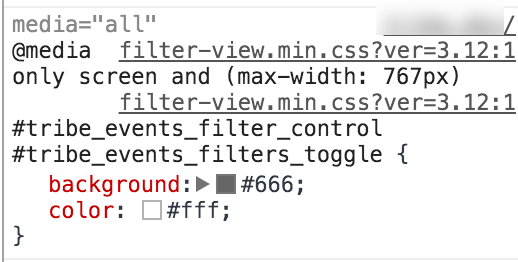
- Just resize your Firefox browser to 767px or narrower to get the gray button version of Filter Bar to appear. Here’s the Chrome Developer Tools view of the rules applying to that button:
I hope this information helps you resolve your items. Let me know if I can be of further assistance.
-
AuthorPosts