Forum Replies Created
-
AuthorPosts
-
November 9, 2015 at 7:04 am in reply to: Just updated to Events calendar pro now get fatal error when trying month view #1023202
Cliff
MemberSounds good. No rush on my end, but I’ll reply within 24 hours of whenever you post any update.
MemberThanks for letting me know. Feel free to open a new ticket if anything else comes up!
MemberI’m glad you’re moving things along. 🙂
If I understood you correctly, you’ve got the custom columns added to /wp-admin/edit.php?post_type=tribe_events&page=tickets-attendees&event_id=####
And you’re wanting to know how to also add them when you click the “Export” button at the wp-admin link above — e.g./wp-admin/edit.php?post_type=tribe_events&page=tickets-attendees&event_id=####&attendees_csv=1&attendees_csv_nonce=xxxx
The “Export” button’s link — added by the Tribe__Events__Tickets__Attendees_Table::extra_tablenav() method — adds those query string parameters, from this file: /wp-content/plugins/the-events-calendar/src/Tribe/Tickets/Attendees_Table.php
Overriding the get_columns() method in that file might be the way to add your own custom columns to the export, since that’s what the Tribe__Events__Tickets__Tickets_Pro::_generate_filtered_attendees_list method uses in this file: /wp-content/plugins/the-events-calendar/src/Tribe/Tickets/Tickets_Pro.php
===
I think that information should help you get to the finish line.
While you’re working it out, if you feel there needs to be a hook, let me know.
Once you get things working, feel free to share your code snippet for others to benefit from.
MemberHi Buzzpro. Thanks for providing your styling.
I checked http://buzzpro.com/events/ and figured out that this CSS rule is the one making your “View as” options to not display:
/*Hide author name*/
.bSe ul {
display: none !important;
}
I didn’t understand your CSS comment (i.e. what author name you were trying to hide), but I’d suggest digging deeper with that CSS rule, if not removing it completely.
I hope this helps!
MemberThanks for that WP_DEBUG message.
The message says the error is coming from the Avada theme.
Thanks for the more readable screenshot.
No, I didn’t receive your system information in this thread.
===
Here’s what to do:
NOTE: Don’t forget to use a fresh/new browser after each update, activation/deactivation, and other troubleshooting steps! Check http://www.refreshyourcache.com/ for how-to.
Make sure you have the latest version of the Avada theme and test if the problem(s) goes away.
If you were already on their latest version or updating to their latest version didn’t solve the problem, could you try temporarily activating the default Twenty Fifteen theme and seeing if the issue persists?
If disabling the theme fixes it, we have narrowed the issue down to a theme conflict. Do you have any theme overrides for the Events Calendar? If so could you try disabling them by renaming your [themename]/tribe-events/ folder to ‘tribe-events-bak’. Did that fix it?
If the issue persists in the default Twenty Fifteen theme, then we have a different set of debugging steps. Please keep the Twenty Fifteen theme enabled, and also disable any plugins other than the ones from Modern Tribe to see if that fixes it. If it does, please try re-enabling the plugins one at a time until the issue resurfaces. When it does resurface, can you let me know which plugin caused that to happen?
===
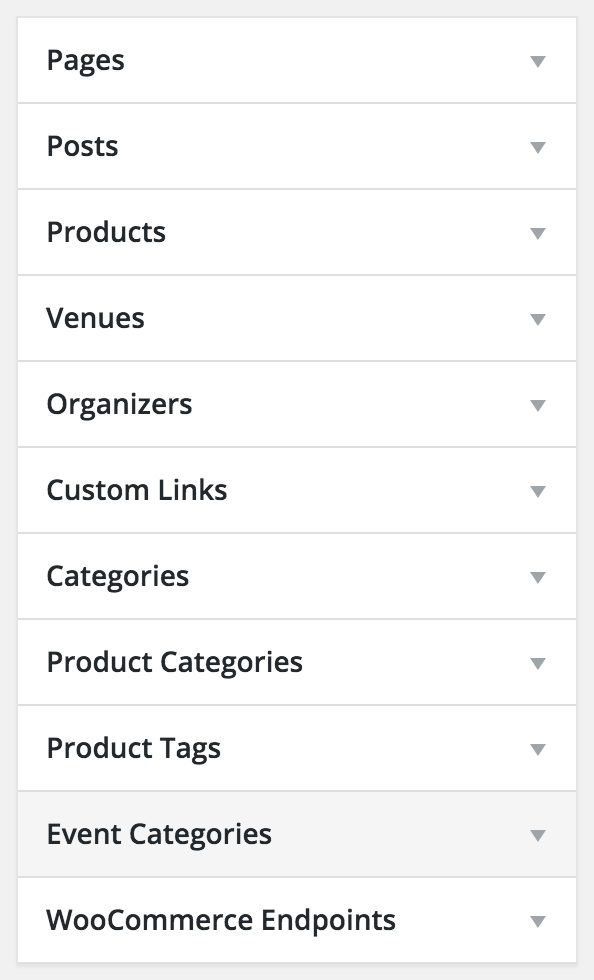
For something not showing up in your navigation menu, you might need to review your wp-admin > Appearance > Menus and customize your WordPress menu(s) that is active on your site’s main navigation.
Reference: https://codex.wordpress.org/Appearance_Menus_Screen#Custom_Post_Types_and_Taxonomies
Note there are additional sections of menu items. If you change the Events Calendar’s settings so the slug changes, you’ll probably need to update your menu manually afterward, too.

===
Finally, as for any styling edits (e.g. too much space), you’ll need to contact Avada support to ask why the appearance is the way it is.
I hope this information helps toward resolving your issue.
November 8, 2015 at 8:24 pm in reply to: Just updated to Events calendar pro now get fatal error when trying month view #1023121MemberThanks for your system information.
I found your calendar at http://wiilkids.com/?post_type=tribe_events — and saw the month view at http://wiilkids.com/?post_type=tribe_events&eventDisplay=month wasn’t working
Here are a couple things you might want to try:
1)
Thanks for reaching out to us about this.
There could be quite a few things that would lead to a plugin or theme conflict, and I’m curious about a few things. Would you mind enabling WP_DEBUG and sharing any PHP errors you see while navigating your site’s home page, events page, single-event pages, and any other of your site’s pages relevant to this ticket?
Once you share your WP_DEBUG findings, we may be able to get an idea of any plugin or theme conflicts.
Please enable WP_DEBUG on your site. You’ll need to edit to your site’s wp-config.php file and change this line of code:
define('WP_DEBUG', false);to this:define('WP_DEBUG', true);
(or add this line of code if you can’t find mention of ‘WP_DEBUG’ in your wp-config.php file)If any errors do appear while navigating your site’s pages, please copy and paste them in their entirety into a new ticket reply — along with the URL of where you saw the error(s) — and make sure you set it as a Private reply.
Let us know what you find. 🙂
2)
Could you try temporarily activating the default Twenty Fifteen theme, and seeing if the issue persists.
If disabling the theme fixes it, we have narrowed the issue down to a theme conflict. Do you have any theme overrides for the Events Calendar? If so could you try disabling them by renaming your [themename]/tribe-events/ folder to ‘tribe-events-bak’. Did that fix it?
If the issue persists in the default Twenty Fifteen theme, then we have a different set of debugging steps. Please keep the Twenty Fifteen theme enabled, and also disable any plugins other than the ones from Modern Tribe to see if that fixes it. If it does, please try re-enabling the plugins one at a time until the issue resurfaces. When it does resurface, can you let me know which plugin caused that to happen?
3)
You might require a more powerful server. Or, often times web hosts will allow you to increase the memory limit on your current server.
Here are some helpful links regarding this:
- Here’s is how to upgrade WordPress’ memory limit, right from the WP Codex.
- Here is the PHP reference for modifying your php.ini memory limit. Sometimes this is necessary as well. Not all hosting plans allow you to edit the php.ini file, so you would need to consult with your provider on how to do it and if you need to switch plans. You might even ask them what the maximum allowed memory is for the current plan, and make sure you are already there.
Keep in mind that WordPress is a powerful application, and our Calendar only adds to that power. Often times the cheapest hosts out there simply will not accommodate these, especially once you start having a lot of posts or events.
===
Hopefully something from above gets you closer to figuring things out…
Please let me know what you find works or doesn’t.
===
P.S. I grew up in Racine, WI so it was cool to see your site serving the Southeast Wisconsin area! 🙂
November 8, 2015 at 8:12 pm in reply to: My formatting is all over the place on a fresh install #1023119MemberYou can review our plugin’s widgets or shortcodes.
However, there’s not a “category photo view” widget or shortcode, if that’s what you were asking.
You could, however, add it to a custom WordPress menu if that’ll help with your site’s navigation.
https://codex.wordpress.org/Appearance_Menus_Screen#Custom_Post_Types_and_Taxonomies
I hope this information helps.
MemberYou said WP_DEBUG did report some issues? If yes, what were they?
All our plugins do work in Twenty Fifteen, plus your report of things not working all of a sudden lead me to believe there’s a problem. In other words, regardless of cause, something’s not right.
Maybe try changing your main calendar slug to something else, like ‘calendar’ instead of ‘events’ and see if that works. If it does, change it back to ‘events’ and re-save your site’s permalinks and see if that makes it work again.
You might also try changing permalinks to the various options (especially the ‘default’/ugly permalinks and see if that makes things work).
Sorry, but https://cldup.com/G-KC4du6Tb.jpg was too small an image for me to read its text.
Maybe try changing to Avada parent theme as active theme instead of your child theme.
Please let me know what you discover, if anything.
MemberBoom! 😉
MemberThat is an existing feature request: https://tribe.uservoice.com/forums/195723-feature-ideas/suggestions/3759344-qr-code-or-bar-code-on-tickets-that-can-be-scanned
Check it out!
MemberThere’s someone scheduled to review translations each week. I’m not sure what the status of those items are, but I brought them to the attention of the person who should be reviewing them this upcoming week. Maybe that’ll help move them along.
https://codex.wordpress.org/I18n_for_WordPress_Developers#Plurals addresses how plurals get translated, assuming the code is internationalized properly.
Let me know if there’s more I can help with in regards to your ticket.
Thank you.
MemberOk. What is “Events template” set to at wp-admin > Events > Settings > Display tab? If set to Page Template, maybe try changing to Events Template to see if that gives you a different result.
The reason I suggest this is because on my testing site with only Modern Tribe plugins enabled and the Twenty Fifteen default theme active, I don’t see “Event Archive” like you do.
Let me know what you find out.
November 7, 2015 at 11:35 pm in reply to: How and where can I create copy for the "About the Author" #1023018MemberThanks for understanding and creating new tickets for each issue.
November 7, 2015 at 11:35 pm in reply to: Submit form size is too big. how can i change the size of the form??? #1023017MemberI see very significant spacing/padding on that form. I suggest you contact your theme developer to look into why everything is too spaced out.
I hope that helps.
If you need additional help, please add more specifics to your request (what exactly you want changed).
I hope things go well with your theme developer.
November 7, 2015 at 11:29 pm in reply to: Recurring Event – First instance redirects to last date in series #1023016MemberHi Linda. Sorry to hear that you’re experiencing this issue. I believe you’re describing one of our recently-discovered bugs.
We don’t give ETAs, but I added this forum ticket to the list of tickets that should be updated once the fix is released.
Thanks for your patience as we work hard to prioritize and fix bugs.
-
AuthorPosts