
Home › Forums › Calendar Products › Events Calendar PRO › My formatting is all over the place on a fresh install
- This topic has 12 replies, 3 voices, and was last updated 10 years, 8 months ago by
Support Droid.
-
AuthorPosts
-
November 2, 2015 at 7:06 pm #1021072
Antoinette
Participanthttp://happyboosters.com/workshops1/
See this link and I’m testing the shortcodes and they are not correct. It is a new install. not sure what if could be. There seems to be no conflicts.
Hope you can help.
Thanks.
November 2, 2015 at 10:21 pm #1021125Cliff
MemberHi Antoinette.
Sorry your tribe_mini_calendar shortcode is formatting weird like it is.
I detected you’re using version 2.5.3 of the Divi theme.
The current version is 2.5.5. I tested that shortcode with the current version of Divi theme and it displayed just fine. Here’s a screenshot:

Please update to the latest version of Divi theme and let me know if that fixes the display issue(s) you’re having.
P.S. Don’t forget to clear your site’s cache and your browser’s cache after updating your theme.
November 2, 2015 at 11:04 pm #1021131ParticipantThank!!!
I’ve updated everything now. And it still has this bug thing. I was testing other event plugins in the site and not sure if that had anything to do with it however I have uninstalled all of them.What do you think it could be?
November 2, 2015 at 11:05 pm #1021132Participantok. I noticed that in http://happyboosters.com/events/photo/ it looks fine. I’ll have a play to see if I can work it out.
November 2, 2015 at 11:15 pm #1021133Participantso in my tests..
http://happyboosters.com/workshops-calendar/ looks wrong still. It is with Divi and not with the Divi builder (with builder has same error)
However straight from the plugin on this page http://happyboosters.com/events/photo/ it looks great.
The think is I need the shortcode because I need to insert it into specific places.
Love your help.
Thanks!!!
November 3, 2015 at 8:17 pm #1021535MemberThanks for trying multiple things. Have you tried using the
[tribe_mini_calendar]shortcode or just the widget?If you haven’t tried that shortcode, please do and let me know how it works for you.
November 4, 2015 at 11:22 pm #1022041Participanthttp://happyboosters.com/workshops1/ now looks good. not sure what it was. I think if could be because I was duplicating the code on the same page.
I want them to display like http://happyboosters.com/events/photo/ in Photo format. Is there a shortcode for this. I could not find. For example just have it displayed in Photo format of just one category.
November 6, 2015 at 3:55 pm #1022727MemberHi Antoinette. Your category page is at http://happyboosters.com/events/category/wellbeing/ and if you click to display Photo view, it’ll take you to http://happyboosters.com/events/category/wellbeing/photo/, which does work.
I hope this info helps.
November 8, 2015 at 3:57 pm #1023084ParticipantOh cool. Thanks. I was wondering is there a shortcode for this so I can insert it into a page?
Thanks.
November 8, 2015 at 8:12 pm #1023119MemberYou can review our plugin’s widgets or shortcodes.
However, there’s not a “category photo view” widget or shortcode, if that’s what you were asking.
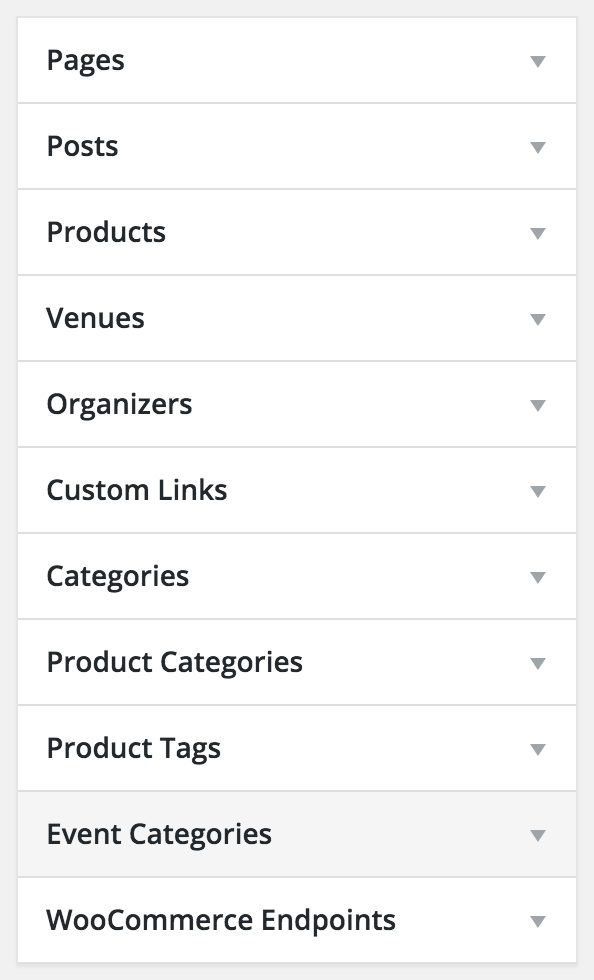
You could, however, add it to a custom WordPress menu if that’ll help with your site’s navigation.
https://codex.wordpress.org/Appearance_Menus_Screen#Custom_Post_Types_and_Taxonomies

I hope this information helps.
November 9, 2015 at 7:43 pm #1023563ParticipantHi Cliff. Thanks for that.
Sorry. I’ve updated the plugin and now the Photo’s don’t seem to be working now.http://happyboosters.com/events/photo/
where else http://happyboosters.com/events/ works. This is strange as it was working before I updated it.Also in http://happyboosters.com/events/ when you hover over an event it does not bring up that box. And I can’t work out how to go back to the old version of the plugin easily.
Is it the plugin or me?
Thanks.
November 9, 2015 at 9:17 pm #1023583MemberThere are a few things I can suggest for you to determine the cause of the Photo view not working for the main calendar nor for a category’s Photo view.
1)
There could be quite a few things that would lead to a plugin or theme conflict, and I’m curious about a few things. Would you mind enabling WP_DEBUG and sharing any PHP errors you see while navigating your site’s home page, events page, single-event pages, and any other of your site’s pages relevant to this ticket?
Once you share your WP_DEBUG findings, we may be able to get an idea of any plugin or theme conflicts.
Please enable WP_DEBUG on your site. You’ll need to edit to your site’s wp-config.php file and change this line of code:
define('WP_DEBUG', false);to this:define('WP_DEBUG', true);
(or add this line of code if you can’t find mention of ‘WP_DEBUG’ in your wp-config.php file)If any errors do appear while navigating your site’s pages, please copy and paste them in their entirety into a new ticket reply — along with the URL of where you saw the error(s) — and make sure you set it as a Private reply.
2)
Could you try temporarily activating the default Twenty Fifteen theme, and seeing if the issue persists.
If disabling the theme fixes it, we have narrowed the issue down to a theme conflict. Do you have any theme overrides for the Events Calendar? If so could you try disabling them by renaming your [themename]/tribe-events/ folder to ‘tribe-events-bak’. Did that fix it?
If the issue persists in the default Twenty Fifteen theme, then we have a different set of debugging steps. Please keep the Twenty Fifteen theme enabled, and also disable any plugins other than the ones from Modern Tribe to see if that fixes it. If it does, please try re-enabling the plugins one at a time until the issue resurfaces. When it does resurface, can you let me know which plugin caused that to happen?
Let us know what you find. 🙂
February 18, 2016 at 8:30 am #1075510KeymasterThis topic has not been active for quite some time and will now be closed.
If you still need assistance please simply open a new topic (linking to this one if necessary)
and one of the team will be only too happy to help. -
AuthorPosts
- The topic ‘My formatting is all over the place on a fresh install’ is closed to new replies.