

Forum Replies Created
-
AuthorPosts
-
Cliff
MemberHi Nathan. You can choose Photo View as your default view if that’s what you’re wanting.
Or you can just link to the link that gets created automatically (e.g. example.com/events/photo)
As far as displaying or embedding the Photo view in a WordPress page, that’s not one of our features. Sorry if that’s what you’re wanting. However, you might search our UserVoice ideas site and see if you find something to vote for or any new ideas to suggest.
Thank you.
MemberHi Sergio. Sorry you’re experiencing this issue, and thanks for the screenshot and links (they always help).
I didn’t quite understand your statement “because all events are wrong”, since it appears some event dates appear correctly and some did not.
Please clarify, if possible:
Are any of them correct? Are the correct ones non-recurring / single events or are they part of a recurring series? Any other patterns that you noticed?Please provide me a screenshot of your wp-admin > Events > Settings > Display > Date Format Settings section
Thanks.
MemberHi John. Thanks for your question.
I visited https://www.milkwood.net/courses/ and, looking at the <body> classes, it appears to be the default Events archive page, with the Photo View, that the PRO add-on provides. You can set Photo View to be the default view in the Display settings.
That site also uses our Filter Bar add-on.
I hope this information helps. Let me know how things go for you.
MemberHi Richard. Thanks for considering our PRO and Event Tickets Plus add-ons. I’ll try to answer your questions as succinctly as possible.
You may not need the PRO add-on, unless you want to have recurring events or custom fields for your events (not your attendees).
If you want to sell tickets, you’d need our Event Tickets plugin (allows free RSVP tickets) with its Event Tickets Plus add-on (to sell via WooCommerce).
- Yes, via the options referenced in https://theeventscalendar.com/knowledgebase/collecting-extra-information-from-event-attendees/
- Yes. It’d require a little bit of custom coding (basically copying the existing file(s) and making your modifications to them in your child theme’s folder). Reference: Themer’s Guide
- Not yet. Our Event Tickets free/core plugin will eventually have what we’re calling “global stock” functionality. As of today, this doesn’t exist. If I’m not mistaken, it’s on the sooner-than-later list of things to implement.
Last but not least, we have a pretty great Refund Policy so you can buy one or many of our add-ons and thoroughly test them.
Let me know if you have any follow-up questions.
January 20, 2016 at 10:01 pm in reply to: edit and add new event no longer working after update #1059645MemberHi. Yikes.
Please follow our Testing for Conflicts Guide and see if that helps narrow down the cause of this.
Let us know what you find out. I hope it’s good news.
Thanks.
January 20, 2016 at 10:00 pm in reply to: How can I include the abbreviated month in the Event List Shortcode view? #1059643MemberHi Robert. Thanks for your question.
Please look in this file: /wp-content/plugins/events-calendar-pro/src/views/pro/widgets/modules/single-event.php
You may use the tribe-mini_helper_tribe_events_ajax_list_dayname filter to change “D” to “D M” (reference: http://php.net/manual/en/function.date.php)
Or you may want to override this template in your own theme by creating a file at [your-child-theme]/tribe-events/pro/widgets/modules/single-event.php, according to our Themer’s Guide.
I hope this information helps. Please let me know how it goes for you.
January 20, 2016 at 9:47 pm in reply to: Category calendar ical link seems to have events from other categories… #1059641MemberHi Scott. Thanks for reporting this. I have confirmed it on my local testing site and reported the issue to our developers. They will evaluate it and hopefully fix it in the future (I cannot provide any guarantees on if or when).
I did notice the month view iCal export included events NOT in the specified category, as you reported.
However, the list view’s iCal export included ONLY the events in the specified category.
So for your use case, maybe you could try using the list view’s .ics file. I hope that works for you for now.
Please let me know how things go.
Thanks.
MemberHi Daniel.
I looked at my local testing site to try to figure out a pattern and couldn’t determine one. I checked for the following, of which it wasn’t any:
- start time on each day
- alphabetical by event title
- recurring above non-
- all-day events above non-
I also searched through other past forum threads asking for custom sorting of events on each day of the month view and didn’t find anything terribly helpful to point you to. This one may be helpful (although that line of code is now on Line 883 of the-events-calendar/src/Tribe/Query.php)
This one may be of help too if you really want to pursue this customization.
===
Here are some quick thoughts that might help though:
Can you check if any of the events have “Sticky” checked?
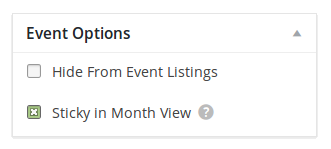
Do any of your events span multiple days (i.e. a single occurrence, if part of a recurrence series, starts at 8pm and ends the following day at 9am)? This might be a way they display above other events.
Could you try adding a few events on a specific day and see if there’s any way you can get your top event to get “bumped” (moved down in the display) by another event?
===
You may want to find or post a new idea for control over sorting at our UserVoice ideas site.
Thanks.
January 20, 2016 at 8:06 pm in reply to: iCal importer duplicating events + assigns today's date to all imported events #1059625MemberHi John.
You posted in our Pre-Sales forum from a user account that doesn’t have any purchases associated with it.
We don’t answer support questions for Events core/free or its add-ons in the Pre-Sales forum.
If you made your purchase(s) through a different user account, please login to that account and then post in one of the paid forums.
Thank you for your understanding and thank you for using our plugins.
P.S. One suggestion is to make sure your iCal file validates (e.g. http://icalendar.org/validator.html)
January 20, 2016 at 4:14 pm in reply to: Calendar view options not working in translate version #1059513MemberHi Janine.
If your link is something like site.com/events/list, then you change your site from English to Spanish, that same link will work (since our plugin is written in English) but the Spanish version of that link should also work: site.com/events/lista
The “view drop-down” should point to your language version (e.g. site.com/events/lista, not /list)
If it’s not, please re-save your WordPress Permalinks settings page and see if that helps.
Please let me know how it goes for you.
MemberHi Samantha. I visited http://ardcbeta.randemgroup.com.au/calendar/list/ and saw a lot of Chrome Inspector Console issues that you should look into.
Regardless, I tried it on mobile width and the selector is correct except for
.tribe-is-mobilenot being there at all.Why not just remove that from your code? I think that’ll make it work.
Please let me know what you find out. Thanks.
MemberAwesome. Glad you figured it out! 🙂
MemberHi Marek. Sorry to hear you’re having display issues.
Did you try just our Community Events plugin with the Twenty Fifteen theme and not like how it looked? Or did you possibly have a theme conflict that you needed help troubleshooting?
Do you have links or screenshots for me to review?
Please let me know how you think I can best help you.
Thank you.
MemberHi David. Thanks for your detailed question.
I visited http://www.unityhouston.org/events/category/classes/month/ and all “Prosperity Plus II” events are part of the same series: http://www.unityhouston.org/event/prosperity-plus-ii/all/
I noticed this event should only occur on Sundays — and it does per the Jan 17 and Jan 24 in the links — but it looks like it’s all over your calendar. I visited your main events calendar at http://www.unityhouston.org/events/month/ and it’s happening there too (not just on the category month view link).
Maybe each occurrence of the event series spans multiple days?
If that tip doesn’t help you resolve it, please send me these screenshots:
- this event’s recurrence pattern (wp-admin post editor screenshot)
- your WordPress permalinks settings
Thanks.
January 19, 2016 at 1:46 pm in reply to: Process for adjusting stock is different for EDD than for WooCommerce #1058852MemberHi Barbara.
Thanks for detailing your findings.
Our team is working hard on defining exactly how we’re going to handle inventory numbers and implementing this business logic in Event Tickets Plus. The best I can say for now is that we’re aware it’s buggy and it’s something we’re working to fix for the future.
Your report does help us though, so thank you for that and for your understanding and patience with this complex issue.
-
AuthorPosts