
Home › Forums › Calendar Products › Events Calendar PRO › Fail showing event date in of present year
- This topic has 7 replies, 4 voices, and was last updated 10 years, 7 months ago by
Leah.
-
AuthorPosts
-
January 20, 2016 at 10:59 am #1059381
Sergio
ParticipantHi,
I have realized that TEC is not showing or storing correctly the dates of events.
As an example, I copy you a screenshot of a recurrent event that happens every Monday, and forever, at 1:30AM
As you see, filtering by event name, dates for 2017 are ok but not for the dates of 2016.
Here a picture: https://flic.kr/p/CLTDocHere are some pages demonstrating what I say:
This is the page of the event happening next Monday January, 25th: http://www.maryasexora.com/evento/contigo-dentro/2016-01-25/
As you can see, this same event (that is recurrent, once in 2017, is ok:
http://www.maryasexora.com/evento/contigo-dentro/2017-01-09/It also happens with non-recurring events as you can see here:
http://www.maryasexora.com/evento/el-placer-de-sentir-a-partir-de-los-60-2/As you see, in first example, date should be “25-01-2017 de 01:30 a 02:30” instead of “25 25Europe/Madrid enero de 01:30 a 02:30”
Any help to solve this is more than welcome because all events are wrong and that a very bad imagen to visitors.
Thanks a lotJanuary 20, 2016 at 10:42 pm #1059658Cliff
MemberHi Sergio. Sorry you’re experiencing this issue, and thanks for the screenshot and links (they always help).
I didn’t quite understand your statement “because all events are wrong”, since it appears some event dates appear correctly and some did not.
Please clarify, if possible:
Are any of them correct? Are the correct ones non-recurring / single events or are they part of a recurring series? Any other patterns that you noticed?Please provide me a screenshot of your wp-admin > Events > Settings > Display > Date Format Settings section
Thanks.
January 21, 2016 at 2:06 am #1059682ParticipantHi Cliff, and thanks for answering,
Some events are ok, but only those in 2015 and 2017. Present year (2016) events shows dates like:
25 25Europe/Madrid enero de 01:30 a 02:30
instado of
25-01-2016 de 01:30 a 02:30As you see, for an event happening one day, instead of showing:
d-m-Y de [startTime] \a [endTime]-> 25-01-2016 de 01:30 a 02:30
it shows:
d d[TimeZone] m \d\e [startTime] \a [endTime]-> 25 25Europe/Madrid enero de 01:30 a 02:30For an event happening from one day to another, instead of:
d \d\e m \a d \d\e m-> 15 de enero a 14 de febrero
it shows:
d d[TimeZone] m \a d d[TimeZone] m-> 15 15Europe/Madrid enero a 14 14Europe/Madrid febreroIt happens both for simple and recurrent events. Feel free to look over events published in http://www.maryasexora.com/eventos/
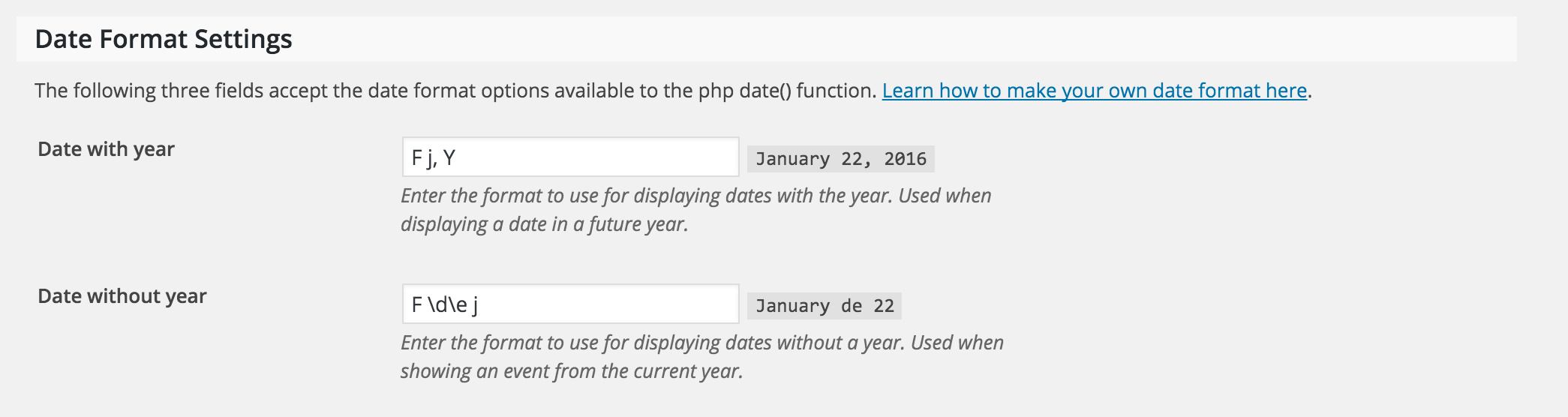
Here it is the date format settings screenshot:

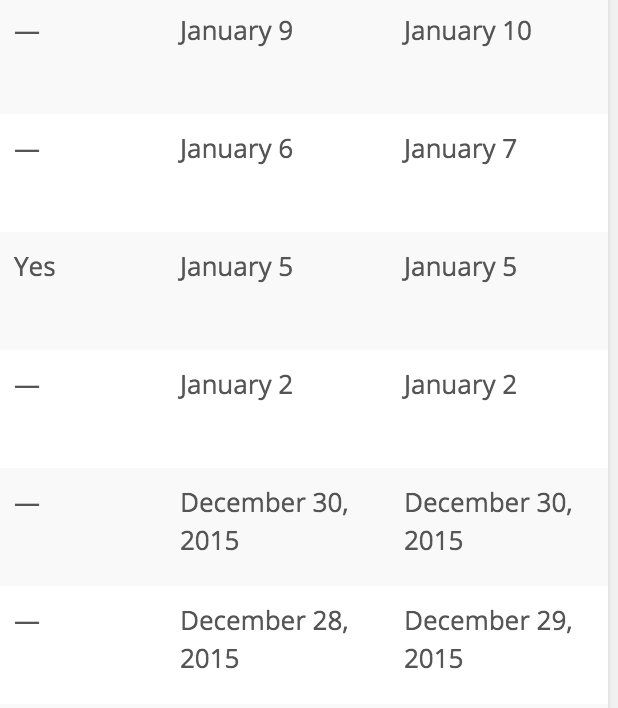
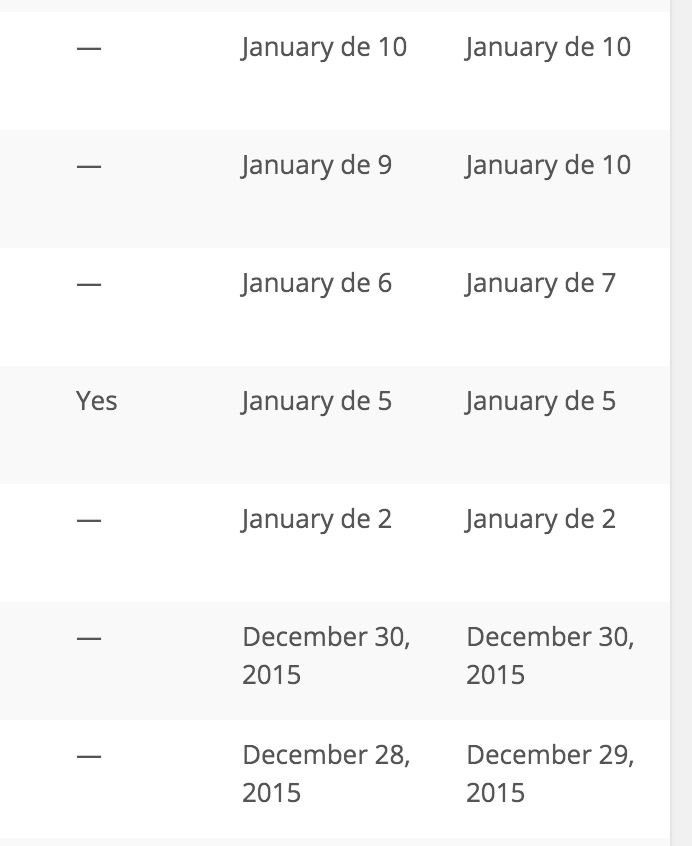
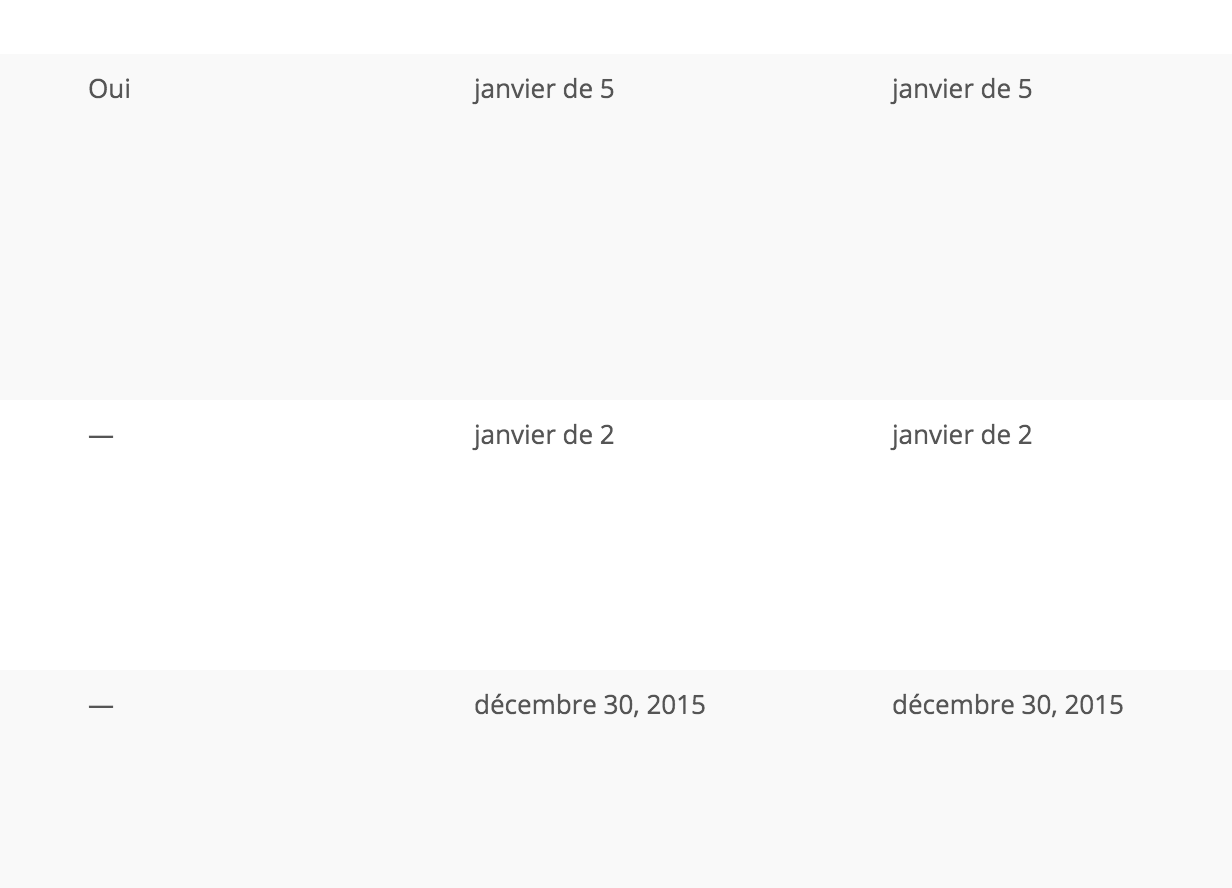
And here you can see the events list transition from 2015 events to 2016 (future up, past down):

and from 2016 to 2017 (future up, past down):

You are right and may have something to do with date format, but can´t understand why 2015 and 2017 dates are ok and present year aren´t.
Thanks a lot for your help
January 22, 2016 at 12:52 am #1060264ParticipantHi,
I found where the problem is, but not the solution.(By the way, in Spanish we say “22 of January”, not “January 22” so thats why we write “de” that in this case is translating that “of”)
Problem is that “\” character is not escaping the next letter, so in “Date without year” I set:
j \d\e F
in the preview (at right) it shows it as should be, but in visitors page view, it shows as if it wasn’t escaped:

then if I change format without escaping “d” and “e”
j de F
preview is exactly as shown visitors of events page can see it.

So the problem is that plugin is not escaping characters preceded by “\” as documentation says. The most strange thing is that, as you see in previous messages, it formats it properly for events dated in 2015 and 2017, but not for those in 2016.
Will we have an update for this? Any solution meanwhile (apart from changing to a format without escaped characters)?
Thanks a lot
January 22, 2016 at 10:01 pm #1060792MemberHey man. Awesome info. Sorry it’s taken me this long to get back to you, but I wanted to give it a thorough look (and I’m glad you shared your latest update too).
For the date format escaping literal characters, when I’m using English language for WordPress settings, changing “Date without year” format from the default “F j” to “F \d\e j” causes both the instant preview date and the wp-admin list of Events posts to display the same:
“F j”:

“F \d\e j”:


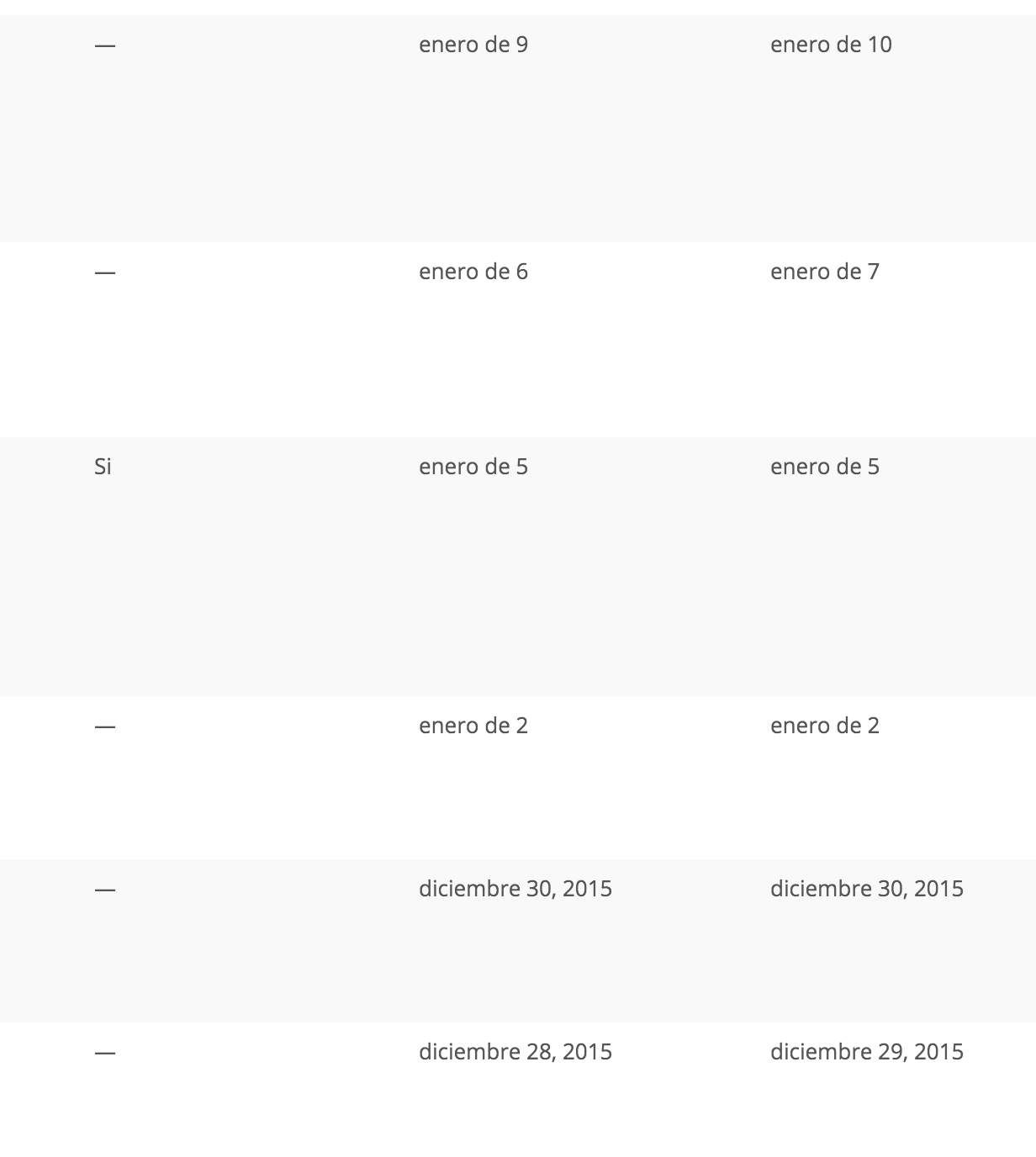
However, when I swich WordPress from English to Spanish, I get the same results as you (not what we actually want).
I tried this only because my personal experience made me do it for wp-types.com Views custom date formatting for something a while back:
While Spanish is the language, I tried double-escaping the characters “F \\d\\e j” and it junks out for the instant preview, but it works for wp-admin list of Events.


Yet, in English, double-escaping the characters junks out wp-admin’s date in the list of events.
I verified the double-escaping works in French too:

I found a developer ticket for this same issue you reported (single escaping, as it should be). For now, I’ll mark this ticket as Pending Fix, which means this thread should receive a reply once the applicable fix has been released.
I apologize for this issue (whether it’s our code, the translations, or WordPress core’s code) and appreciate your awesome help-me-help-you actions!
Please let me know if double-escaping \\d\\e works for your needs at this time. (Of course, once/if the fix gets put in place, you’ll want to change it back to the normal single-escaping.)
Thanks!
January 23, 2016 at 2:23 am #1060834ParticipantHi Cliff,
Awesome! I tested double escaping (j \\d\\e F) and, as you said, it is wrong in preview but work in production, so I will leave it like that while solution is delivered.Not a problem giving detailed info. I just sent what I would like to receive. And if among tech support crew we don´t to take care of each other, who would do? 🙂
I will check again with single escaping once you deploy the fix in a future update.
Thanks a lot!
-
This reply was modified 10 years, 9 months ago by
January 26, 2016 at 9:07 am #1062604Brian
MemberCliff is out for today so I am going to wrap this up and glad he could help provide a work around!
I am going to close this ticket to new replies, but the issue is still open and we will update this ticket once we release a fix.
If you have any new questions or issues please create a new ticket and reference this one.
Thanks
March 14, 2016 at 12:14 pm #1088596MemberHi there,
I wanted to drop in here and let you know that a fix for this problem is included in our upcoming release. Keep an eye on your Updates page for the new version and watch our blog for the release notes post.
If you experience any issues after updating your plugins to the new versions, please open a new thread in the forum and we’d be happy to take a look.
Thank you for your patience while we expand and improve our plugins!
Best,
Leah -
This reply was modified 10 years, 9 months ago by
-
AuthorPosts

- The topic ‘Fail showing event date in of present year’ is closed to new replies.