Forum Replies Created
-
AuthorPosts
-
January 22, 2016 at 10:57 pm in reply to: iCal importer duplicating events + assigns today's date to all imported events #1060800
Cliff
MemberExcellent! Thanks so much. 🙂
January 22, 2016 at 10:57 pm in reply to: edit and add new event no longer working after update #1060799MemberThanks for testing and sharing your findings.
It sounds like you’re testing on your live site, which makes sense. However, your browser, site, and/or server (even some staging servers) could have cache, cookies, and other things affecting why you might only be able to detect things intermittently. (Never fun to deal with this, I know.)
We don’t have any known conflicts with wp-types.com’s plugins, but which of their plugins do you use (Types, Views, CRED, etc)?
Additional things you may try looking for in your testing:
- try other browsers (preferably freshly-cleared cache, cookies, etc)
- are there any Chrome Console errors on any page loads, especially on the pages you’re experiencing issues with?
- do you have Types set to control anything with the Events, Organizers, or Venues post types or custom fields? What about their CRED forms plugin?
I hope to help you resolve this ASAP.
Please let me know what you discover.
Thanks!
MemberThanks. That helped a lot. Here are my thoughts:
1)
To still be able to use Venues for event information (i.e. enter data in wp-admin and display information/text on the front-end) but not let the links actually work, one idea is to use the ‘tribe_events_register_venue_type_args’ filter (found in /wp-content/plugins/the-events-calendar/src/Tribe/Main.php) to add
'publicly_queryable' => false,to the list of arguments there (same source file). Here are the current arguments:/** * Args for venue post type * @var array */ public $postVenueTypeArgs = array( 'public' => false, 'rewrite' => array( 'slug' => 'venue', 'with_front' => false ), 'show_ui' => true, 'show_in_menu' => 0, 'supports' => array( 'title', 'editor' ), 'capability_type' => array( 'tribe_venue', 'tribe_venues' ), 'map_meta_cap' => true, 'exclude_from_search' => true, );I tested adding publicly_queryable false to it and it made all single Venue pages (e.g. example.com/venue/your-venue-name) redirect to the site’s home page.
Reference: https://developer.wordpress.org/reference/functions/register_post_type/
2)
The second half of the issue is that we do not want the Venue’s name/title to link.
I believe you shared screenshots from both the Single Event Detail page view and the Event List archive view.
A)
For the Single Event Detail page view:
The free/core plugin displays the Venue name but doesn’t link it. With PRO add-on active, the Venue name gets linked (due to code in /wp-content/plugins/events-calendar-pro/src/Tribe/Single_Event_Meta.php)
Unfortunately, I didn’t see a way to easily disable PRO’s linking to the Single Venue Detail page.
One idea is to remove the link via jQuery. You could get the a element’s text (i.e. link anchor text) and replace the entire a element with its text (or possibly wrap in a span or div). This may help with part of that: http://stackoverflow.com/questions/18823065/how-can-i-get-the-text-inside-an-anchor-tag-in-jquery
Another idea is to not use any jQuery and just disguise the link. Technically, it could be clicked if you knew it was a link (and then it’d redirect you to the home page anyway), but something like this CSS would make it seem like there’s no link there:
body.single-tribe_events dd.tribe-venue a,
body.single-tribe_events dd.tribe-venue a:hover,
body.single-tribe_events dd.tribe-venue a:focus {
text-decoration: none;
border-bottom: none;
cursor: default;
color: black;
}
B)
For the Event List archive view:
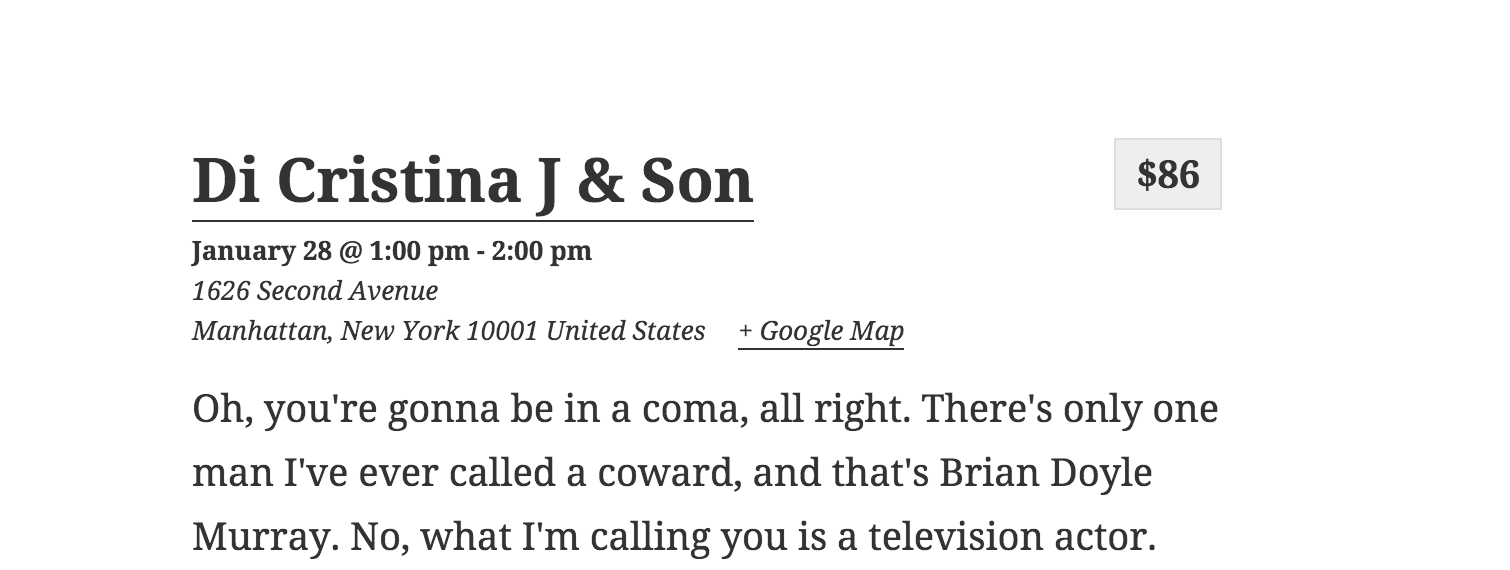
I tested with the Twenty Fifteen theme and there’s no link to the Venue (although it displays its information) so I’m not sure how to help with that one. Screenshot from my List view:

===
We don’t provide customizations as part of our Scope of Support Terms so I sure hope this helps you get you where you want to be in your customizations.
Please let me know how it goes for you! 🙂
MemberHey man. Awesome info. Sorry it’s taken me this long to get back to you, but I wanted to give it a thorough look (and I’m glad you shared your latest update too).
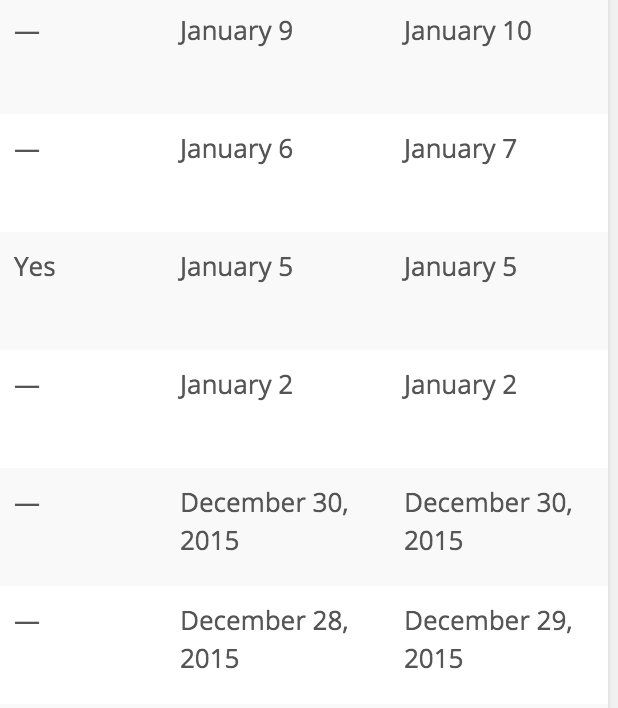
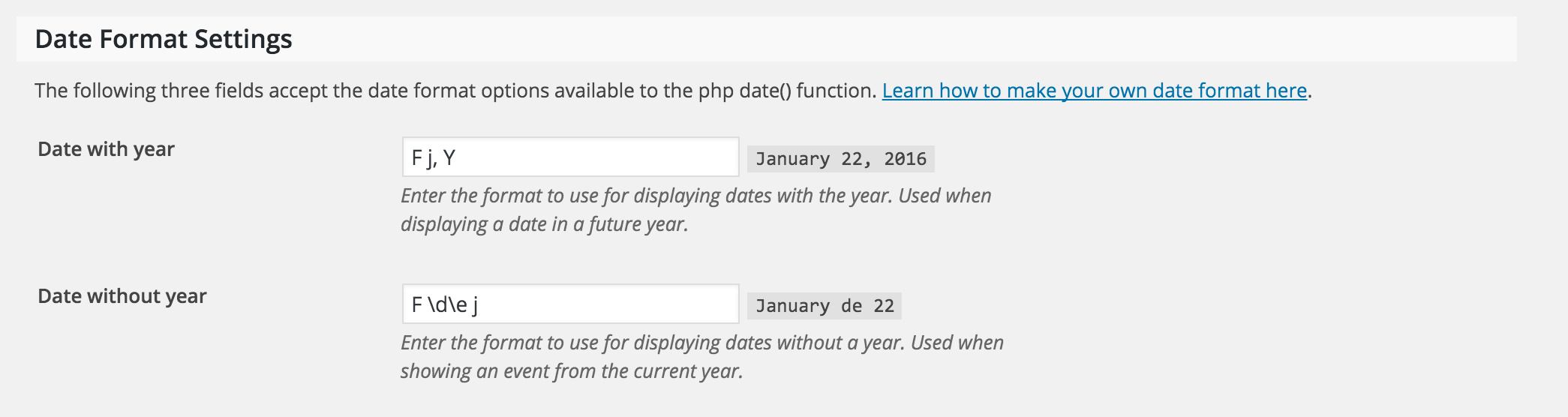
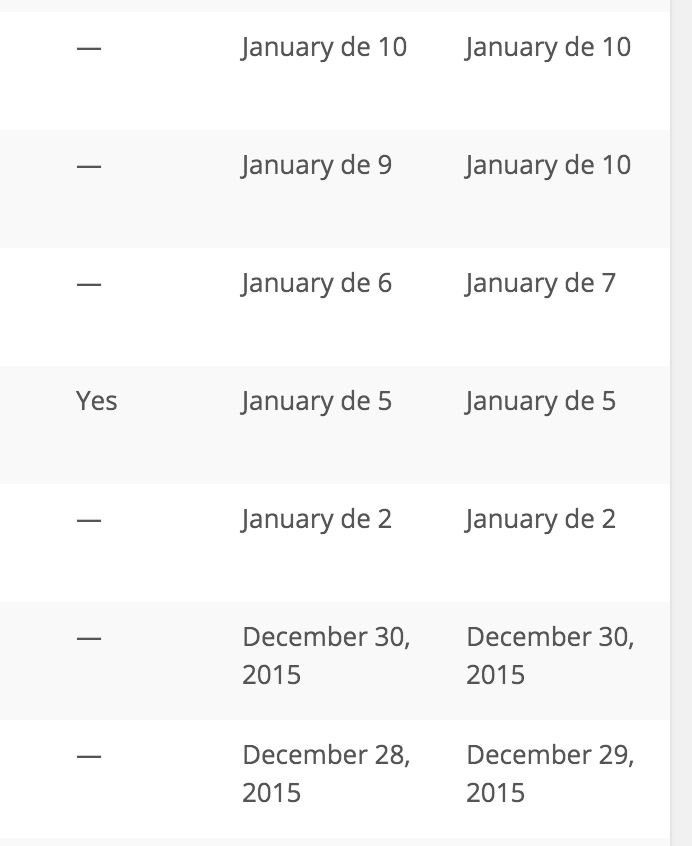
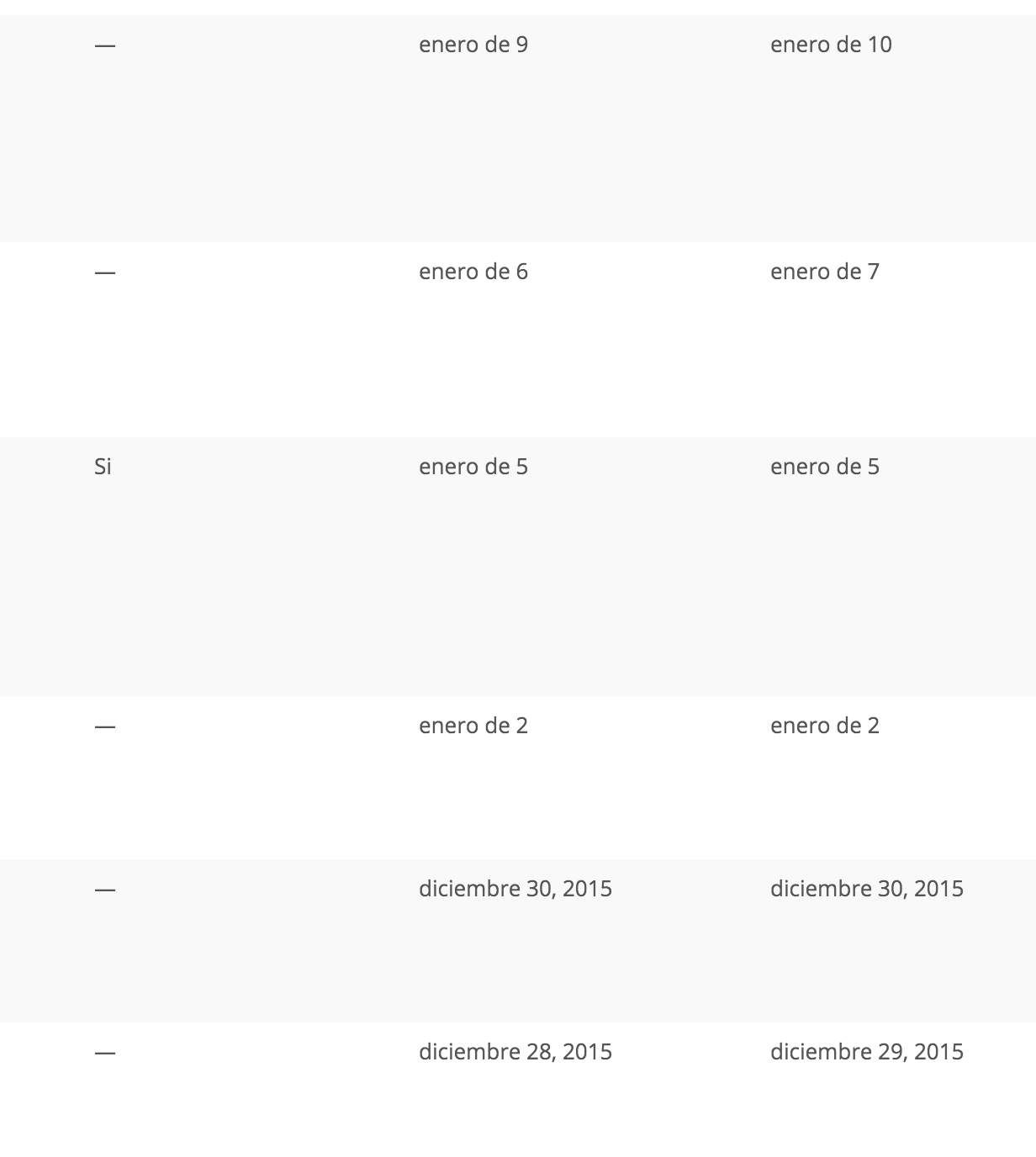
For the date format escaping literal characters, when I’m using English language for WordPress settings, changing “Date without year” format from the default “F j” to “F \d\e j” causes both the instant preview date and the wp-admin list of Events posts to display the same:
“F j”:

“F \d\e j”:


However, when I swich WordPress from English to Spanish, I get the same results as you (not what we actually want).
I tried this only because my personal experience made me do it for wp-types.com Views custom date formatting for something a while back:
While Spanish is the language, I tried double-escaping the characters “F \\d\\e j” and it junks out for the instant preview, but it works for wp-admin list of Events.


Yet, in English, double-escaping the characters junks out wp-admin’s date in the list of events.
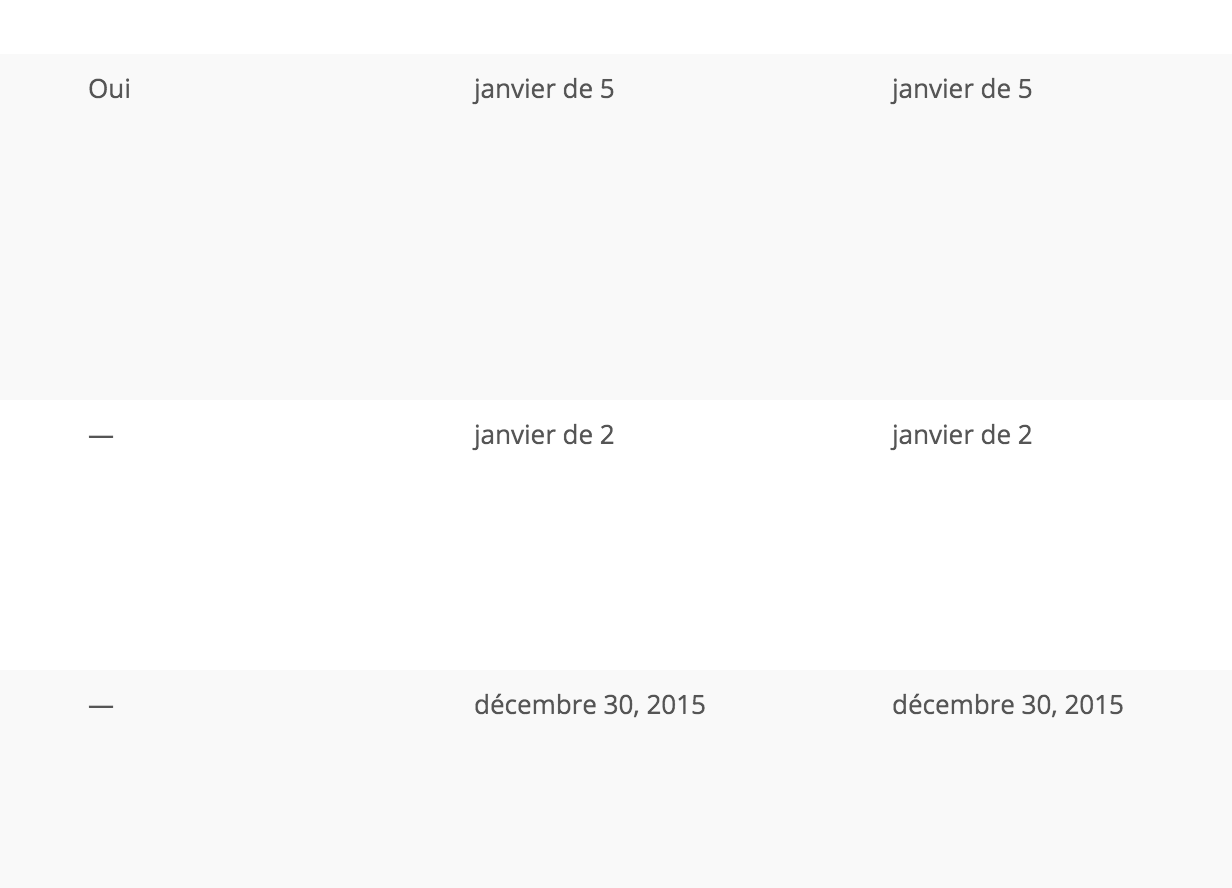
I verified the double-escaping works in French too:

I found a developer ticket for this same issue you reported (single escaping, as it should be). For now, I’ll mark this ticket as Pending Fix, which means this thread should receive a reply once the applicable fix has been released.
I apologize for this issue (whether it’s our code, the translations, or WordPress core’s code) and appreciate your awesome help-me-help-you actions!
Please let me know if double-escaping \\d\\e works for your needs at this time. (Of course, once/if the fix gets put in place, you’ll want to change it back to the normal single-escaping.)
Thanks!
MemberWe’ve had a lot of requests for the ability to render the full calendar on any page via shortcode, which I think would be one way to accomplish what you’re wanting (home page as event calendar). That link shows the status as “Started”, but I know it’s a huge project so I don’t believe it’s coming anytime soon enough for your current needs. It’s essentially been accepted and put on our developers’ to-do list (I don’t know it’s progress, if any), but there’s no timeline I can provide you regarding it’s expected release date.
One workaround we’ve seen quite a few people use is to redirect your home page to your Events URL. That’s what we currently do for our demo site: http://wpshindig.com/ redirects to http://wpshindig.com/events/
Please let me know if there’s anything more I can help with.
MemberPlease send an email with all pertinent information to support [at] theeventscalendar.com, link to this thread, and we’ll do our best to assist with providing information about and/or resetting login credentials.
Thank you! 🙂
MemberI’m glad to hear that. 🙂
I’d suggest getting started by using the Event Tickets core/free plugin for now, since it enables basic/free RSVP functionality and it’s required to eventually use the Event Tickets Plus add-on.
Let me know if you need anything else.
Have a great one!
January 22, 2016 at 5:25 am in reply to: How can I include the abbreviated month in the Event List Shortcode view? #1060298MemberIf you give me a link, I may be able to help, but I’d imagine there’s some way to do it via CSS. This may help: http://stackoverflow.com/questions/4212909/can-css-force-a-line-break-after-each-word-in-an-element
Let me know.
MemberGlad I could help! This one took me a while, but I think we got a good workaround. 🙂
Have a great weekend!
MemberWhoa. That’s of course “way bad” (that’s a technical term 😉
Could you please provide me a link to investigate? (I’ll look for Chrome Console errors and possibly some styling conflicts.)
Thanks.
MemberOk, great. Thanks for the update!
Let us know if we can help with anything else in the future. 🙂
MemberHi. Thanks for your question.
I believe you’d need to reference our Themer’s Guide for such customizations.
But could you please provide links and screenshot mockups to help me understand what exactly you’re wanting removed and on which views and I’ll see if I can help?
Thank you.
MemberI also noticed you posted in our Pre-Sales forum from a user account that doesn’t have any purchases associated with it.
If you made your purchase(s) through a different user account, please login to that account before visiting that Downloads link I provided.
MemberHi Caston.
In order to receive support for any bugs you may experience in the future, you’ll need to always be using the latest versions of all our plugins.
That being said, you should be able to download all prior versions of all our plugins since your membership began. Please visit your account’s Downloads page to check them out. I see Filter Bar 3.12.1 in there, which is probably what you’re wanting for the time being.
Let me know if you need anything else.
Thank you.
MemberHi Tod. Thanks for considering our plugins and asking your questions.
Front-end submission is possible via our Community Events add-on. It works nicely with our PRO add-on if you’re wanting to add support for custom fields on the events submission form.
Our Community Tickets add-on was created specifically for you, the site owner, to receive fees for users posting events to your site. There are several ways to receive fees (e.g. flat amount, percentage of the tickets they sell, etc). It requires our Event Tickets Plus add-on, which enables integration with WooCommerce and other e-commerce plugins.
None of our plugins interact with WordPress user registration or profiles. However, Community Events (front-end form submission) does have an option to disable/enable the form being available to logged-in users. Membership plugins work just fine with it too, if you choose to go that route.
We have many users who use the Divi theme. There aren’t any conflicts with it that I’m aware of.
I hope this helps answer your questions.
Last but not least, we have a pretty great Refund Policy so you can buy one or many of our add-ons and thoroughly test them.
Let me know if you have any follow-up questions.
-
AuthorPosts