

Forum Replies Created
-
AuthorPosts
-
Hunter
ModeratorMy apologies, I somehow missed that line was a necessary part of your functions.php file. After further inspection, it appears you’ve added it correctly. Another route to “hiding” the category section from the CE add event form is to use something along the lines of:
jQuery( ce_event_cats ).find( "input#in-tribe_events_cat-8" ).prop( "checked", true ).hide();Please review this article on how to implement custom jQuery. Unfortunately you’ll need to handle this customization yourself. For what is covered in the support forums, please review our What support is provided for license holders? Knowledgebase article.
Best of luck and it might also be a good idea to submit your request to our UserVoice Feature Ideas. Have a great week ahead. Cheers!
ModeratorWelcome back,
Thank you for sharing the screenshot with me. Try deactivating all plugins (even PRO) other than TEC and revert back to the default WP theme, then see if the issue continues. Refer to the Testing for conflicts guide.
While testing, please make sure WP_DEBUG and WP_DEBUG_LOG are enabled on your site’s wp-config.php file. Any errors will display at the top of your page as you try to reproduce the conflict. I also recommend right-clicking your mouse and opening the ‘Inspect’ tool to see if any errors display in the console. Note what you find and please include it in your reply. You might also want to try versions 4.3.4 and 4.4 of PRO instead of 4.4.1.
Please let me know how things go and have a great rest of your day 🙂
ModeratorHello 🙂
Welcome back! You would need to explore the Themer’s Guide for instructions on how to create and save custom templates.
Another helpful resource is our Adding Content Above or Below Community Events Pages tutorial. Please let me know how things work out and have a great weekend ahead. Cheers!
February 17, 2017 at 4:27 pm in reply to: Attendee list doesn`t show the Additional Attendee Information #1240549ModeratorHi Laura 🙂
First off, thank you for your purchase and welcome to our premium plugin support forums! Sorry to see you’re having troubles with the attendee info. Are you hosting your site on GoDaddy Managed Hosting? I’ll also need you to review the Testing for conflicts guide and let me know if that has any effect on the conflict. Please include your System Information as a private reply along with the results from your testing.
When testing, please make sure WP_DEBUG and WP_DEBUG_LOG are enabled on your site’s wp-config.php file. Any errors will display at the top of your page as you try to reproduce the conflict. I also recommend right-clicking your mouse and opening the ‘Inspect’ tool to see if any errors display in the console. Note what you find and please include it in your reply.
Thanks again and have a pleasant weekend ahead. Cheers!
ModeratorHey Connie 🙂
Welcome back and sorry to see you’re having issues after updating. You are correct, it’s definitely best practice to do updates on a test site before applying them to your live site to ensure there are no conflicts. Please review our Using One License for Live and Dev Sites and Moving Your License Keys tutorials for more information on how to use one license on your live and test sites. Let me know how this goes!
I took a look at the link provided but don’t see any “duplicate” events or events displaying twice. If the issue is occurring on another page(s) on your site, please reply back with links and I’d be happy to help further assist.
When users have custom templates they are responsible for updating them to match changes made in new releases – of course, we try to minimize disruption as far as possible. Also, we try to clue them in to things they should look for by providing useful data in Events > Help > Recent Template Changes. If you navigate there, you should see a list of recently updated templates (which changes each release).
Let me know if you’re able to get the conflict addressed and have a great weekend ahead.
Cheers!ModeratorHey Nic,
Welcome back and happy Friday! I checked my test site to see if I was having any issues with my comments, but everything seems to be in working order at the moment:

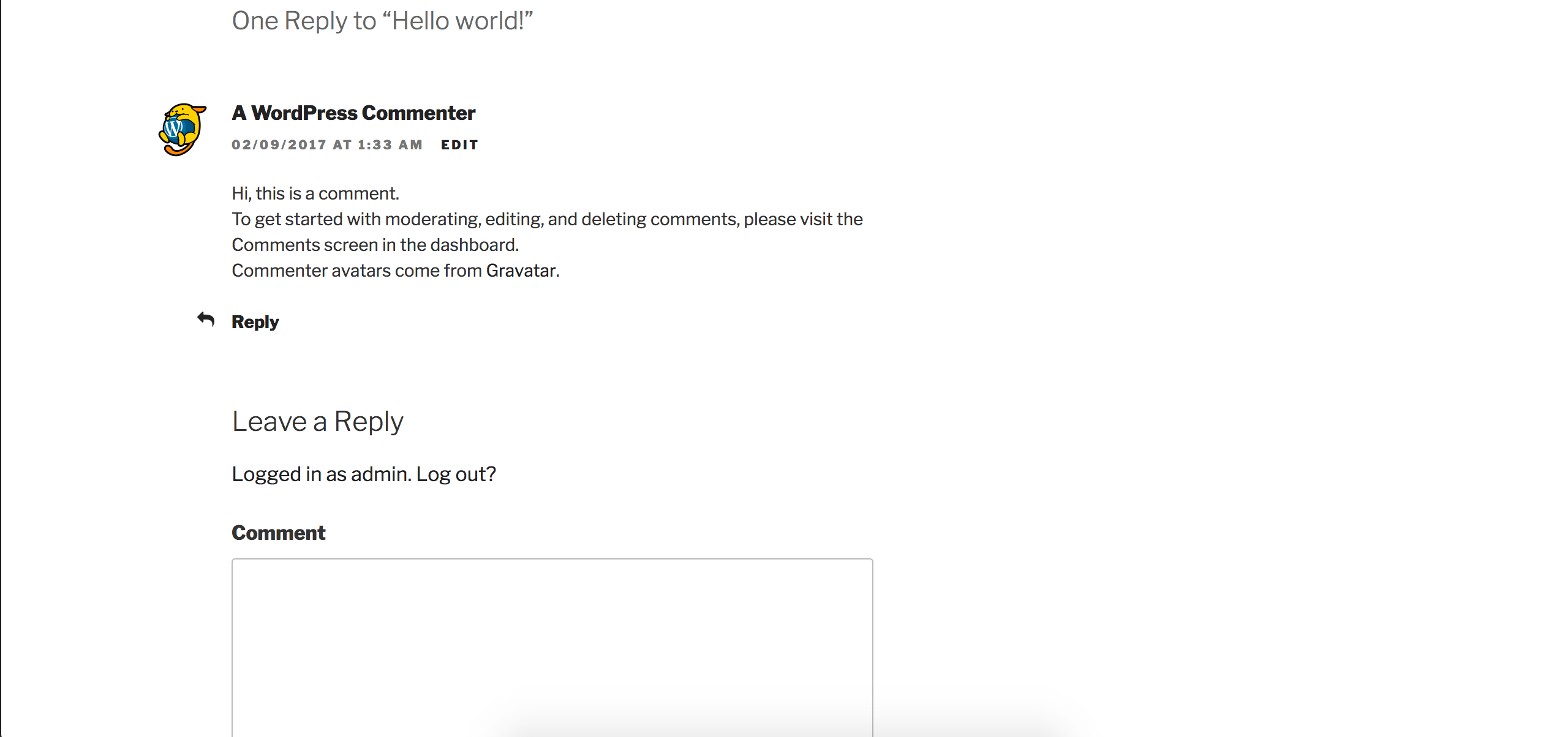
Can you please review our Testing for conflicts guide and reply back with your findings? Thanks and have a great weekend ahead. Cheers!
ModeratorHi Dirk,
Welcome back to the forums! I am unfortunately a little confused by your request, but I’ll provide some documentation below which might help answer your question. Please take a moment to review them and let me know if you’re able to get everything working as you need:
New User Primer: Event Tickets & Event Tickets Plus
Collecting attendee information
Themer’s GuideIf you run into any issues, please review the Testing for conflicts guide and let me know what you find.
Please let me know if this helps answer your question. If you include your native language in your reply, I’d be happy to check and see if we have any support team members who speak your language. Thanks and have a great weekend ahead!
February 17, 2017 at 4:07 pm in reply to: when trying to deselect options under "When should tickets be emailed to cust… #1240489ModeratorHello!
Welcome to our premium plugin forums 🙂
Sorry to see you’re experiencing troubles. Before we can proceed, I’ll need you to review our Testing for conflicts guide and let me know what you find. Please include your System Information as a private reply.
Thanks and have a pleasant weekend ahead.
Cheers!February 17, 2017 at 4:05 pm in reply to: Can I Display a List of Attendees on single events page. #1240488ModeratorHello 🙂
Welcome to our Pre-Sales Questions Channel and thank you for the kind words! To answer your question simply, yes, there is a feature included which allows you to hide or display the list of attendees for any event. Please see the screenshot below taken on my test site:
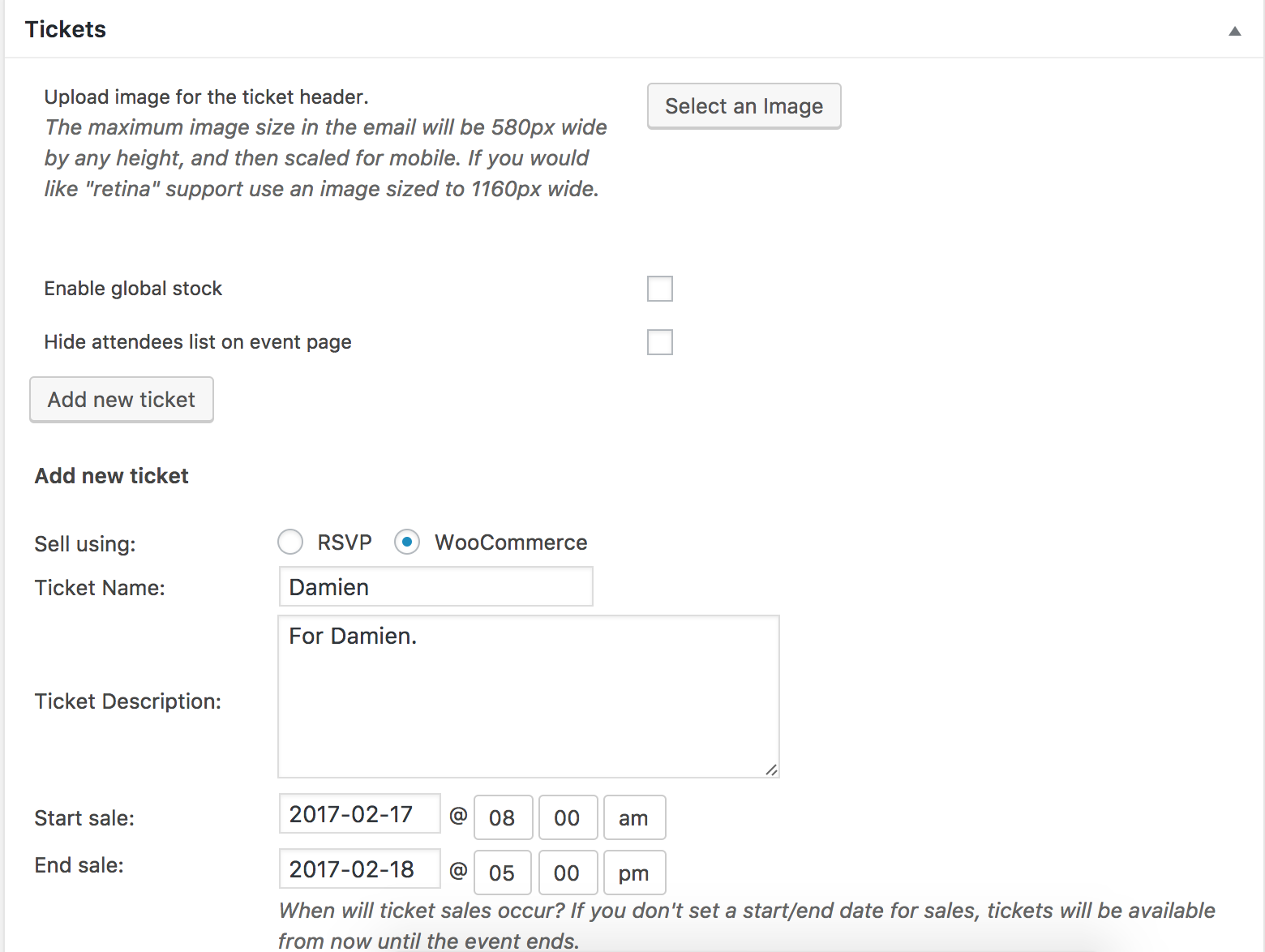
This list will only be available for people who have signed up for the class.
This is the only detail of your request which might require an additional plugin(s) or custom code which would need to be done by you or a member of your team.
Please let me know if this helps answer your questions and feel free to reply back with any additional questions you might have. Enjoy the upcoming weekend and take care. Cheers!
ModeratorHey Michael,
This might get a little tricky and I’m unfortunately unable to support these types of requests other than providing whatever documentation we have published on the matter, but I’d probably start by using a conditional along the lines of:
tribe_is_event_query()This conditional will essentially check to see if the page is event-related or not and display the code you’ve implemented depending on the results of the conditional’s action. Another route would be to do a template override as explained in our Themer’s Guide.
Please review our What support is provided for license holders? Knowledgebase article for more information and let me know if you’re able to get things working as you envision. Best of luck and have a great weekend ahead. Cheers!
ModeratorHi and welcome back 🙂
Happy Friday and sorry to see you here under the circumstances. Before we go too much further, I noticed in your site System Information you have outdated versions of our plugins installed:
• Event Tickets Plus version 4.3.3 by Modern Tribe, Inc.(http://m.tri.be/28)
• Event Tickets version 4.3.3 by Modern Tribe, Inc.(http://m.tri.be/28)
• The Events Calendar PRO version 4.3.3 by Modern Tribe, Inc.(http://m.tri.be/20)The latest version for all plugins listed above is 4.4.2. Can you please update them all, then review the Testing for conflicts guide to ensure there are no theme and/or plugins occurring.
If you still notice the issue, please test again and make sure WP_DEBUG and WP_DEBUG_LOG are enabled on your site’s wp-config.php file. Any errors will display at the top of your page as you try to reproduce the conflict. I also recommend right-clicking your mouse and opening the ‘Inspect’ tool to see if any errors display in the console. Note what you find and please include it in your reply.
Have a great weekend ahead!
Cheers 🙂ModeratorHey Edwin!
Welcome to our premium plugin support forums and sorry to see you here under the circumstances.
Is the Location only showing on Filter Bar add on, not Events Calendar PRO? How can I enable this Location field
You only need The Events Calendar and Events Calendar PRO to gain the feature you’re seeking. Filter Bar is not required. I notice in your site System Information you have outdated versions of both TEC and PRO:
• The Events Calendar PRO version 4.4 by Modern Tribe, Inc.(http://m.tri.be/20)
• The Events Calendar version 4.4.1.1 by Modern Tribe, Inc.(http://m.tri.be/1x)The most recent versions released for both TEC and PRO are 4.2.2. It’s recommended you update both plugins, then review the Testing for conflicts guide once more to rule out a theme and/or plugin conflict.
If you’re still experiencing the issue, please make sure WP_DEBUG and WP_DEBUG_LOG are enabled on your site’s wp-config.php file. Any errors will display at the top of your page as you try to reproduce the conflict. I also recommend right-clicking your mouse and opening the ‘Inspect’ tool to see if any errors display in the console. Note what you find and please include it in your reply.
Please let me know what you find out and have a great weekend ahead. Cheers!
ModeratorHello and happy Friday!
I notice in your System Information you have Event Tickets Plus version 4.3.5 installed while the latest version is 4.4.2. It’s recommended staying updated with the latest versions to avoid potential conflict. Please update to version 4.4.2, then review the Testing for conflicts guide and let me know what you find out.
There is also a chance your template overrides are either missing important code or using outdated code. When users have custom templates, they are responsible for updating them to match changes made in new releases – of course, we try to minimize disruption as far as possible. Also, we try to clue them in to things they should look for by providing useful data in Events > Help > Recent Template Changes. If you navigate there, you should see a list of recently updated templates (which changes each release). You might also want to review the Themer’s Guide to ensure everything is saved properly.
I’m unfortunately unable to provide support in this case seeing it’s relative to a theme customization/conflict. Please review our What support is provided for license holders? Knowledgebase article for more information.
Thanks and have a great weekend ahead. Cheers!
ModeratorIn your conditional, try using:
tribe_is_event_query()Have a great weekend!
ModeratorFor further clarification, can you please this issue occurs when the only theme/plugins activated are: your custom theme, the WPBakery Visual Composer plugin, and The Events Calendar?
Like I mentioned in my previous response, I can log a bug about the issue but there are no guarantees it will be accepted by the developers and included in an upcoming maintenance release. I personally would look into hiring someone to help get you beyond this conflict.
I understand this is a less-than-ideal situation but it’s unfortunately the one we’re in. Please let me know the answer to the question I asked at the beginning of this response and have a great weekend ahead. Cheers!
-
AuthorPosts