

Forum Replies Created
-
AuthorPosts
-
Hunter
ModeratorPlease keep me updated! Cheers 🙂
ModeratorI tested your theory by unmarking the Pebble Beach event as a Featured Event, then revisited my Map view and selected “CA” from the Filter Bar State dropdown:

As you can see, the results did not differ. Please let me know if you’re able to set up a test site with the default WP theme and only our plugins where you can fully troubleshoot the issue, because as of right now I have not been able to replicate any of the faulty behavior you’re experiencing.
Thanks and keep me posted. Cheers!
ModeratorHello,
I’d love to log in but we’re unable to log into customer sites for any reason. Let’s try and start at square 1: your initial issue is that “recurring events still not working.” Can you please elaborate on what the issue is? I’ll also need you to confirm the behavior occurs as outlined in the Testing for conflicts guide. I checked out the screencast you shared with me (which didn’t end up actually playing for me), and it appears you have a custom theme and additional plugins active.
Can you please try creating another screencast, this time with the default WP theme and only our plugins to see if the behavior persists? As of right now, we don’t have any logged bugs resembling the issue you’re having with recurring events.
Thanks and have a good evening!
March 6, 2017 at 5:59 pm in reply to: WordPress Backend crashes while loading a returning event #1250176ModeratorPlease keep me updated! Cheers 🙂
ModeratorHey and welcome back!
There is no need to purchase any additional licenses in this instance. Simply review our Using One License for Live and Dev Sites Moving your license keys tutorials and let me know if you’re able to manage.
In response to updates not appearing on your live site, it’s a bug we’re aware of and are nearing the release of a maintenance release which includes a fix. I’ll add this forum thread to the report which means we’ll typically update you here when that fix is available. It’s always best to keep an eye on the Release Notes as well.
Keep me updated and have a pleasant remainder of your weekend. Chees!
ModeratorThank you for the detailed response. I spoke with some of the devs and QA testers and it appears the failed imports get rescheduled and ran if for any reason they do fail. Please review the explanation below:
Basically, we are showing loads of “Import Failed” errors despite there not being any errors, which makes it confusing to users. This only occurs within the History tab and as that user mentioned, the imports are coming in fine, just the errors are confusing him.
Have you seen any evidence of the above statements? What triggers scheduled imports to run is a visit to either the front or back end of your site (wp_cron). So, if you have a scheduled import set to run every 30 minutes and no one visits your site on minute 30, then the import still gets ran the next time a hit is made to your site, but it appears as failed in the History tab.
You could install/activate WP Crontrol as a means of tracking scheduled tasks on a greater level of details. We’re also working to improve the messaging as to avoid confusing users, so please stay tuned to our Release Notes and the plugin changelogs for more information as maintenance releases are shipped. Thanks again and let me know if you’ve got any additional questions or comments. Cheers!
ModeratorI tested your theory and created an upcoming event with a new venue (Pebble Beach, hopefully someday I can play there!) and marked it as a Featured Event. I then visited my Map view and selected “CA” from the Filter Bar State field, but everything worked properly for me:
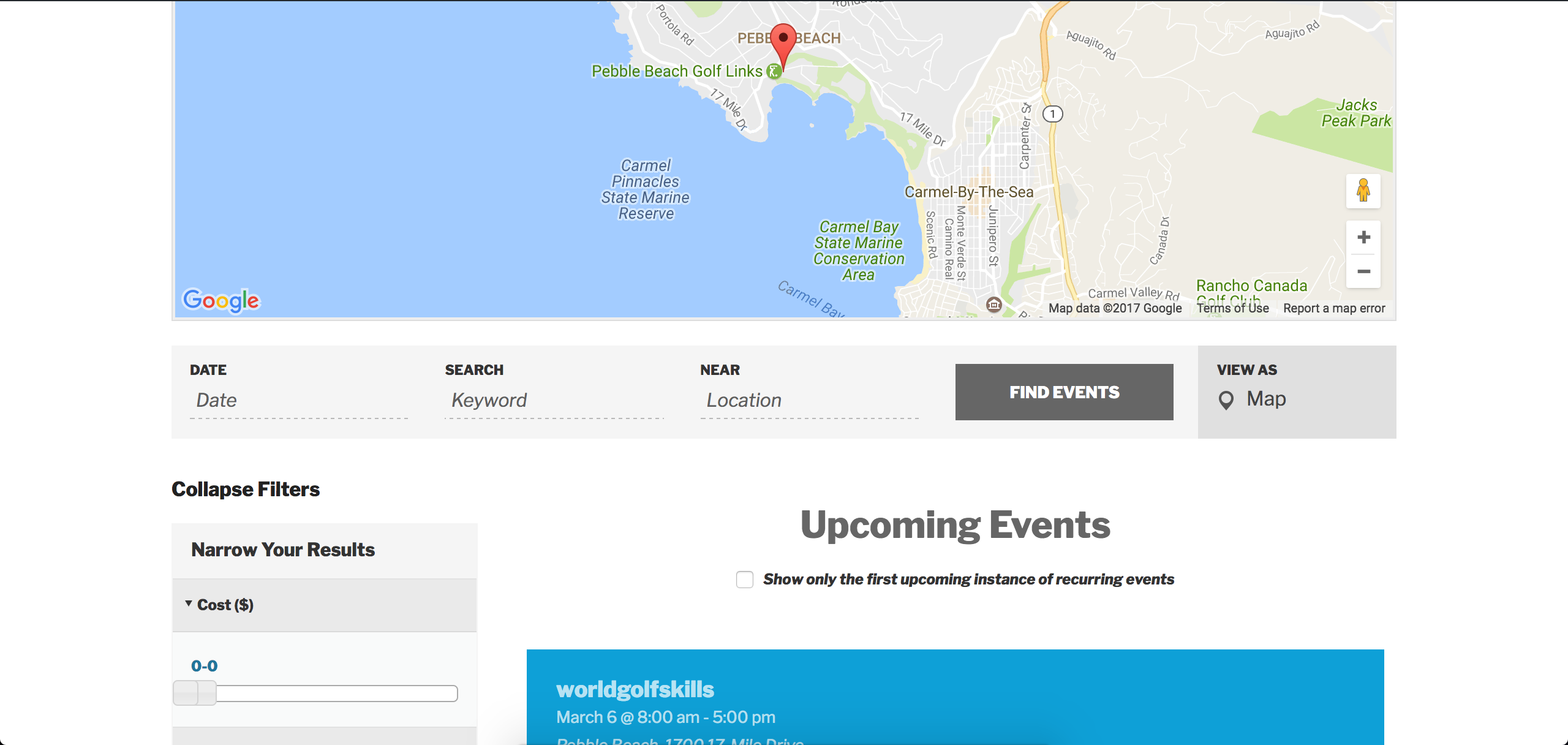
Do you have a test site set up with the bare essentials (WP theme and the plugin(s) by Modern Tribe you’re having issues with) where you can fully troubleshoot the issue? I’d do so, making sure WP_DEBUG and WP_DEBUG_LOG are set to “true” on your wp-config.php and make sure you’ve got your browser’s error console open. I quickly checked your site with the Filters recommended by you in your last response and it appears there’s a few errors/warnings you might need to look into.
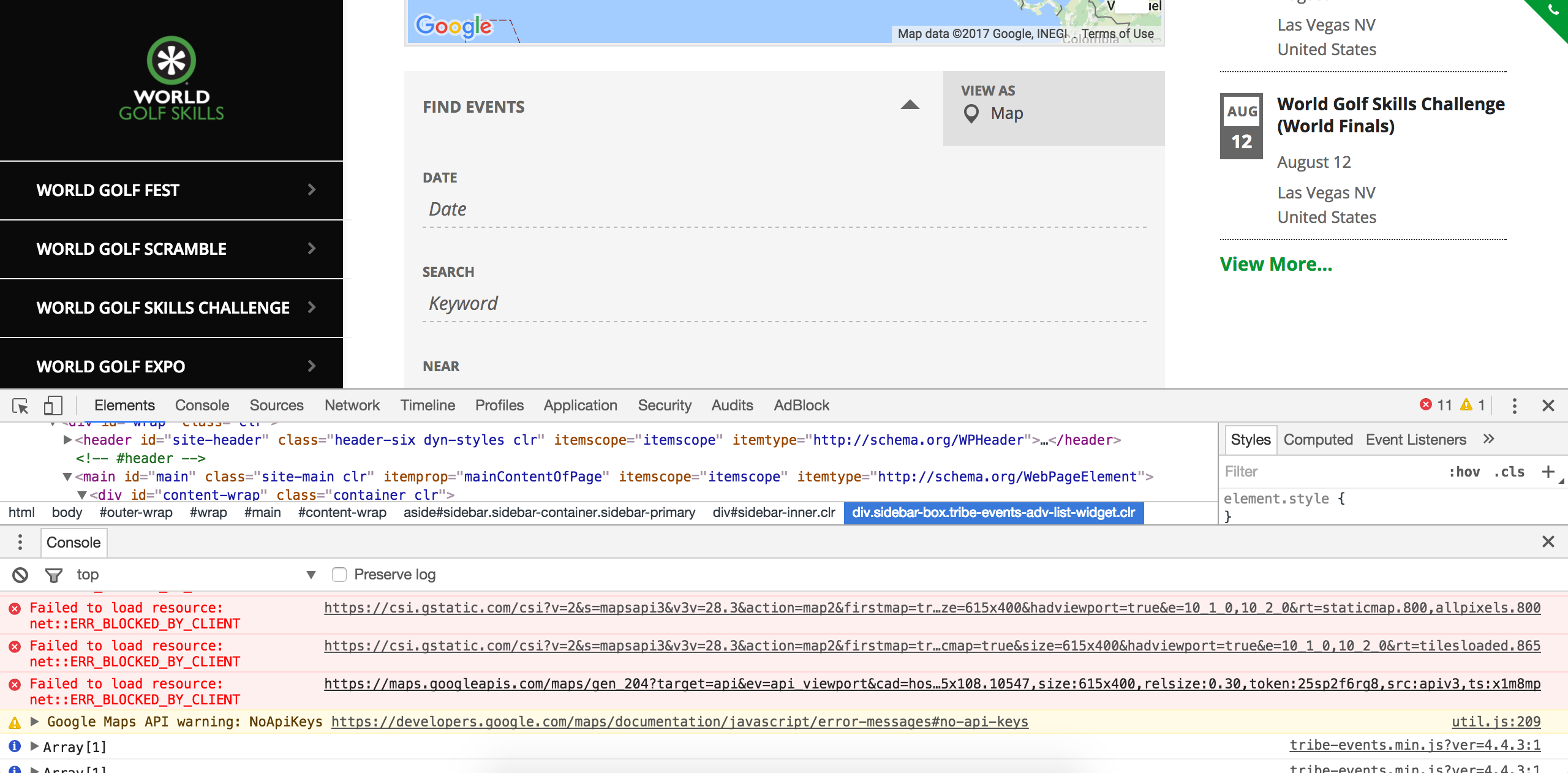
Can you please review our Setting up your Google Maps API Key tutorial to see if that has an effect on the behavior? Please let me know and enjoy the rest of your Sunday afternoon!
ModeratorHey Rick,
About how much time would you say is passing between when you update the event(s) on Google Calendar to the time a scheduled import gets ran? Before we’re able to proceed, I’ll need you to review our Testing for conflicts guide guide and let me know what you find out. Please include your System Information as a private reply.
One last thing: I see you have TEC 4.4.1.1 installed. Have you tried updating to the most recent version to see if that has any effect on the behavior? Thanks and have a good evening!
ModeratorHi and welcome back 🙂
Do see any notices in your WordPress admin dashboard similar to:


If so, please hit the “Fix venues data” button under Events > Settings > General and let me know if events taking place in California show up in the results. To ensure I’m not missing anything obvious, I checked our logged bug reports but didn’t see anything resembling your issue. I also tested on my local site to see if I’m able to reproduce the behavior but was unable to.
You also might want to make sure you’re not exceeding your Google Maps API key limits. Lastly, can you please include your System Information as a private reply? Thanks and have a good evening!
ModeratorHey Paul,
Our Admin roles and permissions tutorial goes over all that information. Please take a moment to review it and let me know if your questions are answered. Cheers 🙂
ModeratorHello and welcome 🙂
I’m happy to see you’ve found a working solution. Are you aware of our Working with timezones tutorial? If not, please take a moment to review it and let me know if anything you end up trying has the effect you’re looking for.
I checked our logged bug reports in addition to my test site and am not seeing the same behavior you’ve described:
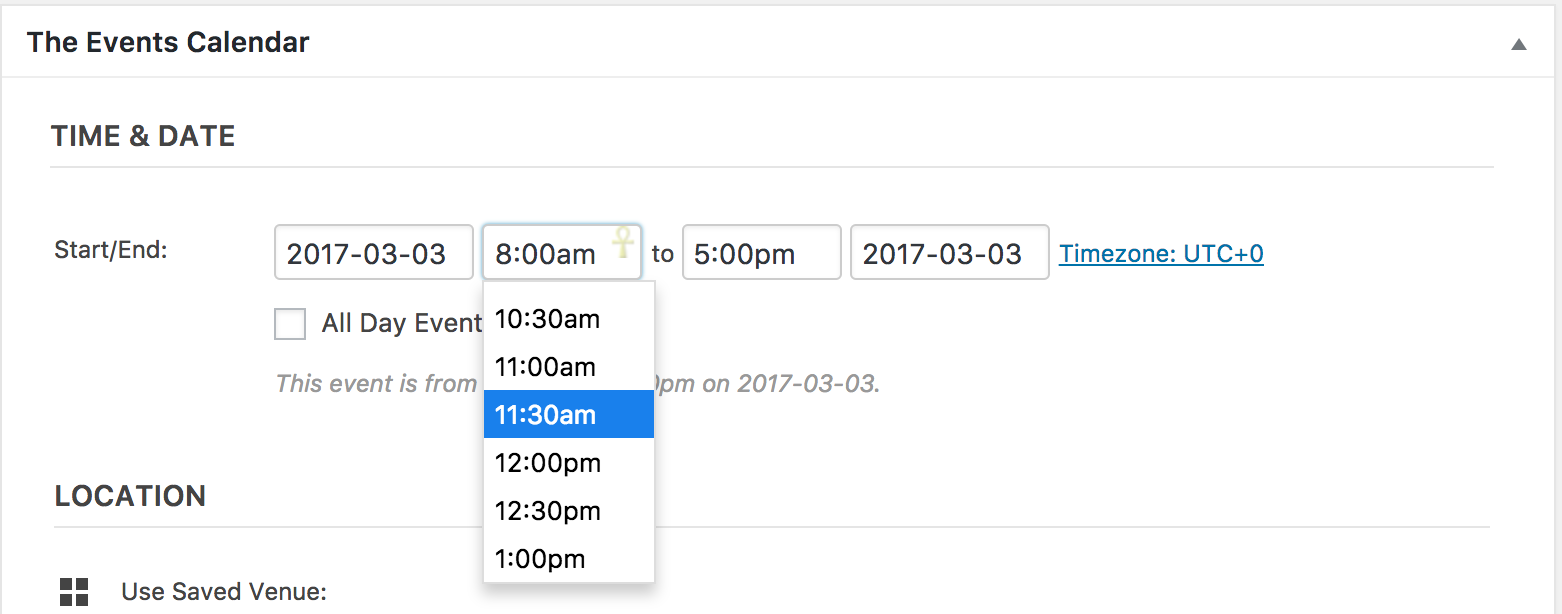
Please let me know if you’re able to get things squared away and have a good evening. Cheers!
ModeratorHi Jason,
About how much time would you say is passing between when you update the event(s) on Google Calendar to the time a scheduled import gets ran? Before we’re able to proceed, I’ll need you to review our Testing for conflicts guide and let me know what you find out.
Please include your System Information as a private reply. Thanks and have a good afternoon!
ModeratorHey Daniel,
Thank you for letting me know you’ve got things figured out and also for sharing your solution for others to learn from. Feel free to create a new thread if you have any more questions or comments and have a pleasant evening. Cheers!
ModeratorWelcome back 🙂
Did you need assistance in regards to this reply you recently made?
If not, I’ll go ahead and close the thread out. Cheers 🙂
March 2, 2017 at 3:34 pm in reply to: Recurring Events Not Displaying in Chronological Order #1248677ModeratorSorry to see things aren’t working on your site. Please create a separate thread and we’d be happy to look into the issue on a deeper level. Please ensure you’ve reviewed the Testing for conflicts guide before opening the new thread.
Thanks! Cheers 🙂
-
AuthorPosts