

Forum Replies Created
-
AuthorPosts
-
Hunter
ModeratorHi Mark,
Welcome to the forums!
So I can better assist you, can you please provide a link to an event listing or page. Please provide the specific heading you want hidden and I’ll do my best to locate the CSS class.
One thing you may want to try is by visiting the page you’re trying to hide the header on. Once there, right-click on your mouse and open “Inspect”. This is a helpful tool that can help easily locate the CSS class.
Thanks for choosing PRO and I look forward to hearing back. Have a great week 🙂
ModeratorHey Jessica,
I took a look at the thread provided and unfortunately, there are no immediate plans to add the features you seek. The good news is, we are constantly incorporating new ideas submitted through our UserVoice Feature Ideas page.
If the idea hasn’t already been submitted, please feel free to add it. We can’t promise it will be included or when, but it’s a very solid route to getting the feature built into our plugins.
I hope this information helps and best of luck with your project!
ModeratorHey Leia,
Welcome back to the forums 🙂
I believe you can insert the image into the Add HTML before event content box found under Advanced Template Settings in your Events > Settings > Display (see screenshot below).
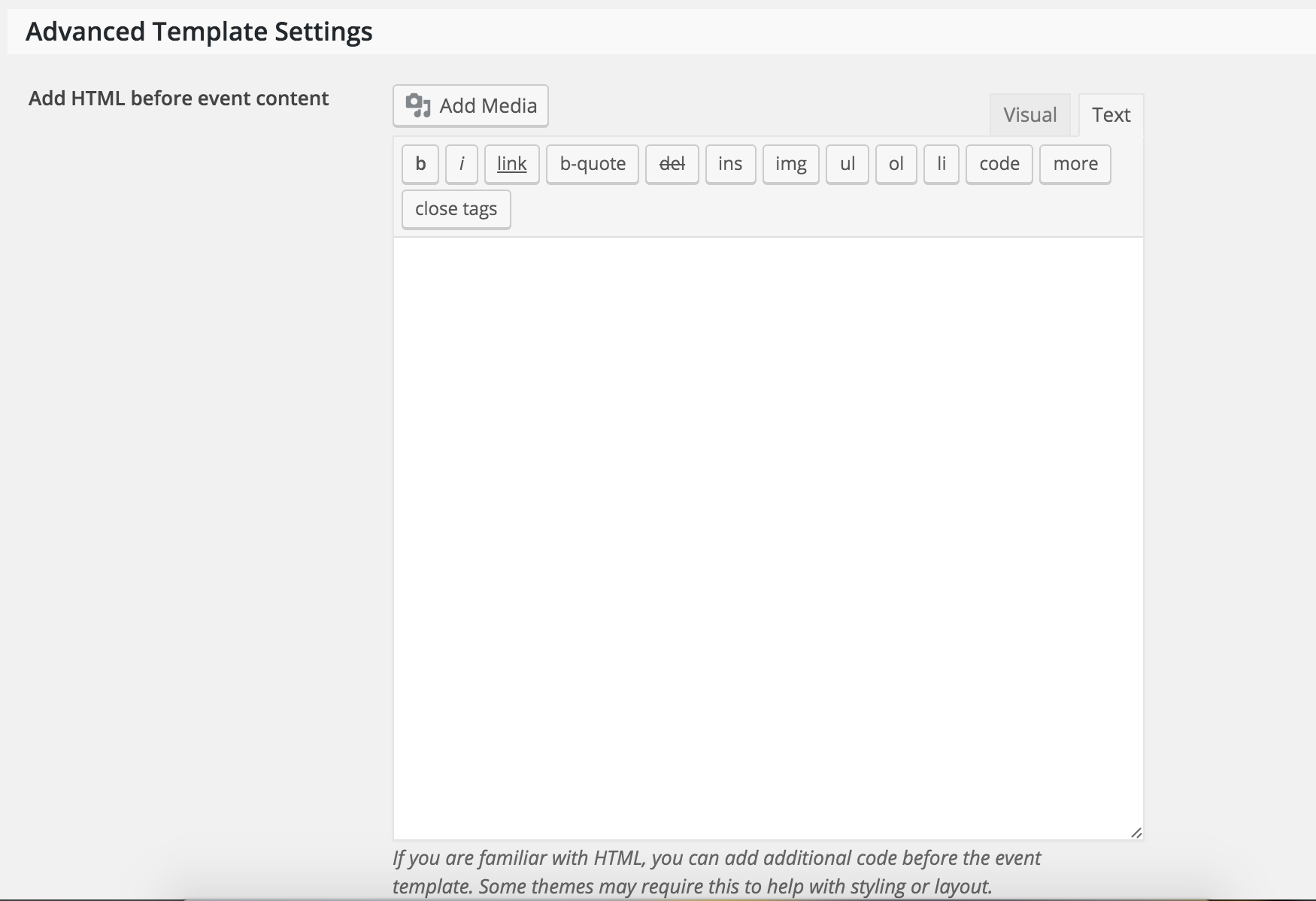
To hide the Google Calendar button, try inserting this CSS snippet:
.tribe-events-cal-links {

display: none;

}
Let me know how it goes and thanks for choosing PRO! Have a great week 🙂
February 17, 2016 at 4:40 pm in reply to: Events Calendar Pro – Clicking Monthly Links does not change calendar content. #1074703ModeratorHi Peter,
We are unfortunately unable to provide support through our Pre-Sales forum channel, but you can head over to The Events Calendar WordPress.org support forums for assistance and answers.
If you have a PRO license, you can log into your account and get assistance through the PRO forums.
Thanks for understanding and good luck resolving your issue. Have a good day!
February 17, 2016 at 4:08 pm in reply to: Sticky Error/Bug: Event Posts incorrectly appear as "Stickies" at Top Homepage #1074698ModeratorHi Kim,
Welcome to the forums!
Have you tried reverting back to the default theme and deactivating all other plugins to see if the problem still occurs? Take a look at our Testing for conflicts article to see if there is a conflict of some sort going on.
If that doesn’t help, let me know and we’ll continue troubleshooting. Thanks for contacting us and I look forward to getting this resolved with you 🙂
ModeratorI think I was making it more complicating than it needed to be.
Such is life 🙂
I’ll close this thread out but please open a new one if you have any more questions. Take care and thanks again for choosing PRO!
February 17, 2016 at 3:43 pm in reply to: Organizer info in the Community Events form not appearing on the backend #1074693ModeratorHey Nathan,
Welcome back to the forums 🙂
I did a few tests and some research based on what you’ve told me, so I’ve got a few questions for you.
In regards to the event organizer issue:
- Are the users who are attempting to add new events logged in, or anonymous?
- Are the users attempting to add a new organizer, or use an existing organizer?
When you say, “no confirmation email is being submitted to the organizer who submitted the event…”
Do you have the “Send an email alert when a new event is submitted” box checked under Events > Settings > Community (see screenshot below) and their (the promoter’s) email address included in the “Alerts” email field?
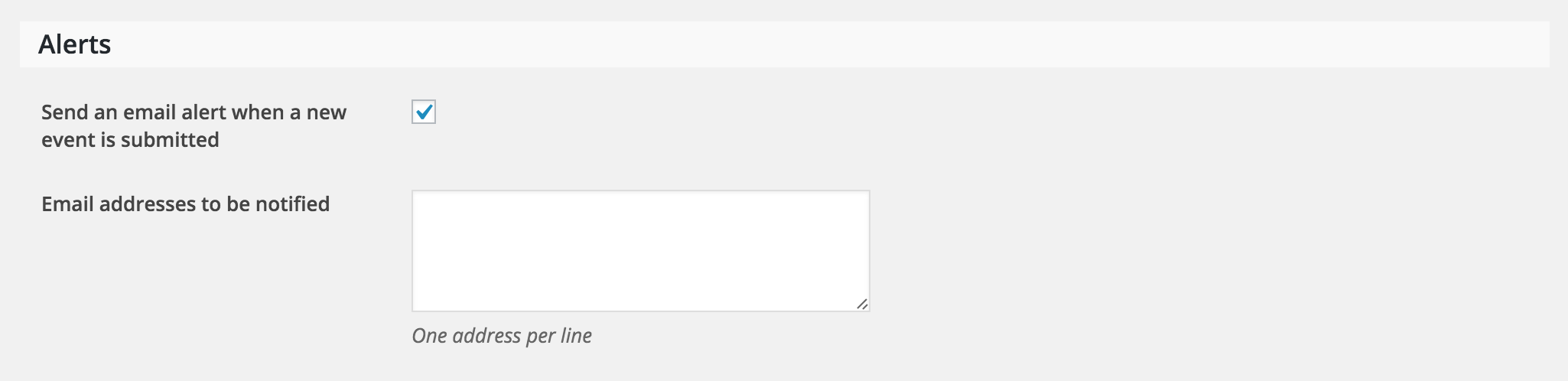
Thanks for the patience while we work to resolve the issue in question and I look forward to getting it taken care of. Have a good one!
February 17, 2016 at 11:38 am in reply to: iCal exported file seems to have the same number of lines no matter what #1074612ModeratorWelcome back David,
Thanks for sharing the code with me.
Before I investigate the issue on my test environment, would you please try the following snippet in place of the one you’re using and see if it yields the results you’re looking for?
Try it out and let me know how it goes. Thanks for choosing PRO and have an excellent week 🙂
ModeratorHey Mark,
Welcome back to the forums 🙂
We do have a setting for Google Map default zoom level. It can be found under Settings > General > Map Settings (see screenshot below)
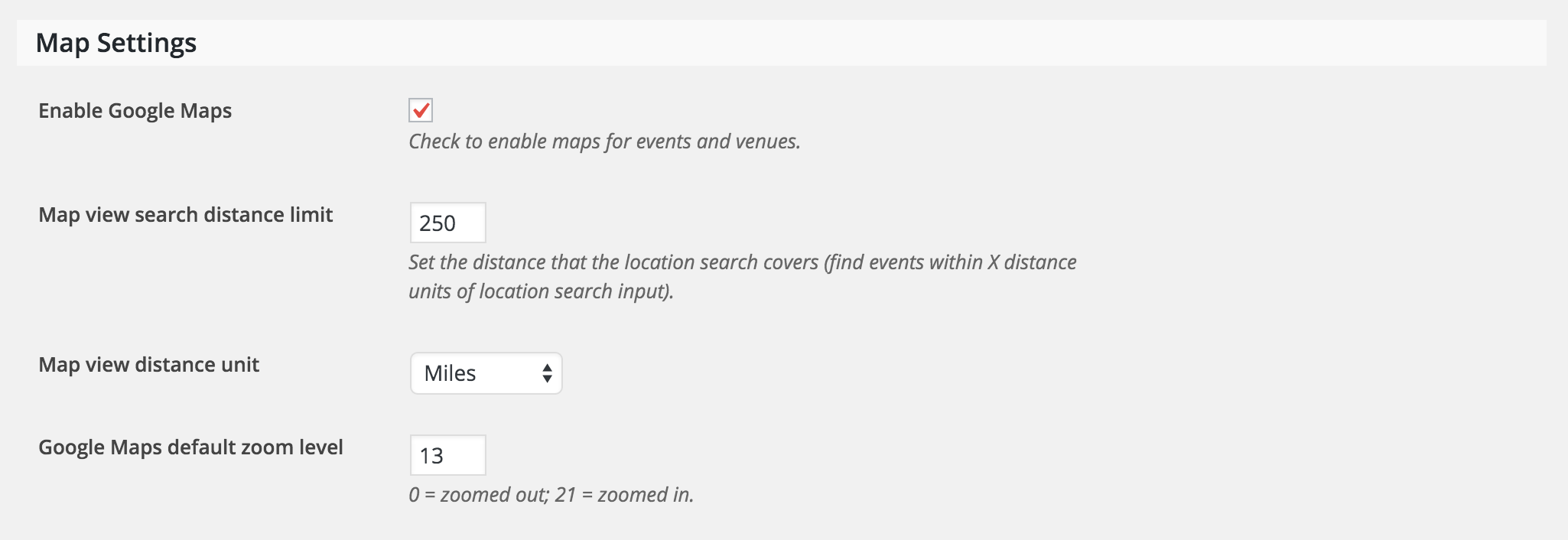
Let me know if this does the trick. Thanks for choosing PRO and have a great week!
ModeratorHey Paul,
Thanks for the update and I’m glad to hear it’s been resolved. I’ll close this thread out, but please feel to open a new one should you have any more questions.
Thanks for choosing PRO and have a good one!
ModeratorWelcome back Jan,
After checking your site again, it appears you’re experiencing 404 errors. Please read through this article and see if it helps resolve your issue.
Thanks for the patience while we work through this. Have a good one!
ModeratorWelcome back Andreas,
I understand it may be difficult to test for conflicts on a live site. One alternative would be to set up a test environment, back up your live site database, and get to work there – that way you’re not working on the live site.
In regards to the differences in browser behavior, it’s not uncommon as they use different methods of interpreting code.
I hope this information helps and best of luck resolving the issue. Have a good one!
ModeratorGlad to help!
You can upload the .CSV file to a file sharing service like Dropbox or Google drive, then share a link to the folder with me. Please make sure the folder permissions are set so it’s viewable for me to see.
ModeratorKandace,
Thanks for sharing the System Information with me. I visited your site (looks lovely by the way) but it appears there are no upcoming events currently listed.
Additionally, would you mind reading through our Testing for conflicts article to see if you’re possibly experiencing a theme and/or plugin conflict?
Let me know how that goes and have a great day 🙂
ModeratorHey Luke,
Thanks for the well-written, informative post 🙂
First off, I’m sorry to hear about the issues you’ve started to experience as of late. I have personally never worked with the theme you mentioned, so I don’t have any advice right off the bat. I did a little research and it doesn’t look like there are any known conflicts between our plugins and the theme you’re using.
Does the Story theme have any options for it’s page builder feature/functionality? Are you able to disable it on event post types? Additionally, have you contacted the theme author about the issue? I do wish I was able to provide more support, but as you mentioned, these types of issues are out of our hands.
Again, sorry for the troubles and best of luck getting everything to play nicely. Have a great day and thanks for choosing PRO!
-
AuthorPosts