Home › Forums › Calendar Products › Community Events › How can I add an image on top of the search bar?
- This topic has 4 replies, 3 voices, and was last updated 10 years, 1 month ago by
Support Droid.
-
AuthorPosts
-
February 16, 2016 at 6:57 am #1073787
Leia
ParticipantHi,
Love the plugin but I am a totally newbie and haven’t really got it yet.
If I would like to add an image on top of the page – over the search bar – can I do that and how? Do I need to make a big customisation?I also wonder how I can delete the Google Calendar button. I found how to delete the other one – like this:
a.tribe-events-ical.tribe-events-button {
display: none !important;
}What’s the code for Google Calendar button?
Big thanks!!!
February 17, 2016 at 5:03 pm #1074708Hunter
ModeratorHey Leia,
Welcome back to the forums 🙂
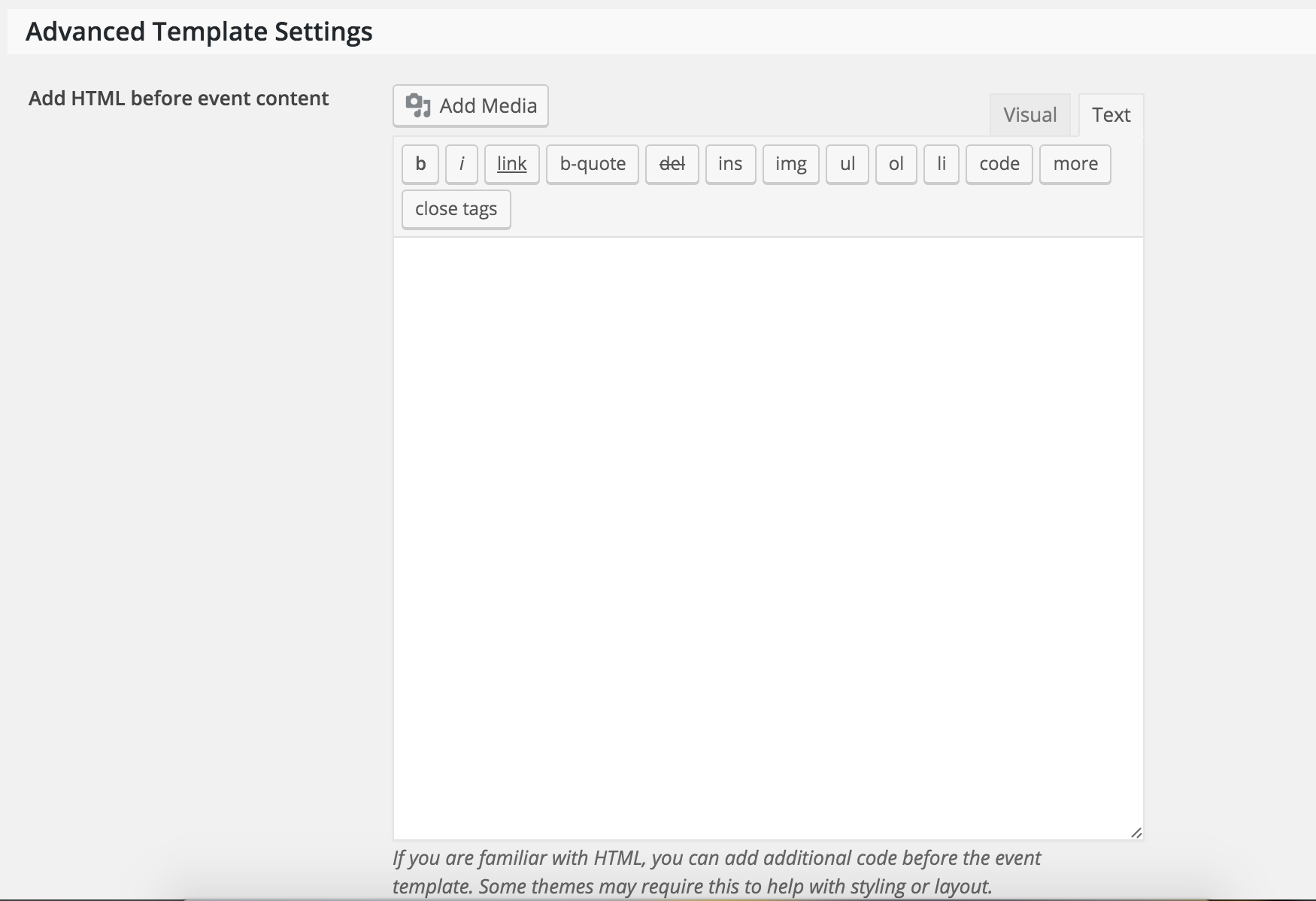
I believe you can insert the image into the Add HTML before event content box found under Advanced Template Settings in your Events > Settings > Display (see screenshot below).

To hide the Google Calendar button, try inserting this CSS snippet:
.tribe-events-cal-links {
display: none;
}
Let me know how it goes and thanks for choosing PRO! Have a great week 🙂
February 24, 2016 at 3:15 am #1081321Leia
ParticipantHi again and Thanks Hunter!
I wonder if there’s any chance to make this image not visible on the single events pages. Only on top of the search bar cause the single events – they already have an image so it looks weird to have 2 images on top of each other.
I also wonder if there could be another code for hiding the Google Calendar button cause it’s not working?
Big thanks!
February 25, 2016 at 9:32 pm #1082316Hunter
ModeratorHey Leia,
Welcome back 🙂
My next recommendation would be to read through our Themer’s Guide. We provide insight on how to create custom template overrides in a easy-to-learn fashion.
Also, to hide the Google Calendar button, try the following CSS:
.single-tribe_events .tribe-events-cal-links {
margin-bottom: 1.75em;
display: none;
}
One way you can easily locate CSS elements is by right-clicking your mouse and opening “Inspect” when viewing a page you want to make changes on.
Let me know if this information helps and have a great weekend!
March 11, 2016 at 8:35 am #1087789Support Droid
KeymasterThis topic has not been active for quite some time and will now be closed.
If you still need assistance please simply open a new topic (linking to this one if necessary)
and one of the team will be only too happy to help. -
AuthorPosts
- The topic ‘How can I add an image on top of the search bar?’ is closed to new replies.