

Forum Replies Created
-
AuthorPosts
-
February 16, 2016 at 10:00 am in reply to: iCal exported file seems to have the same number of lines no matter what #1073896
Hunter
ModeratorHey David,
Sorry to hear about the troubles.
Would you mind sharing a link to the article on creating the plugin as you mentioned? I’m having a difficult time tracking it down. Once I have that, I’ll be able to provide more assistance.
Let me know and we’ll go from there. Thanks for choosing PRO and have a good day 🙂
ModeratorHello and welcome back!
When importing events, venues, and organizers, you need to import in this order:
- Venues
- Organizers
- Events
As for the images, I don’t really have an answer for you on that as there are a plethora of reasons why they’re not appearing and it would be nearly impossible for me to figure it out without logging into you site, which we’re unfortunately unable to do for any reason.
Glad to hear you’ve got it going for the most part. Keep at it and I’m sure you’ll get it shortly. You may want to try contacting the import plugin authors and see if they have any insight.
Thanks so much for choosing PRO and have a great day!
ModeratorHello, Helena 🙂
I visited the link provided and indeed experienced the month title sticking as described. Have you tried reading through our Testing for conflicts article? More than likely, there is a theme and/or plugin conflict going on.
Additionally, when I opened up “Inspect” in my browser, I noticed a few different errors displaying in the console. There is probably some good information in there that can help track down the conflict.
Let me know how it goes and thanks for choosing PRO 🙂
ModeratorHey Paul,
Thanks for reaching out. Are you still experiencing import issues? If not, please mark this thread as “Resolved.” If you are still having troubles, let me know and we’ll explore some options as to why the import isn’t working properly.
Thanks again for the post and have a good week 🙂
ModeratorHey Andreas,
I checked out your site and experienced the issue you described. My first recommendation would be to read through our Testing for conflicts article. When Google maps don’t display, there is more than likely a theme and/or plugin conflict going on.
Try that out and let me know if the issue still occurs. Thanks for choosing PRO and have a great week!
ModeratorHey Audrey,
Thanks for the post and sorry to hear about your troubles. Would you mind sharing your System Information with me as a private reply?
Additionally, would you include the .CSV file you’re trying to import? I can test it on my local environment and see if I run into the same issues as you.
Thanks again for posting to the forums – have a great day!
February 16, 2016 at 9:16 am in reply to: Media file images not showing in Events Calendar Pro #1073867ModeratorHey Karen,
Thanks for the link 🙂
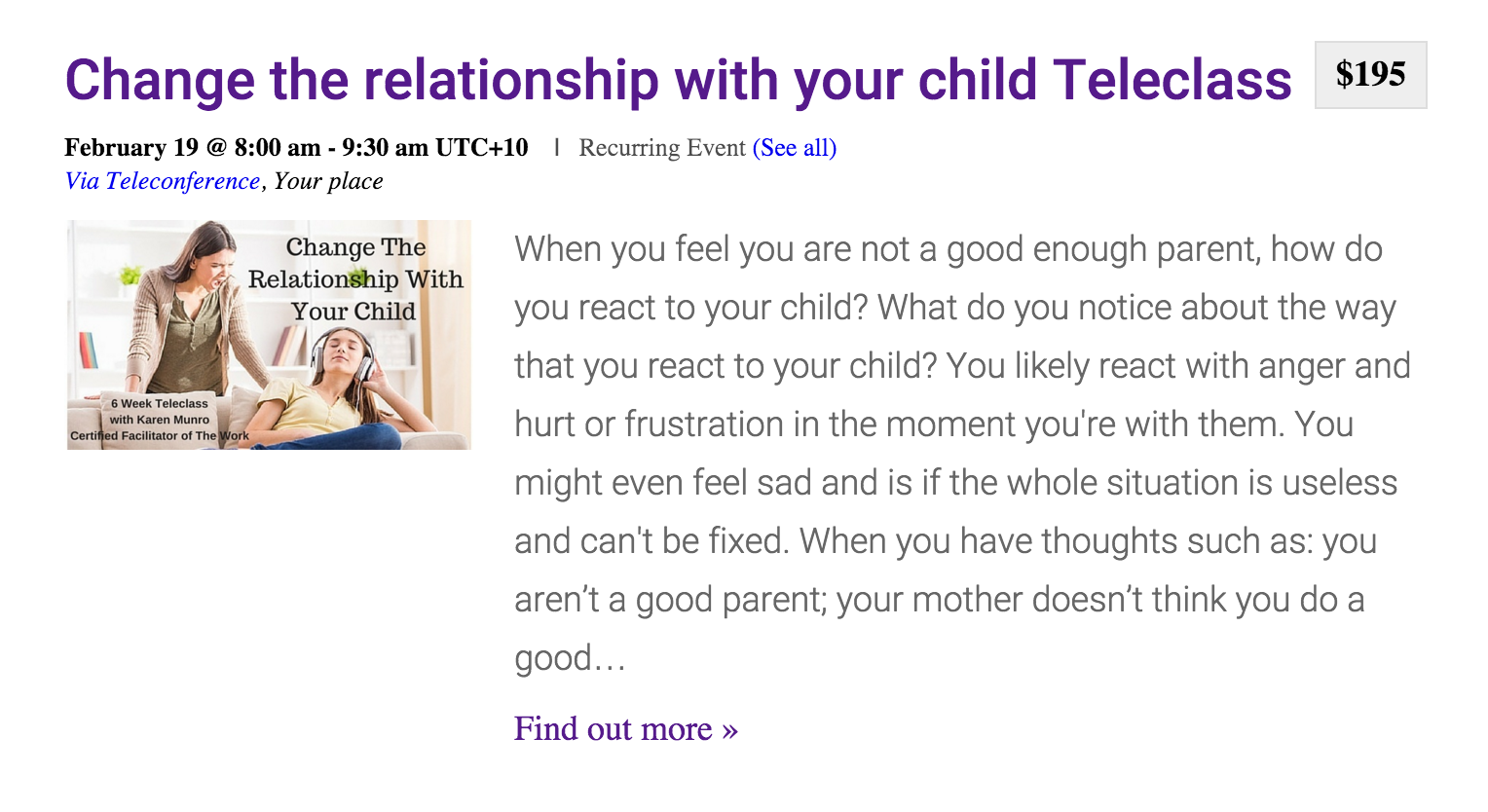
As you can see, the images appear to be working for me, so I’m just as stumped as you as to why the images aren’t working as desired. I wish I could be of more help, but this type of support is unfortunately out of our hands :-/
You may want to try posting on the SSL’s plugin support forum or try contacting the author. Best of luck resolving the issue and again, sorry I can’t do more. Have a great week!
ModeratorWelcome back Kandace,
Sorry to hear you’re still having troubles. Would you mind sharing your System Information with me as a private reply?
Thanks for the patience and I look forward to resolving this with you. Have a great day!
ModeratorHello Jan,
Thank you for sharing your System Information with me. After taking a look, I didn’t see anything out of the ordinary. Also, I followed the link provided and attempted to locate the events page, but was unable to. Please provide a direct link to your events page on the new site.
I’m still unsure as to why the search functionality isn’t working for you as we have no bugs logged with similarities to the issue you’re experiencing. Would you mind reading through our Themer’s Guide article?
This may help narrow down the issue in play and hopefully get you started in the right direction. Let me know if this helps and we can go from there.
Have a good day!
February 15, 2016 at 11:54 am in reply to: Media file images not showing in Events Calendar Pro #1073392ModeratorHey Karen!
Thanks for the response. Just checked your site again and images appear to be still working. Please send over a link to the screenshot when you have the time. Thank you 🙂
ModeratorThanks for the response,
I have a few more potential solutions, but I do want to remind you that this type of support unfortunately extends beyond the scope of support we are able to provide through our forums.
The first thing you could do is by simply backing up your entire database via phpMyAdmin and extract the data you need on a test environment.
This thread on Stack Overflow discusses how to export WP posts and meta info in CSV format using an SQL query.
This KB article provides Events Calendar PRO post meta data information.
One last idea I can think of would be to do it in stages if you have phpMyAdmin access. For example:
SELECT   wp_postmeta.*
FROM     wp_postmeta
JOIN     wp_posts ON wp_posts.ID = wp_postmeta.post_id
WHERE    wp_posts.post_type = 'tribe_events'
ORDER BY post_id ASC
LIMIT 0, 100;
Would get you the first 100 event post meta records. Then you would run it again with LIMIT 100, 100; then again with LIMIT 200, 100; etc. Vary as needed for different post types / for the post records themselves.
Take care and good luck with everything 🙂
ModeratorJan,
Sorry to hear you’re still having troubles. When attempting to access the link provided, I experienced extremely slow load times. This is a big red flag for potential conflicts.
With that said, would you mind sharing your System Information with me as a private reply?
Thanks for keeping me informed on the status of your issue and have a good week!
February 14, 2016 at 11:39 am in reply to: Media file images not showing in Events Calendar Pro #1072883ModeratorHey Karen,
Thanks for posting to the forums. I just checked out your website and the images on event listings and pages seemed to be working fine for me.
Often times, you’ll need to update your image links from https:// to http:// when you’re deleting an SSL plugin.
Let me know if you still need assistance and we’ll go from there. Thanks again for posting and have a great week!
ModeratorHello and thanks for the question 🙂
Without having a link to look at, it’s hard to give you a definite answer – but there are many ways to achieve the desired look you’re going for!
We do include a few basic options you’re able to try out built into the settings of our plugins (see screenshot below). You can also read through this article on more information about styling.
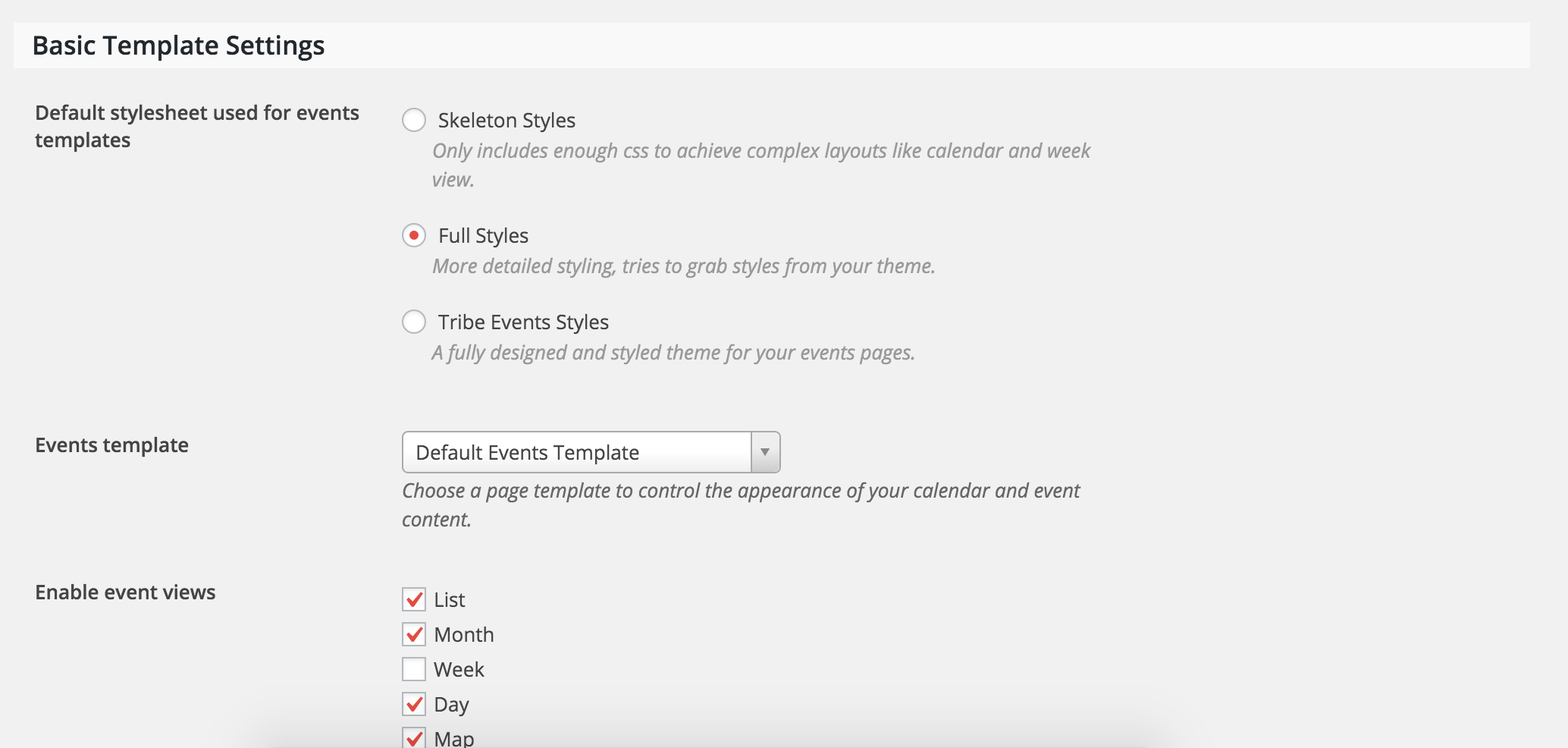
There are all kinds of helpful tutorials and plugins that might help you along the way, including The Events Calendar Category Colors plugin. If you’re ever in doubt or need a helping hand, our support forum team members are ready to assist!
I hope this information helps and if you have any follow-up questions, feel free to ask. Have a good week, Alex!
Cheers,
HunterModeratorHi Kandace 🙂
Let’s see if we can get this solved. First off – what do you have for your End of day cutoff setting found under Events > Settings > General? (see screenshot below)

If that doesn’t help, try running through our Testing for conflicts article to see if you have a theme and/or plugin conflict going on.
If neither of these work, let me know and we’ll explore more options. Thanks for reaching out and have a great week!
-
AuthorPosts