

Forum Replies Created
-
AuthorPosts
-
Hunter
ModeratorThis reply is private.
ModeratorHello and welcome,
Thank you for reaching out and being so thorough in your post. Sorry to hear about guests showing up on the wrong dates :-/
I took a quick look to see if we have any reports aimed to address your concern and came across a logged ticket to improve the recurring event design, specific to what you described. I’ve linked this forum thread to the logged ticket for the developers to review when making improvements.
With that said, I can’t give you a concrete date on when these changes will be included in an upcoming release (it says next release, so that’s a good sign). Keep your eye on our Release Notes for feature and maintenance notes.
Thanks again and please let me know if you have any more questions or concerns. Cheers!
ModeratorHello,
Thank you for reaching out via our Pre-Sales Channel!
In order to achieve what you’ve described, you would need to purchase Events Aggregator. I can’t think of any sites off the top of my head with an event widget on the homepage, but I’m sure it’s being done. Check out our Showcase page as it links to many sites using our plugins in a variety of fashions.
We offer a 30-day money back guarantee, so if things don’t work out how you plan, we’d be happy to refund your purchase in full. Please let me know if you have any more questions and have a great evening. Cheers!
ModeratorHey Eric,
Welcome and thank you for reaching out! With the new shortcodes included in our 4.3 release, you could embed two different calendars on separate parts of your website with one displaying B2C events and the other displaying B2B events using event categories to distinguish the two types of events.
You may need to incorporate some kind of membership plugin to ensure each calendar has the level of privacy you seek, but everything you explained sounds pretty cut-and-dry and shouldn’t be too difficult to put together.
Please let me know if I’ve sufficiently answered your question and feel free to respond with any additional questions or comments you might have. Enjoy your Monday and thanks again. Cheers!
ModeratorHi and thank you for reaching out!
If you head on over to our Deals, Coupons & Discounts page, you’ll see the best ways to save money on our plugins! By purchasing a bundle, you save up to 39% off the regular price. More info can be found on our Bundles page.
Thanks again for reaching out and hopefully we’ll see you around our Premium support forums. Please let me know if you have any more questions and enjoy the rest of your week. Cheers!
ModeratorHey Danny,
Your English was excellent, no apologies necessary!
1) You can create custom templates as explained in our Themer’s Guide to overwrite any template (list view, calendar view, single event) however you’d like. This Featured Images resource might also be helpful. Please review both articles and let me know if you have any questions.
2) You can hide/remove the ‘Upcoming Events‘ text using a template override as explained above or using CSS. (code to add to your theme option’s CSS panel or style.css file below)
.tribe-events-list h2.tribe-events-page-title {

    display: none;

}
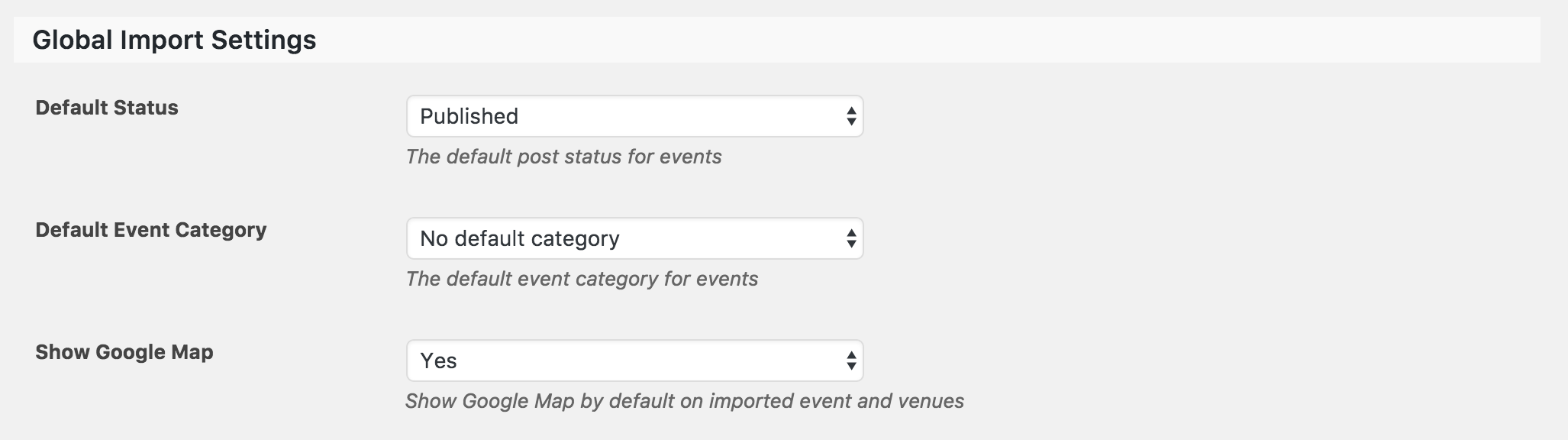
3) Maps should display by default when you have the ‘Enable Google Maps‘ box checked under Events > Settings > General and ‘Show Google Maps‘ set to ‘Yes‘ in Events > Settings > Imports. (see screenshot below)

If you’re ever running into a conflict or what you believe to be a bug, please refer to our Testing for conflicts guide and reply back with any findings you have.
Thank you for reaching out and please let me know if you have any more questions. Cheers!
ModeratorHello and welcome 🙂
We have a Knowledgebase article titled Inserting Calendar Content into Posts or Pages that can embed event content into anywhere on your WP site! Let me know how it works out for you.
Regarding the theme color issues, have you visited Events > Settings > Display and tried different options found there? Another option would be to use the ‘Inspect’ tool to make changes with CSS. This YouTube Video is a great way to learn.
If you need any specific help with CSS, feel free to send over links and a description of what you’d like and I’ll do my best to accommodate. Thanks for reaching out and have a wonderful Monday. Cheers!
ModeratorHi Cynthia,
Welcome back and thank you for the thorough post. I imagine the KB resource needs to be updated regarding the request to revert back to the Twenty Fourteen theme while Testing for conflicts. I’ll make note of that and pass it along to those who handle the Knowledgebase.
I understand you have a custom theme active, but in order for us to identify a bug in our plugin, you’ll need to find some way to temporarily revert back to the default WordPress theme and deactivate all plugins other than ours, whether that be setting up a local test environment or doing so when your site traffic is typically low. Please review our Testing for conflicts guide for instructions.
Once you’ve done so, please respond back with your findings and I’ll be glad to provide further assistance. My apologies I can’t do more until that’s done and I look forward to your response. Thanks for understanding and have a wonderful Monday afternoon. Cheers!
ModeratorGlad to hear you got the issue resolved and thank you for letting me know! Please feel free to create a new thread should you have any more questions or concerns. Cheers!
ModeratorHello,
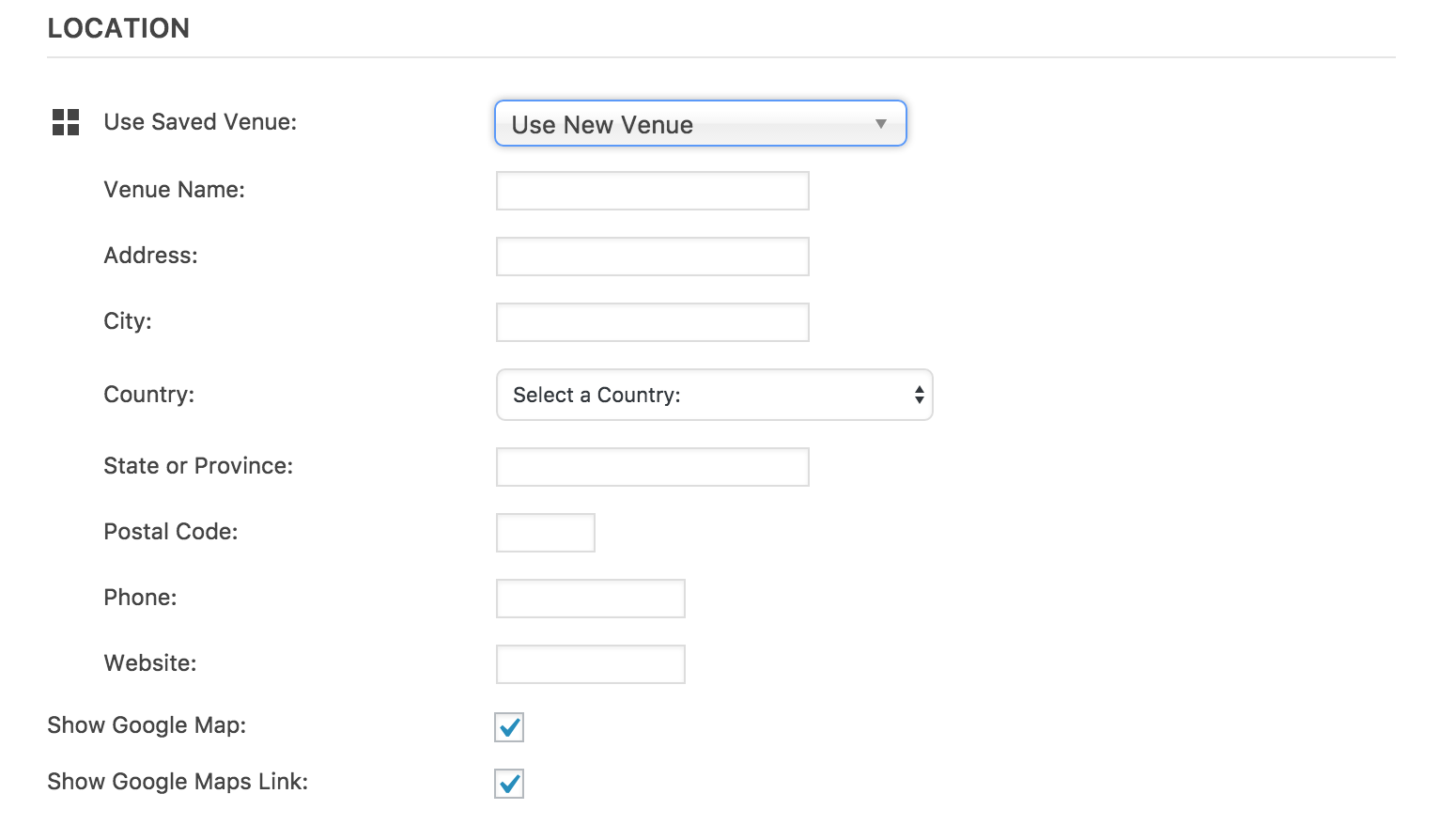
Thank you for the response. I am not exactly sure where the conflict is coming from as I’m not seeing any logged reports resembling your issue nor am I able able to reproduce it on my test installation. (see screenshot below)
Can you confirm the issue occurs on the most recent version released? (4.3.0.1) And I know this might seem redundant, but are you able to set up yet another test install, this time with a fresh installation of WordPress (files and database) and only The Events Calendar 4.3.0.1 installed and activated to see if you can reproduce the issue? What I’m trying to accomplish here is to see whether or not your database is somehow corrupted.
Please keep me updated and thank you for taking the necessary steps to identify the conflict. Once we can get that addressed, we’ll have a better idea on how to solve the issue. Thanks and have a great Monday. Cheers!
ModeratorHey Jeffrey,
Thank you for the response. Just a hunch, but can you visit My Account > License Keys and update the site URL to reflect the change from http to https? Let me know if that makes any difference and we’ll continue investigating if necessary.
Thanks again and have a great Monday afternoon. Cheers 🙂
October 17, 2016 at 11:00 am in reply to: ticket form not showing up on event page, and no meta box on posts or pages #1177789ModeratorHi and welcome back,
I visited the site p2lbermudaevents.com and can confirm I’m not seeing any ticket info on the event page. As previously stated, I’ll need you to review our Testing for conflicts guide to rule out a theme/plugin conflict.
Please verbally confirm you’ve ran through the article linked above and provide results of your testing in a reply. I am unfortunately unable to log into customer sites, so I’ve removed the admin credentials provided.
Once we’ve ruled out a theme/plugin conflict, I can provide more support. Thanks for understanding and have a great Monday. Cheers!
ModeratorHello,
Basic info, such as event, venue, and organizer name, slug, and post_id are stored in the wp_posts table. Their corresponding info, such as start time, end time, venue address, phone number, ticket price are stored in the wp_postmeta table.
Are you able to access your database? Doing so should give you a clearer idea how and where our plugin stores information. Let me know if this helps out and have a good Monday. Cheers!
ModeratorHello,
Glad to hear your purchases are going through! You can learn how to check in attendees using an Android app for scanning QR codes here. Tickets can be modified however you’d like, including removing the logo.
Here is info on how to translate the free version of The Events Calendar and info for translating premium plugins.
I’m not able to provide support for your import issue here, so if you wouldn’t mind, please create a new thread in the appropriate forum. Let me know if this helps answer your questions and have a good day!
ModeratorHello, gentlemen 🙂
Mike, if you wouldn’t mind, please create a separate thread and we’d be happy to help troubleshoot your issue. It will help keep both of your conflicts from getting more complicated and results in a quicker resolution.
Jeffrey, I removed the username and password provided in your initial post. If you wouldn’t mind, please refrain from posting admin credentials to the support forums in the future. I am not really sure why your site is having these display issues. I went and checked my test install and everything on my site looks as it should.
Have you visited Events > Settings > Display and tried different options found there? Do thing still look odd with only our plugins active and the Twenty Fifteen and Twenty Sixteen themes? Do you have any custom template overrides in [your-theme]/tribe-events folder?
I look forward to your response and thanks to the both of you for reaching out. Have a great weekend. Cheers!
-
AuthorPosts